

















What is Naxely?
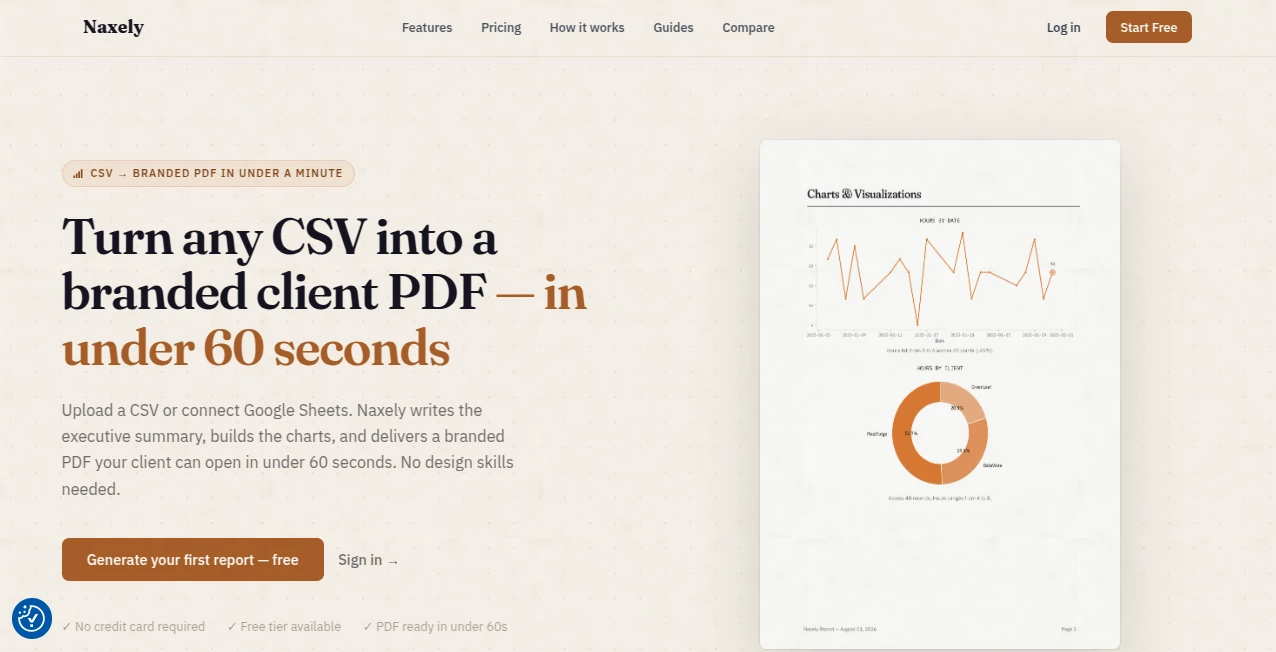
Turning raw spreadsheets into polished reports often takes far longer than the analysis itself. This platform simplifies that entire process by transforming CSV files or connected spreadsheets into visually appealing, branded business reports within minutes. Instead of manually building charts, writing executive summaries, and formatting every page, users can focus on interpreting results while intelligent automation handles the repetitive work.
Designed for freelancers, agencies, consultants, analysts, and growing businesses, the platform combines automated data visualization with AI-generated insights to produce reports that are both professional and easy to understand. Whether the goal is sharing monthly KPIs, client performance updates, or internal business analytics, every report is created with clarity, consistency, and speed in mind.
One of its strongest advantages is the ability to generate meaningful narratives alongside charts. Rather than presenting numbers alone, reports include written observations that help readers quickly understand trends, anomalies, and business performance without spending hours reviewing raw datasets.
Key Features
User Interface
The dashboard is clean and beginner-friendly, allowing users to upload CSV files or connect Google Sheets with minimal setup. Creating a report follows a simple workflow, making it suitable even for professionals without technical or design experience. Branding options such as company logos and color customization help maintain a consistent corporate identity across every exported document.
Accuracy & Performance
The reporting engine analyzes uploaded datasets, automatically selects suitable visualization types, and generates written summaries based on detected patterns. Reports are produced quickly, making the platform especially valuable for recurring client updates, executive reporting, and operational reviews where time is critical.
Capabilities
- Generate branded PDF reports automatically.
- Import data from CSV files or Google Sheets.
- Create multiple chart types based on dataset structure.
- Produce AI-written executive summaries.
- Highlight trends and unusual data patterns.
- Schedule recurring report generation.
- Export reports for presentations.
- Create shareable reports for clients and teams.
- Customize reports with company branding.
- Support API integrations for automated workflows.
Security & Privacy
Business reporting frequently involves confidential information, making data protection an essential requirement. The platform keeps report ownership with users while allowing organizations to automate reporting without sacrificing control over their information. Companies can integrate reporting into existing workflows while maintaining secure access to business data.
Use Cases
- Marketing agencies preparing monthly client reports.
- Business consultants delivering executive summaries.
- Financial analysts presenting KPI dashboards.
- Sales teams tracking revenue performance.
- Operations managers reviewing business metrics.
- Freelancers creating professional reports for customers.
- Startups monitoring growth indicators.
- Internal management reporting and decision support.
Pros and Cons
Pros
- Fast report generation from spreadsheets.
- Professional branded PDF exports.
- AI-generated business insights.
- Supports numerous visualization formats.
- Easy setup with minimal learning curve.
- Google Sheets integration.
- Automation reduces repetitive reporting work.
Cons
- Focused primarily on reporting rather than advanced analytics.
- Some premium automation features require paid plans.
- Customization depth may exceed the needs of casual users.
Pricing Plans
A free plan is available for users who want to explore the reporting workflow with limited monthly reports. Paid subscriptions unlock unlimited report generation, advanced AI summaries, additional chart types, branding customization, scheduling features, presentation exports, API access, and priority support, making the platform suitable for agencies and growing businesses with larger reporting needs.
How to Use Naxely
Upload a CSV dataset or connect a Google Sheets document. Select or customize your report branding, allow the AI engine to analyze the information, review the automatically generated insights and charts, then export the finished report as a professional PDF or presentation. Recurring reports can also be scheduled to automate regular business updates.
Comparison with Similar Tools
Many business intelligence solutions emphasize dashboard creation and manual visualization, often requiring significant setup and technical expertise. This solution takes a different approach by focusing on complete report automation. Instead of building dashboards from scratch, users receive presentation-ready documents containing charts, executive summaries, and business insights in a single workflow. This makes it particularly attractive for consultants, agencies, and professionals who regularly deliver reports to clients.
Conclusion
For professionals who spend too much time formatting spreadsheets and assembling client reports, this platform offers a practical and highly efficient alternative. Automated visualizations, intelligent written analysis, flexible branding, and rapid report generation combine to create a workflow that saves hours while producing polished, presentation-ready documents. It is an excellent choice for organizations looking to improve reporting quality without increasing manual effort.
Frequently Asked Questions (FAQ)
Who is this platform designed for?
It is ideal for consultants, agencies, freelancers, analysts, startups, and businesses that regularly prepare data-driven reports.
Can reports be customized with company branding?
Yes. Users can personalize reports using logos, colors, and company branding elements.
Does it support spreadsheet integration?
Yes. Reports can be created from uploaded CSV files or connected Google Sheets.
Can reports be generated automatically?
Yes. Scheduled reporting helps automate recurring business updates.
Is there a free version?
Yes. A free plan is available, with additional capabilities unlocked through premium subscriptions.