Neoly AI
What is Neoly AI?
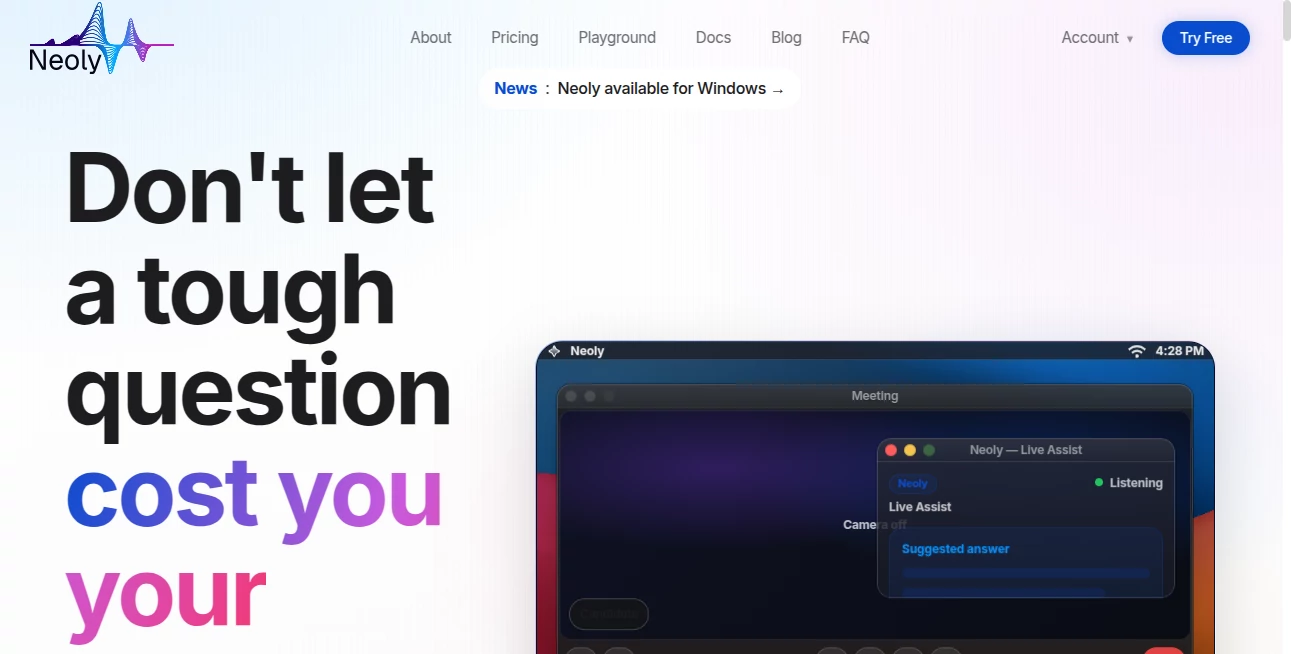
Imagine being in an important interview, a client call, or deep in a coding session when a tough question hits. Instead of panicking or switching tabs, you get quiet, instant support right where you are—without anyone noticing. That’s the experience Neoly delivers. It sits in the background like a trusted second brain, ready to help with phrasing, context, or quick analysis while staying completely invisible on screen shares. I’ve heard from users who nailed interviews because they had calm, well-phrased answers appear exactly when needed. It doesn’t just give answers—it helps you stay present and confident.
Introduction
Most AI tools demand your full attention—they pop up, steal focus, or require constant switching. Neoly takes the opposite approach: it’s built to support you without breaking your flow. Designed as a desktop companion, it excels in live situations like interviews, meetings, coding, and presentations. With features like true invisibility during screen sharing, direct text insertion, and smart context capture, it feels like having a silent expert by your side. The result is less stress, clearer thinking, and better performance when it matters most.
Key Features
User Interface
The interface is intentionally minimal and keyboard-friendly. Global shortcuts let you trigger actions instantly without losing focus on your main window. No-Focus Mode is a standout—you can interact with Neoly while keeping your cursor and attention in your IDE or document. Everything feels designed for real workflows rather than forcing you into yet another app window.
Accuracy & Performance
Responses are fast and context-aware. It understands code, meeting discussions, and interview questions with impressive accuracy. The real-time transcription and suggestion features keep up with natural conversation speed, and the AI models (including top options like GPT and Claude) deliver reliable, high-quality help. Users often note how the suggestions sound natural and professional, not robotic.
Capabilities
Neoly shines in live scenarios: it offers real-time help during calls and interviews, captures screenshots or selected text instantly, sends answers directly to your active editor, and maintains deep focus with No-Focus Mode. It supports multiple AI models you can switch between mid-conversation, handles code explanation and refactoring, and creates smart notes from discussions. The combination of invisibility and practical tools makes it uniquely suited for high-stakes moments.
Security & Privacy
Privacy is clearly a priority. Neoly is built to minimize data collection and doesn’t store your conversations unnecessarily. It works locally where possible and gives you control over what gets sent to AI models. For professionals handling sensitive information in interviews or client calls, this thoughtful approach builds real trust.
Use Cases
Job seekers use it during technical interviews to get quick, accurate explanations without breaking eye contact with the camera. Developers keep it running in the background for instant code help while staying in flow. Sales professionals get phrasing suggestions during discovery calls. Students benefit during presentations or online exams. Anyone in high-pressure communication situations finds it valuable for staying calm and sharp.
Pros and Cons
Pros:
- True invisibility during screen sharing gives a genuine advantage in interviews and meetings.
- No-Focus Mode and direct editor insertion keep you in flow.
- Fast, context-aware help with multiple strong AI models.
- Practical tools like screenshot and text capture save time.
Cons:
- Desktop-only (currently strongest on Windows, with more platforms coming).
- Best results require clear, well-phrased initial prompts.
- Heavy daily use benefits from a paid plan.
Pricing Plans
Neoly offers a free tier that lets you experience the core features and see the difference it makes. Paid plans unlock unlimited usage, access to the strongest models, priority performance, and advanced features. The pricing is reasonable for the productivity gains, especially for professionals who rely on sharp performance in live situations.
How to Use Neoly
Download and install the desktop app. Use global shortcuts to bring it up or work in No-Focus Mode. During a call or coding session, highlight text or take a quick screenshot to send context instantly. Ask questions naturally and get suggestions you can insert with one click. For interviews or presentations, keep it running invisibly in the background for on-demand support. The more you use the shortcuts and focus modes, the more natural it feels as part of your workflow.
Comparison with Similar Tools
Many AI assistants require constant tab switching or visible windows that break focus. Neoly differentiates itself with true invisibility, seamless editor integration, and tools built specifically for live, high-pressure moments. While other tools are good at general chatting, this one excels at staying out of sight while still delivering timely, actionable help exactly when you need it.
Conclusion
In moments that matter—interviews, client calls, deep work sessions—having the right support at the right time can make all the difference. Neoly provides that support quietly and effectively, helping you stay focused, confident, and in control. It’s more than just another AI tool; it’s a thoughtful companion designed for real human workflows. If you’ve ever wished for help that doesn’t distract you, this is worth trying.
Frequently Asked Questions (FAQ)
Is Neoly really invisible on screen share?
Yes—it’s designed to stay hidden from Zoom, Teams, Meet, OBS, and most screen recording tools.
Can I use it during coding?
Absolutely—No-Focus Mode lets you get help while keeping keyboard focus in your IDE.
Does it work on Mac or Linux?
Windows is currently the strongest platform, with more OS support expanding.
Is my data private?
Neoly is built with strong privacy practices and minimizes unnecessary data collection.
Do I need to switch models manually?
You can switch easily mid-chat and keep full context between them.
AI Productivity Tools , AI Meeting Assistant , AI Developer Tools , AI Notes Assistant .
These classifications represent its core capabilities and areas of application. For related tools, explore the linked categories above.

Neoly AI Alternatives Product

Free AI Chat

Nestify
Sovi.AI

FurWall

TryApplyNow

EasyRouterAI
MeetAssist
Devplan

AIQualityHQ