
NextDoor AI
What is NextDoor AI?
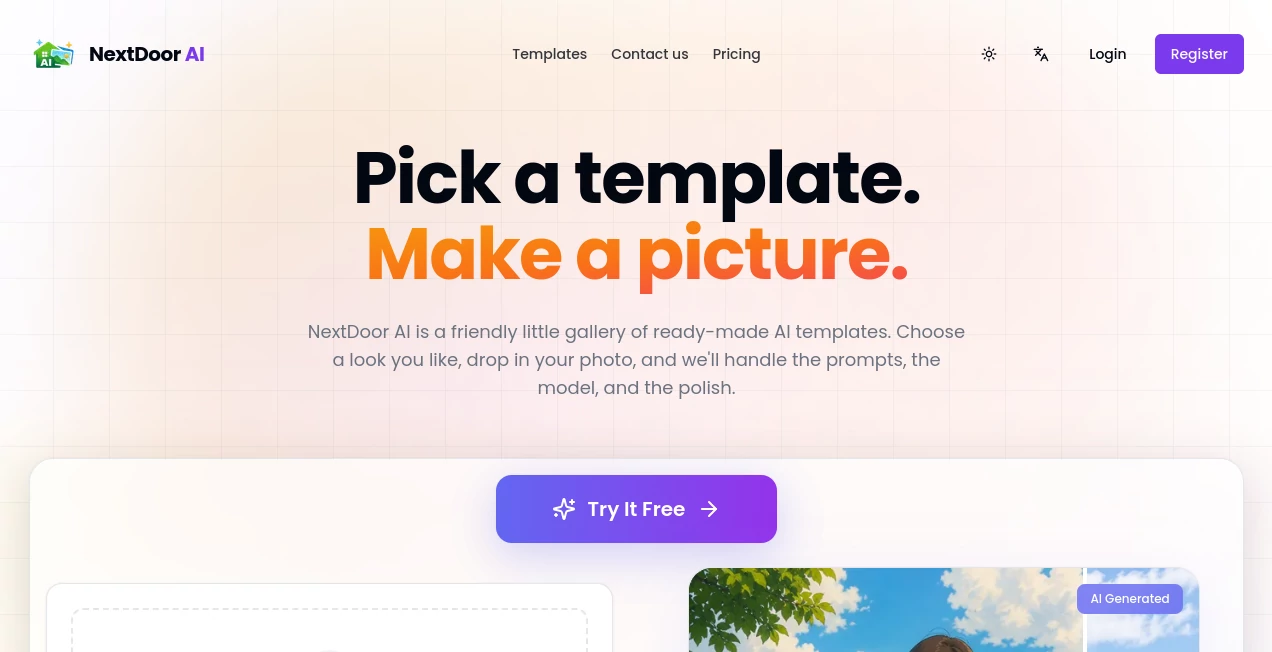
I’ve always found AI image generators a bit intimidating — endless prompt tweaking, weird results, and the feeling that I’m fighting the tool instead of creating with it. Then I tried this one and it felt different. You pick a template that catches your eye, drop in one photo (or skip it), click generate, and seconds later you have something that actually looks good. No wrestling with words, no guessing what the AI wants. It feels like borrowing sugar from a friendly neighbor who just happens to be really good at making pictures.
Introduction
Most people want nice images but don’t want to become prompt engineers. This platform solves that by keeping things simple and friendly. It’s built around templates — hundreds of them, updated regularly — so you start with something that already works instead of a blank page. Whether you’re making social media posts, product visuals, portraits, or fun experiments, it removes the usual friction. The best part is how approachable it feels. You don’t need to be technical or artistic. You just need an idea and a couple of clicks. That accessibility is what makes it special.
Key Features
User Interface
The whole experience is welcoming from the first second. A big gallery of templates greets you when you arrive. Pick one that feels right, upload a photo if you want (or don’t), and hit generate. The interface stays out of your way — clean, calm, and fast. Previews load quickly so you can try variations without frustration. It’s the kind of tool my non-designer friends actually enjoy using because it never makes them feel stupid.
Accuracy & Performance
Results come back in seconds for most templates. The AI respects your input photo when you provide one, keeping faces, products, or scenes recognizable while applying the chosen style. It handles different languages well, so you can write prompts in your native tongue. The output quality is consistently solid — not every generation is a masterpiece, but most are usable and many are genuinely impressive. That reliability makes it fun to experiment.
Capabilities
You get a wide variety of templates: portraits, product shots, scenes, animations, and creative styles. Text-only mode works great when you don’t have a photo. You can generate variations, save favorites, and share directly. It supports multiple languages for prompts, making it accessible to people around the world. Whether you need something professional for work or playful for personal use, there’s usually a template that fits the vibe you’re going for.
Security & Privacy
You can try many features as a guest without signing up. When you do create an account, your images and generations stay private unless you choose to share them. The platform focuses on making creation easy without collecting more data than necessary. That respectful approach makes it comfortable to experiment freely.
Use Cases
A small business owner turns product photos into styled lifestyle shots for social media in minutes. A parent creates custom birthday invitations with their child’s face in fun cartoon styles. A content creator experiments with different looks for thumbnails and posts until something clicks. Someone learning design uses the templates as starting points to understand good composition. It fits into daily life wherever someone needs a nice image without the usual hassle.
Pros and Cons
Pros:
- Extremely easy — no prompt engineering required.
- Fast generations let you try many variations quickly.
- Templates give you a strong starting point every time.
- Works well with or without uploading your own photo.
- Friendly enough for complete beginners.
Cons:
- Some very specific or complex ideas still benefit from good prompts.
- Free daily limits exist (higher limits after signing up).
Pricing Plans
You can start completely free as a guest and make several images right away. Signing up gives you higher daily limits and the ability to save favorites and history. Paid options unlock even more generations and priority access during busy times. The structure feels fair — you only pay when your needs grow beyond casual use.
How to Use NextDoorAI
Go to the gallery and browse templates until one catches your eye. Click it, upload a photo if you want (or skip for text-only), add any extra description if needed, and hit generate. Look at the results, try different variations or templates, then download your favorites. Save the ones you love for later or share them directly. The whole process is fast enough that you can create several options in one short sitting.
Comparison with Similar Tools
Many AI image tools force you to write detailed prompts and still give unpredictable results. This one flips the script by starting with strong templates and letting you guide with photos instead of paragraphs. It’s less technical and more approachable than most alternatives, while still delivering quality that competes with heavier tools. For people who just want nice images without the hassle, it feels like the friendlier neighbor on the block.
Conclusion
Creating good-looking images shouldn’t feel like work. This platform makes it feel like play — simple, fast, and often surprisingly good. Whether you need something for business, personal projects, or just for fun, it removes the usual barriers and lets you focus on the idea instead of the process. In a world full of complicated creative tools, its straightforward friendliness is exactly what many of us have been missing.
Frequently Asked Questions (FAQ)
Do I need to sign up to try it?
No — you can browse templates and generate as a guest.
How fast are generations?
Most templates finish in under 10–15 seconds.
Can I use my own photos?
Yes — uploading one image gives the best personalized results.
What languages are supported?
Prompts work in English plus many others including Chinese, Japanese, Spanish, and more.
Are the images free to use?
Generated images are yours to download and use for personal and commercial purposes.
AI Photo & Image Generator , AI Art Generator , AI Design Generator , AI Image to Image .
These classifications represent its core capabilities and areas of application. For related tools, explore the linked categories above.

NextDoor AI Alternatives Product

Stylize Image
Project Geni…

Banana Prompt

NanoBanana2

ModelsLab

img2img.net

XIMAGIN

Uni-1

TimelessHome…