
NiuNiu
What is NiuNiu?
I’ve always wanted a few custom tools on my phone — a smarter habit tracker, a personal inventory for my workshop, or a reminder system that actually fits how I think. Coding them myself was never realistic, and most no-code tools felt either too limited or too complicated. Then I tried this platform. You simply describe what you want in plain English, review the plan, and a few minutes later you have a real Android APK ready to install. No drag-and-drop frustration, no steep learning curve. It feels almost like having a personal developer who actually listens.
Introduction
Most people have ideas for small apps that would make their daily life easier, but turning those ideas into reality has always been out of reach for non-coders. NiuNiu changes that by letting you build personal Android apps through natural conversation. It’s designed specifically for individual use — habit trackers, planners, journals, small business helpers, custom reminders, or even simple AI-powered tools. You get a real installable APK that lives on your phone, keeps data locally when possible, and can be improved through follow-up chat. It’s practical, fast, and feels empowering rather than intimidating.
Key Features
User Interface
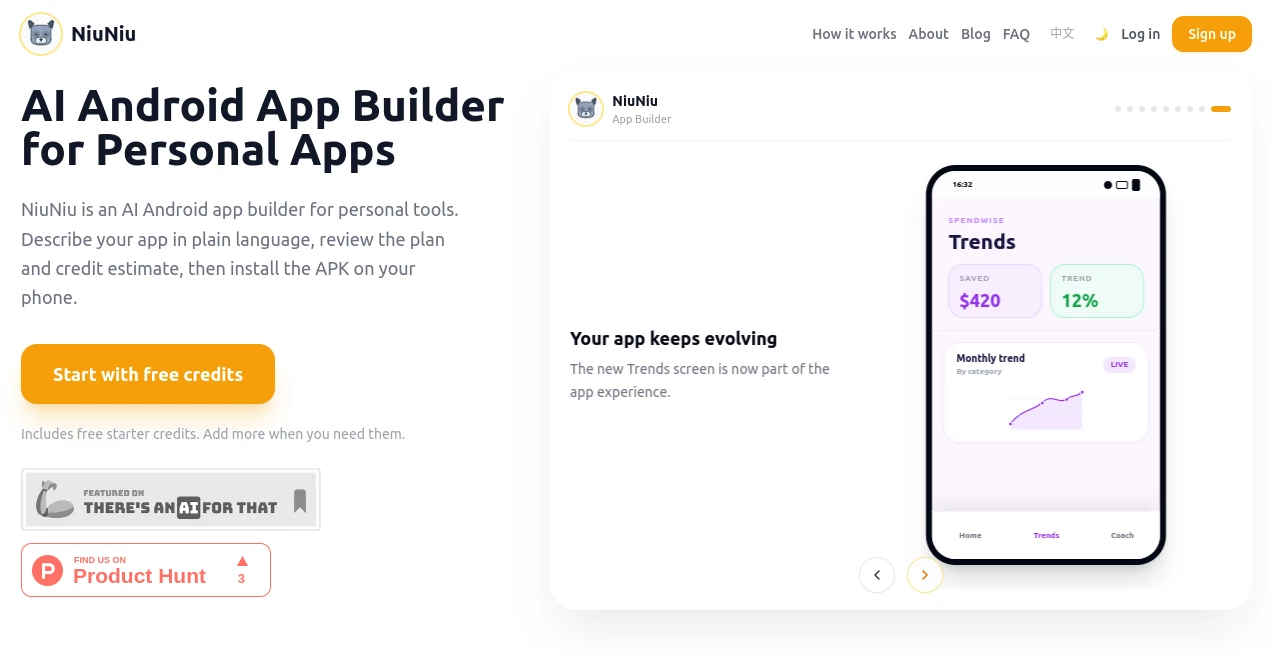
The process is wonderfully straightforward. You chat with the AI, describe the screens, data, reminders, or AI features you want, and it shows you a clear plan with scope and credit estimate before any building starts. Once approved, it designs, builds, tests, and delivers the APK. After installation, you can keep chatting to request changes or new features. No complicated editors or visual builders — just conversation that leads to a working app on your device.
Accuracy & Performance
It does a remarkably good job translating plain-language descriptions into functional apps. The generated interfaces feel natural for Android, and the logic behaves as you’d expect. Builds are quick enough that you can iterate in the same session, and the final APK runs smoothly on your phone. From my experience testing similar ideas, the accuracy on personal utility apps is impressive — it understands context and delivers something usable on the first or second try.
Capabilities
You can build habit trackers, daily planners, journals, inventory tools, booking systems, checklists, custom notification apps, and even small AI assistants for summaries, planning, or recommendations. It supports local data storage where possible, integrates reminders, and can include AI features when needed. The focus is on personal tools that live on your phone rather than big shared SaaS products, which keeps things fast and private.
Security & Privacy
Your app data stays on your device when possible, and the platform is transparent about any external services (like AI or maps) during the planning stage. You maintain full control over the final APK. For anyone building personal tools with sensitive information, that local-first approach brings real peace of mind.
Use Cases
A fitness enthusiast builds a custom workout tracker with exactly the metrics and reminders they need. A small business owner creates a simple inventory and customer follow-up tool that lives only on their phone. A student makes a personalized study planner with AI-generated summaries and smart reminders. A parent builds a family routine app with shared chores and notifications. These aren’t massive public apps — they’re personal tools that perfectly fit one person’s life.
Pros and Cons
Pros:
- Turns natural language descriptions into real, installable Android apps.
- Fast iteration — describe, review plan, get APK, then refine through chat.
- Focuses on personal use cases where most builders fall short.
- Local-first approach keeps your data more private.
- No need to learn coding or complex no-code editors.
Cons:
- Best suited for personal/single-user apps rather than complex team SaaS tools.
- Credits are used for builds, so frequent major changes add up.
- iOS is not supported (Android-focused for now).
Pricing Plans
It uses a credit-based system where you see the exact cost estimate before any work begins — very transparent. Free or low-credit trials let you test the waters with simpler ideas. Paid credits unlock more ambitious personal apps. The model feels fair because you only pay for what you build, and the results are yours to keep and use indefinitely.
How to Use NiuNiu
Start a new chat and describe the app you want in plain language — mention screens, data you want to track, reminders, or AI features. Review the detailed plan and credit estimate the AI provides. Approve it, then wait while it builds, tests, and packages the APK. Download and install on your Android phone. Once installed, continue chatting to request changes or new features. It’s that simple — idea to working app in one flowing conversation.
Comparison with Similar Tools
Traditional no-code platforms often require visual editing and steep learning curves. Big AI app builders tend to focus on web/SaaS products with hosting and team features. NiuNiu stands out by staying laser-focused on personal Android apps delivered as real APKs. It’s simpler and faster for individual use cases where most other tools feel either too basic or unnecessarily complex.
Conclusion
Having an idea for a small app that would genuinely help your daily life shouldn’t stay just an idea. NiuNiu makes turning those personal needs into real, working Android apps surprisingly achievable. It respects your time, keeps things private where it matters, and delivers something you can actually install and use. For anyone who’s ever thought “I wish there was an app for that” about their own routines, this feels like the future arriving early.
Frequently Asked Questions (FAQ)
Do I need coding knowledge?
Not at all — everything starts with plain English descriptions.
Is the app only for me or can others use it?
It’s built for personal/single-user tools that live on your phone.
What happens after I get the APK?
You can install it and continue chatting with the AI to request improvements anytime.
Can I build apps with AI features?
Yes — you can include AI summaries, planning, coaching, or recommendations.
Is my data private?
Local-first design keeps as much data as possible on your device.
AI No-Code & Low-Code , AI Developer Tools , AI App Builder , AI Tools Directory .
These classifications represent its core capabilities and areas of application. For related tools, explore the linked categories above.

NiuNiu Alternatives Product

Directory Be…

Awesome AI T…

ShipAhead

Geekflare AI

Firefox
submit my to…

SeeWhatNewAI…

Duct Tape AI…
Mythx AI