


















Noodle Tomato
What is Noodle Tomato?
Creating a successful faceless YouTube channel sounds simple until the production work begins. Researching a topic, writing a script, recording narration, finding visuals, adding subtitles, choosing music, and editing everything into a watchable video can easily take several hours for a single upload.
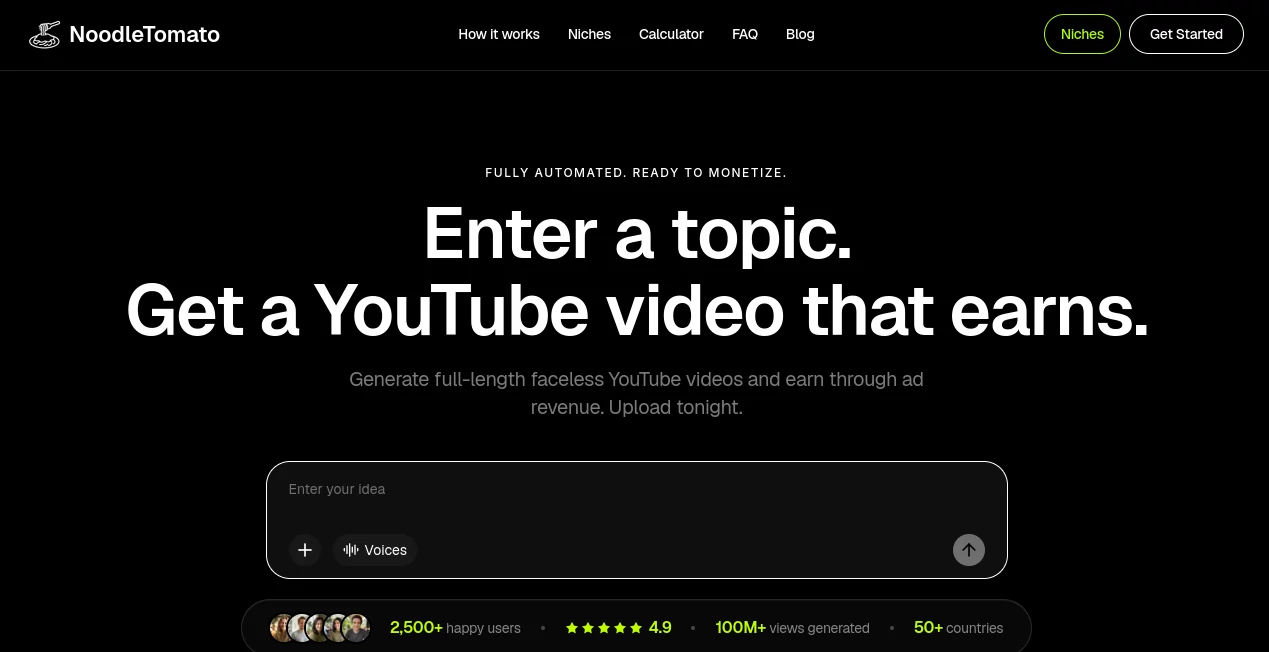
NoodleTomato takes a different approach. Instead of giving creators another editing timeline to manage, it turns a simple topic or idea into a complete long-form YouTube video. The platform handles the script, narration, visuals, subtitles, music, and editing, producing videos that are ready to download and upload.
The service is particularly focused on creators who want to build faceless YouTube channels around long-form content. History documentaries, science explainers, true crime, biographies, mythology, psychology, and many other subjects can be turned into full-length videos without a camera or traditional production setup.
That makes the workflow much easier to understand: choose a topic, let the system handle production, review the result, and publish. For someone trying to build a consistent publishing schedule rather than spending an entire evening editing one video, that difference matters.
Key Features
- Automatic generation of long-form faceless YouTube videos
- Videos ranging from approximately 20 to 90 minutes
- AI-generated scripts and narration
- Original AI-generated visuals matched to the script
- Automatic subtitles and background music
- Finished editing without requiring a traditional video editor
- Topic and niche discovery tools
- Free Topic Finder for researching potential YouTube niches
- Support for more than 1,000 proven niche ideas
- Multiple AI voice options with different accents, tones, and pacing
- Production designed around long-form YouTube monetization
- Workflows suitable for creators operating multiple channels
User Interface
The workflow is deliberately straightforward. Rather than starting with a complicated collection of editing panels, users begin with an idea. From there, the production process moves through stages such as the brief, hook, script, voice, preview, and export.
This approach is useful for creators who know what they want to publish but do not want to become professional video editors. The interface keeps the creative decision at the beginning of the process while automating much of the repetitive production work that follows.
Accuracy & Performance
Performance is one of the more important aspects of an automated video platform, especially when the goal is long-form content. The service states that video generation generally takes around 15 to 45 minutes depending on the requested length, with a typical 30-minute video taking roughly 25 minutes.
The output is designed to arrive as a finished production rather than a collection of unfinished assets. Narration, visuals, subtitles, music, and editing are assembled before the video is delivered.
As with any automated content system, creators should still review important factual claims before publishing. This is especially relevant for documentaries, history, science, finance, health, and other subjects where small inaccuracies can affect the credibility of an entire channel.
Capabilities
The strongest capability is its focus on long-form content. Instead of concentrating mainly on short clips, the platform can create videos of up to 90 minutes. That opens the door to formats such as documentaries, deep-dive explainers, historical stories, biographies, educational videos, mythology, psychology content, and narrative channels.
Visuals are generated specifically for the script rather than simply relying on a fixed collection of stock clips. This gives different topics room to develop their own visual identity. A history documentary can feel different from a science explanation or a fictional story.
The built-in Topic Finder is another useful addition. It analyzes YouTube topics and presents information about niches, including examples of successful subjects and estimated earning potential. For a creator who is still deciding what type of channel to build, this can shorten the research phase considerably.
Security & Privacy
The platform publishes an Acceptable Use Policy that defines how its service may be used and prohibits illegal and harmful content. Creators should still review the platform's current terms and policies before uploading sensitive material or building a workflow around private information.
For normal content creation, the sensible approach is to avoid placing confidential personal, business, or third-party information into automated generation systems unless the applicable terms and privacy practices have been reviewed carefully.
Use Cases
There are several practical ways creators can use this type of automated production workflow.
- Faceless YouTube channels: Build channels without appearing on camera or recording every video manually.
- History documentaries: Turn historical subjects, events, people, and civilizations into long-form narrated videos.
- Science and educational content: Create explainers around science, technology, nature, and educational subjects.
- True crime and mystery: Produce narrated stories and investigative-style content around suitable topics.
- Biography channels: Create longer videos covering notable people and their lives.
- Mythology and storytelling: Develop narrative videos around myths, legends, and fictional concepts.
- Multi-channel operations: Produce content at a larger scale when managing several YouTube channels.
- Niche testing: Explore different subjects before committing significant time and production resources to a new channel.
For example, a creator interested in ancient history could enter an idea about Roman soldiers and receive a complete documentary-style production instead of spending an afternoon researching footage, recording narration, and assembling a timeline manually. That shift from editing to topic selection can be especially valuable for people who want to publish frequently.
Pros and Cons
Pros
- Creates complete long-form videos from a topic
- Does not require filming or an existing video
- Handles script, narration, visuals, subtitles, music, and editing
- Supports videos up to 90 minutes
- Uses AI-generated visuals matched to the content
- Includes tools for discovering promising niches
- Useful for faceless YouTube channel operators
- Can significantly reduce manual production time
Cons
- Automated content still benefits from human fact-checking and review
- The subscription cost is higher than many basic AI video generators
- It is primarily designed around YouTube and long-form content rather than general-purpose video editing
- Creators who want detailed manual control may still prefer a traditional video editor
- Revenue estimates should be treated as projections rather than guaranteed earnings
Pricing Plans
The service is positioned as a premium solution for creators and operators rather than a basic free video generator. Public pricing information lists several monthly plans, with pricing beginning at approximately $149 per month.
- Starter: Starting around $149 per month.
- Growth: Around $599 per month.
- Pro: Around $1,249 per month.
- Studio: Around $2,499 per month.
Higher plans are aimed at creators and teams operating larger channel portfolios and requiring greater production capacity. Pricing and included limits can change, so users should check the current plan details before subscribing.
How to Use It
Getting started does not require a complicated production setup.
- Choose a YouTube topic or niche you want to explore.
- Enter the idea into the video generation workflow.
- Let the system develop the brief, hook, script, narration, visuals, subtitles, music, and editing.
- Review the generated video and check important facts, names, dates, and claims.
- Download the finished production.
- Upload it to YouTube with an appropriate title, description, thumbnail, and channel strategy.
Creators who are unsure about the niche can start with the Topic Finder. It provides ideas based on analyzed YouTube topics and can help identify areas with audience demand before investing heavily in production.
Comparison with Similar Tools
Many AI video platforms are built around short clips, repurposing existing videos, or social media content. This service has a narrower but clearer focus: creating long-form videos for faceless YouTube channels.
That distinction is important. A short-form generator may be a better choice for someone producing TikTok videos or YouTube Shorts every day. A repurposing platform can make more sense when the creator already has podcasts, webinars, or other long recordings to cut into clips.
For someone starting with nothing more than a topic and wanting a complete long-form YouTube production, the workflow is considerably closer to an automated channel-production system than a conventional AI video editor.
The platform also emphasizes original AI-generated visuals and supports productions up to 90 minutes, making it particularly interesting for creators focused on documentaries, deep dives, educational programming, and other long-form formats.
Conclusion
Producing long-form YouTube content has traditionally required a surprisingly large amount of repetitive work. The research, scriptwriting, voice recording, visual selection, editing, subtitles, and music can turn one video into a full-day project.
This platform addresses that bottleneck by putting the topic at the center of the workflow and automating most of what comes afterward. Its strongest appeal is not simply that it can generate a video, but that it is designed around the larger goal of building faceless YouTube channels at a consistent publishing pace.
For creators who want to experiment with multiple niches, publish documentary-style content, or operate several channels without maintaining a traditional production team, it offers a compelling shortcut. The best results will still come from creators who choose worthwhile topics, review generated material carefully, and treat automation as a production advantage rather than a replacement for editorial judgment.
Frequently Asked Questions (FAQ)
How long does it take to generate a video?
Generation generally takes around 15 to 45 minutes depending on the video length. A typical 30-minute production can take roughly 25 minutes.
Do I need to edit the generated videos?
The videos are designed to arrive fully finished with narration, visuals, subtitles, background music, and editing. Creators can still add their own introductions, endings, or branding if they want a more customized channel style.
Can I create videos without showing my face?
Yes. The workflow is specifically designed for faceless YouTube content, so creators can build narrated channels without filming themselves.
What types of YouTube channels work well with the platform?
Suitable subjects include history, true crime, science, mythology, biographies, psychology, education, storytelling, and other topics that can support longer narrated videos.
Can the videos be monetized on YouTube?
AI-assisted videos can be eligible for YouTube monetization, but eligibility depends on YouTube's current Partner Program requirements and the quality and originality of the published content. Using AI does not guarantee approval or advertising revenue.
Does it generate the visuals automatically?
Yes. The platform states that its long-form videos use AI-generated visuals matched to the script, allowing creators to start from a topic instead of supplying their own footage.
Does it include AI voices?
Yes. Multiple AI voice options are available, including different accents, tones, and pacing styles.
Is there a tool for finding YouTube niches?
Yes. The Topic Finder is designed to help creators discover YouTube niches by analyzing topics, competition, views, and estimated earning opportunities.
AI Animated Video , AI YouTube Assistant , AI Video Generator , AI Text to Video .
These classifications represent its core capabilities and areas of application. For related tools, explore the linked categories above.

Noodle Tomato Alternatives Product

Visfeng AI F…

seedance2

Seedance 3.0…

S2LIfe AI

Gemini Omni

HappyHorse A…

Thumbspick

Grok Imagine…

Fiddl.art
