
Panzoe
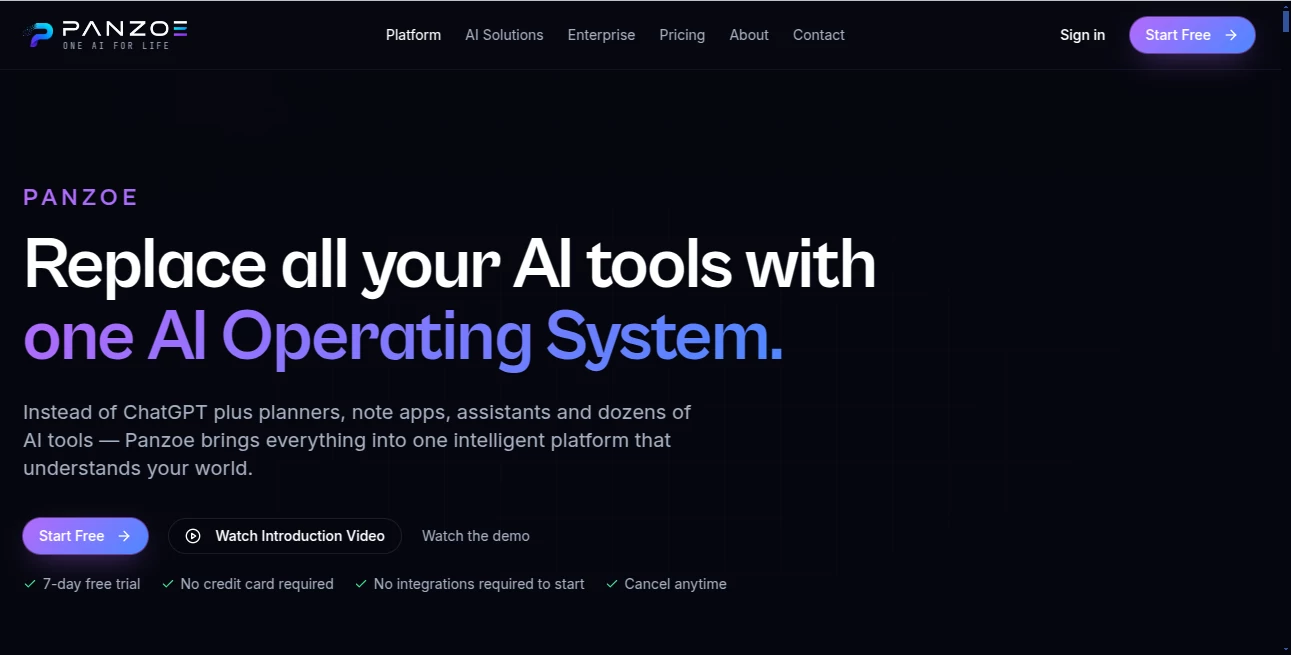
What is Panzoe?
Panzoe is an innovative AI-powered handwriting solution designed to transform digital text into realistic handwritten documents. It helps students, professionals, and creators bring a personal touch to their work by generating natural-looking handwriting that feels authentic and human.
Instead of spending hours writing pages manually, users can prepare their content digitally and turn it into a handwritten-style document in a simple workflow. The platform focuses on recreating the small details that make handwriting feel personal, including natural variations, spacing, and writing patterns.
Key Features
- AI Handwriting Generation: Convert typed text into realistic handwritten pages with natural-looking results.
- Personal Handwriting Style: Create documents using a handwriting style based on individual writing characteristics.
- Natural Variations: Add realistic imperfections and subtle changes that make generated handwriting look authentic.
- Multiple Paper Styles: Choose different paper formats and layouts for various document needs.
- High-Quality Export: Generate printable documents suitable for sharing or physical use.
- Fast Creation Process: Produce handwritten-style content without manually rewriting every page.
User Interface
The platform provides a simple and user-friendly experience that makes the handwriting generation process accessible even for first-time users. The workflow is designed around a few clear steps, allowing users to create, preview, and export their documents without complicated settings.
The clean interface helps users focus on their content rather than technical details. Whether preparing assignments, personal notes, or creative documents, the experience remains straightforward and efficient.
Accuracy & Performance
The AI technology focuses on reproducing the visual characteristics of human handwriting, including letter shapes, spacing, and natural movement patterns. The result is designed to feel less mechanical and more similar to handwritten pages created by a real person.
By combining intelligent handwriting simulation with customizable options, the platform delivers consistent results while maintaining a natural appearance across different documents.
Capabilities
This tool can support a wide range of handwriting-related tasks. Users can create handwritten notes, educational materials, personalized messages, creative projects, and other documents where a human touch is valuable.
It is especially useful for people who want the appearance of handwritten work while keeping the convenience and speed of digital editing.
Security & Privacy
Privacy is an important part of any AI-based document platform. Users should have control over their uploaded content and personal handwriting information while creating digital documents.
A responsible approach to data handling helps users feel confident when working with personal writing styles and private documents.
Use Cases
- Students: Create handwritten-style notes, assignments, and study materials faster.
- Teachers: Prepare personalized educational resources with a handwritten appearance.
- Professionals: Add a personal style to letters, documents, and presentations.
- Creators: Design unique handwritten content for creative projects and social media.
- Personal Users: Create customized messages, journals, and special documents.
Pros and Cons
Pros
- Creates realistic handwritten-style documents quickly.
- Saves significant time compared to manual writing.
- Offers a more personal alternative to standard digital text.
- Easy workflow suitable for different types of users.
- Useful for both practical and creative projects.
Cons
- Results may vary depending on the selected handwriting style.
- Users looking for completely manual handwriting control may prefer traditional methods.
Pricing Plans
The platform offers different access options designed for users with different needs. A free option allows users to explore the experience, while paid plans provide expanded features, higher-quality results, and additional flexibility for regular usage.
Users who frequently create handwritten documents can benefit from premium features that remove limitations and provide a smoother workflow.
How to Use
- Create an account and access the handwriting generation workspace.
- Provide text content that you want to transform.
- Select or customize a handwriting style.
- Preview the generated document and make adjustments if needed.
- Export the final result for sharing or printing.
Comparison with Similar Tools
Compared with traditional handwriting generators, this solution focuses more on creating a realistic human writing experience rather than simply applying a handwriting font. The use of AI-based variation makes the output feel more natural and personalized.
For users who value authenticity, customization, and speed, it provides a practical balance between digital convenience and the appearance of handwritten work.
Conclusion
AI handwriting technology is changing the way people create personalized documents. By combining automation with realistic handwriting simulation, this platform helps users save time while keeping the warmth and individuality of handwritten content.
Whether for education, professional communication, or creative projects, it offers a modern way to transform ordinary text into something more personal and engaging.
Frequently Asked Questions (FAQ)
Can AI create realistic handwriting?
Yes, modern AI handwriting systems can reproduce natural writing patterns by analyzing letter shapes, spacing, and variations.
Who can use this tool?
Students, professionals, educators, and creators can use it for different handwriting-based projects.
Can generated documents be exported?
Yes, users can export their generated handwriting documents for digital sharing or printing.
Does it support personal handwriting styles?
The platform is designed to create personalized handwriting experiences by adapting to different writing characteristics.
AI Documents Assistant , AI Productivity Tools , AI Education Assistant , AI Writing Assistants .
These classifications represent its core capabilities and areas of application. For related tools, explore the linked categories above.

Panzoe Alternatives Product

KarmaGuy

Google Skills

TruthSpine

Translate a …
Futurwise

UPDF AI

DocReplacer

Alloy

MeetAssist