Pause.
What is Pause.?
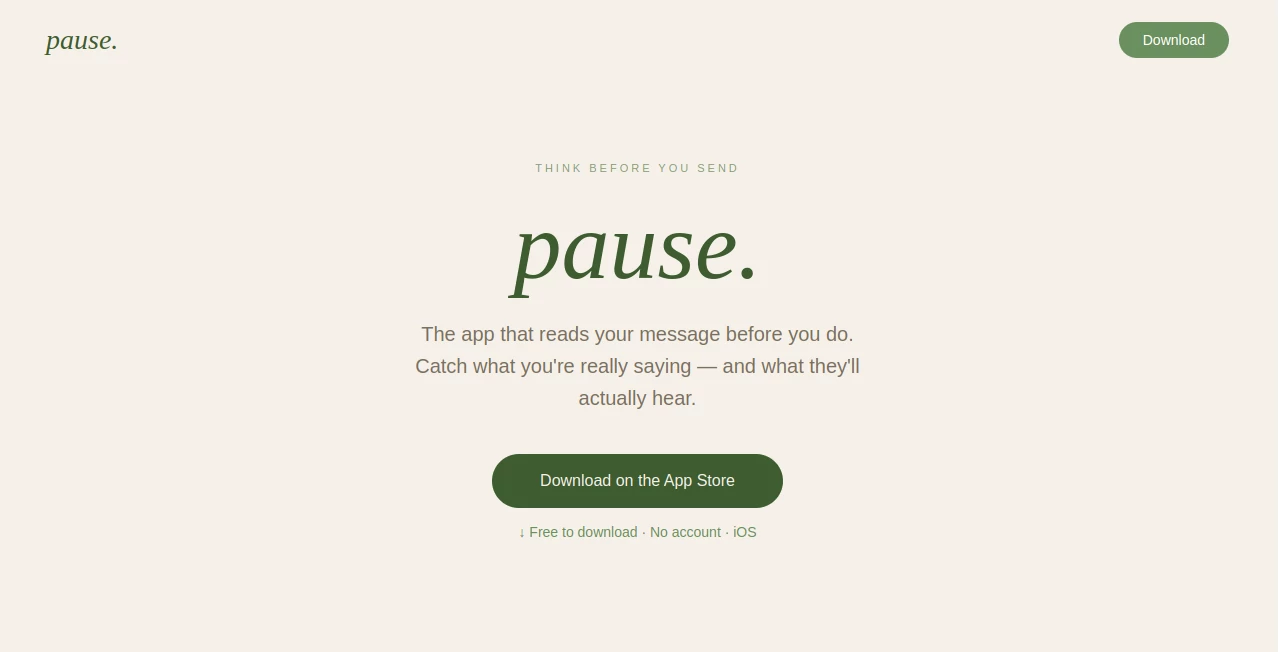
Digital conversations happen in seconds, but the impact of a single message can last much longer. This intelligent communication assistant is designed for people who want to express themselves more thoughtfully before pressing the send button. Instead of relying on instinct alone, it evaluates drafts, highlights potential risks, and suggests a calmer, clearer version that better matches the intended tone.
Whether you're responding to a manager, discussing a sensitive issue with a partner, or handling an emotional conversation with a friend, the platform provides valuable insight into how your words may be interpreted. It helps reduce misunderstandings while encouraging healthier communication habits over time. Unlike traditional writing assistants, the focus is not grammar or spelling—it is emotional awareness, context, and intention. The app is also built with privacy in mind, keeping message history on the user's device instead of storing conversations on external servers. These thoughtful design choices make it a refreshing addition for anyone who values mindful communication. :contentReference[oaicite:0]{index=0}
Key Features
User Interface
The interface is intentionally minimal and distraction-free. Users simply paste a message, choose who the recipient is, describe their emotional state, and instantly receive practical feedback. The workflow feels natural, making it easy to incorporate into everyday messaging without interrupting productivity.
Accuracy & Performance
The platform analyzes both wording and conversational context rather than focusing solely on grammar. It estimates the emotional impact of a message, assigns a communication risk score, and provides an alternative version that preserves the original intent while reducing unnecessary tension. Responses are generated quickly, making it practical even during fast-paced conversations. :contentReference[oaicite:1]{index=1}
Capabilities
- Evaluates emotional tone before sending a message.
- Generates a communication risk score.
- Adapts feedback based on the selected recipient.
- Suggests a calmer and more effective rewrite.
- Tracks communication habits over time.
- Provides behavioral insights for improving conversations.
- Supports intentional and mindful messaging.
- Encourages healthier digital communication.
Security & Privacy
Privacy is one of the strongest aspects of the platform. Messages are analyzed without creating user accounts, conversation history remains on the device, and personal message content is not permanently stored. This privacy-first architecture allows users to benefit from intelligent feedback while maintaining control over their personal conversations. :contentReference[oaicite:2]{index=2}
Use Cases
- Reviewing sensitive workplace messages before sending.
- Improving communication with family members or partners.
- Reducing emotionally driven replies during conflicts.
- Creating more professional customer communications.
- Building stronger communication habits over time.
- Practicing emotional intelligence in digital conversations.
Pros and Cons
Pros
- Unique focus on emotional intelligence instead of grammar.
- Recipient-aware feedback improves communication quality.
- Fast analysis with actionable suggestions.
- Strong commitment to user privacy.
- Simple interface that requires almost no learning curve.
- Useful personal communication insights over time.
Cons
- Currently available only for iOS.
- Free plan limits the number of daily analyses.
- Works best when users manually paste messages.
Pricing Plans
A free plan allows users to perform several message analyses each day while accessing communication scoring and rewrite suggestions. Users who need unlimited analyses, expanded recipient types, complete history, behavioral reports, and priority support can upgrade to a monthly or annual Pro subscription. :contentReference[oaicite:3]{index=3}
How to Use pause.
Start by copying the message you plan to send and paste it into the application. Select the type of recipient, such as a colleague, partner, friend, or family member, and indicate your current emotional state. The system then evaluates the message, displays a communication risk score, explains how it may be perceived, and offers a refined version that communicates the same idea with greater clarity and empathy. After reviewing the suggestions, you can either send the improved message or revise it further based on your own judgment. :contentReference[oaicite:4]{index=4}
Comparison with Similar Tools
Many AI writing assistants concentrate on grammar correction, spelling, or content generation. This solution takes a different approach by helping users understand the emotional impact of their words before they reach another person. Instead of simply rewriting sentences for style, it focuses on context, recipient awareness, communication risk, and long-term behavioral improvement. That specialized purpose makes it particularly valuable for people who frequently handle sensitive conversations, professional discussions, or emotionally charged situations.
Conclusion
Thoughtful communication is becoming increasingly important in both personal and professional life. This platform offers an innovative way to pause, reflect, and improve messages before they are delivered. By combining emotional intelligence, contextual awareness, privacy-first design, and practical rewrite suggestions, it helps users communicate with greater confidence while reducing unnecessary misunderstandings. For anyone looking to build stronger relationships through better digital conversations, it delivers a refreshingly different experience.
Frequently Asked Questions (FAQ)
What makes this communication assistant different from traditional AI writing tools?
It focuses on emotional impact and communication quality instead of grammar correction or content generation.
Does it store my private messages?
No. Message analysis is designed to prioritize privacy, with conversation history remaining on the user's device rather than external servers. :contentReference[oaicite:5]{index=5}
Can it help with professional communication?
Yes. It is particularly useful for emails, workplace discussions, customer communication, and difficult professional conversations.
Is there a free version available?
Yes. Users can begin with a free plan that includes limited daily analyses before upgrading to premium features. :contentReference[oaicite:6]{index=6}
Who benefits most from this tool?
Professionals, managers, remote workers, customer support teams, and anyone who wants to communicate more thoughtfully can benefit from its guidance.
AI Reply Assistant , AI Productivity Tools , AI Email Assistant , AI Writing Assistants .
These classifications represent its core capabilities and areas of application. For related tools, explore the linked categories above.

Pause. Alternatives Product
OG Online Ru…

Sendmux

BetterAntisp…

eesel AI

Nimbalyst

AI Bypass Hub

ApplyBtn

Sudowrite Mu…

Weekly Brief