
PDF-File
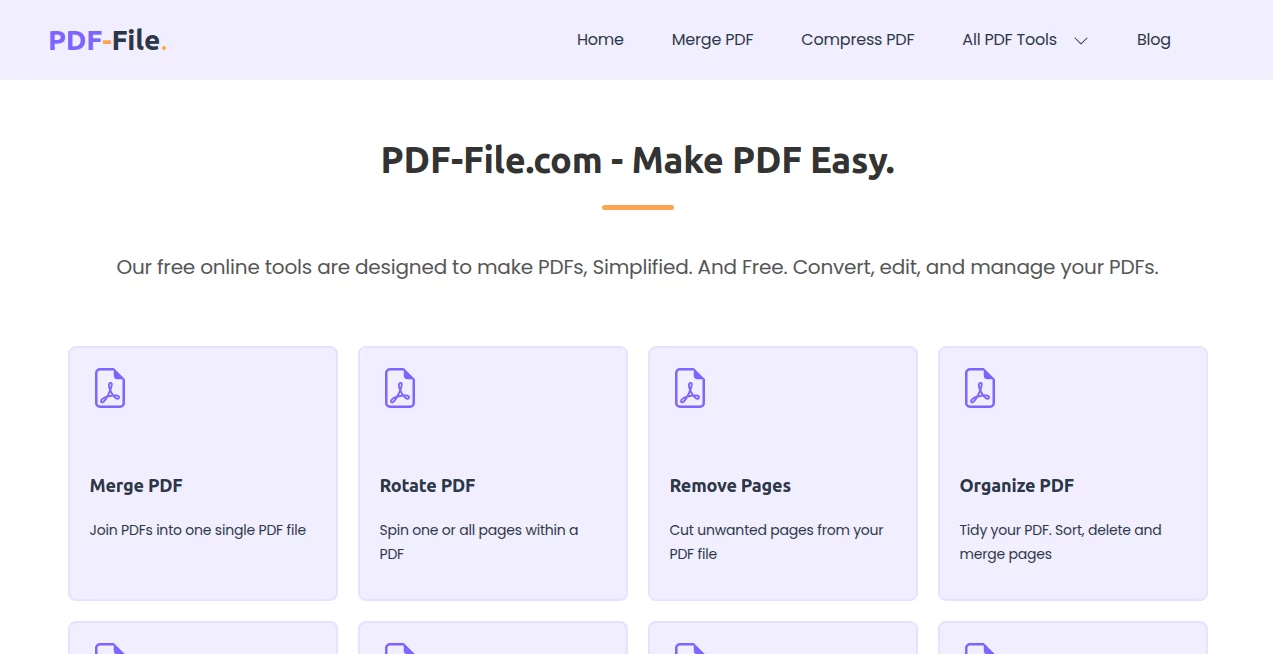
What is PDF-File?
Dealing with PDFs can be surprisingly frustrating — you just need to merge two files, compress a big report, or turn a Word doc into something shareable, but the tools either ask for payment, add watermarks, or make the whole process feel like a chore. This platform changes that. It gives you a clean, fast, and genuinely useful set of PDF tools without forcing you to sign up or hand over your credit card. I’ve used it multiple times when I was in a hurry, and it consistently delivers exactly what I need without the usual headaches.
Introduction
PDF-File.com is a no-nonsense online toolbox built for people who work with PDFs regularly but don’t want to install heavy software or pay for features they use once in a while. From basic merging and rotating to advanced conversions and protection, everything lives in one place and works right in your browser. What makes it stand out is how reliable and straightforward it feels — no bloated interfaces, no aggressive upsells, just tools that do their job well and get out of your way. Whether you’re a student combining assignments, a freelancer sending proposals, or a small business handling invoices, it quietly solves everyday PDF problems.
Key Features
User Interface
The design is refreshingly simple. Big, clear buttons for each tool, drag-and-drop support, and minimal steps between upload and download. You don’t get lost in menus or settings — everything important is right in front of you. Even on mobile it works smoothly, which is rare for PDF tools. I’ve used it on both desktop and phone during travel, and the experience stayed consistent and fast.
Accuracy & Performance
The tools handle files cleanly without messing up layouts, fonts, or images. Merges stay in order, compressions keep readability intact, and conversions (especially Word to PDF and back) preserve formatting better than many paid alternatives. Processing is quick even with larger files, and the results are consistent — no random formatting surprises that force you to start over.
Capabilities
You get a full toolkit: merge, split, rotate, compress, remove or extract pages, convert between PDF and Word/Excel/PowerPoint/JPG/PNG, protect with passwords, unlock PDFs, add watermarks, and more. It also handles less common needs like grayscale conversion, repair damaged files, and HTML to PDF. Everything works without installing anything, making it perfect for quick tasks on any device.
Security & Privacy
Your files are processed securely and automatically deleted from their servers shortly after conversion. No forced accounts for basic use means less risk of your documents being tied to a profile. For sensitive contracts or personal documents, that combination of speed and privacy is genuinely reassuring.
Use Cases
A student merges lecture notes and assignments into one clean file before submission. A freelancer converts proposals from Word to PDF and adds a password before sending to clients. A small business owner compresses invoice batches to email them easily. Someone restores an old scanned document that got corrupted. The platform handles these everyday scenarios without overcomplicating things.
Pros and Cons
Pros:
- Completely free for most common tasks with no annoying watermarks on basic use.
- Fast and reliable — rarely needs multiple attempts.
- Works on any device without installation.
- Clean results that preserve original quality and formatting.
- Wide variety of tools in one place.
Cons:
- Heavy or very complex files may have limits on the free tier.
- No advanced editing like direct text manipulation in some cases.
- Some premium features require upgrading for unlimited use.
Pricing Plans
The majority of tools are free and don’t require sign-up. For users who process many files daily or need higher limits and priority processing, affordable premium plans are available. It’s a fair model — you can get real work done for free and upgrade only when your needs grow.
How to Use PDF-File
Go to the tool you need (Merge, Compress, Convert, etc.), drag your PDF or files into the box, adjust any simple settings if required, and click the main action button. Wait a few seconds and download the result. For batch jobs like merging multiple files, just add them in order and process. It’s straightforward enough that you can usually finish in under a minute.
Comparison with Similar Tools
Many popular PDF sites push subscriptions hard or limit free usage severely. Others have cluttered interfaces or poor conversion quality. This one stands out by keeping things simple, fast, and actually free for everyday needs while still delivering reliable results. It’s the practical choice when you just want the job done without drama.
Conclusion
In a world full of overcomplicated tools and paywalls, PDF-File feels like a breath of fresh air. It respects your time, delivers solid results, and stays out of your way. Whether you work with PDFs occasionally or every day, having a dependable, free toolkit like this makes life noticeably easier. Give it a try the next time you need to handle a PDF — chances are you’ll keep coming back.
Frequently Asked Questions (FAQ)
Do I need to create an account?
No — most tools work without signing up.
Are my files safe?
Yes, files are deleted shortly after processing and not stored permanently.
Is it really free?
Yes for the majority of common tasks. Premium is optional for heavier use.
Can I convert Word to PDF and back?
Yes, with good formatting preservation in both directions.
What’s the file size limit?
It handles reasonably large files well; very large documents may need splitting on free tier.
AI Document Extraction , AI PDF , AI Documents Assistant , Other .
These classifications represent its core capabilities and areas of application. For related tools, explore the linked categories above.

PDF-File Alternatives Product
Photo to Text

Docubix

Greek Numero…

Remove My Me…

UPDF AI

ZoraInsights

aipen.ink

PetShard

jpg to excel