

















Photo2Video
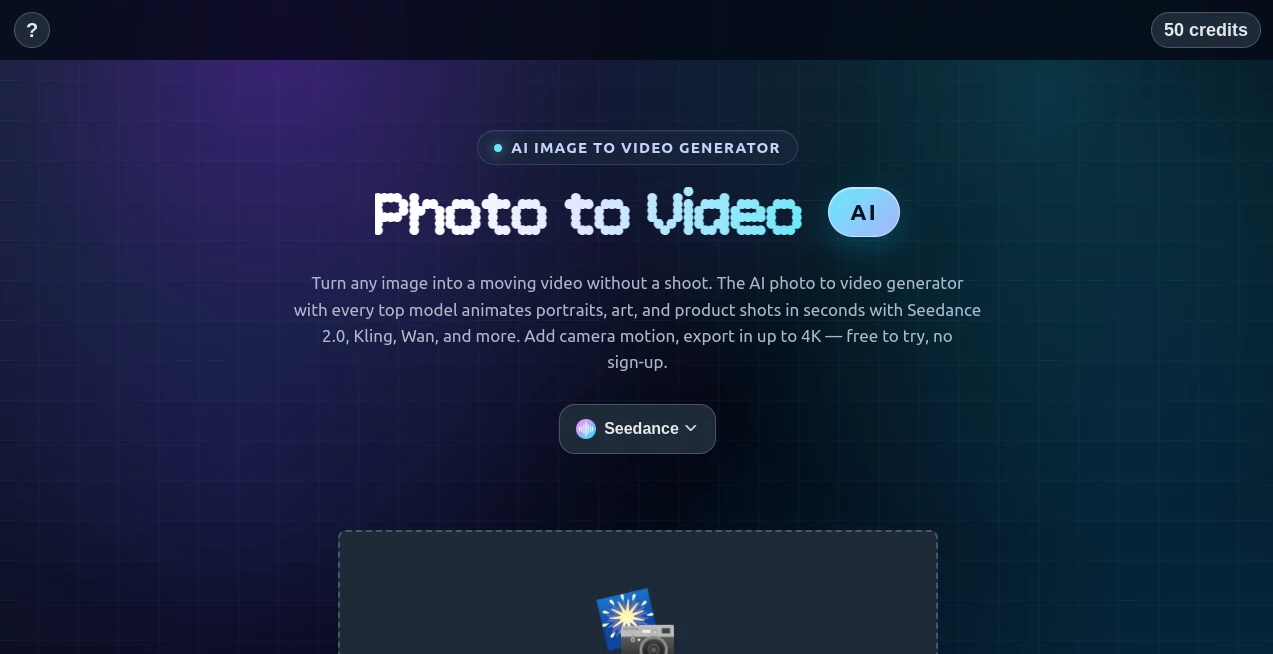
What is Photo2Video?
Static images often tell only part of a story. This platform transforms ordinary photos into dynamic videos using artificial intelligence, making it easier to create engaging visual content without advanced editing skills. Whether the goal is to bring portraits to life, create cinematic animations, or produce eye-catching content for social media, the experience is designed to be fast, intuitive, and accessible.
Instead of spending hours learning professional video software, users simply upload an image, choose an animation style, and let the AI generate a polished video in minutes. The results are smooth, visually appealing, and suitable for creators, marketers, educators, and anyone looking to make digital content more engaging.
Key Features
User Interface
The interface is clean and beginner-friendly. Uploading images, selecting effects, and generating videos require only a few simple steps. The workflow is streamlined, allowing even first-time users to produce impressive animations without technical experience.
Accuracy & Performance
The AI analyzes image details carefully to create natural-looking motion and realistic transitions. Facial expressions, lighting, and visual depth are preserved to deliver smooth animations that maintain the original quality of the uploaded image.
Capabilities
- Convert still images into animated videos.
- Create realistic facial and portrait animations.
- Generate social media ready short-form videos.
- Support creative storytelling from a single image.
- Produce engaging promotional visuals.
- Offer multiple animation styles and effects.
- Fast cloud-based video generation.
- Suitable for personal and commercial creative projects.
Security & Privacy
User convenience is combined with responsible handling of uploaded content. Cloud processing allows fast rendering while helping users manage creative projects without requiring powerful local hardware. Privacy practices are designed to support a secure content creation experience.
Use Cases
- Create engaging TikTok, Instagram Reels, and YouTube Shorts.
- Animate old family photographs.
- Produce promotional videos for products and services.
- Design attention-grabbing marketing campaigns.
- Create educational visual presentations.
- Generate creative storytelling videos from artwork.
- Enhance digital portfolios.
- Create memorable greeting and celebration videos.
Pros and Cons
- Pros
- Simple workflow requiring no editing expertise.
- High-quality AI-generated animations.
- Fast video generation.
- Suitable for many creative industries.
- Cloud-based processing.
- Ideal for social media creators.
- Cons
- Advanced customization may be limited compared to professional editors.
- Generation speed depends on server workload.
- Some premium features may require a paid subscription.
Pricing Plans
The platform offers access through online plans that may include free usage with premium subscription options for higher generation limits, faster processing, and additional creative features. Users should review the latest pricing information directly before choosing a plan.
How to Use Photo2Video.ai
- Upload a photo.
- Select an animation style or motion effect.
- Adjust available settings if desired.
- Generate the AI video.
- Preview the result.
- Download and share the finished video.
Comparison with Similar Tools
Compared with traditional video editing software, this solution removes much of the complexity by allowing users to create animated videos directly from a single image. Unlike editors that require manual keyframes, timelines, and animation expertise, the AI automates the entire process. It is particularly attractive for content creators who value speed, simplicity, and consistent visual quality over complex manual editing.
Conclusion
For anyone looking to transform ordinary photographs into captivating videos, this platform provides an enjoyable and efficient solution. Its intelligent automation, intuitive interface, and impressive animation quality make it an excellent choice for creators, businesses, educators, and marketers. By reducing the technical barriers traditionally associated with video production, it enables users to focus on creativity while producing content that captures attention across modern digital platforms.
Frequently Asked Questions (FAQ)
Can I create videos from a single photo?
Yes. The platform is specifically designed to generate animated videos from individual images.
Do I need video editing experience?
No. The workflow is beginner-friendly and requires only a few simple steps.
Can the videos be used for social media?
Yes. The generated videos are well suited for platforms such as Instagram, TikTok, YouTube Shorts, and other social channels.
Is it suitable for business marketing?
Absolutely. Businesses can create promotional visuals, product showcases, and engaging advertisements from existing images.
Does it support commercial projects?
Commercial usage depends on the selected subscription plan and licensing terms.
AI Animated Video , AI Image to Video , AI Video Generator , AI Social Media Assistant .
These classifications represent its core capabilities and areas of application. For related tools, explore the linked categories above.

Photo2Video Alternatives Product

Seedance 3.0

ai seedance …

Seedance 2.0…

Distro

Seedance 2.5…

AnividAI

Gemini Omni …

Kling 3 AI

Seedance 2 V…
