
Photo Keyworder
What is Photo Keyworder?
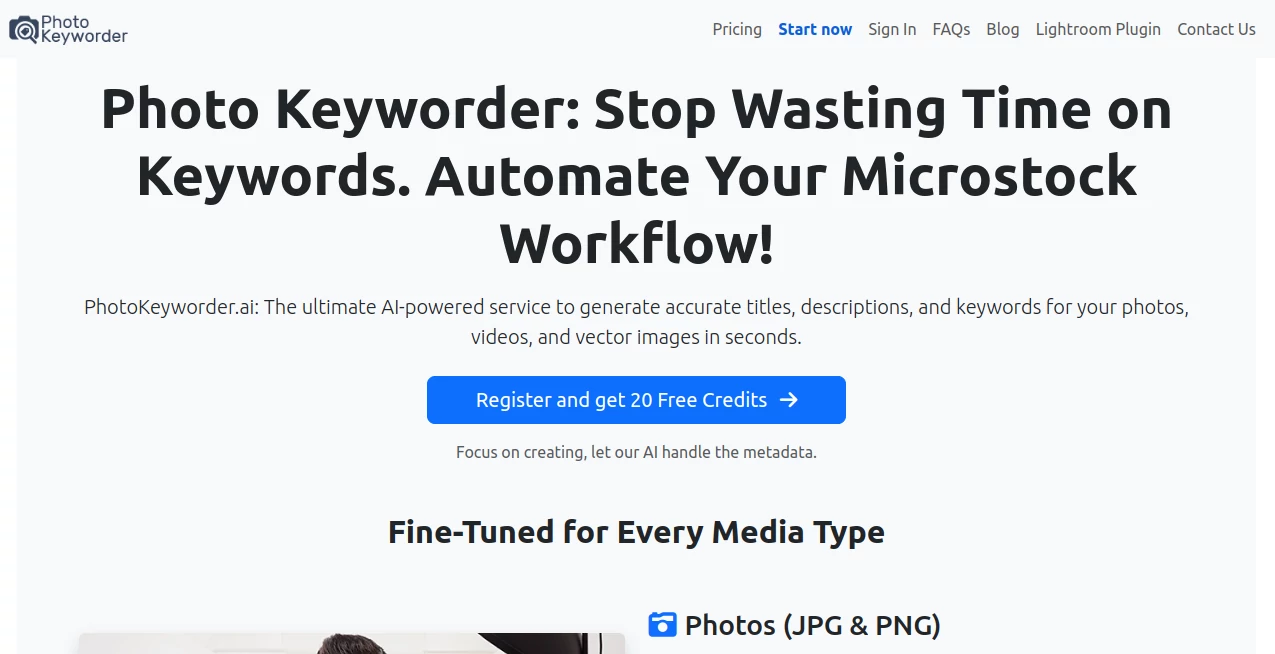
PhotoKeyworder.ai is an AI-powered metadata tool built for photographers, illustrators, videographers, and microstock contributors who would rather spend their time creating than manually writing titles, descriptions, and keyword lists. It can analyze photos, vector artwork, and videos, then prepare metadata that is ready for common stock-media workflows.
For anyone uploading dozens or hundreds of files to stock agencies, keywording can become one of those repetitive jobs that quietly consumes an entire afternoon. The problem is not simply writing a few words. Good metadata needs to describe the subject, context, action, location, and concept without filling the file with irrelevant terms. This service takes much of that work off the contributor's plate.
The workflow is particularly practical for microstock creators because the generated information can be customized and exported in several useful formats. Instead of treating every image as a blank page, the system can also use filename context, AI hints, and available EXIF geolocation data when additional information is helpful.
Key Features
- AI-generated titles, descriptions, and keywords for stock photos and other media.
- Support for JPG and PNG images, including transparent PNG files.
- EPS vector processing with direct metadata embedding for supported EPS versions.
- Video analysis based on multiple frames rather than relying on a single frame.
- Batch processing for up to 500 photos, vectors, or videos at a time.
- Custom controls for title length, description length, and keyword quantity.
- Keywords arranged by importance to make the resulting lists easier to review.
- Optional use of filenames and user-provided AI hints for images that need additional context.
- EXIF geolocation support for images where location information is available.
- CSV and ZIP downloads alongside embedded metadata for supported file types.
- Automatic conversion of accented or special characters when required.
- PNG-to-JPG conversion as an optional part of the image workflow.
- Free AI upscaling for smaller images, with images below 4.9MP eligible for enhancement up to approximately 16MP.
- Specialized keywording for iStock and Getty Images workflows.
- Adobe Lightroom Classic integration for generating and writing metadata directly into the catalog.
User Interface
The interface is designed around a straightforward three-step process: upload your media, configure the available options, and download the results. That simplicity matters when the main goal is processing a large collection rather than spending time learning complicated software.
Users can drag and drop their files or select them manually, choose options such as keyword quantity and metadata length, and then process the collection. For photographers working with large batches, the ability to handle up to 500 files in one operation makes the workflow considerably more practical than editing every description individually.
The Lightroom Classic plugin takes the idea a step further. Instead of repeatedly exporting photographs just to prepare metadata, contributors can generate titles, descriptions, and keywords within their familiar editing environment and write the information directly to their Lightroom catalog.
Accuracy & Performance
The biggest advantage of an automated keywording workflow is consistency. The system looks at objects, actions, context, and concepts rather than simply producing a random collection of visually related words. Keywords are also ordered by importance, giving contributors a useful starting point for reviewing the generated metadata.
Video creators get an additional advantage through multi-frame analysis. A single video frame can easily miss the main action, especially when the subject changes throughout a clip. Examining multiple frames gives the system more context when preparing titles, descriptions, and keywords.
Of course, AI-generated metadata should still be reviewed before submission. Stock agencies have their own rules, and a human contributor remains the best person to catch subtle details, remove an inaccurate interpretation, or add an important concept that may not be obvious from the visual analysis alone.
Capabilities
The service covers considerably more than ordinary image tagging. Photographers can process JPG and PNG files, while vector artists can work with EPS files and receive metadata suitable for their workflow. Video contributors can generate structured CSV information for standard, Adobe Stock, and Shutterstock-oriented workflows.
Another useful capability is its support for iStock and Getty Images. Contributors can use a specialized keywording mode designed around the controlled vocabulary used by those platforms. The service also provides ESP-compatible CSV output and workflows intended for tools such as DeepMeta and QHero.
The built-in image upscaler is another welcome addition. Smaller photographs can be enhanced before they are prepared for stock submission, which means contributors do not necessarily need to move the file through a separate enhancement service first.
There is also room for manual guidance. When an image is difficult for an automated system to interpret, users can provide hints or allow filename information to contribute context. That combination of automation and human input is useful for unusual scenes, specialized subjects, or photographs whose meaning is not immediately obvious from appearance alone.
Security & Privacy
When working with photographs and commercial stock content, privacy deserves attention. Contributors should always review the provider's current privacy policy and terms before uploading material that contains sensitive information, unreleased commercial work, identifiable people, confidential locations, or other content they do not want processed by a third-party service.
For professional contributors, it is also sensible to establish a simple internal workflow: process only the files that need metadata assistance, review the generated results before publication, and retain original files separately from processed copies. This keeps the convenience of automated keywording without giving up control over the source material.
Use Cases
Microstock photographers: Large stock portfolios can contain hundreds or thousands of images waiting for metadata. Automated title and keyword generation can turn a slow administrative task into a much faster review process.
Stock video creators: Multi-frame analysis is especially useful when the important subject or action develops throughout a clip. The resulting CSV files can then be prepared for supported agency workflows.
Vector designers: EPS artists can generate metadata and embed keywords directly into supported EPS files, while associated JPG files can also receive metadata.
iStock and Getty contributors: The dedicated vocabulary workflow can help contributors deal with the particular keywording requirements of those ecosystems rather than relying entirely on generic image tags.
Professional Lightroom users: Photographers who already organize their work in Adobe Lightroom Classic can use the plugin to generate and write metadata directly into their catalog.
Large portfolio owners: A contributor preparing a few hundred images for upload can process the collection in one batch, review the results, make any necessary adjustments, and then export the metadata rather than starting from scratch for every file.
Pros and Cons
- Pros: Supports photos, vectors, and videos.
- Pros: Batch processing can handle up to 500 files.
- Pros: Generates titles, descriptions, and keywords together.
- Pros: Supports agency-oriented CSV formats.
- Pros: Includes specialized iStock and Getty Images keywording.
- Pros: Lightroom Classic integration makes it useful for established photography workflows.
- Pros: Includes an AI image upscaler for eligible smaller images.
- Cons: AI-generated metadata should still be checked manually before submission.
- Cons: Video metadata is exported rather than embedded directly into video files.
- Cons: Monthly subscription allowances do not roll over when unused.
Pricing Plans
The pricing structure offers both recurring subscriptions and prepaid credits. This gives occasional contributors a way to pay for processing without committing to a monthly allowance, while high-volume creators can choose a recurring plan designed around their regular production schedule.
Monthly plans currently start at €8.99 for 400 images, with larger options covering 1,000, 3,000, 10,000, 20,000, and 30,000 images per month. The largest listed plan provides capacity for 30,000 images or approximately 10,000 videos per month at €269.00.
For contributors who prefer prepaid usage, credit packages currently range from 300 credits for €9.99 to 100,000 credits for €899.00. One image uses one credit, while one video uses three credits. Prepaid credits do not expire, which can make this option attractive to photographers whose upload schedule changes from month to month.
Pricing can change, so contributors should check the current plans before purchasing. Subscription allowances also renew every 30 days and unused image allocations do not carry into the next period.
How to Use It
Start by uploading the photos, vectors, or videos that need metadata. The batch workflow allows a large collection to be processed together, making it particularly useful after a photography session or when preparing an established stock portfolio.
Next, configure the available options. You can adjust title and description lengths, specify the number of keywords, provide AI hints, use filename context, and select agency-specific formats where applicable. For images containing useful EXIF information, location data can also contribute to the generated metadata.
Finally, process the files and download the results. Depending on the media type and workflow, metadata can be embedded directly into supported files or delivered through CSV and ZIP files. Before uploading anything to a stock agency, take a quick human pass through the generated information. A two-minute review can catch an incorrect object, location, or interpretation before it becomes part of your published portfolio.
Comparison with Similar Tools
Many AI image tools focus primarily on recognizing objects or producing a basic list of tags. This service takes a more specialized approach by building its workflow around stock-media contributors. Titles, descriptions, keywords, agency-specific CSV formats, embedded metadata, and stock-oriented vocabulary are all part of the same process.
Its support for videos and EPS files also gives it a broader reach than a simple photo-tagging utility. The Lightroom Classic plugin is another important distinction for photographers who want metadata preparation to fit into an existing catalog workflow rather than becoming another disconnected browser task.
The strongest reason to choose this type of solution is therefore not simply that it uses AI. It is the combination of automation and practical stock-contributor features. Someone who only needs a handful of tags for occasional personal photographs may not need all of these capabilities. A contributor managing a commercial portfolio is much more likely to appreciate them.
Conclusion
For microstock contributors, keywording is necessary but rarely the part of the creative process that anyone looks forward to. Automating the repetitive work can make a surprisingly large difference, particularly when a portfolio contains hundreds of files waiting to be prepared.
The combination of batch processing, metadata generation, stock-agency compatibility, video analysis, vector support, Lightroom integration, and image upscaling makes this a well-rounded option for creators who regularly publish commercial visual content. It does not remove the value of human judgment, but it can give contributors a much better starting point.
If your workflow involves repeatedly opening files, writing descriptions, researching keywords, formatting CSVs, and preparing metadata for several agencies, bringing those tasks into one automated workflow can save a considerable amount of time. For active stock creators, that time can be redirected toward the work that actually grows the portfolio: shooting, designing, editing, and publishing.
Frequently Asked Questions (FAQ)
What types of files can be processed?
The service supports JPG and PNG photographs, EPS vector files, and videos. Different media types have different metadata and export capabilities.
How many files can be processed at once?
Up to 500 photos, vectors, or videos can be uploaded and processed in a batch.
Can it generate keywords for iStock and Getty Images?
Yes. A specialized workflow is available for iStock and Getty Images, including controlled-vocabulary keywording and compatibility with ESP, DeepMeta, and QHero workflows.
Can it generate metadata for videos?
Yes. Videos are analyzed across multiple frames to improve understanding of the action and context. Detailed CSV output is available for standard, Adobe Stock, and Shutterstock workflows.
Can metadata be embedded directly into files?
Yes, for supported image and vector formats. JPG, PNG, and supported EPS workflows can include embedded metadata. Video metadata is provided through CSV output rather than being embedded directly into the video file.
Does it work with Adobe Lightroom?
Yes. The Adobe Lightroom Classic plugin can generate titles, descriptions, and keywords and write the resulting metadata directly into the Lightroom catalog.
Does it include image upscaling?
Yes. Eligible smaller images under 4.9MP can use the included AI upscaler, with enhancement available up to approximately 16MP.
Do prepaid credits expire?
No. Prepaid credits are designed not to expire. This can be useful for contributors who do not upload the same number of files every month.
Are monthly subscription images carried over?
No. Unused images from a monthly subscription do not carry over into the following period.
Should AI-generated keywords be reviewed before submission?
Yes. Even when the generated metadata is highly relevant, contributors should review titles, descriptions, and keywords before sending files to a stock agency. Human review is especially important for unusual subjects, locations, concepts, or scenes with details that may be difficult to interpret automatically.
AI Image Recognition , Photo & Image Editor , AI Photography .
These classifications represent its core capabilities and areas of application. For related tools, explore the linked categories above.
Photo Keyworder details
Website unavailable — View Alternatives
Pricing
- Freemium
Apps
- Web App
Categories

Photo Keyworder Alternatives Product

GPT Image 2 …

Just Christm…

Photoshoot A…

ColorChanger

Photo Locati…

Remove Water…

Pixora

Plottie

Better Image