
Pikvee
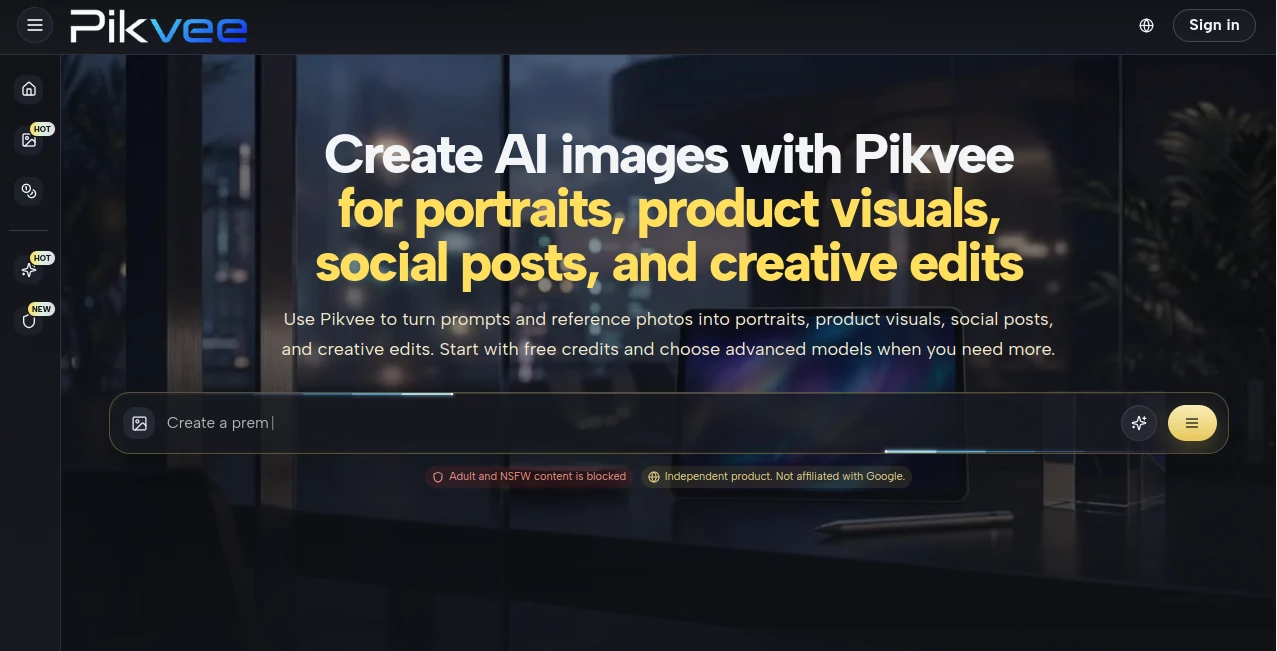
What is Pikvee?
Creating professional video content has traditionally required a combination of editing skills, production resources, and significant time investment. Today, modern AI-powered platforms are transforming that process by allowing creators to generate high-quality visual content from simple prompts, images, audio, and creative ideas.
This platform stands out by bringing multiple advanced video generation technologies into a single workspace. Whether the goal is producing cinematic storytelling, creating social media content, generating character animations, building marketing assets, or experimenting with creative concepts, users gain access to a comprehensive toolkit designed to simplify complex production workflows.
What makes the experience particularly appealing is the combination of powerful AI models with practical creative utilities. Instead of switching between multiple applications, creators can handle ideation, generation, enhancement, lip-syncing, background removal, storyboarding, and visual development within one environment.
For marketers, content creators, filmmakers, agencies, educators, and entrepreneurs, this approach significantly reduces production barriers while maintaining impressive creative flexibility.
Key Features
User Interface
The platform offers a clean and intuitive dashboard that organizes creative tools into clearly defined workflows. Users can quickly access video generation, image creation, character design, audio tools, storyboarding features, and editing utilities without navigating complicated menus.
The layout feels approachable for beginners while still providing enough depth for experienced creators who require advanced control over their projects.
Accuracy & Performance
Performance is one of the strongest aspects of the platform. It integrates several leading AI generation models capable of producing high-quality visuals, smooth motion, realistic scene transitions, and impressive cinematic outputs.
Generated content demonstrates strong prompt interpretation, making it easier to transform ideas into visuals that closely match creative intentions. Video rendering quality remains consistently high across various use cases, from short-form social media clips to more sophisticated storytelling projects.
Capabilities
The platform provides an extensive collection of creative capabilities, including:
- Text-to-video generation
- Image-to-video creation
- AI-powered story video production
- Character generation and customization
- Lip-sync video generation
- Multi-angle character visualization
- Motion reference control
- Storyboard generation
- Background removal
- AI audio generation
- Sticker creation tools
- Creative image generation
One particularly useful feature is the ability to generate multiple camera perspectives from a single character reference, helping creators build more consistent visual narratives without manually creating every angle.
Security & Privacy
The platform operates through secure cloud-based infrastructure and account management systems. User projects remain organized within dedicated workspaces, allowing creators to manage assets efficiently.
For businesses and professional teams handling commercial projects, centralized project management helps maintain workflow consistency while reducing the complexity of managing large creative libraries.
Use Cases
- Social media content creation
- YouTube video production
- Marketing campaigns
- Advertising creatives
- Product demonstrations
- Short films and storytelling
- Educational content
- Brand promotion videos
- Character animation projects
- Influencer content creation
- Concept visualization
- Creative experimentation
A startup founder, for example, could quickly create promotional videos for a product launch, while a content creator might generate multiple variations of short-form content for different social platforms in a fraction of the usual production time.
Pros and Cons
Pros
- Comprehensive all-in-one creative ecosystem
- Multiple AI-powered video workflows
- Advanced motion and camera controls
- Built-in lip-sync technology
- User-friendly interface
- Supports image, video, audio, and character generation
- Suitable for beginners and professionals
- Fast content creation process
Cons
- Some advanced features may require a learning period
- Rendering times can vary depending on project complexity
- Credit-based systems may limit heavy usage for large-scale production
- Professional users may require premium plans for maximum output volume
Pricing Plans
The platform offers both free and paid options, allowing users to experiment before committing to larger projects. New users can typically access introductory credits that make it easy to explore the available tools.
Paid plans unlock additional generation credits, higher usage limits, and access to premium AI models and advanced creative features. Pricing structures are designed to accommodate both individual creators and professional teams.
How to Use Pikvee
Getting started is straightforward:
- Create an account
- Access the creative dashboard
- Select the desired workflow such as video, image, audio, or character generation
- Enter a prompt or upload reference assets
- Adjust generation settings and creative parameters
- Generate content
- Review results and refine if needed
- Export finished assets for publishing or further editing
The platform's workflow is designed to minimize technical barriers, allowing users to focus primarily on creativity rather than production complexity.
Comparison with Similar Tools
Compared with many AI video generators that focus solely on text-to-video functionality, this platform offers a broader creative ecosystem. Instead of limiting users to one type of content generation, it combines video, image, character, audio, and motion tools within a single environment.
Many competing solutions require creators to move between multiple applications for storyboarding, lip-syncing, background editing, and character management. Here, those capabilities are integrated into a unified workflow that improves productivity and creative consistency.
The inclusion of motion control, multi-view character generation, storyboard automation, and advanced lip-sync tools provides a significant advantage for users producing complex visual content.
Conclusion
This platform represents a compelling solution for modern creators seeking a faster and more efficient approach to content production. By combining advanced AI generation technologies with practical creative workflows, it enables users to transform ideas into polished visual experiences with remarkable ease.
From marketers and entrepreneurs to filmmakers and social media creators, the platform offers the flexibility needed to handle a wide variety of creative projects while reducing traditional production limitations. Its growing collection of generation tools, cinematic capabilities, and workflow enhancements makes it a valuable addition to any creator's toolkit.
Frequently Asked Questions (FAQ)
What type of content can be created?
Users can generate videos, images, characters, storyboards, audio content, animations, and visual assets for marketing and creative projects.
Is it suitable for beginners?
Yes. The interface is designed to be approachable while still offering advanced capabilities for experienced users.
Can it create videos from text prompts?
Yes. Text-to-video generation is one of its primary features.
Does it support image-to-video workflows?
Yes. Users can upload images and transform them into dynamic video content.
Are lip-sync features available?
Yes. The platform includes AI-powered lip-sync technology for creating synchronized talking videos.
Can businesses use generated content commercially?
Commercial usage availability depends on the selected subscription plan and licensing terms.
Does it offer free credits?
New users can typically access introductory credits to test the platform before upgrading.
Who benefits most from this platform?
Content creators, marketers, agencies, educators, entrepreneurs, designers, and video production teams can all benefit from its versatile capabilities.
AI Image to Video , AI Video Generator , AI Video Editor , AI Text to Video .
These classifications represent its core capabilities and areas of application. For related tools, explore the linked categories above.

Pikvee Alternatives Product

Omnigen Stud…

Seedance 2.0

Voe4 AI Video

gemini video

Spark Robin

seedance 2.0

Viewra

Seedance 4.0

S2LIfe AI