PixelTools
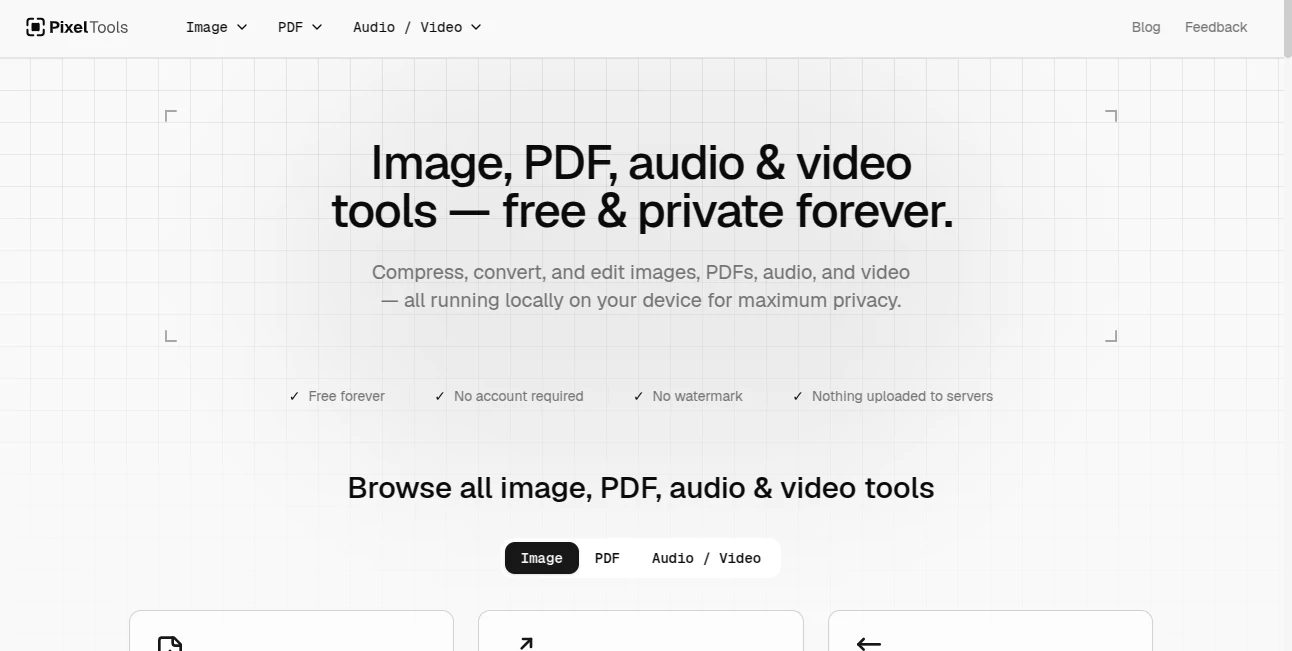
What is PixelTools?
PixelTools is a practical collection of browser-based tools for working with images, PDFs, audio, and video without installing desktop software or creating an account. The service brings everyday file tasks into one place, from compressing an image and converting formats to editing PDFs, trimming videos, extracting audio, and improving low-resolution images.
What makes the platform particularly appealing is its privacy-first approach. Files are processed locally in the browser rather than being sent to a remote server. For someone who regularly handles screenshots, product images, documents, recordings, or other personal files, that can make a noticeable difference.
The service is also genuinely free. There are no subscriptions, trials, watermarks, credit card requirements, or daily processing limits. You can open a tool, complete the task, and move on without creating another online account.
Key Features
- Image compression, resizing, conversion, cropping, background removal, upscaling, watermarking, blurring, pixelation, and screenshot beautification.
- PDF tools for merging, splitting, compressing, rotating, cropping, signing, annotating, redacting, OCR, text extraction, and page management.
- Audio and video utilities for conversion, compression, trimming, cropping, merging, speed adjustment, audio extraction, and GIF creation.
- AI-powered image background removal and image upscaling features.
- Local browser processing designed to keep uploaded files on the user's device.
- Batch processing for several image-related tools, including compression and conversion.
- No account, subscription, watermark, or software installation required.
User Interface
The interface is designed around a simple workflow: choose a tool, add a file, adjust the available settings, preview the result when supported, and download it. Drag-and-drop is available for many tools, while image users can also paste files directly from the clipboard.
This approach works particularly well for quick jobs. If you only need to convert a HEIC image, trim a video, combine several PDFs, or make a screenshot look more polished, there is little reason to navigate through a complicated editing suite.
Accuracy & Performance
Performance depends naturally on the type of file and the processing task, but local processing has an important advantage: there is no upload queue or server-side waiting period for the browser-based operations. Results can be downloaded immediately after processing.
The image compressor can reduce file sizes substantially while aiming to preserve visual quality, while the upscaler provides 2x and 4x enlargement options for lower-resolution images. Conversion tools also cover a useful range of modern and traditional formats, including WebP, HEIC, PNG, JPG, AVIF, BMP, TIFF, and SVG.
For web publishers and developers, image compression can be especially useful before publishing assets. Smaller images can help reduce page weight and make media easier to handle across websites and applications.
Capabilities
The platform goes beyond basic image conversion. Its image section includes tools for background removal, screenshot presentation, face blurring, pixelation, watermarking, resizing, cropping, and image enhancement. There are also utilities for creating Instagram grids and preparing images for different canvas sizes.
The PDF section is equally broad. Users can merge and split documents, rearrange or remove pages, extract selected pages, add page numbers, sign documents, annotate files, redact sensitive information, extract text, and perform OCR on scanned PDFs.
For media files, the available tools cover common workflows such as converting MP4 to MP3, changing video formats, compressing video, converting video to GIF, trimming footage, adjusting playback speed, joining videos, and manipulating audio files.
Security & Privacy
Privacy is one of the strongest parts of the service. The platform states that files are processed locally in the browser using technologies such as JavaScript, the Canvas API, and WebAssembly for certain AI-powered, PDF, video, and audio operations.
This means personal images, documents, recordings, and videos are not intended to be uploaded to a central processing server. There is also no account system required to use the tools, which reduces the amount of personal information involved in a typical editing session.
For sensitive documents or private screenshots, this local-processing model is a useful alternative to services that require files to be uploaded before processing.
Use Cases
Content creators: Social media managers can resize images, beautify screenshots, compress media, prepare Instagram grids, and convert video clips for publishing.
Developers and product teams: Developers can prepare screenshots for documentation, compress production assets, convert media formats, and create cleaner visuals for changelogs and product launches.
Bloggers and website owners: Image compression and resizing can help reduce unnecessary media weight, while screenshot and PDF tools are useful for preparing content before publication.
Photographers and designers: Format conversion, image upscaling, watermarking, background removal, and batch processing cover several common production tasks without requiring a full desktop editing application.
Businesses and online stores: Product images can be compressed, resized, and cleaned up, while PDF signing, merging, and editing tools can help with everyday business documents.
Students and everyday users: Simple tasks such as converting a recording to MP3, combining PDF chapters, resizing an image, or trimming a video can be completed directly from a browser.
Pros and Cons
- Pros: Completely free to use.
- Pros: No account or registration required.
- Pros: No watermarks on exported files.
- Pros: Local browser processing provides a strong privacy advantage.
- Pros: Covers image, PDF, audio, and video workflows in one place.
- Pros: Several tools support batch processing.
- Cons: Some editor-based tools are more comfortable on desktop screens than on mobile devices.
- Cons: Browser-based processing can depend on the user's device for demanding operations.
- Cons: It is designed for focused file tasks rather than replacing a full professional design or video-editing application.
Pricing Plans
There is a single straightforward pricing model: free. The service does not use conventional freemium tiers, paid subscriptions, trials, or credit-based restrictions. Users can access the available tools without entering payment details, and exported files do not contain watermarks.
For occasional users, this is convenient because there is no need to decide whether a particular task is worth spending a credit on. For frequent users, the absence of daily limits makes the platform even more practical for routine file processing.
How to Use the Tool
- Choose the image, PDF, audio, or video tool that matches the task.
- Drag and drop your file, browse for it on your device, or paste supported content from the clipboard.
- Adjust the available settings according to the desired result.
- Preview the output when a preview is provided.
- Download the finished file directly to your device.
No registration or email verification is required, so the workflow can start immediately. For example, someone preparing a product page could compress several product photographs, remove their backgrounds, and resize them before uploading them to an online store.
Comparison with Similar Tools
Many online file utilities focus heavily on a single task, while professional applications often provide far more features than necessary for a quick job. This service sits between those two approaches by bringing a large collection of focused utilities into one browser-based workspace.
Its biggest distinction is the combination of breadth and privacy. Instead of sending a screenshot, PDF, or media file to a remote service for every small operation, users can perform many tasks locally. The free pricing model also makes it particularly attractive for people who only need practical utilities rather than a full subscription-based creative suite.
It is not intended to replace advanced applications used for professional photo manipulation, complex video production, or detailed graphic design. Its strength is speed and convenience when the job has a clear, specific objective.
Conclusion
For everyday image, PDF, audio, and video work, this collection offers a surprisingly broad set of useful utilities without adding unnecessary friction. The combination of free access, no account requirement, no watermarks, and local processing makes it particularly appealing for users who value convenience and privacy at the same time.
Whether the task is compressing a batch of images, cleaning up a screenshot, extracting text from a scanned PDF, converting a video, or preparing media for a website, the focused tools make these jobs easy to handle from a browser. It is a sensible option for creators, developers, businesses, students, and anyone who occasionally needs a fast file-processing tool without installing another application.
Frequently Asked Questions (FAQ)
Is the service completely free?
Yes. The available tools are offered free of charge without subscriptions, trials, credit card requirements, daily processing limits, or watermarks on outputs.
Do I need to create an account?
No. The tools can be used without registration, login, or email verification.
Are files uploaded to a server?
The service states that its processing happens locally in the browser and that user files are not uploaded to its servers.
Can I process multiple files?
Yes. Batch processing is available for several tools, including image compression, resizing, watermarking, upscaling, background removal, and image conversion.
Does it include AI-powered features?
Yes. Some functions use AI-powered processing, including background removal and image upscaling. The wider platform also includes many conventional browser-based file utilities.
What types of files can I work with?
The available tools support a broad selection of image, PDF, audio, and video formats. Depending on the tool, supported formats include JPG, PNG, WebP, HEIC, AVIF, BMP, TIFF, SVG, PDF, MP4, MOV, WebM, MKV, AVI, MP3, WAV, M4A, OGG, and FLAC.
Is it suitable for sensitive files?
Its local-processing approach can be useful for sensitive files because the service states that files remain on the user's device during processing rather than being uploaded to a remote server.
AI PDF , Photo & Image Editor , AI Video Editor , Other .
These classifications represent its core capabilities and areas of application. For related tools, explore the linked categories above.

PixelTools Alternatives Product

Metal

Photo Grid C…

GPT Image 1.5

Seedance 2.5

SAM 3D

VIGGLE

RemoveVideoBG

VividManga

Fast Wan