

















What is RemoveVideoBG?
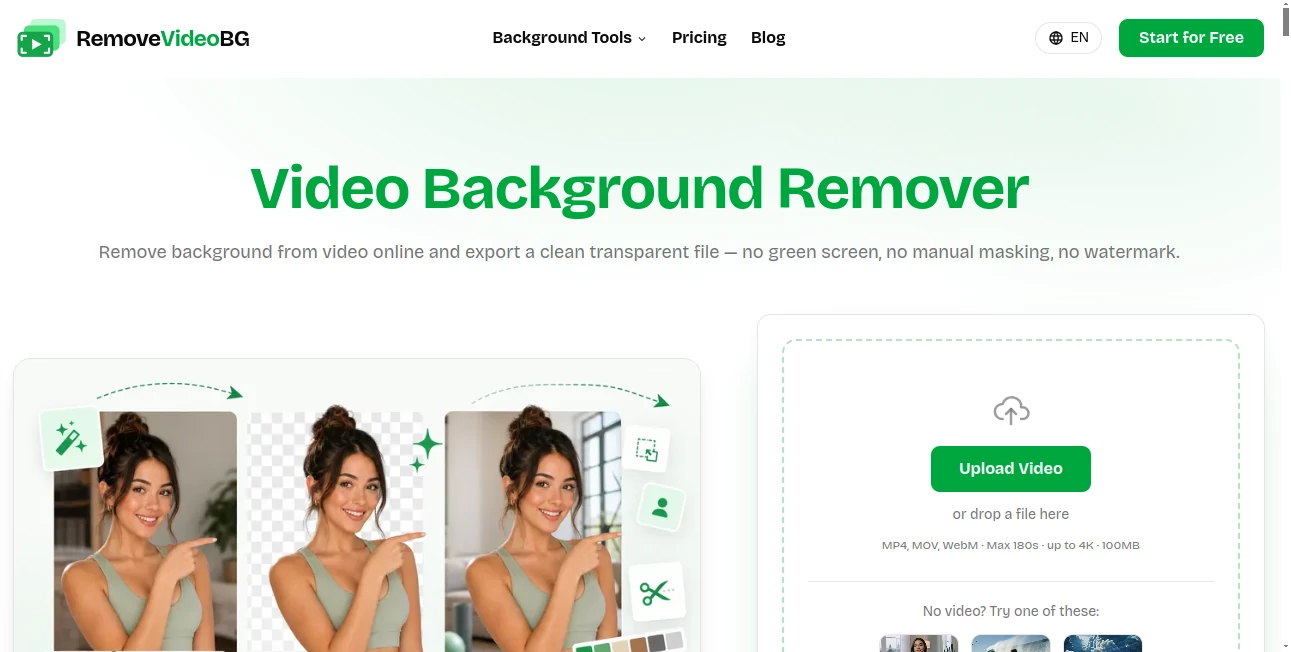
Remove Video Background is an easy-to-use online solution designed to help creators, marketers, and businesses remove backgrounds from videos quickly without requiring advanced editing skills. The platform makes it simple to isolate the main subject of a video and replace distracting backgrounds with cleaner visuals, making content look more polished and professional.
Whether you are creating social media clips, product demonstrations, educational videos, or promotional content, this tool helps save time by automating a process that traditionally required complex video editing software. Users can focus on their creativity while the technology handles background separation with impressive speed and accuracy.
Key Features
User Interface
The platform provides a straightforward and beginner-friendly experience. Its simple workflow allows users to upload a video, process the background removal, and download the final result without navigating through complicated editing menus. This makes it suitable for both professional creators and people who are new to video production.
Accuracy & Performance
The tool uses advanced artificial intelligence techniques to identify the main subject in a video and separate it from the background. It is designed to maintain important details such as movement, edges, and subject positioning, helping produce smoother results for different types of content.
Fast processing allows users to create edited videos more efficiently, especially when working on frequent social media posts or marketing campaigns that require multiple visual assets.
Capabilities
- Automatically removes video backgrounds using AI technology
- Helps create professional-looking videos without complex editing software
- Supports content creation for social media platforms
- Makes it easier to replace backgrounds with custom visuals
- Useful for marketing, e-commerce, education, and creative projects
Security & Privacy
Privacy is an important consideration for online video editing tools. The platform focuses on providing a simple processing experience while helping users manage their video content efficiently. Users should always review the latest privacy policies and terms of service when uploading personal or business-related media.
Use Cases
This tool can be valuable across many industries and creative workflows. Online sellers can use it to create cleaner product videos, while marketers can produce engaging advertisements with customized backgrounds. Social media creators can enhance short-form videos by removing unwanted environments and adding more attractive visual elements.
Educators, trainers, and presenters can also benefit from cleaner recordings that focus attention on the speaker or demonstration. For small businesses without dedicated video editors, it offers a practical way to improve content quality with minimal effort.
Pros and Cons
Pros
- Simple workflow suitable for beginners
- Reduces the need for advanced video editing skills
- Saves time compared with manual background editing
- Useful for marketing and social media content
- Helps create more professional visual experiences
Cons
- Results may vary depending on video quality and complexity
- Advanced editors may require additional customization options
- Internet connection is required for online processing
Pricing Plans
The platform provides online access to its background removal features. Pricing options may vary depending on usage requirements, available features, and future updates. Users should check the official website for the latest information about free access, premium options, and subscription plans.
How to Use Remove Video Background
Using the platform is designed to be quick and simple:
- Upload your video file to the online editor
- Allow the AI system to analyze and separate the background
- Preview the processed video result
- Download the final version or continue editing with other tools
The simple process makes it possible for creators to transform ordinary footage into cleaner and more engaging videos in just a few steps.
Comparison with Similar Tools
Compared with traditional video editing software, AI-powered background removal tools provide a faster solution for users who do not want to spend hours manually selecting objects and adjusting layers. While professional editing applications offer more advanced controls, automated solutions are often more convenient for everyday content creation.
For creators who need quick results for campaigns, social media posts, or product videos, this type of technology provides a practical balance between speed and quality.
Conclusion
Remove Video Background offers a convenient way to improve video quality by simplifying one of the most time-consuming editing tasks. With an easy workflow, AI-powered processing, and practical use cases, it helps creators and businesses produce cleaner visuals without needing professional editing experience.
From promotional videos to personal projects, the platform provides a valuable solution for anyone looking to create more engaging content with less effort.
Frequently Asked Questions (FAQ)
What does this tool do?
It uses artificial intelligence to remove backgrounds from videos and help users create cleaner visual content.
Do I need video editing experience?
No. The platform is designed for beginners and users who want a simple automated editing process.
What types of videos can I edit?
It can be used for many types of content, including marketing videos, social media clips, presentations, and product demonstrations.
Can I replace the removed background?
Yes, removing the background makes it easier to add custom images, colors, or other visual elements during the editing process.
Is it suitable for businesses?
Yes. Businesses can use it to create professional-looking videos for advertising, e-commerce, and online communication.