
PixScript
What is PixScript?
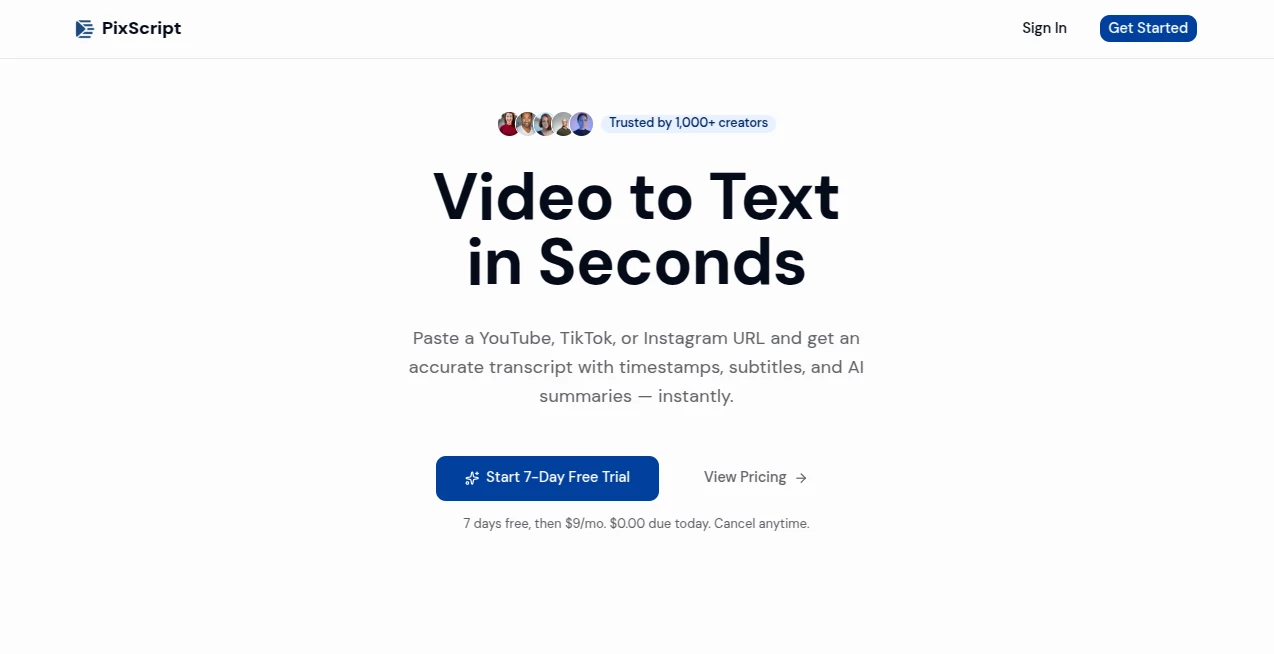
Turning videos into accurate, searchable text no longer needs to be a slow or frustrating task. This platform makes it remarkably easy to transform content from popular video platforms into well-structured transcripts with timestamps, subtitles, and AI-powered summaries. Whether you're working with educational videos, podcasts, interviews, tutorials, or short-form social media content, the entire workflow is designed to save valuable time while improving productivity.
Instead of manually listening, pausing, and typing, users simply provide a video link or upload a supported media file. Within moments, they receive a clean transcript that can be translated, exported in multiple formats, or repurposed into articles, captions, meeting notes, or marketing content. This streamlined approach makes it an excellent choice for creators, educators, journalists, researchers, marketers, and businesses that rely on video every day.
Key Features
User Interface
The interface focuses on simplicity. The transcription process follows an intuitive three-step workflow: paste a video URL, start transcription, and export the results. Navigation is clean and requires virtually no learning curve, making it suitable for beginners while remaining efficient for professionals handling multiple projects.
Accuracy & Performance
Advanced speech recognition technology delivers highly accurate transcripts for clear audio recordings. Every transcript includes synchronized timestamps, making it easy to locate specific sections of long videos. Processing is fast enough to support daily production workflows without unnecessary delays.
Capabilities
- Generate transcripts from YouTube videos, Shorts, TikTok videos, Instagram Reels, podcasts, and uploaded media files.
- Create synchronized subtitles with precise timestamps.
- Translate transcripts into dozens of languages.
- Export content as TXT, SRT, VTT, PDF, or JSON depending on the selected plan.
- Create AI-generated summaries for lengthy videos.
- Rewrite transcripts into blog posts or social media content.
- Support both short-form and long-form video content.
- Provide searchable transcripts for easier research and documentation.
Security & Privacy
The service is built around a straightforward cloud workflow where users intentionally submit videos or media files for processing. Dedicated account management and controlled access to saved transcripts help keep projects organized while allowing users to manage their own content efficiently.
Use Cases
- Convert YouTube tutorials into study notes.
- Create subtitles for social media videos.
- Repurpose podcasts into SEO-friendly blog articles.
- Generate meeting transcripts for internal documentation.
- Translate educational content into multiple languages.
- Produce captions for accessible video publishing.
- Extract interview quotes for journalists and researchers.
- Transform webinars into downloadable written resources.
Pros and Cons
- Pros
- Very fast transcription workflow.
- Supports multiple popular video platforms.
- High-quality timestamp synchronization.
- Multiple export formats for different workflows.
- AI summaries reduce the need to watch lengthy videos.
- Translation support for international audiences.
- Simple interface suitable for all experience levels.
- Cons
- Transcript accuracy depends on audio quality.
- Some export options require a paid subscription.
- Advanced translation features are available on higher-tier plans.
Pricing Plans
A free plan allows users to test the platform with a limited monthly transcription allowance. Paid subscriptions begin at approximately $9 per month and unlock longer transcription limits, subtitle exports, translation capabilities, and additional professional features. Higher-tier plans provide expanded language support and more advanced export options. Pricing may change over time.
How to Use PixScript
- Sign up for an account.
- Paste a supported video URL or upload a media file.
- Start the transcription process.
- Review the generated transcript with timestamps.
- Translate, summarize, or rewrite the content if needed.
- Export the final transcript in the preferred format.
Comparison with Similar Tools
Compared with many transcription platforms, this solution stands out through its ability to process content directly from major social media platforms instead of requiring manual downloads. The combination of timestamped transcripts, subtitle generation, multilingual translation, AI summaries, and multiple export formats creates a complete workflow for creators and businesses. While traditional transcription services often focus only on text conversion, this platform extends the experience by helping users repurpose video content into new written assets for marketing, education, and documentation.
Conclusion
For anyone who regularly works with online videos, podcasts, or educational recordings, this platform provides an impressive balance between speed, convenience, and functionality. The ability to generate accurate transcripts, subtitles, summaries, and translations from a single workflow significantly reduces manual effort while opening new opportunities for content creation and accessibility. It is a practical solution for creators, educators, marketers, students, and businesses looking to make better use of video content with minimal effort.
Frequently Asked Questions (FAQ)
Which video platforms are supported?
The platform supports YouTube, YouTube Shorts, TikTok, Instagram Reels, podcasts, live recordings, and uploaded audio or video files.
Can transcripts be translated?
Yes. Transcripts can be translated into multiple languages depending on the selected subscription plan.
Can subtitles be exported?
Yes. Subtitle files can be exported in formats such as SRT and VTT on supported plans.
Is there a free version?
Yes. A free plan is available with limited monthly transcription usage, allowing users to evaluate the service before upgrading.
Who benefits most from this platform?
Content creators, educators, students, marketers, researchers, journalists, podcasters, and businesses that frequently work with video or audio content will gain the greatest value.
AI Captions or Subtitle , AI Transcription , AI Video Editor , AI Speech to Text .
These classifications represent its core capabilities and areas of application. For related tools, explore the linked categories above.

PixScript Alternatives Product

Banana 2 Edi…

Zeemo AI

AI Subtitle …

brainrotkit

Sourcetable

Video to GIF…

NepVox

Shoorts AI

AI Motion Co…