


















Polyform
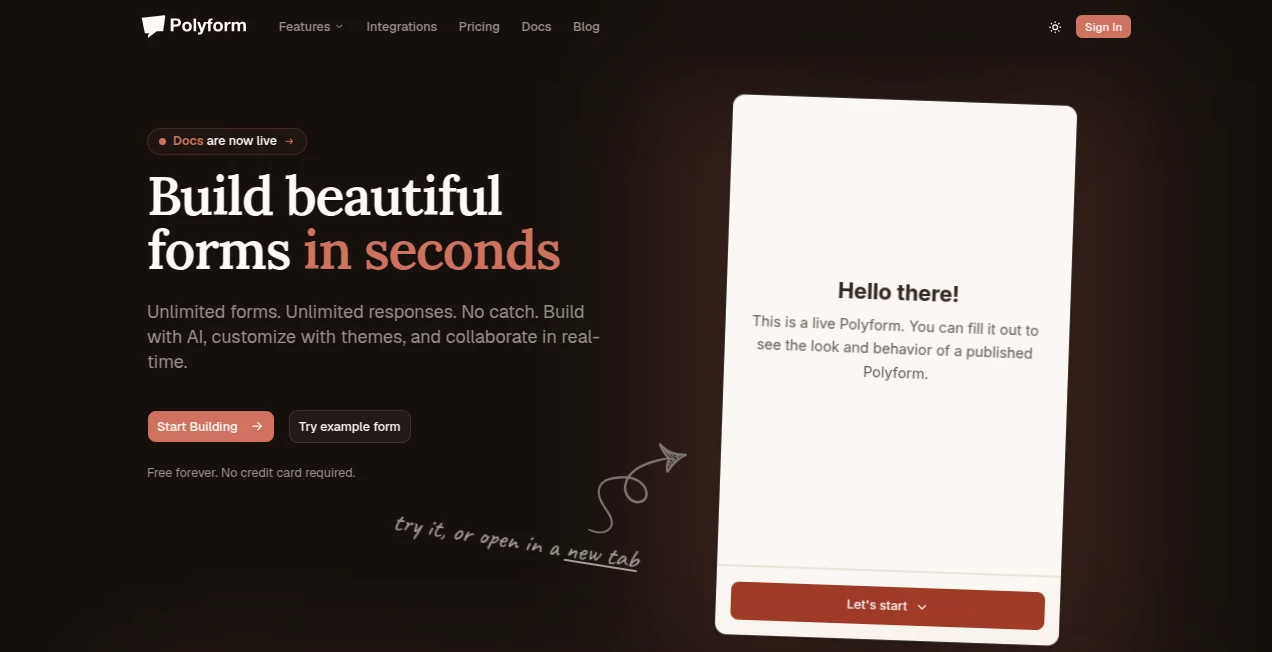
What is Polyform?
Let’s be honest for a second. Building forms usually feels like a chore. You sit there, drag and drop fields, adjust the layout, tweak the logic, and before you know it, an hour has vanished. And don’t even get me started on trying to do it on a phone. Most form builders completely fall apart on mobile. That’s incredibly frustrating when ideas pop into your head while you’re away from your desk.
This tool takes that entire experience and flips it upside down. Instead of manually piecing everything together, you let artificial intelligence handle the heavy lifting. Within seconds, you get a fully functional, beautiful form ready to go. It feels like having a developer sitting next to you, building exactly what you need without any back-and-forth. Whether you're a freelancer collecting client leads or a marketing manager running a product survey, this platform makes the process feel effortless. It’s one of those rare finds that actually respects your time.
Key Features
What makes this platform stand out isn't just one single feature—it's how everything works together as a cohesive package. The developers clearly understood the pain points of traditional builders and addressed them head-on.
User Interface
The interface is refreshingly clean. There’s no clutter, no confusing menus, and no steep learning curve. You open the dashboard, and everything makes sense immediately. But the real magic happens on mobile devices. Most form builders treat mobile as an afterthought, forcing you to pinch and zoom just to see what you're doing. This one was built mobile-first from the ground up. You can build, edit, and manage forms while waiting for coffee or riding the train. The responsive design ensures that forms look gorgeous whether someone views them on a 27-inch monitor or a tiny phone screen. Team collaboration feels natural too. Multiple people can work on the same form simultaneously without stepping on each other’s toes. No more emailing files back and forth or wondering which version is the latest.
Accuracy & Performance
Speed is where this tool genuinely surprised me. The AI generates forms almost instantly. We're talking about two or three seconds from prompt to published form. That speed doesn’t come at the cost of accuracy either. The system understands context really well. If you ask for a "customer feedback form for a coffee shop," it won’t just throw generic name and email fields at you. It will suggest specific questions about drink quality, wait times, and store cleanliness. Of course, no AI is perfect every single time. You might occasionally want to tweak a question or adjust a field label. But the output is consistently impressive, saving you at least 80% of the usual setup time.
Capabilities
Under the hood, this builder packs some serious functionality. Conditional logic is fully supported, meaning you can show or hide questions based on previous answers. That keeps forms short and relevant for each person filling them out. Advanced theming options let you match colors and fonts to your brand without touching a single line of CSS. Real-time analytics show you exactly how people are interacting with your forms. You can see drop-off points, completion rates, and individual responses as they come in. The AI doesn't just build the form and walk away either. It helps you optimize questions based on best practices learned from thousands of successful forms.
Security & Privacy
Nobody wants to put their data at risk, especially when collecting information from customers or clients. The platform takes security seriously. All data transmitted through forms is encrypted. The infrastructure is built on modern cloud architecture that prioritizes both uptime and protection. You don’t need to worry about sudden outages losing your responses or unauthorized access to sensitive information. While specific compliance certifications depend on your plan, the baseline security measures exceed what most small to medium businesses will ever need.
Use Cases
The versatility here is remarkable. Freelancers use it to create project intake forms that gather all necessary requirements before a single invoice gets sent. Marketing teams build lead generation forms that actually convert because they don't scare people away with twenty irrelevant questions. Event organizers create registration forms that handle everything from t-shirt sizes to meal preferences. Educational institutions use it for course evaluations and student feedback. Small business owners set up customer satisfaction surveys that provide actionable insights. Even internal teams benefit from using this for everything from IT support tickets to vacation requests. The common thread across all these scenarios is speed. When building a form takes seconds instead of hours, you can iterate quickly and test different approaches without hesitation.
Pros and Cons
- Completely free to start. You can build and publish forms without spending a dime, which is rare for tools with this level of AI integration.
- Mobile-first design. Building and editing on a phone actually feels natural rather than painful.
- Real-time team collaboration. Multiple people can work together without version conflicts or confusion.
- Blazing fast AI generation. Most forms are ready in under five seconds from the moment you type your prompt.
- Advanced logic and analytics. Conditional branching and response tracking come built-in, not as expensive add-ons.
- No installation required. Everything runs in your browser, on any device, with nothing to download.
There are a couple of trade-offs to mention honestly. The AI output, while excellent, sometimes needs minor manual adjustments depending on how specific your needs are. If you run a very niche business with unusual terminology, you might want to tweak a few field labels. Integration options with external platforms like CRMs or email marketing services aren't as extensive as some legacy form builders yet. That said, the core functionality covers most use cases exceptionally well. And free plans typically have reasonable usage limits, so heavy users will eventually want to check the pricing page for their specific needs.
Pricing Plans
You can start using this tool right now at absolutely no cost. The free tier lets you build forms, publish them, and collect responses without paying a cent. That alone sets it apart from competitors that lock essential features behind paywalls. For users who need higher response volumes or advanced capabilities, there are paid tiers available. Those plans unlock additional submissions, priority support, and potentially team features. The exact pricing for premium plans is clearly listed on their website. But here's the best part: you genuinely don't need to open your wallet to determine if this tool works for you. Test it thoroughly on the free plan first. Build real forms. Collect actual responses. Once you see the value, upgrading becomes an easy decision rather than a gamble.
How to Use Polyform
Getting started takes less than sixty seconds. Head to the website and create an account using your email address. No credit card required. Once you're in, click the button to create a new form. You'll see a text box where you can describe what you need. Be as specific or as general as you want. Something like "event registration for a yoga workshop" works perfectly. Hit generate, and watch the AI build your form in real time. Review the fields it creates. Make any tweaks you want by editing directly. Adjust the visual theme to match your brand colors. Set up conditional logic if your form needs branching paths. Then publish. That's it. You get a shareable link and an embed code. Paste the link anywhere or drop the code onto your website. Responses start flowing in immediately. The whole process from blank screen to live form rarely takes more than two minutes.
Comparison with Similar Tools
Traditional form builders like Google Forms or Typeform have been around for years. They work fine, but they share a common problem: you always start from scratch. Every question, every field, every conditional branch has to be manually added. That adds up to real time. Lots of it. Other AI form builders exist, but most feel like simple wrappers around ChatGPT. They generate questions but lack the polish, theming, and analytics that make forms actually useful. Where this tool wins is the complete package. It combines genuinely good AI generation with a mobile-first interface that works anywhere. Team collaboration works properly on this platform, which most competitors either ignore or implement poorly. The free tier is also genuinely usable rather than being a teaser that forces you to upgrade immediately. For most individuals and teams, the free version will handle their needs perfectly well.
Conclusion
Finding tools that actually deliver on their promises has become surprisingly difficult. Everyone claims to use AI. Everyone says they save you time. But most fall short when you dig into the details. This form builder is the exception. It solves real problems that actual people face every day. The mobile experience alone justifies trying it. Add in the lightning-fast AI generation, team collaboration, and genuinely useful free tier, and you have a winner. Stop wasting time dragging and dropping fields manually. Let the AI handle the boring parts while you focus on actually using the data you collect. Give it a shot. Build your first form in under two minutes. You'll wonder why you didn't switch sooner.
Frequently Asked Questions (FAQ)
What exactly does this tool do?
It uses artificial intelligence to build professional online forms in seconds. You describe what you need, and the platform generates a complete, ready-to-use form with appropriate fields, conditional logic, and visual styling.
Is there a free version available?
Yes. The tool offers a completely free tier that lets you build forms and collect responses without paying anything. Free plans typically have reasonable usage limits, which work well for most individuals and small teams.
Can I build forms on my phone?
Absolutely. The platform was built with a mobile-first approach. You can create, edit, and manage forms entirely from your smartphone without any loss of functionality.
Does it support team collaboration?
Yes. Multiple team members can work on the same form simultaneously. Changes sync in real time, eliminating version control headaches.
How accurate is the AI form generation?
The AI produces highly relevant forms that usually need little to no editing. For most common use cases like surveys, registrations, and feedback forms, the output is ready to publish immediately. For very niche or technical topics, you might want to review and adjust a field or two.
Do I need technical skills to use this?
Not really. The interface is designed for everyone. That said, advanced features like conditional logic or custom theming are easier to use if you have some basic familiarity with how forms work. But you don't need coding knowledge.
Where can I see the responses?
All responses appear in your dashboard's analytics section in real time. You can view individual answers, see completion rates, and export data as needed.
Can I embed forms on my own website?
Yes. The platform provides embed codes that work on any website. You can also share direct links to forms hosted on the platform.
AI Forms & Surveys , AI No-Code & Low-Code , AI Productivity Tools , AI Business Ideas Generator .
These classifications represent its core capabilities and areas of application. For related tools, explore the linked categories above.

Polyform Alternatives Product

Audio Convert

SalaryHow

Avatalk

Calculadora …

morse code t…

Nano Banana

MindSnapz

InPage AI

SkipBait
