
PrivateClawd
What is PrivateClawd?
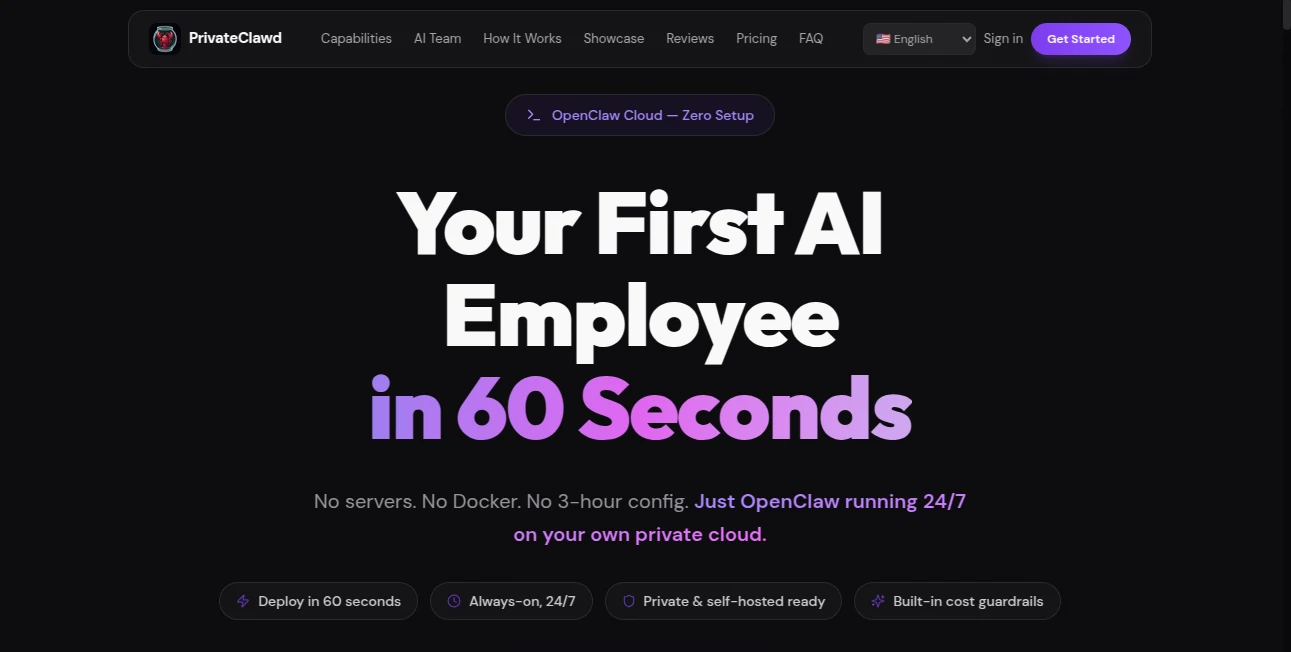
Building autonomous AI agents often sounds exciting until the setup process begins. Server configurations, Docker environments, dependency issues, terminal commands, and maintenance can quickly turn a promising idea into a frustrating afternoon. This platform changes that experience entirely by removing technical barriers and replacing them with a remarkably smooth deployment process.
Designed for individuals, startups, and teams looking to automate real work, the platform allows users to launch AI agents that browse websites, run code, manage workflows, interact with applications, and stay active around the clock. Instead of spending hours configuring infrastructure, users can move directly into automation and productivity.
One of the most impressive aspects is how naturally the system feels integrated into everyday workflows. It behaves less like a traditional chatbot and more like a digital teammate capable of handling recurring tasks without constant supervision.
Key Features
User Interface
The dashboard feels approachable from the first interaction. Deployment is organized through a guided process rather than technical setup screens. Users can create, monitor, and manage multiple AI agents without touching command lines or server settings.
The experience is designed for speed. Messaging channels, settings, models, and workflows are organized clearly, making navigation surprisingly simple even for non-technical users.
Accuracy & Performance
Performance is built around dedicated cloud infrastructure rather than shared environments. Agents remain active continuously and execute tasks with minimal interruption. Automated recovery systems and uptime monitoring help maintain consistent operation.
Agents can navigate websites, interact with applications, complete multi-step actions, and continue working independently. For businesses running repetitive processes, this type of reliability can become a genuine productivity advantage.
Capabilities
- Deploy autonomous AI agents in under a minute
- Browser automation with human-like interactions
- Execute Python and shell scripts
- Run complex workflow chains
- Connect with Telegram, WhatsApp, and web channels
- CRM integrations and application interactions
- Data extraction from websites and documents
- 24/7 always-active operation
- Support for multiple AI model providers
One particularly interesting use case is assigning specialized roles to separate agents. Imagine one handling customer outreach while another monitors dashboards and a third gathers research automatically. That flexibility creates opportunities beyond simple automation.
Security & Privacy
Security appears to be treated as a core feature rather than an afterthought. Each deployment runs inside isolated environments with dedicated resources. Sensitive credentials remain separated, encrypted, and protected.
Additional safeguards include prompt injection defense, URL leak prevention, content trust boundaries, and automated monitoring systems. These protections are valuable for users working with customer information or business operations.
Use Cases
- Automating repetitive business workflows
- CRM management and sales processes
- Continuous monitoring of dashboards and websites
- Research collection and information gathering
- Customer support operations
- Code execution and developer workflows
- Marketing process automation
- Multi-agent task orchestration
A small agency, for example, could operate multiple AI workers simultaneously—one tracking leads, another managing reports, and another handling communication tasks.
Pros and Cons
Pros
- Extremely fast deployment process
- No server or Docker setup required
- Runs continuously 24/7
- Supports multiple AI providers
- Dedicated and isolated environments
- Built-in cost controls and monitoring
- Strong privacy-focused architecture
Cons
- Advanced users may prefer complete manual control
- Heavy workflows can require larger plans
- New users may need time to understand agent strategies
Pricing Plans
Pricing begins at approximately $30 per month for a dedicated environment using personal API access. Plans with included AI credits are also available. Larger deployments and enterprise requirements can scale with custom infrastructure and additional support options.
Annual plans offer savings, making long-term usage more cost-effective for teams planning extensive automation.
How to Use PrivateClawd
- Create an account
- Select a deployment plan
- Choose an AI model provider
- Connect messaging channels
- Deploy an agent
- Assign workflows or tasks
- Monitor performance through the dashboard
The onboarding process feels refreshingly direct. Users can go from signup to active automation within minutes.
Comparison with Similar Tools
Many AI automation platforms focus heavily on workflow builders or chatbot interfaces. Others require complex hosting setups and ongoing maintenance.
This solution stands out by combining dedicated infrastructure, autonomous execution, browser automation, code capabilities, and managed deployment into a single environment.
Traditional setups often require technical expertise and troubleshooting. Here, the focus remains on getting work done rather than configuring systems.
Conclusion
AI agents become significantly more useful when setup friction disappears. Instead of spending time installing dependencies and fixing server issues, users can focus on results.
The platform creates an experience that feels surprisingly close to having digital teammates available around the clock. For founders, developers, agencies, and businesses interested in practical automation rather than technical complexity, the experience feels polished, efficient, and highly capable.
Launching autonomous workflows in under a minute sounds ambitious at first. After exploring the process, it begins to feel entirely believable.
Frequently Asked Questions (FAQ)
What does the platform primarily do?
It deploys autonomous AI agents that can automate workflows, browse websites, execute code, and operate continuously.
Do users need technical knowledge?
No. The deployment process removes server management and complex setup requirements.
Can multiple agents run at once?
Yes. Users can create and manage several specialized agents simultaneously.
Does it support messaging platforms?
Yes. Users can connect channels including Telegram, WhatsApp, and web interfaces.
Is data protected?
Dedicated environments, encryption, and security mechanisms help maintain privacy and isolation.
AI Workflow Management , AI Productivity Tools , AI Task Management , AI Developer Tools .
These classifications represent its core capabilities and areas of application. For related tools, explore the linked categories above.

PrivateClawd Alternatives Product

ApplyBtn

MakeGraph

FormRoyale

Firefox

Screenshot t…

Calculadora …

Slackactivity

Somnio

Scillus