


















Prospectrum
What is Prospectrum?
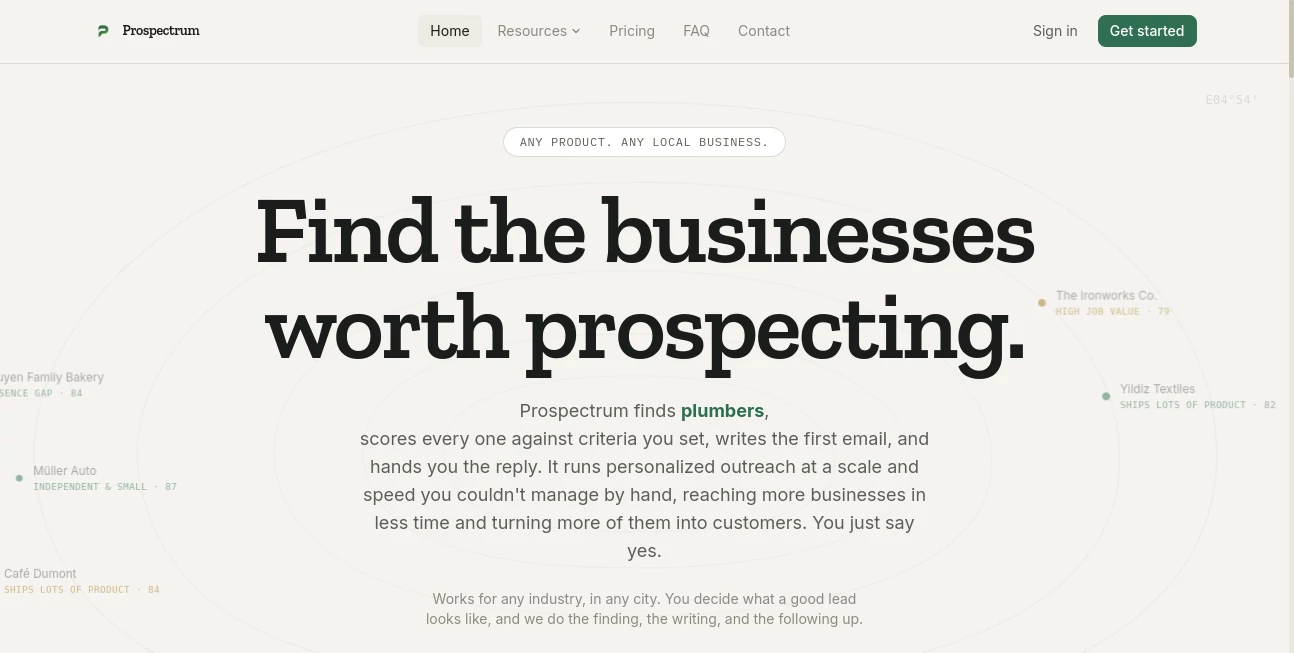
Prospectrum is an AI-powered prospecting platform built for businesses that want to find better local leads without spending hours searching through directories, websites, and spreadsheets. Instead of starting with a purchased list and sending the same message to everyone, it searches for businesses in a chosen city and category, evaluates them against criteria you define, and prepares personalized outreach.
The idea is refreshingly practical. You tell the platform what a worthwhile prospect looks like, and it handles the repetitive research, scoring, email drafting, and reply follow-up. It can be used across different industries, from plumbers and contractors to photographers, law firms, restaurants, gyms, and professional services.
For a small agency or independent salesperson, the biggest advantage may simply be time. The website states that getting started can take less than three minutes, while the prospecting process continues in the background once the initial criteria are set.
Key Features
- Local business discovery based on city and industry.
- Custom lead scoring based on criteria written in plain English.
- Identification of useful business signals such as missing SEO, unclaimed listings, outdated websites, stale reviews, or missing online booking.
- AI-generated first-contact emails based on details found about each business.
- Follow-up handling based on the tone and intent of incoming replies.
- Calendar routing for prospects who show genuine interest.
- Support for 57+ predefined local business categories.
- Prospecting across different cities and industries rather than being tied to a single niche.
User Interface
The experience is designed around a straightforward workflow rather than a complicated sales dashboard. Users choose a location, select a business category, and describe the kind of company they want to approach. From there, the system presents scored prospects instead of forcing the user to manually organize hundreds of entries.
The scoring view is particularly useful because it gives the prospecting process a visible logic. A business can be marked as a strong or weak fit according to the criteria supplied by the user, making it easier to decide where attention should go first.
Accuracy & Performance
The platform takes a more targeted approach than simply producing a large contact list. It looks for observable business signals and evaluates prospects against user-defined requirements. For example, a company with an outdated website, weak search presence, an unclaimed listing, or no online booking may be more valuable to a digital agency than a business that already has a polished online operation.
That distinction matters. A large lead database is not necessarily a useful one. The ability to filter prospects according to the actual sales opportunity can make a smaller queue much more practical to work through.
Capabilities
The core workflow covers four important stages: finding potential businesses, scoring them, creating an initial outreach message, and handling replies. The outreach is designed to reference something specific about the prospect rather than relying on generic mail-merge personalization.
For example, instead of merely inserting a business owner's name into a standard template, an email might mention an outdated Google listing or another visible digital gap. This gives the message a more natural reason for being sent.
The system can also interpret replies. Interested prospects can be directed toward a calendar, while uninterested responses can receive a polite close. That keeps the user's attention focused on conversations that have a realistic chance of moving forward.
Security & Privacy
There are several useful safeguards around how the service is intended to be used. Users remain responsible for reviewing outreach before approving messages for sending and must follow the marketing and privacy laws applicable to their campaigns, including GDPR and ePrivacy requirements where relevant.
The service also states that users retain ownership of their content and generated lead data. For personal data contained in leads, the customer acts as the data controller while the service operates as a processor. Payments are handled through Stripe, and card details are not stored by the platform.
Use Cases
The strongest use case is local B2B prospecting where a business can identify a visible problem and offer a relevant service to solve it.
- Marketing agencies: Find local businesses with weak websites, limited SEO, or outdated digital profiles.
- Web designers: Identify companies whose websites appear neglected or are still under construction.
- Photographers: Find businesses with outdated team imagery, product photography, or marketing visuals.
- Contractors: Discover property managers, agencies, and commercial businesses that may need ongoing services.
- Law firms: Build targeted outreach toward local businesses that may require recurring professional services.
- Restaurants and cafes: Identify local offices and event businesses that could become recurring catering customers.
- Gyms and fitness studios: Find nearby businesses that could be potential corporate wellness partners.
- Professional services: Build a pipeline based on location, industry, company characteristics, and specific business gaps.
The flexibility is one of its more appealing qualities. A user does not have to follow a fixed lead definition. They can describe the ideal prospect in ordinary language and let the scoring system translate those requirements into weighted criteria.
Pros and Cons
- Pros: Combines lead discovery, scoring, outreach drafting, and reply handling in one workflow.
- Pros: Lets users define their own criteria instead of relying on a universal lead score.
- Pros: Useful for local businesses across many industries and cities.
- Pros: Personalized email drafts can reference real characteristics of individual prospects.
- Pros: Free plan available without requiring payment details to get started.
- Cons: It is primarily designed around discovering prospects rather than importing an existing lead database.
- Cons: Lead discovery depends partly on third-party business information, so results can vary by location and market.
- Cons: Outreach still requires responsible human review and compliance with applicable email regulations.
Pricing Plans
A free plan is available and does not require credit card details, making it possible to test the prospecting workflow before committing to a subscription.
The Pro plan is listed at $6.99 per month, billed in advance and renewed monthly until cancelled. Applicable taxes are calculated at checkout, and payments are processed through Stripe.
For someone who currently spends several hours each week researching local prospects manually, the low entry price makes the platform particularly interesting to test. The real value will depend on the quality and relevance of the leads generated for a particular market.
How to Use Prospectrum
- Choose the city or geographic market you want to prospect.
- Select the relevant business category.
- Describe what your ideal customer looks like using your own criteria.
- Let the platform discover businesses that match the selected market.
- Review the resulting prospects and their fit scores.
- Check the AI-generated outreach before approving it for delivery.
- Monitor incoming replies and focus on prospects showing genuine interest.
- Use the calendar routing feature when an interested prospect is ready to talk.
The workflow is intentionally simple. Someone running a small service business could, for example, specify that they want independent businesses in a particular city with outdated websites and weak local search visibility. Instead of manually opening dozens of sites, the user receives a prioritized set of prospects to review.
Comparison with Similar Tools
Traditional prospecting usually requires several separate tasks: finding businesses, researching them, deciding which ones are worth contacting, writing an email, and tracking replies. Generic cold-email platforms can automate sending, but they often assume that the user already has a suitable list.
This platform takes a different position by putting discovery and qualification at the beginning of the workflow. The goal is not simply to send more emails. It is to identify businesses where there is a plausible reason to start a conversation.
That makes it particularly attractive for agencies, consultants, freelancers, and local service providers whose sales pitch depends on finding a specific business problem. If a prospect already has everything in place, contacting them may have little value. Finding the businesses with an obvious gap can make the outreach considerably more relevant.
Conclusion
For anyone tired of spending Monday mornings building spreadsheets of local businesses, this platform offers a much more focused way to approach prospecting. Its strength is the combination of discovery and qualification: rather than handing users another enormous list, it attempts to identify businesses that actually fit the criteria they care about.
The personalized outreach is another strong point. Referencing a genuine business issue is far more useful than simply inserting a first name into a generic sales template, and the reply-handling workflow can remove some of the repetitive work that follows an initial campaign.
It will not replace good sales judgment, a compelling offer, or responsible campaign management. But for businesses that need a steady stream of relevant local prospects, it provides a practical system for turning a vague search for customers into a repeatable prospecting process.
Frequently Asked Questions (FAQ)
What does this AI prospecting platform do?
It discovers local businesses based on a chosen city and category, scores them against user-defined criteria, drafts personalized outreach emails, and helps manage replies from interested prospects.
Can I define my own ideal customer?
Yes. Users can describe their ideal prospect in plain English, and the platform converts those requirements into scoring criteria used to rank businesses.
Which industries are supported?
It supports dozens of local business categories, including restaurants, salons, gyms, medical practices, contractors, law firms, accounting firms, real estate agencies, photographers, retailers, hotels, and many other local services.
Does it write the outreach emails?
Yes. The AI creates an initial email based on information about the individual business rather than relying solely on generic personalization fields.
Can it handle replies?
Yes. Incoming replies can be interpreted according to their tone and intent. Interested prospects can be routed toward a calendar, while negative responses can receive a polite closing message.
Is there a free plan?
Yes. The service offers a free plan that can be started without entering credit card details.
How much does the Pro plan cost?
The Pro plan is currently listed at $6.99 per month, with monthly automatic renewal until cancelled.
Is it suitable for small businesses?
Yes. The service is especially relevant to freelancers, consultants, agencies, and local service companies that need a repeatable way to find potential customers without spending hours on manual research.
Does it replace a salesperson?
Not entirely. It automates much of the repetitive research, qualification, drafting, and reply routing, while the user still decides which prospects to pursue, approves outreach, and handles the sales conversation.
Does it use purchased lead lists?
The platform's stated approach is based on discovering publicly listed local businesses rather than relying on bought or scraped third-party lists.
AI Lead Generation , AI Sales Assistant , AI Email Assistant , AI CRM Assistant .
These classifications represent its core capabilities and areas of application. For related tools, explore the linked categories above.
Prospectrum details
Website unavailable — View Alternatives
Pricing
- Freemium
Apps
- Web App
Categories

Prospectrum Alternatives Product

ForthWrite

LeadAny

Sales Prospe…

AIOutreach

Leado.co

Duct Tape 3

LeadCanvas

BetterAntisp…

LSGRO
