


















Quikwit
What is Quikwit?
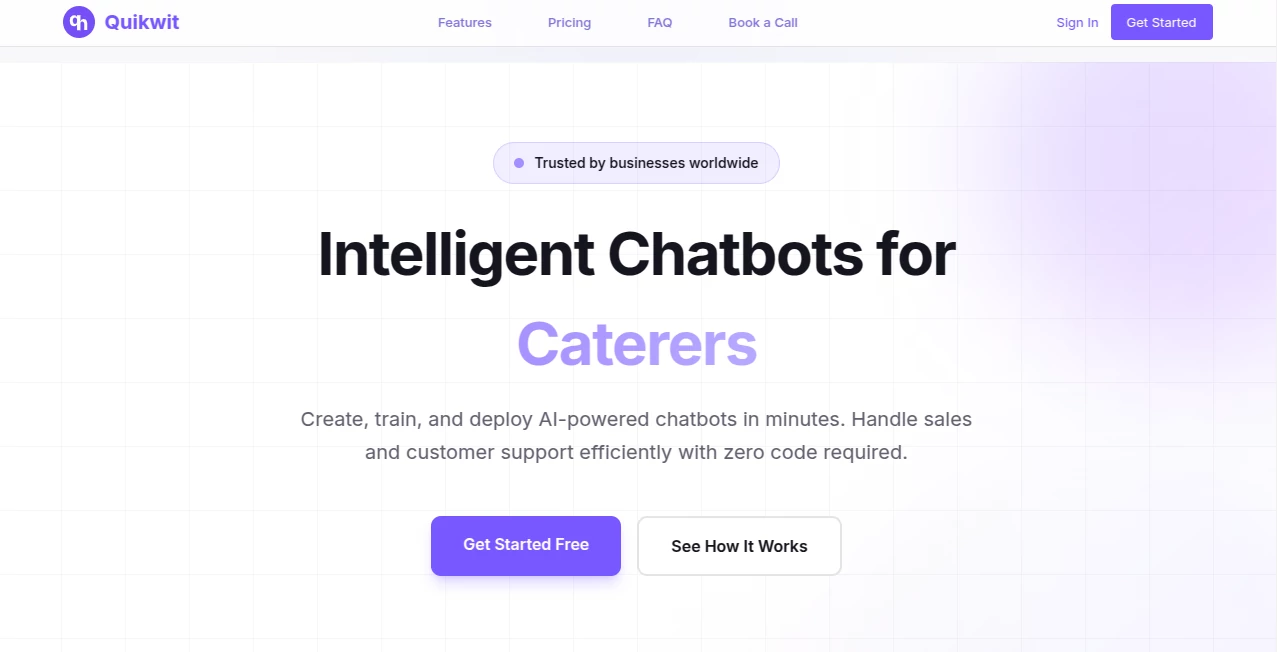
Every business wants to respond faster, capture more leads, and deliver excellent customer service without increasing operational costs. This platform makes that possible by allowing companies to build AI-powered chatbots trained on their own business data. With no coding required, organizations can deploy intelligent assistants across websites and popular messaging channels within minutes.
Whether answering frequently asked questions, qualifying leads, scheduling appointments, or providing customer support around the clock, the platform helps businesses automate conversations while maintaining a natural user experience. It supports multiple industries including healthcare, real estate, restaurants, salons, and many other service-based businesses. The ability to train the chatbot using website content, product catalogs, and internal documentation makes responses more accurate and relevant. :contentReference[oaicite:0]{index=0}
Key Features
User Interface
The dashboard is clean and beginner-friendly, allowing users to create, train, customize, and deploy chatbots without technical expertise. Businesses can easily connect websites and messaging platforms while managing chatbot knowledge from a centralized interface. :contentReference[oaicite:1]{index=1}
Accuracy & Performance
The chatbot learns from business-specific content such as websites, FAQs, SOPs, and service information. This personalized training enables it to deliver contextual responses, reduce repetitive customer inquiries, and improve support efficiency. The platform also supports more than 40 languages, helping companies communicate with a global audience. :contentReference[oaicite:2]{index=2}
Capabilities
- Create AI chatbots without coding.
- Train chatbots using website content and business documents.
- Provide 24/7 customer support.
- Capture and qualify sales leads automatically.
- Schedule appointments and follow-ups.
- Deploy across websites, WhatsApp, Telegram, and other channels.
- Support more than 40 languages.
- Transfer conversations to human agents when needed.
- Track chatbot usage with analytics.
- Integrate with tools such as HubSpot, Zapier, Zendesk, Jira, Asana, and Microsoft Power Automate. :contentReference[oaicite:3]{index=3}
Security & Privacy
Business knowledge is securely processed to build a dedicated chatbot for each organization. Website content is used to train the conversational model, while conversations maintain context for improved responses. The platform also provides information regarding privacy practices and external service integrations. :contentReference[oaicite:4]{index=4}
Use Cases
- Automate customer support for websites.
- Generate and qualify sales leads.
- Handle appointment booking requests.
- Answer product and service questions instantly.
- Reduce repetitive support tickets.
- Support customers across multiple messaging platforms.
- Provide multilingual customer assistance.
- Improve response times outside business hours.
Pros and Cons
Pros
- Extremely fast setup with no coding required.
- Learns directly from business-specific content.
- Works across multiple communication channels.
- Supports dozens of languages.
- Includes lead generation and appointment booking features.
- Can hand conversations to human agents.
Cons
- Advanced integrations may require custom configuration.
- Response quality depends on the training data provided.
- Some premium capabilities may require paid plans.
Pricing Plans
The platform offers a free starting option for new users, with additional paid plans for businesses that require larger deployments, advanced integrations, and enterprise-level functionality. Pricing and available features may change over time. :contentReference[oaicite:5]{index=5}
How to Use Quikwit
Create an account, add your website or business documentation, and allow the platform to train your chatbot. Customize its appearance, define conversation behavior, connect preferred communication channels such as your website or WhatsApp, and publish the chatbot. Once deployed, it can answer customer questions, capture leads, and transfer conversations to your team whenever necessary. :contentReference[oaicite:6]{index=6}
Comparison with Similar Tools
Unlike many generic chatbot builders that require complex workflows or technical implementation, this solution focuses on rapid deployment and business-specific knowledge training. Its support for multi-channel messaging, appointment scheduling, multilingual conversations, lead generation, and seamless human handoff makes it particularly valuable for service-oriented businesses looking to automate customer interactions without sacrificing quality. :contentReference[oaicite:7]{index=7}
Conclusion
Businesses that want to improve customer engagement without expanding their support team will find this platform to be a practical and efficient solution. Its combination of AI-powered conversations, lead generation, multilingual support, and simple deployment helps organizations stay available around the clock while delivering faster responses and better customer experiences. For companies seeking a reliable conversational AI platform, it offers an impressive balance of usability, flexibility, and automation.
Frequently Asked Questions (FAQ)
Who can use this platform?
It is suitable for businesses of all sizes, including healthcare providers, real estate agencies, restaurants, salons, service companies, and online businesses.
Do I need programming skills?
No. The chatbot can be created, trained, and deployed without writing any code.
Can it work with messaging platforms?
Yes. It supports websites as well as channels like WhatsApp and Telegram.
Can the chatbot book appointments?
Yes. Businesses can automate appointment requests and follow-up conversations.
Does it support multiple languages?
Yes. The platform supports more than 40 languages, making it suitable for international businesses. :contentReference[oaicite:8]{index=8}
AI Lead Generation , AI Chatbot , AI Customer Service Assistant , AI Scheduling .
These classifications represent its core capabilities and areas of application. For related tools, explore the linked categories above.

Quikwit Alternatives Product
Sauci.ai

BetterAntisp…

Weblo AI

TrySchedule

SocialRails

ChatGot

Document Chat

Geekflare AI

Reloq
