redactionPDF
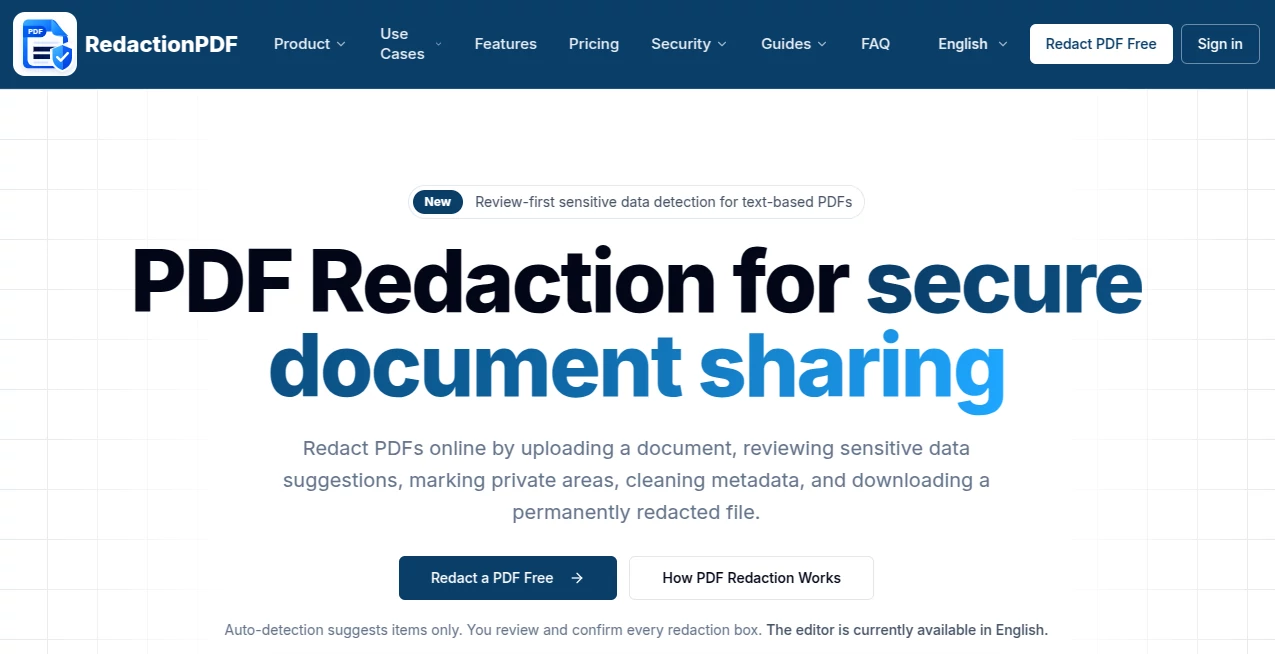
What is redactionPDF?
Handling sensitive documents is no longer a task reserved for large enterprises. Freelancers, legal teams, HR departments, and even small businesses regularly deal with PDFs containing confidential information. The challenge is not just viewing these files, but ensuring that private data is properly hidden before sharing.
This is where an intelligent redaction solution becomes essential. The platform is designed to simplify the process of removing sensitive text, images, and metadata from PDF files without compromising document quality or structure. Instead of manually blacking out content or using unreliable editing tools, users can achieve precise, secure redactions in just a few clicks.
Key Features
User Interface
The interface is clean, minimal, and designed for speed. Even first-time users can upload a document, select sensitive areas, and apply redactions without confusion. Everything is structured to reduce friction and save time.
Accuracy & Performance
The system is built to detect and process text layers accurately, ensuring that hidden information is permanently removed rather than simply masked. Performance remains stable even when processing large or complex documents.
Capabilities
- Precise text and image redaction in PDFs
- Automatic detection of sensitive data patterns
- Batch processing for multiple documents
- Preservation of original formatting
- Secure file handling during processing
Security & Privacy
Security is a core priority. Documents are processed in a way that minimizes exposure, and sensitive data is permanently removed rather than hidden visually. This ensures compliance with privacy standards for legal, medical, and corporate use cases.
Use Cases
- Law firms preparing court documents
- HR teams sharing employee records
- Financial institutions handling client reports
- Businesses sharing internal PDFs externally
- Individuals protecting personal information before sharing files
Pros and Cons
Pros
- Simple and intuitive workflow
- Strong focus on data privacy
- High accuracy in redaction tasks
- Supports complex PDF structures
Cons
- Advanced features may require a learning curve for non-technical users
- Heavy documents may take slightly longer to process
Pricing Plans
The tool typically follows a flexible pricing structure designed to accommodate both occasional users and professionals. Free access may be available with basic functionality, while advanced features such as batch processing and enhanced security controls are usually included in premium plans.
How to Use RedactionPDF
- Upload your PDF file into the platform
- Select the text or areas you want to hide
- Apply redaction to permanently remove sensitive content
- Review the document before final download
- Download the secure, redacted version
Comparison with Similar Tools
Compared to traditional PDF editors, this solution focuses specifically on secure data removal rather than general editing. Many basic tools only cover sensitive content visually, while this approach ensures permanent removal from the file structure itself. This makes it more suitable for compliance-heavy industries.
Conclusion
In a digital environment where data privacy is critical, having a reliable redaction solution is no longer optional. This platform provides a focused, efficient, and secure way to remove sensitive information from PDFs without complexity. It balances simplicity with powerful functionality, making it suitable for both professionals and everyday users.
Frequently Asked Questions (FAQ)
Is redacted information permanently removed?
Yes, the process ensures that sensitive content is fully removed from the document structure, not just visually hidden.
Can I use it for legal documents?
Yes, it is suitable for legal, financial, and corporate documents where confidentiality is required.
Does it support large PDF files?
Yes, larger files are supported, although processing time may vary depending on complexity.
Is installation required?
No installation is needed; the tool is designed to work directly through a web-based interface.
Can I process multiple files at once?
Batch processing is available depending on the selected plan.
AI Documents Assistant , AI Document Extraction , AI PDF , AI Productivity Tools .
These classifications represent its core capabilities and areas of application. For related tools, explore the linked categories above.

redactionPDF Alternatives Product

Debate Tello…

mainaro

TO MD

Zloth

BetterAntisp…

ClawBridge

InPage AI

Markdown to …

jpg to excel