
Revid
What is Revid?
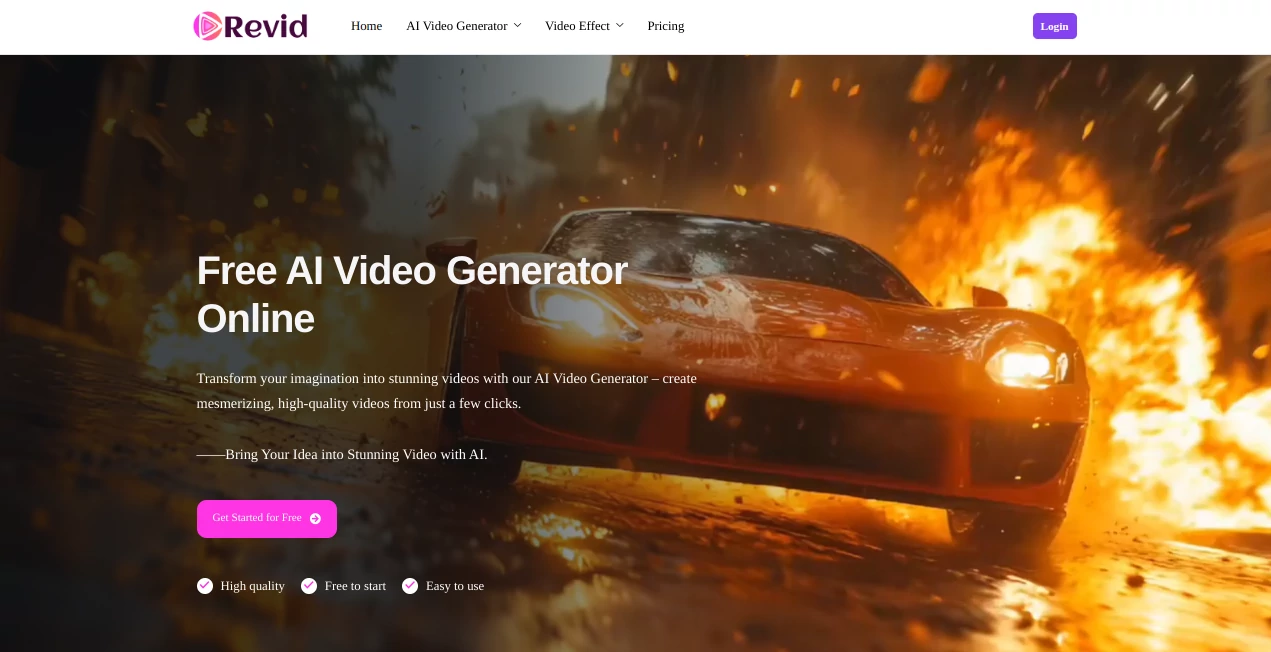
Revid.me is an AI-powered video creation platform designed to make video production much easier, even for people without advanced editing experience. Its main focus is turning simple ideas, text prompts, images, and reference materials into engaging video content with minimal manual work.
The platform is particularly useful for marketers, social media creators, small businesses, and anyone who regularly needs visual content. Instead of starting with a blank editing timeline, users can begin with an idea and let the AI handle much of the production process.
What makes the experience appealing is its straightforward approach. You can start for free, experiment with different concepts, and see how an idea translates into moving content before deciding whether you need a paid plan. The platform's own site highlights text-to-video, image-to-video, and reference-to-video workflows as its core capabilities.
Key Features
- Text-to-video generation from simple written prompts
- Image-to-video generation for animating static visuals
- Reference-to-video generation for more controlled visual concepts
- High-quality AI-generated video output
- Fast video generation designed for quick experimentation
- Support for promotional and social media content
- Simple workflow suitable for users without professional editing skills
- Free starting option for testing the platform
User Interface
The interface is built around a simple idea: provide an input, choose the appropriate generation method, and let the AI produce the result. This keeps the process approachable for beginners while giving experienced creators a quick way to test concepts.
For someone creating several social posts in a day, that simplicity can be especially useful. Rather than spending time setting up a project, importing assets, and arranging a timeline, the creator can concentrate first on the idea itself.
Accuracy & Performance
Performance is one of the more attractive aspects of the service. The official website states that its AI video generation can typically produce a video in no more than around 10 seconds, although actual generation time can vary depending on the request and processing conditions.
The image-to-video workflow is designed to preserve the original visual while adding movement, while the reference-based workflow gives creators a way to provide additional visual direction. These approaches are useful when consistency matters more than simply generating a random scene.
Capabilities
The platform covers several practical video-generation scenarios. Text prompts can be turned into video concepts, static images can be given motion, and reference materials can be used to guide the generated result. According to the official site, these capabilities can be used for explainer videos, promotional material, product demonstrations, tutorials, social media clips, storytelling, and event-related content.
This makes it more than a tool for experimenting with AI visuals. A marketer could use it to turn a product concept into a short promotional clip, while a creator might animate an existing illustration instead of producing an entirely new scene.
Security & Privacy
Users should review the platform's current terms and privacy documentation before uploading confidential business material, private photographs, or proprietary assets. This is particularly important when using reference-based generation, where the input itself may contain sensitive visual information.
Commercial usage is also an important consideration. The official FAQ states that videos created by subscribed users can be used commercially, while videos generated through free accounts are not permitted for commercial use.
Use Cases
Social Media Content: Create short visual clips for social platforms without building every scene manually.
Marketing: Turn product concepts, promotional ideas, and campaign visuals into short videos that can support advertising and social campaigns.
Product Demonstrations: Bring product images and concepts to life with motion, making static promotional material more engaging.
Educational Content: Convert ideas and explanations into visual scenes for tutorials and educational projects.
Creative Projects: Experiment with storytelling, visual concepts, characters, environments, and imaginative scenes without requiring a traditional production setup.
Image Animation: Give existing photographs, illustrations, and other static images movement instead of creating a new visual from scratch.
Pros and Cons
Pros
- Simple approach to AI video generation
- Supports text, image, and reference-based workflows
- Useful for both marketing and creative projects
- Fast generation makes experimentation convenient
- Free access is available for trying the service
- Does not require advanced video editing knowledge
Cons
- AI-generated results may still require experimentation to achieve the desired look
- Free-account videos cannot be used commercially according to the current FAQ
- More complex professional productions may still benefit from a traditional video editor
Pricing Plans
The platform currently uses a credit-based, one-time purchase model rather than requiring a recurring subscription. The pricing page lists several credit packages, including 500 credits for $6.99, 900 credits for $7.99, 2,000 credits for $15.99, 6,000 credits for $34.99, and 36,000 credits for $168.35. Credits do not have an expiration date according to the pricing information.
This pay-as-you-go structure can be attractive for occasional creators who do not want another monthly subscription. Users who generate videos frequently should compare the credit consumption of their preferred generation workflows before choosing a larger package.
How to Use Revid.me
- Open the AI video creation platform and start with the free option.
- Choose the generation workflow that matches your project.
- For text-to-video, describe the scene or concept you want to create.
- For image-to-video, provide the image you want to animate.
- For reference-based generation, provide the visual reference that should guide the result.
- Generate the video and review the output.
- Experiment with your prompt or input when the result does not match your original idea.
- If you need commercial usage, use an eligible paid account according to the platform's current terms.
Comparison with Similar Tools
Many AI video generators concentrate primarily on text prompts, while this platform takes a broader input approach by combining text-to-video, image-to-video, and reference-to-video generation. That distinction is useful for creators who already have visual assets and want to animate or transform them rather than starting entirely from text.
Another practical difference is the credit-based purchasing model. Instead of committing to a recurring subscription, occasional users can purchase credits and use them when needed. For frequent production, however, it is worth comparing generation limits, output quality, commercial rights, supported models, and total cost against other AI video platforms.
Conclusion
For creators who want to turn ideas and existing visuals into videos without spending hours inside a traditional editor, this platform offers a refreshingly direct workflow. Text prompts, images, and references can all serve as starting points, making it flexible enough for marketing experiments, social content, product visuals, and creative projects.
Its fast generation and free starting option also make it easy to test different concepts before investing heavily in a production workflow. For occasional users, the one-time credit system is another practical advantage. It may not replace a full professional editing suite for every project, but for fast AI-assisted video creation, it is a useful option worth exploring.
Frequently Asked Questions (FAQ)
What can I create with this AI video generator?
You can create promotional videos, social media clips, product demonstrations, tutorials, explainer content, storytelling videos, and other creative video projects.
Can I turn an image into a video?
Yes. The image-to-video feature is designed to transform static images into dynamic video content while maintaining the original visual direction.
Can I generate a video from text?
Yes. You can provide a written prompt describing your idea and use the text-to-video workflow to generate video content from it.
Can the generated videos be used commercially?
Commercial usage is available for subscribed users according to the current FAQ. Videos generated through free accounts are not permitted for commercial use.
Do the credits expire?
No. The current pricing page states that purchased credits have no time limit, so they can be used later rather than expiring at the end of a billing period.
Is it suitable for beginners?
Yes. The service is designed around simple AI generation workflows and does not require advanced video editing skills, making it approachable for beginners as well as useful for experienced creators who want to produce content faster.
AI Image to Video , AI Video Generator , AI Text to Video .
These classifications represent its core capabilities and areas of application. For related tools, explore the linked categories above.

Revid Alternatives Product

AiSora

Kling-4 Vide…

gemini video

Gemini Omni …

AI Baby Video

FaceSwaply

Seedance 2.0

Seedance 2.0…

Seedance 2.0