


















RoutineMetric
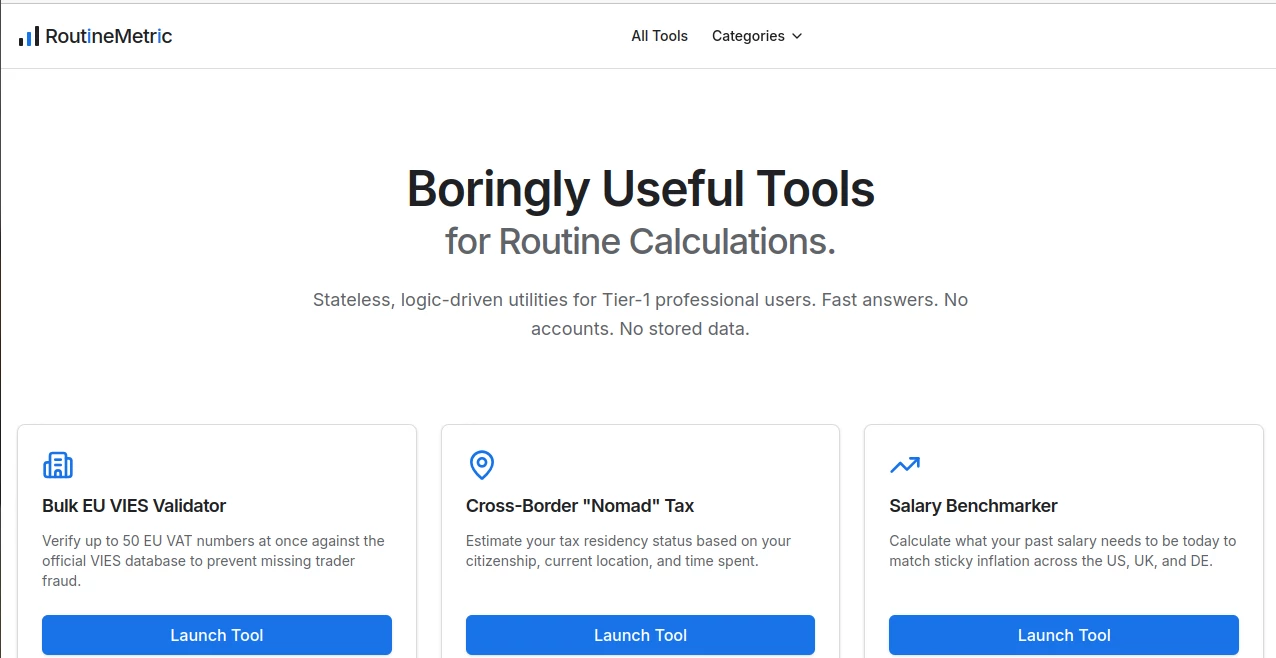
What is RoutineMetric?
Managing work across multiple apps often leads to scattered information, missed deadlines, and unnecessary context switching. This all-in-one AI productivity platform brings tasks, notes, meetings, calendars, projects, and automations together in a single workspace, making daily work feel more organized and effortless.
Designed for professionals, startups, freelancers, and growing teams, the platform combines intelligent planning with practical collaboration tools. Instead of juggling separate applications for task management, note-taking, meeting summaries, and scheduling, users can centralize everything in one place while letting AI handle repetitive administrative work.
Its biggest strength lies in creating a seamless workflow where ideas, meetings, tasks, and projects naturally connect. Whether planning a busy week, organizing customer information, or collaborating with teammates, the experience feels intuitive and refreshingly streamlined.
Key Features
User Interface
The interface is modern, responsive, and designed around productivity rather than complexity. Navigation remains simple even when managing multiple projects, while customizable workspaces, dashboards, and views allow users to organize information in ways that match their personal workflow. Quick keyboard shortcuts and rapid task capture make everyday actions incredibly fast.
Accuracy & Performance
AI-powered meeting notes automatically summarize conversations and transform action items into structured tasks. Time blocking, reminders, recurring tasks, and calendar synchronization work together to help users stay focused throughout the day. Fast synchronization across desktop, web, and mobile devices ensures information is always available when needed.
Capabilities
- Unified task and project management
- Integrated calendar planning and scheduling
- AI meeting summaries with actionable tasks
- Universal inbox for tasks, notifications, and messages
- Voice-powered AI assistant for quick capture
- Time blocking and productivity planning
- Custom workspaces and databases
- Project labels, priorities, and recurring tasks
- Powerful dashboards and customizable views
- AI agents for workflow automation
- Cross-platform availability
- Integration with popular productivity services
Security & Privacy
The platform is built with professional teams in mind, offering structured workspaces, access controls, and synchronization across connected services. Businesses can organize company information securely while keeping personal and professional data separated. Local-first architecture also provides additional flexibility for managing information efficiently.
Use Cases
- Managing daily personal productivity
- Organizing startup operations
- Planning projects with distributed teams
- Capturing meeting notes automatically
- Tracking recurring business tasks
- Managing client projects for freelancers
- Centralizing company documentation
- Creating AI-assisted workflows
- Scheduling meetings alongside task planning
- Reducing tool overload with one unified workspace
Pros and Cons
Pros
- Combines multiple productivity tools into one platform
- Excellent AI-powered meeting summaries
- Fast task capture with keyboard shortcuts
- Highly customizable workspaces
- Supports desktop, mobile, and web platforms
- Powerful integrations with popular business tools
- Clean and intuitive interface
- Strong automation capabilities
Cons
- Advanced customization may require some initial learning.
- Some premium AI capabilities are available only in paid plans.
- Organizations with highly specialized workflows may need time to configure their workspace.
Pricing Plans
A free plan is available for individuals who want to explore the platform. Paid subscriptions unlock advanced AI features, additional collaboration capabilities, automation tools, larger workspaces, and business-focused functionality. Enterprise options are also available for organizations requiring greater scalability and administrative control.
How to Use Routine
Create an account and connect your preferred calendars and productivity services. Import existing tasks or begin capturing new ones using quick shortcuts or voice input. Organize work into projects, assign priorities, schedule time blocks, and let AI summarize meetings while automatically creating follow-up tasks. As your workflow grows, customize dashboards, databases, and automations to match your team's unique processes.
Comparison with Similar Tools
Unlike traditional task managers that only organize to-do lists, this platform combines calendars, meeting intelligence, note-taking, AI automation, project management, and customizable databases within one connected workspace. Compared to productivity suites that rely heavily on multiple integrations, it offers a more unified experience where information naturally connects across tasks, meetings, documents, and schedules. This reduces context switching while helping teams maintain a single source of truth.
Conclusion
For professionals seeking more than a simple task manager, this AI-powered productivity platform delivers an impressive balance of organization, automation, and collaboration. By bringing calendars, notes, meetings, tasks, projects, and AI assistance into one workspace, it simplifies everyday work while helping users stay focused on meaningful progress instead of administrative overhead. Its thoughtful design, intelligent automation, and flexibility make it an outstanding solution for individuals and modern teams alike.
Frequently Asked Questions (FAQ)
Is there a free version available?
Yes. A free plan allows users to experience the core productivity features before upgrading.
Can it replace multiple productivity applications?
Yes. It combines task management, calendars, notes, meeting summaries, project planning, and AI automation into one platform.
Does it support team collaboration?
Yes. Teams can collaborate through shared workspaces, projects, databases, and integrated planning tools.
Can AI create meeting summaries automatically?
Yes. AI generates meeting summaries and converts action items into organized tasks for follow-up.
Which platforms are supported?
The platform is available on Web, Windows, macOS, Linux, Android, and iOS.
AI Productivity Tools , AI Task Management , AI Team Collaboration , AI Meeting Assistant .
These classifications represent its core capabilities and areas of application. For related tools, explore the linked categories above.

RoutineMetric Alternatives Product

Sourcetable

Lexikon AI

Liftburst

ChatGPT

ApplyBtn

Skywork Supe…

Luffy

ShipBoost
TierCove
