

















Seedance
What is Seedance?
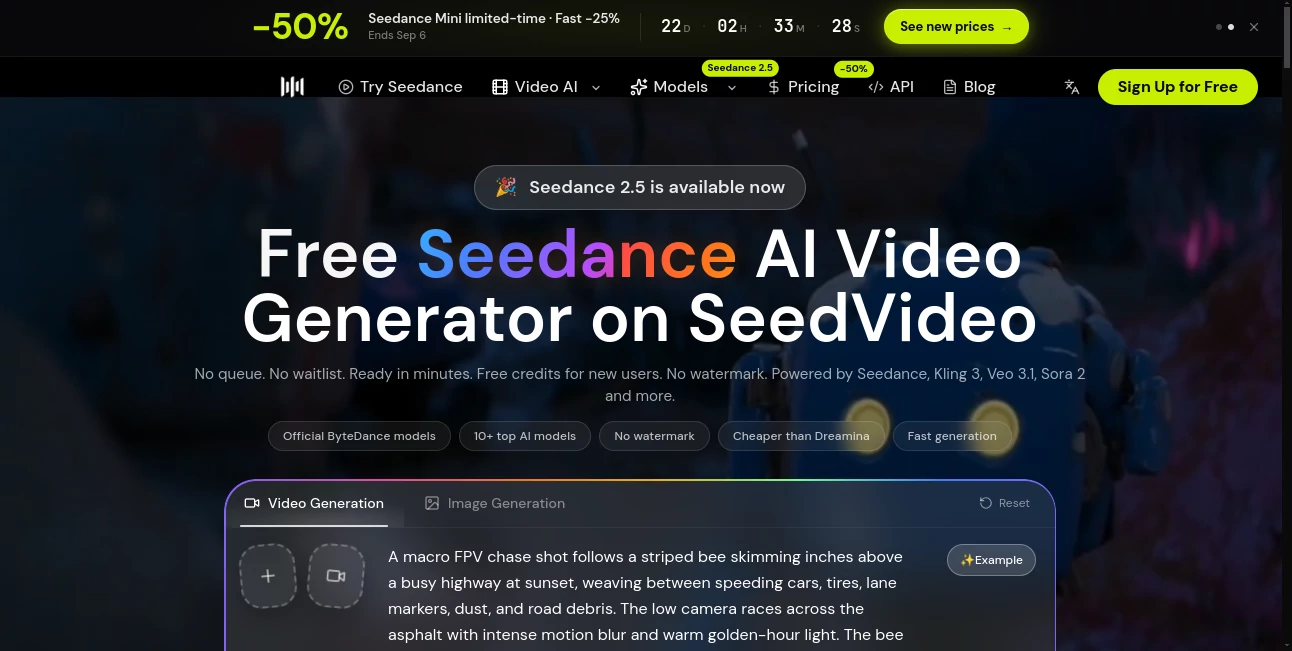
Seedance is a practical AI video generation platform designed for creators who want to turn ideas, images, and existing footage into polished video clips without building everything manually. The platform provides access to multiple leading video models in one workspace, including Seedance, Kling, Veo, and Sora, making it useful for people who want to experiment with different generation styles without constantly switching between services.
One of its most appealing advantages is the low barrier to entry. New users receive free credits without needing to provide a credit card, while supported plans offer no-watermark exports and faster generation. For someone testing an advertising concept, creating a social media clip, or simply exploring AI video, being able to generate a few examples before paying makes the experience much more approachable.
Key Features
- Text-to-video generation from detailed written prompts.
- Image-to-video generation for animating still images.
- Video-to-video workflows for transforming existing footage.
- Multimodal references using text, images, video, and audio.
- Access to multiple leading AI video models from one platform.
- Support for common aspect ratios such as 16:9, 9:16, and 1:1.
- No-watermark exports on supported plans and features.
- Free credits for new users with no credit card required.
- Priority generation speeds on Pro and higher plans.
User Interface
The workflow is intentionally straightforward. After creating an account, users can choose a generation model, enter a prompt or provide reference media, configure the available settings, and start generating. This makes the platform approachable for beginners while still leaving room for more controlled creative work.
The reference-based workflow is particularly useful. Instead of explaining every visual detail from scratch, a creator can provide an image or video and describe the desired movement or transformation. That can save considerable time when working with characters, products, environments, or established visual styles.
Accuracy & Performance
Video generation quality depends heavily on the selected model, prompt, duration, resolution, and input material. The platform is designed around production-oriented generation, with an emphasis on prompt fidelity, smoother motion, and visual consistency.
Its multimodal approach is also valuable for more complicated scenes. The available workflows can combine multiple references, while newer model options support substantially richer inputs. For example, the documented Seedance 2.0 API supports up to nine images and a video reference, depending on the model and workflow.
Generation usually takes minutes rather than requiring users to wait through a conventional queue. Pro and higher plans also receive priority resource allocation, which is useful when several variations are needed during a creative session.
Capabilities
The platform covers several important AI video workflows. Text-to-video is useful when starting with a blank canvas, while image-to-video is better suited to animating an existing visual. Video-to-video can take an existing clip and alter its style, appearance, or other creative elements while retaining important aspects of the original footage.
The underlying workflows can also handle complex motion, multiple subjects, camera movement, sports scenes, collisions, and other situations where basic AI video generators may struggle. Audio-aware generation and multimodal references make the system more suitable for projects that require more than a simple text prompt.
For example, a product marketer could begin with a product image, describe a cinematic camera movement, and generate a short promotional sequence. A social media creator could instead animate artwork into a vertical clip and produce several variations for different platforms.
Security & Privacy
Users should review the platform's current Terms of Service and Privacy Policy before uploading confidential, personal, or commercially sensitive material. This is especially important when working with customer footage, unreleased products, private images, or copyrighted assets.
For API integrations, authentication credentials should also be kept on the server rather than exposed in client-side code or browser logs. The documentation specifically advises users not to expose API keys to clients or logs.
Use Cases
- Social Media Content: Create short vertical videos, visual effects, and attention-grabbing clips for social platforms.
- Product Marketing: Turn product images and concepts into cinematic promotional videos.
- Advertising: Test different visual concepts and ad variations before committing to expensive production.
- Image Animation: Add movement to illustrations, photographs, artwork, and product imagery.
- Video Transformation: Rework existing footage while retaining useful motion or framing.
- Film Previsualization: Explore camera movements, environments, characters, and scene ideas before filming.
- Creative Experiments: Quickly test unusual concepts that would otherwise require significant production time.
- API Workflows: Developers can integrate supported video-generation models into their own applications through the available API.
Pros and Cons
Pros
- Free credits are available for new users.
- No credit card is required to start testing the service.
- Multiple AI video models are available through one platform.
- Supports text-to-video, image-to-video, and video-to-video workflows.
- Multimodal references provide greater creative control.
- No-watermark exports are available on supported plans.
- Pro and higher plans provide faster, prioritized generation.
- One-time credit packs are available for users who do not want recurring billing.
Cons
- Generation consumes credits, with usage depending on model, duration, resolution, and settings.
- Commercial rights vary according to the selected plan.
- Advanced generation features may require a paid tier.
- Output quality can vary depending on the prompt and selected model.
- Users working with highly sensitive material should carefully review the current privacy and usage terms.
Pricing Plans
The pricing structure is built around free credits, one-time credit packs, and recurring subscriptions. The free option is useful for testing prompt quality and understanding whether the workflow fits a particular project before committing to a purchase.
Paid subscriptions include Lite, Pro, and Premium options. According to the current pricing information, Lite reduces the per-generation credit cost by 10%, Pro by 30%, and Premium by 40%. Pro and higher plans also provide faster generation through priority resource allocation.
One-time credit packs are useful for occasional projects because they do not automatically renew. Subscription plans are better suited to creators who generate videos regularly and want recurring credits and lower per-video costs. Annual subscriptions can provide savings of up to 50% compared with monthly billing.
Commercial usage depends on the selected plan. Pro, Premium, annual subscription plans, and one-time credit packs include commercial use according to the current pricing information, while the monthly Lite plan does not. Because plan terms can change, users should confirm the exact rights displayed at checkout before using generated content commercially.
How to Use the Platform
Start by creating an account and using the available free credits. From the generation interface, select the video model that fits the project. If you are starting from an idea, enter a detailed text prompt. If you already have a visual reference, upload an image or other supported media and explain the movement, camera direction, environment, or transformation you want.
Choose the available duration, resolution, and aspect ratio settings, then start the generation. For a vertical social media video, a 9:16 composition is usually the natural choice, while 16:9 works better for conventional landscape content.
Do not expect the first prompt to always produce the final shot. A more effective workflow is to generate a short version, identify what needs improvement, adjust the prompt, and create another variation. Small changes to camera movement, subject behavior, lighting, and scene timing can make a noticeable difference.
Comparison with Similar Tools
One of the platform's strongest differences is that it is not limited to a single video model. Creators can access several major models from one workspace, including options associated with Seedance, Kling, Veo, and Sora. This makes it easier to compare outputs and select the model that fits a particular scene.
Compared with a single-purpose generator, the multi-model approach can be more convenient for experimentation. A creator looking for realistic motion might prefer one model, while another project could benefit from a different approach to photorealism, audio, or image-to-video consistency.
The platform is also particularly interesting for users who want more control than a simple text box provides. Reference images, video inputs, and multimodal workflows make it possible to guide the generation rather than relying entirely on a written description.
Conclusion
For creators exploring AI-generated video, this platform offers a compelling combination of accessibility and creative control. Free credits make it easy to test the experience, while multiple models and video workflows give more experienced users plenty of room to experiment.
Its strongest use case is probably the creator who wants to move quickly from an idea or reference asset to a usable video concept. Whether the goal is a social clip, product advertisement, cinematic experiment, or transformation of existing footage, the platform provides a flexible starting point without requiring a traditional video-production workflow.
Frequently Asked Questions (FAQ)
Is there a free option?
Yes. New users receive free credits after signing up, and a credit card is not required to start testing the service.
Can I generate videos from text?
Yes. Text-to-video generation allows users to describe a scene, subject, camera movement, atmosphere, and other visual details in a written prompt.
Can I animate an existing image?
Yes. Image-to-video generation can turn a still image into an animated video while using the image as a visual reference.
Can I transform an existing video?
Yes. The video-to-video workflow is designed for projects where an existing clip provides useful motion, framing, or timing that you want to preserve while changing its visual treatment.
Does it support multiple AI video models?
Yes. The platform provides access to several leading video-generation models, allowing creators to choose between different capabilities and output characteristics.
Are generated videos watermark-free?
No-watermark exports are available on supported plans and features. Users should check the selected plan and export settings before generating content for professional use.
Can generated videos be used commercially?
Commercial usage depends on the plan and its current terms. Pro, Premium, annual subscription plans, and one-time credit packs currently include commercial use, while the monthly Lite plan does not.
How long does video generation take?
Most clips are generated within minutes, although the actual time depends on the model, duration, settings, and current workload. Pro and higher plans receive priority generation.
Which aspect ratios are supported?
Common formats including 16:9, 9:16, and 1:1 are supported. Available resolutions and options depend on the selected model and plan.
Is there an API?
Yes. An API is available for developers who want to integrate supported video-generation models into their own applications and workflows.