
sensai
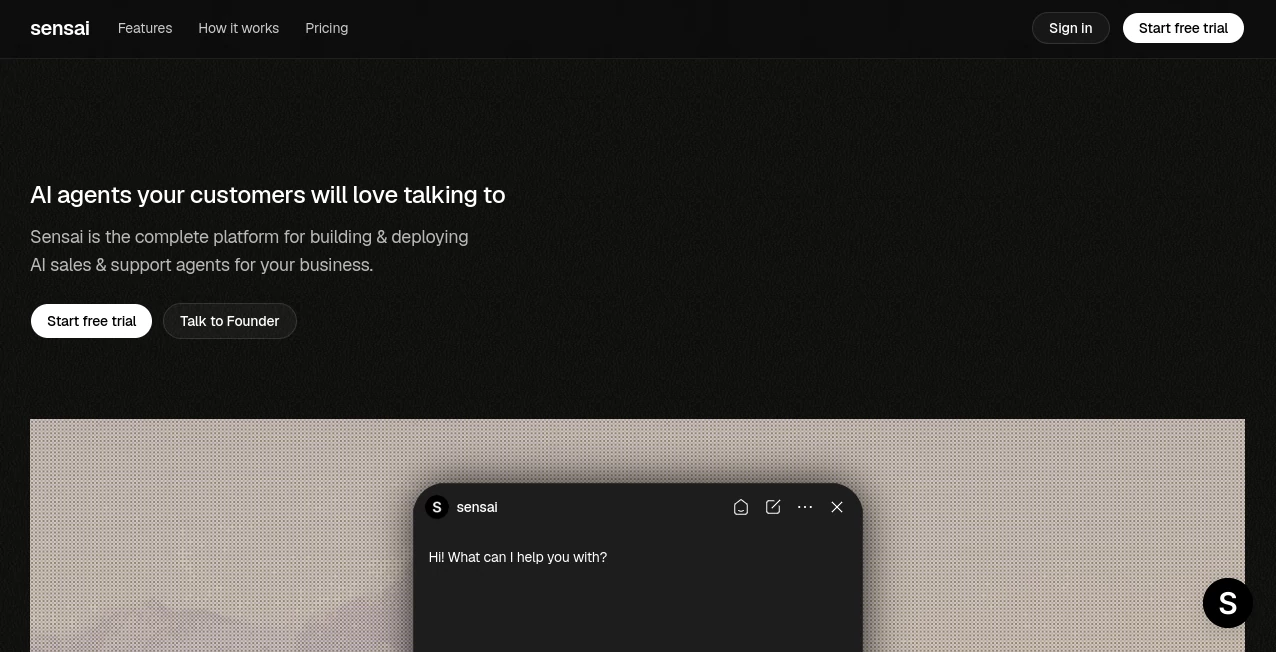
What is sensai?
I’ve seen too many chatbots that feel robotic and unhelpful, giving generic answers that frustrate visitors instead of helping them. Then I tried this one. You point it at your website, upload your docs and PDFs, and it actually learns how your business works. The difference is night and day. It answers questions like a knowledgeable team member, qualifies leads naturally, books meetings, and hands off to humans when needed. The best part? It keeps learning and updating itself as your content changes. It feels less like a bot and more like a sharp colleague who’s always on duty.
Introduction
Running customer support and sales at the same time is exhausting, especially when you’re growing and can’t hire fast enough. Sensai solves that by becoming a single, intelligent agent trained specifically on your materials. Whether someone wants pricing details, needs help with onboarding, or is ready to book a demo, it handles the conversation smoothly and professionally. Founders and support teams love how it reduces response time while actually increasing lead quality. It’s one of those tools that quietly removes hours of repetitive work and lets you focus on what matters most — building the business.
Key Features
User Interface
The setup is refreshingly simple. You add your website URL, upload documents, and it starts indexing everything in minutes. Customization is straightforward — choose your tone (friendly, professional, etc.), add suggested questions, and set lead capture rules. You get a live preview as you tweak things, so you can see exactly how it will look and sound on your site before going live. Embedding is literally one line of code. It feels designed by people who understand that time is precious.
Accuracy & Performance
Because it’s trained directly on your own content, the answers are accurate and on-brand. It doesn’t hallucinate generic information — it sticks to what you’ve taught it. The agent handles complex questions well, remembers context during conversations, and knows when to qualify leads or hand off to a human. Response times are fast, and it continues learning as your website or docs update. In real use, it dramatically cuts down on repetitive questions while surfacing better-qualified prospects.
Capabilities
It combines sales and support in one agent: answers questions 24/7, qualifies leads, captures contact info, books meetings, and routes complex cases smoothly. You can train it with website crawls, PDFs, Word docs, custom Q&A pairs, and text snippets. Lead capture happens naturally mid-conversation, pushing details straight to your inbox or CRM. It’s powerful enough for growing teams but simple enough for solo founders to set up quickly.
Security & Privacy
Your data stays secure and private. The agent only uses the information you explicitly train it on, and conversations are handled responsibly. It’s built with real business use in mind, so you can trust it with customer interactions without worrying about leaks or misuse of sensitive information.
Use Cases
A SaaS founder sets it up on their pricing page and watches qualified demo bookings come in while they sleep. A support team reduces ticket volume by letting the agent handle common questions and only escalate when truly needed. An e-commerce store uses it to guide customers through product selection and checkout questions. Agencies train it on their service packages so potential clients get instant, consistent answers. It shines anywhere repetitive questions eat up valuable team time.
Pros and Cons
Pros:
- Trained specifically on your materials, so answers feel accurate and on-brand.
- Combines sales qualification and support in one smooth experience.
- Fast setup — many users go live in under an hour.
- Lead capture built naturally into conversations.
- Continuously learns as your content updates.
Cons:
- Best performance comes after good training data (though the process is straightforward).
- Advanced custom integrations live on higher plans.
Pricing Plans
It offers a Growth plan at an accessible monthly price that includes a solid number of messages, perfect for most growing businesses. The Pro tier adds priority support, higher limits, and custom integrations for teams with heavier needs. There’s also a free way to test and publish your first agent so you can see the difference before committing. The pricing feels fair for the time and leads it returns.
How to Use Sensai
Sign up and start by adding your website URL and any key documents (pricing PDFs, onboarding guides, etc.). The system indexes everything automatically. Customize the tone, suggested questions, and lead capture settings while watching a live preview. Paste one line of code on your site and it’s live. Monitor conversations, leads, and performance from the dashboard. As your website or docs change, it automatically retrains itself to stay up to date.
Comparison with Similar Tools
Many chatbots give generic answers or require constant manual updates. This one stands out because it deeply learns your specific business materials and keeps itself current. Where others feel like basic Q&A bots, this combines real sales qualification, natural conversation flow, and seamless handoffs. It’s less about checking a box for “having a chatbot” and more about having a capable teammate that works 24/7.
Conclusion
Great customer experiences don’t have to come at the cost of your team’s time. This platform delivers knowledgeable, brand-aligned support and sales help around the clock while turning more visitors into real opportunities. It’s practical, powerful, and surprisingly easy to set up. For any business tired of losing leads to slow responses or repetitive questions, it’s one of the smartest investments you can make right now.
Frequently Asked Questions (FAQ)
How long does it take to set up?
Most users are live within an hour after adding their main sources.
Does it require coding knowledge?
No — embedding takes one line of code that you can copy and paste.
Can it book meetings automatically?
Yes — it qualifies interest and books demos or calls when appropriate.
What file types can I upload?
PDFs, Word docs, text snippets, and full website URLs all work well.
Is my data secure?
Yes — conversations are handled privately and your training data stays controlled by you.
AI Lead Generation , AI Sales Assistant , AI Chatbot , AI Customer Service Assistant .
These classifications represent its core capabilities and areas of application. For related tools, explore the linked categories above.

sensai Alternatives Product

Dewy Chat

GTM API

CrushonAI

LeadAny

Surgeflow

Lessie AI

FiveMinChat

Marketbetter…

VoiceFlow Te…