
ShortsMate
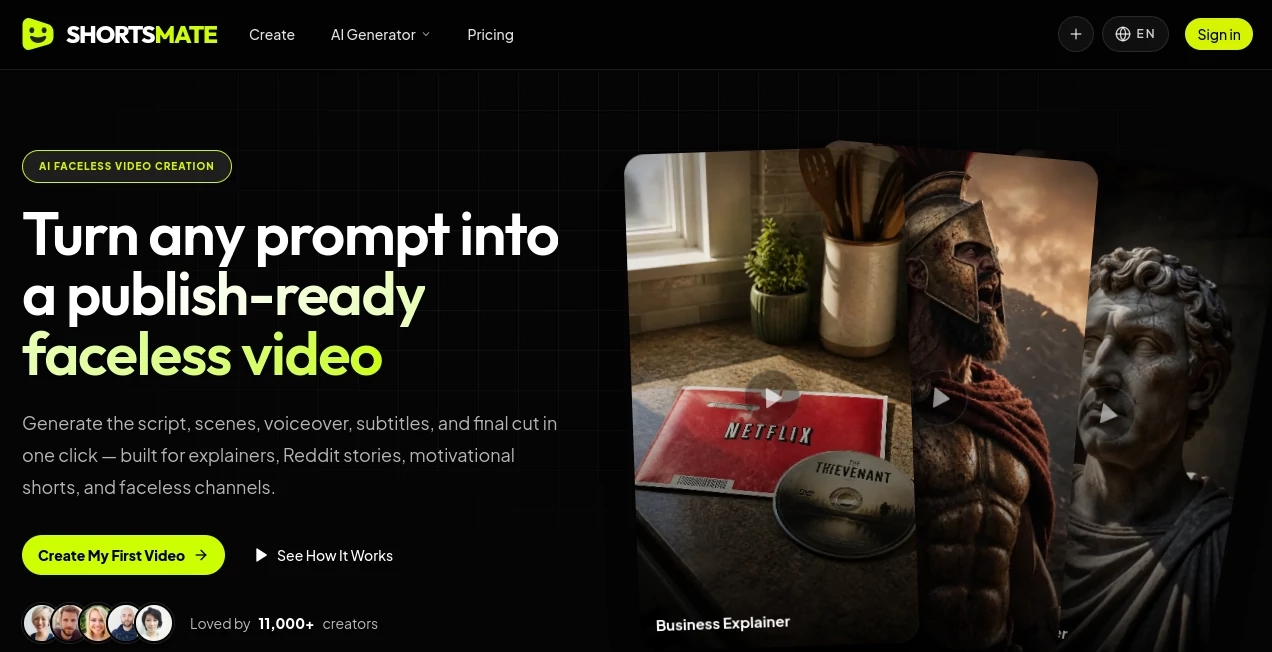
What is ShortsMate?
I used to spend hours scripting, recording, editing, and adding captions just to get one decent short out the door. The whole process felt like a part-time job. Then I started using this tool and everything changed. Now I type a simple idea or paste a topic, and a few minutes later I have a complete faceless short — script, visuals, voiceover, captions, and all — ready to post. The best part? The videos actually look and sound professional, not like typical AI slop. I’ve posted several that outperformed my old handmade content, and the time I save is honestly addictive.
Introduction
Creating consistent short-form content is one of the hardest things for creators, especially if you don’t want to be on camera. ShortsMate makes it feel almost too easy. It’s an all-in-one AI system built specifically for faceless YouTube Shorts, TikTok, and Reels. You give it an idea, and it handles the entire pipeline: writing an engaging script, generating matching visuals, adding natural voiceover, syncing captions, and packaging everything into a vertical video ready to upload. It’s fast enough that you can create multiple pieces in one sitting, yet polished enough that viewers don’t suspect it’s AI-generated. For anyone trying to grow on short-form platforms without burning out, it feels like having a miniature production team in your browser.
Key Features
User Interface
The dashboard is clean and focused — no overwhelming menus or confusing options. You start with a prompt box where you can type an idea, paste a script, or even upload a reference video. From there it guides you step by step through script refinement, visual generation, voice selection, and final editing. Everything happens in one place, with clear previews at each stage. I especially like how you can remix existing shorts or iterate quickly on what’s already working.
Accuracy & Performance
The output quality surprised me the first time. Scripts feel natural and hooky, visuals stay on-topic with good motion, and the AI voiceovers sound human rather than robotic. Captions sync accurately, and the pacing feels right for short-form platforms. It consistently delivers videos that look professionally made, even when starting from very basic prompts. Generation speed is solid too — most shorts are ready in a few minutes.
Capabilities
It handles the full creation workflow: AI scriptwriting, image and video generation, realistic voiceovers, auto-captions, background music, and final rendering in vertical format. You can create from text, remix existing videos, or use reference clips to keep character and style consistent. It’s particularly strong for faceless content like Reddit stories, motivational clips, facts, and niche tutorials. The remix feature is a game-changer for iterating on viral ideas without starting from scratch.
Security & Privacy
Your prompts and generated content stay private by default. The platform focuses on delivering a smooth creative experience without unnecessary data collection or sharing. For creators working on multiple channels or client projects, that peace of mind matters.
Use Cases
A side-hustle creator generates daily motivational shorts without ever showing their face and grows their following steadily. A niche educator turns long-form knowledge into bite-sized explainer videos that perform well on TikTok and YouTube Shorts. A marketer creates product explainers and customer stories at scale for social campaigns. Even busy parents or students use it to produce content around their passions without it taking over their schedule. The common thread is consistent output with minimal effort.
Pros and Cons
Pros:
- Complete end-to-end creation — from idea to finished video in one place.
- High-quality faceless results that don’t scream “AI-made.”
- Fast workflow that lets you produce multiple shorts per session.
- Remix feature helps you iterate on what already performs well.
- Great for beginners and experienced creators alike.
Cons:
- Best results still come from thoughtful prompts (though it handles vague ones decently).
- Heavy daily use benefits from a paid plan for unlimited generations.
- Some very specific niches may need extra manual refinement.
Pricing Plans
It offers a generous free tier so you can test the quality and create several videos without paying. Paid plans unlock unlimited generations, faster processing, more advanced features, and higher quality outputs. Pricing is reasonable for the amount of time and effort it saves — many users say it pays for itself after just a few viral shorts or consistent posting.
How to Use ShortsMate
Sign up (quick and free to start), go to the generator, and type your idea or paste a script. Add any reference images or clips if you want more control over style. Choose voice style and length, then let it generate. Review the script, visuals, and captions — tweak anything that doesn’t feel right — and export the final video. For ongoing channels, save successful prompts or use the remix tool to create variations quickly. The whole process stays fast and intuitive, making daily or weekly content creation realistic even with a busy schedule.
Comparison with Similar Tools
Many AI video tools focus on either script or visuals but struggle to deliver a complete, ready-to-post short. This one stands out by handling the entire pipeline with strong consistency and faceless-friendly results. Where others feel experimental or require heavy editing afterward, ShortsMate aims for polished output you can actually upload right away. It’s less about raw generation power and more about practical, efficient short-form content creation.
Conclusion
Short-form video is one of the most effective ways to grow an audience right now, but creating it consistently is exhausting for most people. ShortsMate removes most of that friction while still delivering videos that feel thoughtful and engaging. It’s not magic — you still need good ideas — but it handles the heavy lifting so you can focus on what matters: creating content people actually want to watch. For creators who want to show up regularly without burning out, it’s one of the most practical tools available.
Frequently Asked Questions (FAQ)
How long does it take to generate a short?
Usually 2–8 minutes depending on length and complexity.
Do the videos look obviously AI-generated?
No — with good prompts, most viewers can’t tell, especially after light editing.
Can I use my own voice?
Yes — you can upload voice samples or record directly for more personal results.
Is it good for faceless channels?
Excellent — it was built with faceless content in mind.
Are there usage limits on the free plan?
Yes, but it’s generous enough to test and create several videos before upgrading.
AI Animated Video , AI Video Generator , AI Short Clips Generator , AI Text to Video .
These classifications represent its core capabilities and areas of application. For related tools, explore the linked categories above.

ShortsMate Alternatives Product

Sora 2 Video

kling 4.0

Happy Horse

KissGen AI

MuseCraft.AI

seedance2

PZERO

Veo 3.1

CinemaDrop