
ShotRio
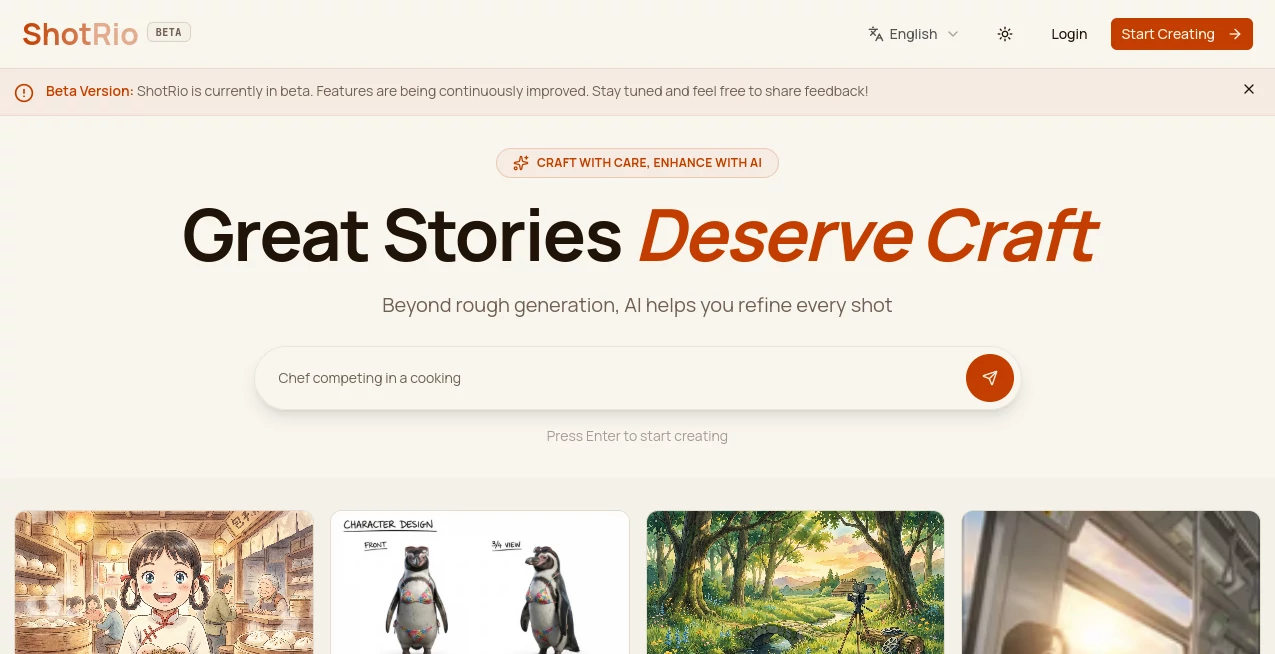
What is ShotRio?
I used to dread product photography. Setting up lights, hiring a photographer, or struggling with inconsistent phone shots — it always felt like more trouble than it was worth. Then I started using this tool and everything changed. You upload a simple photo of your product, and it delivers clean, studio-quality images with beautiful backgrounds, perfect lighting, and consistent angles. The first time I tried it on a plain white mug, the results looked like they came from a high-end catalog. It’s the kind of tool that makes small businesses and indie creators feel like they have a full creative team behind them.
Introduction
Great product photos sell. Bad ones get ignored. The problem is that most sellers don’t have access to a professional studio or the budget for regular photoshoots. Shotrio solves this beautifully by using AI to transform ordinary shots into polished, on-brand visuals. Whether you’re selling on Etsy, Shopify, Amazon, or your own site, it gives you consistent, eye-catching imagery without the usual hassle. The difference in conversion rates is often immediate — customers trust products that look professionally presented. It’s practical, fast, and genuinely levels the playing field for smaller sellers.
Key Features
User Interface
The interface is wonderfully straightforward. You drag and drop your product photo, choose a background style or upload your own, and the AI does the rest. Options for lighting, angle, shadow, and composition are easy to adjust without feeling technical. Everything happens in one clean workspace, with instant previews so you can compare variations quickly. Even first-time users get professional results without confusion.
Accuracy & Performance
It handles complex products remarkably well — transparent glass, reflective surfaces, intricate details, and varied textures all come out looking natural. The AI preserves the original product accurately while dramatically improving presentation. Processing is fast, usually under 20 seconds per image, and batch uploads let you transform entire catalogs efficiently. The consistency across multiple shots of the same product is excellent, which is crucial for professional-looking stores.
Capabilities
You can generate lifestyle scenes, plain backgrounds, ghost mannequins, 360-degree views, and seasonal variations. It removes backgrounds cleanly, adds realistic shadows and reflections, and supports different aspect ratios for various platforms. The tool works especially well for fashion, jewelry, home goods, beauty products, and electronics. You keep full control — regenerate specific elements or adjust prompts until it feels exactly right for your brand.
Security & Privacy
Your product images are processed securely and not used for training or shared with third parties. The platform focuses on delivering value while respecting your intellectual property and brand assets. For businesses uploading new collections, that reliability and discretion matter a lot.
Use Cases
An Etsy jewelry maker turns simple phone photos into elegant lifestyle shots that doubled her conversion rate. A Shopify store owner updates an entire catalog in one afternoon instead of weeks. A dropshipper creates custom visuals for trending products without waiting on suppliers. A beauty brand generates seasonal campaign images while keeping consistent branding across all assets. It fits perfectly for anyone who needs high-quality visuals but doesn’t have the time, budget, or equipment for traditional photography.
Pros and Cons
Pros:
- Transforms average photos into professional, on-brand visuals in seconds.
- Excellent background removal and realistic scene generation.
- Fast batch processing that saves enormous time on large catalogs.
- Consistent style across all your product shots.
- Much more affordable than hiring photographers regularly.
Cons:
- Extremely complex or very reflective products may need minor manual tweaks.
- Advanced features and unlimited generations require a paid plan.
Pricing Plans
It offers a generous free tier so you can test quality on your own products before committing. Paid plans unlock higher volume, faster processing, more styles, and commercial licensing. The pricing is reasonable for the time and sales boost it typically delivers — many users say it pays for itself after improving just one popular product listing.
How to Use Shotrio
Upload a clear photo of your product (plain background works best but isn’t required). Choose your desired background style or upload a custom one. Adjust lighting and composition settings if needed, then generate. Review the variations, pick your favorites, and download high-resolution files ready for your store. For multiple products, use batch mode to process them together. The entire workflow is fast and intuitive, letting you go from raw photo to polished listing in minutes.
Comparison with Similar Tools
Many AI photo tools focus only on background removal or basic enhancement. Shotrio stands out by delivering complete, studio-quality product presentations with realistic lighting and context. It’s faster and more consistent than hiring photographers for small batches, and more practical than generic image generators that don’t understand e-commerce needs. For sellers who want their products to look premium without the premium cost, it’s currently one of the strongest options available.
Conclusion
Your product deserves to look as good as it actually is. This tool makes that possible without expensive equipment, long photo sessions, or design skills. It turns the often painful process of product photography into something quick, consistent, and enjoyable. When your listings look professional and trustworthy, customers notice — and they buy more. For anyone selling online, Shotrio is one of those rare tools that genuinely moves the needle on both time saved and revenue gained.
Frequently Asked Questions (FAQ)
How good does my original photo need to be?
Clear lighting and decent focus work best, but it handles imperfect shots surprisingly well.
Can I use my own background images?
Yes — you can upload custom backgrounds for full brand consistency.
Is it suitable for large catalogs?
Absolutely — batch processing makes updating hundreds of products manageable.
Are the images high resolution?
Yes — outputs are suitable for web, print, and advertising use.
Do I need design experience?
No — the AI handles the creative heavy lifting while you stay in control.
Photo & Image Editor , AI Photo Enhancer , AI Design Generator , AI E-commerce Assistant .
These classifications represent its core capabilities and areas of application. For related tools, explore the linked categories above.

ShotRio Alternatives Product

Nanobanana 2

CartLens

Zilivo AI

GPT Image 1.5

SlideStorm AI

Paper Animat…

SeeDream 4.5

Medical Illu…

Nano Banana …