
Skulinker
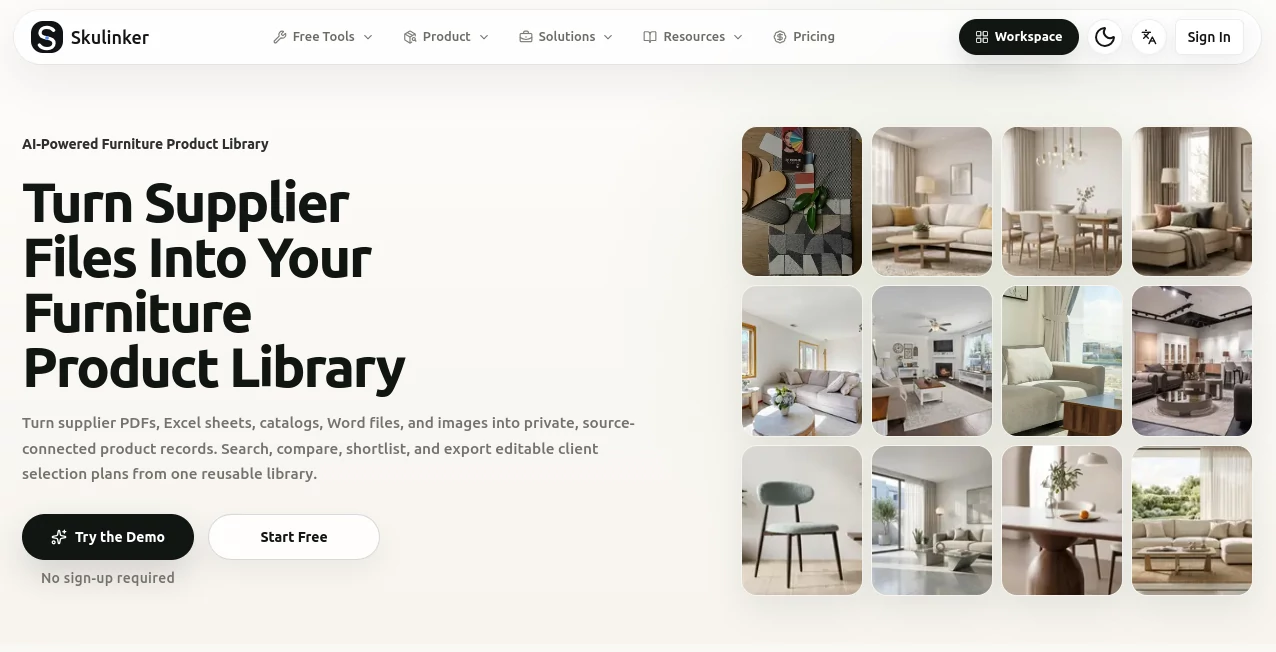
What is Skulinker?
Managing furniture catalogs can become surprisingly difficult when supplier information is spread across PDFs, Excel sheets, Word documents, product images, price lists, and folders. Teams often spend more time finding and organizing product information than actually using it to serve customers.
Skulinker takes a focused approach to this problem by turning supplier materials into structured, searchable product records inside a private workspace. The platform is designed specifically around furniture sourcing, sales, and supplier catalog workflows, helping teams move from scattered files to product matching, comparisons, shortlists, and customer-ready selection plans.
One of the most useful ideas behind the platform is keeping the original supplier context attached to the structured product information. That means a product record does not simply become another isolated database entry; teams can trace it back to the source material when they need to verify details.
Key Features
- Supplier file processing: Import supplier PDFs, Excel spreadsheets, Word documents, catalogs, and product images to build a centralized product library.
- Structured product records: Important information such as SKU, style, dimensions, material, price, and lead time can be organized into reusable records.
- AI product matching: Turn a customer request or brief into ranked product recommendations based on information stored in supplier catalogs.
- Multi-supplier comparison: Review products from different suppliers together and consider price, MOQ, lead time, and certification information before making a decision.
- Source-connected information: Product records retain supplier context, making it easier to check where information originated.
- Selection plans: Shortlisted products can be turned into recommendation plans for customer delivery.
- Proposal exports: Depending on the subscription, teams can export plans in formats such as XLSX, PDF, and PNG.
- Team collaboration: Admin, sales, and sourcing users can work from the same governed product library.
- Private workspace: Supplier files, extracted records, images, matching context, and plans remain within the team's workspace.
User Interface
The interface is built around a straightforward sourcing workflow rather than trying to become an all-purpose business platform. Users can move through supplier file imports, product records, matching, comparisons, and plan creation without constantly switching between unrelated systems.
The interactive workflow is particularly practical for furniture teams. A user can describe a space or customer requirement, review matched products, inspect the supporting details, add suitable products to a plan, and prepare an export. This makes the interface feel closer to a working sourcing desk than a traditional document repository.
There is also a clear separation between administrative work and sales-side usage. Administrators can manage supplier materials and product data, while sales and sourcing teammates can search the library, compare options, and prepare recommendations.
Accuracy & Performance
The platform's biggest performance advantage comes from reducing the manual work involved in searching through supplier materials. Instead of opening multiple catalogs and comparing product details by hand, teams can search structured records and receive ranked matches.
The system can extract fields such as SKU, style, size, and price while preserving the supplier context. This is especially valuable when a customer request is vague. A phrase such as “a warm vintage lounge chair for a boutique hotel” can be used as a starting point for finding relevant products rather than requiring the salesperson to already know the exact model number.
Results should still be reviewed against the original supplier information before a quotation or purchase decision is made. That source-connected approach is one of the stronger aspects of the workflow because it gives teams a practical way to verify the information behind a recommendation.
Capabilities
The platform is more specialized than a general AI assistant. Its capabilities are centered on furniture product data, supplier catalogs, sourcing, and sales preparation.
A useful workflow begins with uploading supplier materials. The system processes those files and turns relevant information into structured product records. Teams can then search the library using characteristics such as style, material, dimensions, price, supplier, or customer requirements.
For comparison work, the platform can place supplier records side by side. For example, one supplier might offer a lower unit price but require a much larger MOQ, while another may cost slightly more but provide a shorter lead time. Having those factors visible together helps teams make a more practical sourcing decision instead of simply choosing the cheapest number.
Once suitable products have been selected, the results can be organized into a customer-facing recommendation plan. This creates a useful bridge between internal sourcing research and the final sales conversation.
Security & Privacy
Privacy is an important part of the product's positioning because supplier catalogs may contain commercially sensitive information. The platform uses private workspaces and controlled access so supplier materials are not treated as a public searchable index.
Supplier files, extracted SKUs, images, structured product records, AI matching context, and selection plans are designed to remain within the team's workspace. Role-based responsibilities also help separate administrative activities from everyday searching and sales work.
For businesses handling confidential supplier information, it is still sensible to review the current privacy policy, terms, access controls, and data-retention details before importing sensitive commercial material.
Use Cases
Furniture distributors: Distributors can bring catalogs from multiple suppliers into one searchable library instead of maintaining disconnected folders. Sales representatives can then find relevant products faster when customers send new briefs.
Brand agents: Agencies representing several furniture brands can compare products across suppliers while keeping the source information attached to each record.
Furniture sourcing teams: Sourcing specialists can organize supplier data, compare shortlisted products, consider MOQ and lead times, and prepare recommendations without repeatedly rebuilding spreadsheets.
Sales teams: Sales representatives can use customer requirements as the starting point and quickly locate suitable products from the company's private supplier library.
Interior and hospitality projects: Teams working on hotels, commercial interiors, and other furnishing projects can reuse organized supplier information when preparing product selections.
Supplier onboarding: Businesses can turn newly received supplier materials into structured product information instead of leaving new catalogs buried in email attachments or shared folders.
Pros and Cons
- Pros: Purpose-built for furniture sourcing and sales workflows.
- Pros: Supports common supplier formats including PDF, Excel, Word, catalogs, and product images.
- Pros: Keeps source context connected to structured product records.
- Pros: AI matching can turn vague customer requirements into ranked product suggestions.
- Pros: Multi-supplier comparison considers practical factors such as price, MOQ, lead time, and certifications.
- Pros: Recommendation plans can be exported and shared with customers.
- Cons: The product is highly specialized, so companies outside furniture sourcing may find the workflow less relevant.
- Cons: Usage limits vary significantly between subscription levels.
- Cons: More advanced scanned-file and high-volume workflows require the higher-tier plan.
Pricing Plans
The current pricing structure is divided into Starter, Pro, and Enterprise plans, with different limits for document processing, suppliers, SKUs, AI tasks, product images, team members, and exports.
- Starter: $29 per month for the introductory first three months, then $59 per month. It includes one complete individual seat, up to 300 parsed pages per month, 25 supplier profiles, 2,000 active SKUs, 30 AI tasks per day, and 300 product images per month.
- Pro: $39 per month for the introductory first three months, then $79 per month. It includes one admin seat plus three query seats, up to 10,000 parsed pages per month, 500 supplier profiles, 100,000 active SKUs, 300 AI tasks per day, OCR support, and higher image and source limits.
- Enterprise: $639 per month for the introductory first three months, then $799 per month. It provides three admin seats and 20 query seats, up to 100,000 parsed pages per month, unlimited supplier profiles and active SKUs, 1,000 AI tasks per day, and substantially higher OCR, image, and source limits.
The introductory monthly pricing is currently promoted for new subscriptions, while renewal prices are higher. Businesses should check the pricing page before subscribing because offers and limits can change.
How to Use This Tool
- Start by collecting your supplier PDFs, spreadsheets, Word documents, catalogs, and relevant product images.
- Upload the supplier materials into the workspace so the available product information can be processed and organized.
- Review the resulting product records and important fields such as SKU, dimensions, material, style, price, and supplier information.
- Use the search and matching workflow to describe what a customer or project needs.
- Review the ranked recommendations and check the supporting supplier information before making a final selection.
- Compare products from different suppliers when price, MOQ, lead time, or certification requirements matter.
- Add the strongest candidates to a selection plan and include the products that best fit the customer's requirements.
- Preview the plan and export or share it using the available output formats for your subscription.
Comparison with Similar Tools
Many product information platforms are designed for broad retail operations, while procurement systems tend to focus on purchasing, vendors, approvals, and financial workflows. This product occupies a narrower space: it focuses on turning furniture supplier files into usable product data for sourcing and sales.
That specialization can be an advantage for teams whose main problem is not accounting or procurement but the everyday challenge of finding the right item inside a large collection of supplier catalogs.
It also should not be viewed as a replacement for a full ERP, procurement suite, BIM platform, or complete project management system. Its strength is the layer between raw supplier information and a usable product shortlist or customer recommendation plan.
For a furniture business that repeatedly receives supplier catalogs and customer briefs, that focused workflow can be considerably more practical than adopting a much larger system simply to solve a catalog-search problem.
Conclusion
For furniture distributors, sourcing professionals, brand agents, and sales teams, organizing supplier product information is often a hidden operational challenge. Valuable details may already exist, but finding the right product, checking its source, comparing alternatives, and preparing a customer recommendation can still require considerable manual work.
This platform addresses that specific gap with a combination of structured supplier data, AI-assisted matching, product comparison, private workspaces, and customer-ready selection plans. The result is a workflow that connects the information teams already receive from suppliers with the decisions they need to make every day.
Its focused nature is arguably its biggest strength. Rather than trying to replace every business system, it concentrates on making furniture product information easier to organize, search, compare, and reuse. For teams dealing with large and constantly changing supplier catalogs, that can translate into faster responses and a much cleaner sourcing process.
Frequently Asked Questions (FAQ)
What types of files can be imported?
Supported supplier materials include PDFs, Excel spreadsheets, Word documents, catalogs, and product images. Higher plans provide additional support for scanned files and image-heavy catalog workflows.
Can the platform compare products from different suppliers?
Yes. Teams can compare imported supplier records and consider details such as price, MOQ, lead time, and certification information when evaluating shortlisted products.
Is it suitable for furniture distributors?
Yes. Furniture distributors are one of the primary audiences. The workflow is designed to centralize supplier catalogs and make product information easier for sales and sourcing teams to search and reuse.
Can sales teams use the same product library?
Yes. Administrators can manage supplier and product information while sales and sourcing teammates search, compare products, and create recommendation plans from the shared workspace.
Can customer recommendation plans be exported?
Yes. Depending on the subscription, recommendation plans can be exported in XLSX, PDF, and PNG formats and can also be shared through available share links.
Does it replace an ERP or procurement system?
No. It is designed as a focused furniture sourcing and product-data workflow rather than a full ERP or procurement suite. Its role is to structure supplier information, support matching and comparison, and prepare recommendation plans.
Is supplier data kept private?
The platform is built around private workspaces, data isolation, and controlled access. Supplier materials and structured product information are intended to remain within the team's workspace rather than becoming a public index.
Which plan is best for a small sourcing operation?
The Starter plan is aimed at founders and solo sourcing operators validating their first supplier library. Teams with larger catalogs, more frequent AI matching, OCR requirements, or multiple users may find the Pro plan more suitable.
AI Knowledge Management , AI Productivity Tools , AI E-commerce Assistant , AI Files Assistant .
These classifications represent its core capabilities and areas of application. For related tools, explore the linked categories above.

Skulinker Alternatives Product

MacroMicro

Arobis AI Vi…

ToolIMG

Magpie

Anti Noise F…

YouTube Thum…

Nifty

Graph Maker

ClawBridge