
SnapTale
What is SnapTale?
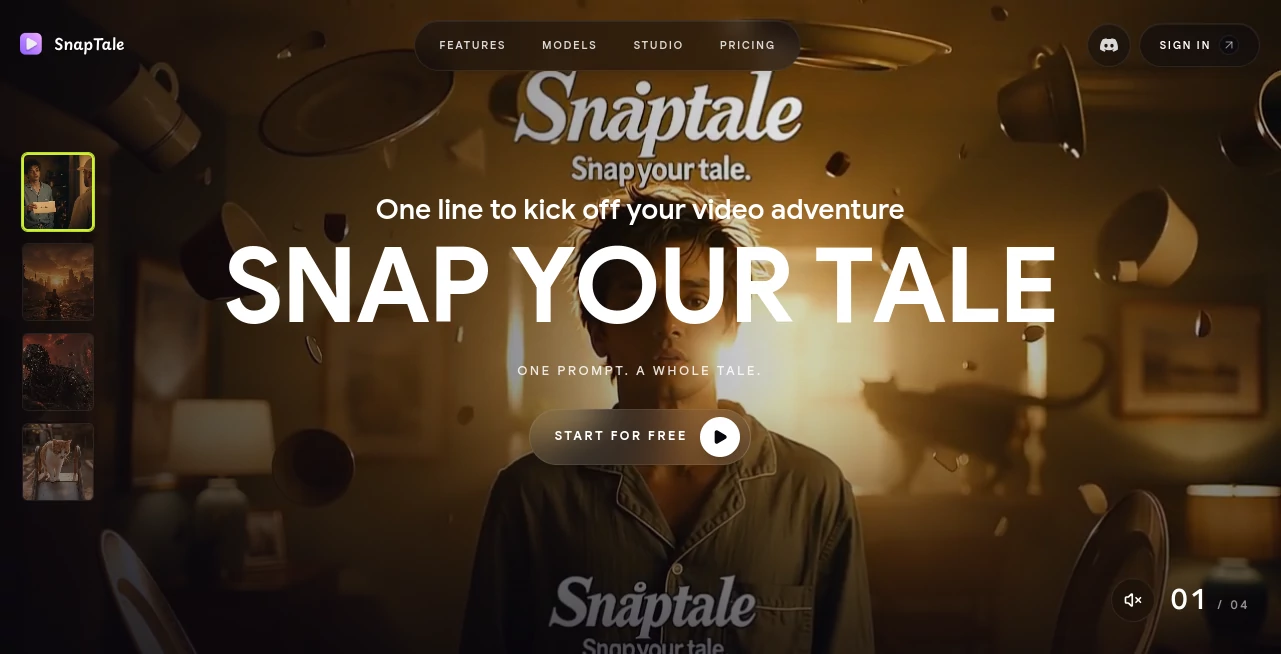
Creating a polished video often means juggling scripts, storyboards, image generation, voice, editing, music, and visual consistency. This AI video creation platform brings many of those steps into a single workflow. The idea is simple: start with one sentence and turn it into a structured video with scenes, narration, pacing, and edits already connected.
It is particularly appealing for creators who want to move quickly from an idea to something they can actually publish. A product story, fashion reel, city vlog, cafe edit, fitness clip, anime-style story, or short promotional video can all begin with a simple prompt rather than a blank editing timeline.
What makes the experience interesting is the combination of conversational creation and hands-on editing. Users can describe what they want changed, while still having access to a timeline when more precise control is needed.
Key Features
- Chat-based video creation from a single prompt
- Automatic generation of scripts, storyboards, voice, and edits
- Character consistency across multiple scenes
- Automatic routing between different AI models
- Pre-tuned recipes for ads, reels, editorials, real estate, and music videos
- Reusable style templates for maintaining a consistent visual direction
- Asset library for characters, products, places, brand elements, and voices
- Timeline editing with video, music, and voice tracks
- Chat-based editing for changing scenes, pacing, voice, and music
- 720p and 1080p MP4 export options
- Vertical and widescreen workflows
User Interface
The interface is built around the idea of a story workspace rather than a traditional video editor. The conversational approach makes the initial creation process approachable, especially for people who know what they want to say but do not want to spend a long time assembling every scene manually.
Once a video has been generated, users can move into the timeline for more detailed adjustments. Clips can be trimmed, split, or rearranged, while music and voice can be swapped without rebuilding the entire project. This combination gives the platform a practical balance between automation and creative control.
Accuracy & Performance
One of the strongest parts of the workflow is its focus on continuity. A saved character reference can be reused across scenes so that the same identity remains visually consistent while the setting changes. For storytelling and branded content, that can make a noticeable difference.
The system also automatically routes different tasks to models suited to the particular job. The available workflow includes models designed for photorealistic portraits, still images and references, cinematic narrative video, and realistic human motion. Instead of asking the creator to decide which model should handle each step, the platform handles that routing automatically.
As with any generative video technology, final results can vary depending on the prompt, visual requirements, and complexity of the requested scene. The ability to refine the result through chat and timeline editing helps compensate when the first generation is not quite right.
Capabilities
The platform covers more than simple text-to-video generation. A single prompt can become a timed sequence containing multiple scenes, voice, and edits. Creators can then refine the result conversationally by describing a change, such as slowing down a particular scene or switching to a warmer voice.
Its recipe system is another useful touch. Instead of starting from scratch every time, creators can work from formats designed around specific content types, including product advertisements, real-estate presentations, fashion editorials, and music videos.
Style templates provide another layer of control. Visual directions such as vintage realism, anime-inspired aesthetics, graphic-print looks, and editorial sketches can be applied consistently across scenes, helping a project feel like one complete piece rather than a collection of unrelated generations.
Security & Privacy
The public product information focuses primarily on creation features, storage, credits, and workflow rather than providing extensive technical details about privacy or data handling. Users working with sensitive client material, unreleased products, or private assets should therefore review the platform's current privacy and data-use policies before uploading confidential content.
The service does provide project storage within its plans, with storage limits increasing substantially as users move from the free plan to paid tiers. This makes it useful to consider both the creative workflow and the amount of material that will be stored when choosing a plan.
Use Cases
- Social media creators: Produce short vertical stories and polished clips without building every scene manually.
- Product marketers: Create product-focused videos with a hook, product close-up, proof section, and call to action.
- Fashion brands: Build fashion reels and editorial-style videos with repeatable visual styles.
- Real-estate professionals: Turn property ideas into structured videos featuring exterior reveals, room tours, and neighborhood scenes.
- Music creators: Develop short music-video concepts with performance scenes and coordinated visual changes.
- Fitness creators: Produce energetic short-form videos for workouts, routines, and promotional content.
- Storytellers: Experiment with characters, locations, voices, and cinematic scenes from a single idea.
- Small agencies: Reuse brand assets, characters, and production recipes across recurring client projects.
Pros and Cons
Pros
- Turns a simple idea into a structured video workflow
- Combines generation and editing in one workspace
- Character consistency is useful for multi-scene stories
- Automatic model routing reduces technical decisions
- Reusable recipes and style templates speed up recurring projects
- Chat-based editing makes revisions more approachable
- Paid plans remove the export watermark
- Free access allows users to test the workflow without a payment card
Cons
- The free plan places a watermark on exported videos
- Generative video quality can vary depending on the prompt and scene
- Heavy video production can consume credits quickly
- The public site provides limited detail about security and privacy practices
- Creators looking for highly advanced manual editing may still prefer a dedicated professional video editor
Pricing Plans
The platform offers a free plan alongside several monthly subscriptions. The Free plan costs $0 and includes 100 monthly credits, 170 welcome credits at sign-up, up to five active projects, 2 GB of storage, and watermarked exports.
The Starter plan costs $19 per month and includes 1,200 monthly credits, unlimited projects, 25 GB of storage, watermark-free exports, and the ability to purchase additional credits. The service estimates that this is enough for around four complete 15-second videos.
The Creator plan costs $49 per month and provides 3,000 monthly credits, unlimited projects, 100 GB of storage, a priority generation queue, and watermark-free exports. The plan is positioned for creators running a more regular production workflow.
The Pro plan costs $99 per month and includes 6,000 monthly credits, around 21 complete 15-second videos, 500 GB of storage, three seats, and workflows designed to be 4K-ready. Custom pricing is also available for larger teams and studios that need tailored credits, billing, service levels, or onboarding.
How to Use
Start by describing the video you want in a simple prompt. Instead of specifying every production step separately, explain the idea, subject, setting, mood, or intended format. The system can then turn that direction into a structured story with scenes, voice, and edits.
For projects that require recurring characters or brand elements, save the relevant assets in the library and reference them in future prompts. This is especially helpful when the same character, product, or visual identity needs to appear throughout multiple scenes.
Choose a suitable recipe or visual style when you want a more defined format. After the first version is generated, use conversational editing for broad changes or move into the timeline when you need precise control over individual clips, audio, or pacing.
When the final cut is ready, select the desired export format and resolution. The available workflow supports MP4 output, with 720p designed for quick sharing and 1080p Full HD available for higher-quality delivery.
Comparison with Similar Tools
Compared with basic text-to-video generators, this platform takes a broader production approach. Rather than stopping after generating a collection of video shots, it connects prompting, storytelling, voice, editing, character continuity, styling, and exporting within the same workspace.
It also differs from conventional video editors. Traditional editors give creators extensive manual control from the beginning, while this workflow attempts to produce a usable first cut automatically and lets the creator refine it afterward. For someone who values speed and wants to spend more time directing the idea than assembling every clip, that approach can be particularly attractive.
For professional productions that demand frame-by-frame control, complex compositing, or highly specialized post-production, a dedicated editing suite may still offer more depth. For short-form marketing, social content, visual storytelling, and fast creative experiments, however, the automated workflow can significantly reduce the distance between an idea and a finished video.
Conclusion
Turning an idea into a finished video usually involves more work than simply writing a prompt. This platform makes that process considerably more direct by connecting story creation, visual generation, voice, editing, consistency, and export in one environment.
Its character library, automatic model selection, reusable recipes, style templates, and conversational editing are especially useful for creators who produce similar types of content repeatedly. A marketer can build product videos, a creator can develop short-form stories, and a small team can maintain reusable assets without rebuilding the workflow from scratch each time.
The free plan is also a practical way to explore the experience before committing to a subscription. For users who want an AI-first approach to producing short, polished videos while retaining the option to fine-tune the final result, this is a compelling addition to the modern video creation toolkit.
Frequently Asked Questions (FAQ)
What can I create with this platform?
You can create short-form videos for product stories, social media reels, lifestyle content, fashion, real estate, music videos, fitness, and other visual storytelling projects.
Can I keep the same character across different scenes?
Yes. You can save a character reference and reuse it across scenes to maintain a consistent visual identity while changing locations and environments.
Does it support video editing?
Yes. The studio includes timeline editing with separate video, music, and voice tracks. Users can trim, split, adjust, and replace elements directly within the project.
Can I edit a video using natural language?
Yes. The chat-based editing workflow allows you to describe changes in plain language, such as adjusting the pacing of a scene or changing the voice style.
Is there a free plan?
Yes. The free plan costs $0 and includes monthly credits, welcome credits, limited active projects, storage, and watermarked exports. No payment card is required to start.
What export resolutions are available?
The platform offers 720p share-ready exports and 1080p Full HD output. Its Pro workflow is also described as 4K-ready for eligible production workflows.
AI Video Generator , AI Video Editor , AI Short Clips Generator , AI Text to Video .
These classifications represent its core capabilities and areas of application. For related tools, explore the linked categories above.

SnapTale Alternatives Product

Spark Robin

Seedance 2.0

RemoveVideoBG

Happyhorse 1…

ViewMax Stud…

LTX 2.3 AI V…

Framepack AI

Ltx AI - Ltx…
Veo4AI