
SnapTax
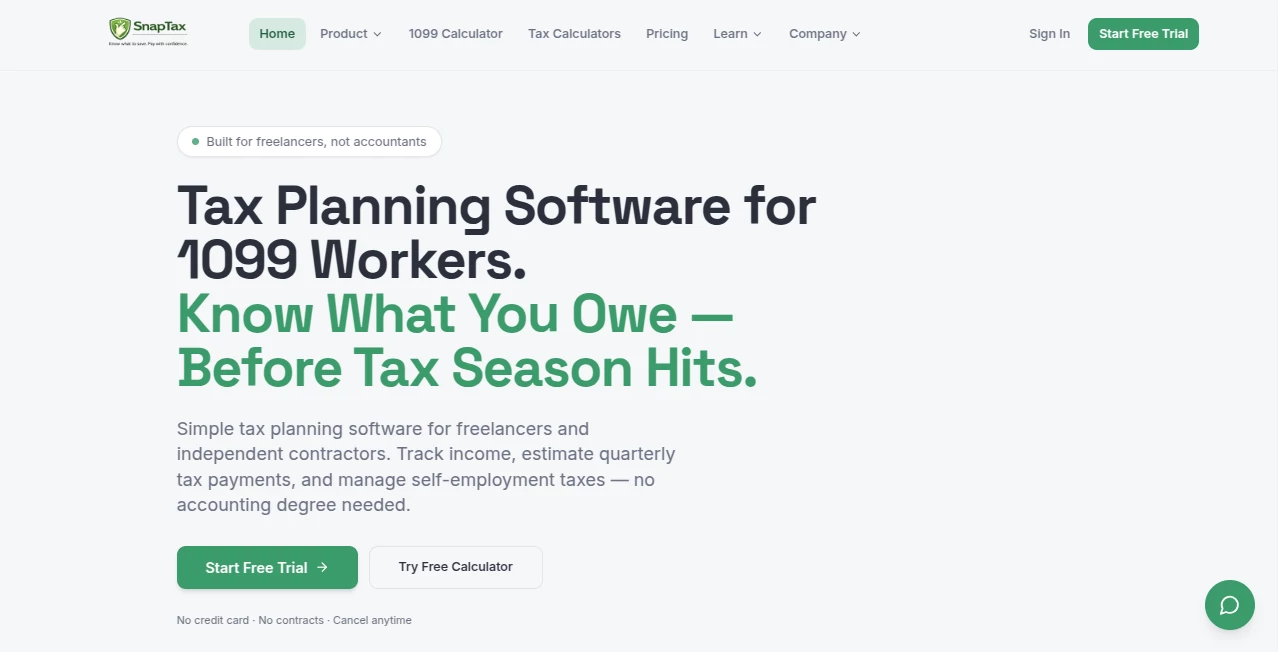
What is SnapTax?
I used to dread tax season as a freelancer. Quarterly estimates felt like guesswork, receipts piled up in random folders, and I was always worried I’d underpay and get hit with penalties. Then I started using this platform and everything became manageable. It gives you a clear, real-time view of what you actually owe, helps categorize expenses intelligently, and even tracks mileage automatically. For the first time, I felt in control of my taxes instead of them controlling me.
Introduction
Being self-employed comes with freedom, but also the headache of handling your own taxes. Most freelancers either overpay accountants or scramble at the last minute and risk underpayment penalties. This tool was built specifically for 1099 workers to solve that pain. It combines real-time tax projections, smart automation, and simple tracking into one place so you can stay ahead of the IRS all year round instead of panicking in April. Whether you’re a consultant, gig worker, content creator, or small business owner, it turns a stressful process into something predictable and even a bit empowering.
Key Features
User Interface
The dashboard is clean and calming. You see your current tax liability, quarterly deadlines, and savings targets at a glance. Adding income or expenses feels natural — like updating a simple notebook rather than wrestling with accounting software. The mobile app makes it easy to snap receipts on the go. Everything is designed so you don’t need to be a bookkeeper to stay organized.
Accuracy & Performance
It uses current IRS brackets and state rules to give accurate quarterly estimates that update as your income and expenses change. The AI expense categorization is impressively good at sorting bank transactions into the right Schedule C categories. Mileage tracking is GPS-based and creates clean audit logs. In practice, the numbers feel trustworthy, which removes a huge amount of anxiety around tax time.
Capabilities
You get real-time federal and state tax projections, AI-powered bank statement and receipt processing, automatic mileage tracking, asset depreciation handling, monthly profit & loss reports, and seamless TurboTax export. It supports multiple income streams and helps separate personal vs business use. Everything is built to keep you compliant and prepared without needing a full accounting team.
Security & Privacy
Your financial data is handled with care. The platform uses strong encryption and follows best practices for sensitive tax information. You stay in control of your data, and the focus remains on helping you rather than selling your information.
Use Cases
A freelance designer uploads monthly bank statements and watches the AI sort hundreds of transactions in minutes, giving her an accurate picture of what to set aside for taxes. A rideshare driver uses the mileage tracker and never worries about logging trips manually again. A consultant with multiple clients generates clean P&L reports every month and exports everything to TurboTax with one click. It fits naturally into busy, irregular freelance schedules.
Pros and Cons
Pros:
- Real-time tax estimates that update as you earn and spend.
- AI expense categorization saves hours of manual work.
- Simple, intuitive interface that non-accountants can actually use.
- Strong TurboTax integration for year-end filing.
- Built specifically for freelancers and 1099 workers.
Cons:
- Best results come when you stay consistent with uploading transactions.
- Some advanced features (like deeper itemized deductions) are in higher plans.
Pricing Plans
It starts with a generous free trial period so you can see the difference it makes. After that, plans are straightforward and affordable: a low-cost starter option for basic tracking and estimates, and more complete plans that add AI automation, mileage, receipts, and full reporting. No long contracts, no surprise fees — just tools that scale with your business.
How to Use SnapTax
Sign up and connect your bank accounts or upload statements. Start logging income and expenses (or let the AI categorize them). Turn on mileage tracking when you drive for work. Check your dashboard regularly to see your current tax picture and quarterly obligations. When tax season arrives, export everything cleanly to TurboTax or your accountant. The habit is simple: snap receipts, drive with tracking on, and let the system handle the math.
Comparison with Similar Tools
Traditional accounting software can feel overwhelming for solo freelancers, while basic spreadsheets lack automation and real-time estimates. This tool sits in the sweet spot — powerful enough to replace a bookkeeper for many users, but simple enough that you don’t need training. The combination of AI categorization, mileage tracking, and accurate quarterly projections makes it especially strong for the self-employed crowd.
Conclusion
Taxes don’t have to be a constant source of stress for freelancers. This platform turns what used to be chaotic into something clear, organized, and even a little satisfying. By giving you visibility and automation without complexity, it frees you to focus on your actual work instead of worrying about April. For anyone earning 1099 income, it’s one of those tools that quickly becomes essential.
Frequently Asked Questions (FAQ)
Is it only for US freelancers?
Yes, it’s built around US tax rules including federal and all 50 states.
Do I need to upload everything manually?
No — you can connect banks or upload statements and let AI do most of the categorization.
Can it handle multiple income streams?
Absolutely — it’s designed for freelancers with varied clients and projects.
Is my data secure?
Yes, with strong encryption and a focus on protecting sensitive financial information.
How does the free trial work?
You get a generous period to test the full features before choosing a plan.
AI Tax Assistant , AI Accounting Assistant , AI Research Tool , Other .
These classifications represent its core capabilities and areas of application. For related tools, explore the linked categories above.

SnapTax Alternatives Product

MCP DXT Serv…

Ecom Mediate…

Hugging Face

SEO Tools Hu…

CitedSpy

Arobis AI Vi…

Pixel Flow L…

Lessgames

Ask Bishop