
SocialCRM
What is SocialCRM?
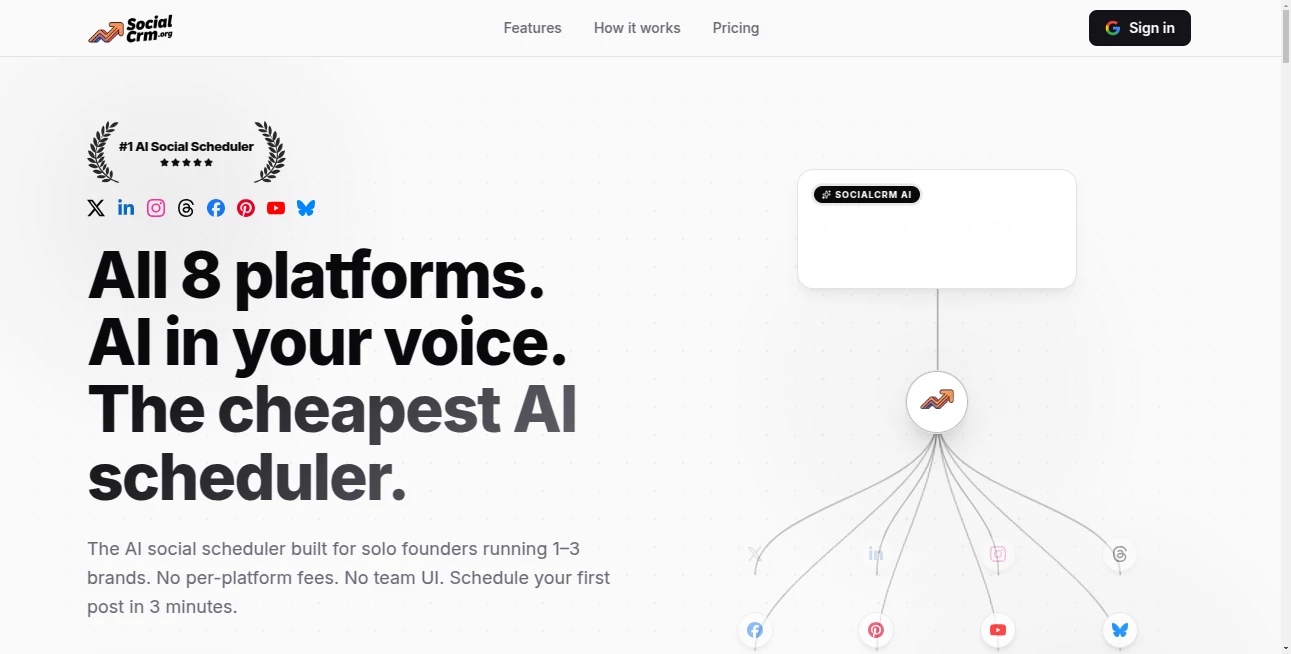
Most businesses today are drowning in social media conversations. Comments, DMs, mentions, reviews—they come from everywhere, and keeping track of them manually is exhausting. This platform brings order to that chaos. It gathers everything into one clean dashboard, helps you respond faster, spots potential leads, and even suggests smart replies. I've seen small teams go from feeling overwhelmed to actually enjoying their social inbox after switching to this system. It doesn't just organize messages—it turns social activity into real business relationships.
Introduction
Social media stopped being just a marketing channel a long time ago. It's now where customers expect fast answers, personal attention, and genuine connection. SocialCRM understands this shift. Instead of forcing you to jump between Instagram, Facebook, Twitter, and LinkedIn, it brings every conversation into one place with AI that actually understands context. Whether you're a solo entrepreneur juggling everything or a growing team managing hundreds of daily interactions, it makes the process feel human again while staying highly efficient. The best part? It helps you turn casual comments into loyal customers without sounding robotic.
Key Features
User Interface
The dashboard is refreshingly calm. All your social accounts connect in one view, with a unified inbox that groups related conversations together. Smart filters, quick-reply templates, and a clean timeline make it easy to stay on top of things without constant scrolling. The design feels modern but not overwhelming—exactly what busy people need when they're checking messages between meetings or late at night.
Accuracy & Performance
The AI does an impressive job understanding sentiment, intent, and urgency. It flags potential leads, highlights unhappy customers, and suggests replies that actually sound like you. Response times improve dramatically because you’re not hunting through different apps. In practice, teams report catching opportunities they used to miss and resolving issues before they escalate.
Capabilities
It connects multiple social profiles, tracks conversations across platforms, automates routine replies while keeping them personal, identifies sales opportunities, provides basic analytics on engagement, and lets you assign messages to team members. You can create custom workflows, save successful reply templates, and even schedule follow-ups. It turns scattered social activity into a proper sales and support pipeline.
Security & Privacy
Business data deserves serious protection. This platform uses secure connections for all social accounts and keeps your customer conversations private. Access controls let you decide who sees what, and everything stays within your team unless you choose to share it. For companies handling client inquiries, that peace of mind is invaluable.
Use Cases
A local coffee shop owner monitors Instagram and Facebook comments during busy hours and responds personally without switching apps. An e-commerce brand spots potential buyers asking questions in comments and turns them into sales through smart follow-ups. A service business uses it to manage reviews and private messages across platforms, keeping their reputation strong. Growing teams assign leads and support tickets to the right person instantly. It works beautifully for anyone who uses social media as a real business channel.
Pros and Cons
Pros:
- Unified inbox across all major social platforms saves enormous time.
- AI suggestions feel helpful rather than robotic.
- Lead detection helps turn conversations into actual revenue.
- Clean, modern interface that teams actually enjoy using.
- Strong focus on keeping responses personal and on-brand.
Cons:
- Some niche platforms have lighter integration compared to the big ones.
- Advanced automation features require the higher plans.
Pricing Plans
It starts with a generous free plan that’s actually useful for small businesses and solopreneurs. Paid tiers add more connected accounts, team collaboration, advanced AI features, and detailed analytics. The pricing feels fair—many users say the time saved on manual inbox management more than covers the cost.
How to Use SocialCRM
Connect your social accounts (takes just a few clicks), set up your team members if needed, and start monitoring the unified inbox. When a new message arrives, read the AI summary and suggested reply. Customize or send instantly. Use the lead tagging system for promising conversations, and check weekly analytics to see what’s working. The whole system is designed so you spend less time managing tools and more time building relationships.
Comparison with Similar Tools
Many social tools focus on scheduling posts or basic monitoring. This one stands out by treating social media as a true CRM channel—unifying conversations, spotting opportunities, and helping you respond at scale while staying personal. It’s lighter and more focused than enterprise solutions, yet more powerful than simple inbox aggregators. For growing businesses that live on social, it hits a sweet spot.
Conclusion
Social media success isn’t about posting more—it’s about responding better and building real connections. This platform makes that possible without adding complexity to your day. It turns scattered conversations into organized relationships and helps you catch opportunities you might otherwise miss. For any business that takes its social presence seriously, having a tool like this feels less like a luxury and more like a smart necessity.
Frequently Asked Questions (FAQ)
How many social accounts can I connect?
Multiple accounts across major platforms are supported, with higher plans allowing even more.
Is the AI reply suggestion mandatory?
No—you can ignore suggestions and write your own responses anytime.
Can my team use it together?
Yes—team features and assignment tools are available on paid plans.
Does it work for personal brands too?
Absolutely—many solopreneurs and creators use it successfully.
Is there a free version worth using?
Yes—the free plan is genuinely useful for small businesses and testing the system.
AI CRM Assistant , AI Social Media Assistant , AI Lead Generation , AI Customer Service Assistant .
These classifications represent its core capabilities and areas of application. For related tools, explore the linked categories above.

SocialCRM Alternatives Product

TokTools

FINIITE AI

Sourcetable
AILeadz.io

Socialync

URL2Pin

Reddit Campa…

AthenaChat

Jasper