SocialPST
What is SocialPST?
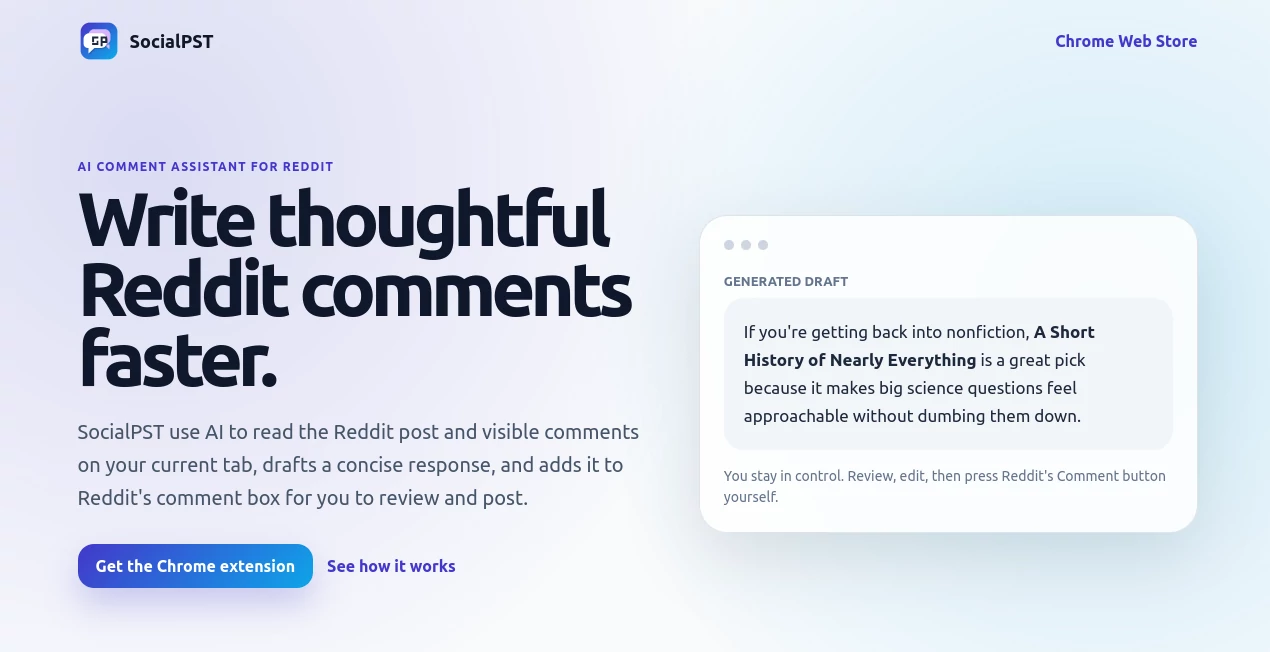
Reddit threads move fast. By the time you read a post, think of a good reply, and type it out, the conversation has often moved on. This little Chrome extension changes that. It reads the current post and visible comments, then drafts a smart, natural-sounding response you can review and post with one click. I’ve used it on busy subreddits where good comments get buried quickly, and it consistently helps me contribute something worth reading without killing my flow. It feels less like automation and more like having a sharp, fast-thinking friend who knows the context.
Introduction
Reddit is full of thoughtful people, but writing replies that add real value takes time and mental energy—especially when you’re deep in a long thread. SocialPST removes the friction. As a Chrome extension, it lives right where you browse, quietly analyzing the post and comments on your current tab, then suggesting a concise, on-point draft. You stay fully in control: read it, tweak it, or post as-is. No bots spamming, no generic fluff—just helpful assistance that respects Reddit’s culture. It’s become a daily helper for many who want to participate more without burning out on typing thoughtful responses.
Key Features
User Interface
The extension is refreshingly minimal. When you’re on a Reddit thread, a small floating button appears. Click it and a clean sidebar opens with the generated draft. You see the context it read, the suggested tone, and the full comment ready to go. One-click insertion into Reddit’s native comment box means you never lose the authentic feel. No overwhelming panels or settings—just quick, useful help when you need it.
Accuracy & Performance
It understands thread context surprisingly well—picking up on sarcasm, technical details, or emotional tone without misfiring often. Drafts feel natural and human, not robotic. Generation is fast (usually under 5 seconds), and it works reliably even on longer threads. Users report it helps them sound more thoughtful than when rushing to type manually, which is high praise for any AI assistant.
Capabilities
It reads the visible post and comments on your current tab, offers multiple tone options (helpful, witty, critical, etc.), generates concise drafts, and inserts them directly into Reddit’s comment box. You can regenerate with different instructions if the first try isn’t perfect. It respects Reddit’s rules by keeping you in control of the final post—no auto-posting. Perfect for power users who comment across many communities.
Security & Privacy
The extension only reads the current tab when you activate it. No background tracking, no storing your browsing history, and no sending data to third parties beyond generating the draft. Your Reddit account stays untouched—it simply helps you write faster. That transparency and respect for privacy builds real trust.
Use Cases
Tech enthusiasts quickly draft informed replies in r/explainlikeimfive or programming subs without spending ten minutes composing. Hobbyists in photography or fitness communities add value to discussions while scrolling on their phone. Professionals share industry insights in relevant threads without sounding salesy. Even casual users find themselves participating more because the mental effort drops dramatically. It shines anywhere thoughtful conversation still matters on Reddit.
Pros and Cons
Pros:
- Drafts sound remarkably human and context-aware.
- Saves significant time while improving comment quality.
- Simple, non-intrusive Chrome extension design.
- You retain full control—no auto-posting risks.
- Fast and reliable even on busy threads.
Cons:
- Works best on visible comments (very long threads may need scrolling first).
- Free tier is limited; heavy users need a subscription.
- Currently focused only on Reddit.
Pricing Plans
You can start with a free tier that gives a generous number of generations per month—enough to test it thoroughly. The monthly plan at $9.99 unlocks unlimited use, while the yearly option at $79 offers the best value. It’s priced reasonably for anyone who spends meaningful time on Reddit and wants to contribute more effectively.
How to Use SocialPST
Install the Chrome extension from the store. Head to any Reddit thread. When you want to reply, click the extension icon or floating button. Choose a tone if desired, review the generated draft in the sidebar, make any edits, then click to insert it into Reddit’s comment box. Add your final touches and post normally. The whole process usually takes under 20 seconds once you get the rhythm.
Comparison with Similar Tools
Generic AI chat tools require copy-pasting context and often produce off-tone replies. Built-in Reddit features offer nothing similar. This extension stands out because it lives inside your browser, understands the exact thread you’re reading, and keeps you in the driver’s seat. It’s lighter, faster, and more purpose-built than broader AI writing assistants for Reddit specifically.
Conclusion
Reddit thrives on genuine conversation, and this tool helps you participate more thoughtfully without the usual time sink. It removes friction while preserving authenticity—exactly what busy, engaged users need. Whether you comment casually or treat Reddit as a serious discussion platform, it makes contributing easier and more rewarding. If you’ve ever wished you could reply faster without sounding rushed, this is worth trying.
Frequently Asked Questions (FAQ)
Does it post comments automatically?
No—you always review and post manually through Reddit’s native box.
Can it read the entire thread?
It reads everything visible on your current tab. Scroll down for longer threads to include more context.
Is my Reddit account safe?
Yes—it never asks for your login or has posting permissions. It only helps you write.
Does it work on mobile?
Currently Chrome desktop extension only, but many users switch to desktop for serious commenting.
How good is the tone matching?
Very good—you can choose helpful, witty, critical, or neutral, and it adapts well to the thread’s vibe.
AI Reply Assistant , AI Content Generator , AI Social Media Assistant .
These classifications represent its core capabilities and areas of application. For related tools, explore the linked categories above.

SocialPST Alternatives Product

Pixelied

Jasper

Translators …

wu tang name…

Semantic SEO…

Alai

FinalLayer

promptcat

Picmim