


















Speakoala
What is Speakoala?
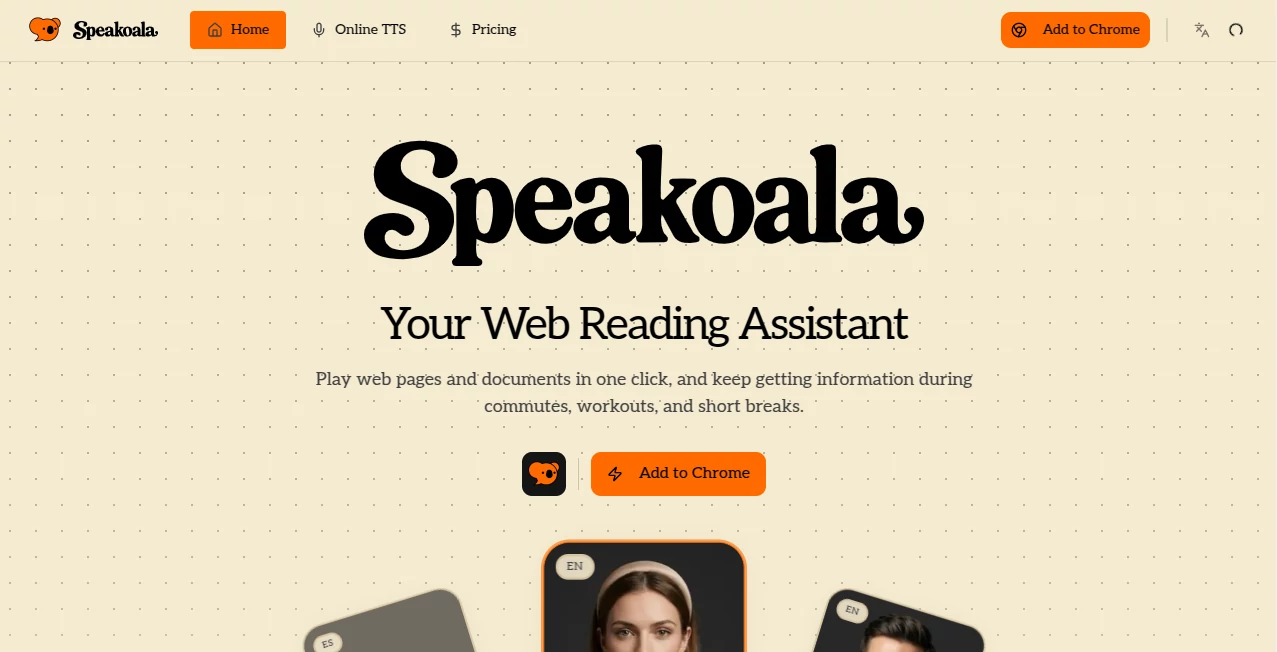
Reading long articles, research papers, or emails can be tiring on the eyes, especially when you're on the move or multitasking. Speakoala turns any webpage or document into natural-sounding audio with just one click. The voices feel warm and human rather than robotic, and the word-by-word highlighting keeps you connected to the text. I've used it during my commute to "read" newsletters I would otherwise skip, and on lazy evenings to listen to long articles while relaxing. It genuinely makes consuming written content feel easier and more enjoyable.
Introduction
In our fast-paced world, finding time to sit and read everything important is tough. Speakoala solves this by turning your browser into a personal reading companion. Whether it's a dense blog post, a PDF report, a Word document, or even your inbox, it reads everything aloud with lifelike voices across dozens of languages. What makes it special is the attention to flow — smooth pronunciation, natural pauses, and the ability to highlight exactly what you're listening to. It's become a daily habit for students reviewing notes, professionals catching up on industry news, and anyone who wants to make better use of their time without straining their eyes.
Key Features
User Interface
The extension is delightfully simple. A floating button appears on most pages, letting you play the entire article or just a selected part with one tap. Controls for speed, voice selection, and highlighting sit neatly in a clean panel. It works seamlessly on websites, PDFs, and local documents without complicated setup. The design stays out of your way so you can focus on listening rather than fiddling with settings.
Accuracy & Performance
The voices sound remarkably natural, with proper intonation and rhythm that make long listening sessions comfortable. Word-level highlighting syncs perfectly with the audio, helping you follow along or spot key points. It handles complex sentences, technical terms, and multiple languages well. Playback is smooth with minimal buffering, even on longer documents, making it reliable for daily use.
Capabilities
It reads any webpage, selected text, or area on the screen. Local PDF, Word, and EPUB support means you can listen to downloaded documents too. You get access to dozens of high-quality voices across many languages, adjustable reading speed, and background soundscapes for better focus. The ability to save your progress and resume later is particularly useful for longer content like books or reports.
Security & Privacy
Your reading activity stays private. The tool processes content locally where possible and doesn't store your documents or listening history unless you choose to. It's a respectful approach that gives peace of mind when listening to sensitive emails or private documents.
Use Cases
Students listen to textbook chapters or research papers while commuting or exercising. Professionals catch up on industry reports and emails during walks or drives. Language learners practice pronunciation by listening to native voices while following the text. Busy parents enjoy audiobooks-style articles during household chores. Anyone with reading fatigue or visual strain finds relief in turning screen time into listening time. It adapts beautifully to whatever your day looks like.
Pros and Cons
Pros:
- Natural, pleasant voices that are easy to listen to for long periods.
- Seamless highlighting that helps follow along and stay focused.
- Works across websites, PDFs, Word files, and more.
- Simple, intuitive controls that don't interrupt your flow.
- Generous free tier for regular use.
Cons:
- Very technical or niche terminology sometimes needs minor pronunciation tweaks.
- Premium voices and unlimited usage require a paid plan.
- Extremely long documents can take time to fully load for playback.
Pricing Plans
The free version offers solid daily usage with high-quality voices, making it easy to try and use regularly. Paid plans unlock unlimited listening, more premium voices, advanced features, and priority support. Pricing is reasonable and clearly worth it for heavy users who listen for hours every day. Many people start on free and happily upgrade once they realize how much time and eye strain it saves.
How to Use Speakoala
Install the browser extension and you're ready to go. On any webpage, click the floating button to start reading the full article or highlight specific text for targeted playback. For documents, simply drag and drop PDFs or Word files into the player. Adjust speed and voice to your preference, then sit back and listen. You can pause, resume, or jump to specific sections easily. The more you use it, the more natural the workflow becomes.
Comparison with Similar Tools
Many text-to-speech tools sound robotic or lack proper highlighting. Others only work on specific sites or require complicated setup. Speakoala stands out with its natural voices, smooth highlighting, and broad support for both web content and local files. It strikes an excellent balance between simplicity and capability, making it more practical for everyday use than heavier, more expensive alternatives.
Conclusion
Reading doesn't have to mean staring at a screen until your eyes hurt. Speakoala turns written content into comfortable, natural audio that fits into your real life—whether you're walking, cooking, driving, or simply resting your eyes. It respects your time and your focus, delivering a listening experience that feels human and enjoyable. For students, professionals, learners, or anyone who consumes a lot of written information, it’s one of those tools that quickly becomes indispensable. Give it a try with your next long article — you might find yourself listening more and stressing less.
Frequently Asked Questions (FAQ)
Do I need to create an account to use it?
No — you can start listening immediately after installing the extension.
Does it work on PDFs and Word documents?
Yes, it supports local PDFs, Word files, and EPUBs beautifully.
How natural do the voices sound?
Very natural — with proper intonation, pauses, and rhythm that make long listening comfortable.
Can I adjust the reading speed?
Yes, you can slow it down or speed it up to match your preference.
Is there a limit on free usage?
There’s a generous free daily allowance; paid plans remove limits for heavy users.
AI Documents Assistant , AI Text to Speech , AI Speech Synthesis , AI Voice Assistants .
These classifications represent its core capabilities and areas of application. For related tools, explore the linked categories above.

Speakoala Alternatives Product

Chatzy AI

SuperAI

Omni Voice

AI text clea…

Qwen3 TTS

Image Descri…

Adobe Podcast

sam tts

DocReplacer
