SpriteFlow
What is SpriteFlow?
Creating pixel art characters and smooth animations used to mean hours (or days) of frame-by-frame drawing. This tool changes that completely. You describe a character or upload a reference image, and it generates full sprite sheets with consistent style — walking cycles, idle animations, attacks, jumps — ready to drop straight into Unity or Godot. The results feel hand-crafted rather than generated, which is rare in this space. Indie developers I’ve spoken with say it cut their character asset time from weeks to hours, letting them focus on gameplay instead of endless pixel tweaking.
Introduction
Most solo developers and small teams get stuck on the art pipeline. They have the idea, the code, the vision — but turning a concept into animated sprites that look professional is painfully slow. SpriteFlow solves this by using AI that actually understands game art conventions: consistent proportions, clean lines, proper animation timing, and style locking across every frame. It respects pixel art traditions while removing the repetitive pain. Whether you're making a top-down RPG, a platformer, or a fighting game, you get production-ready assets fast, without losing that handmade soul that makes indie games special.
Key Features
User Interface
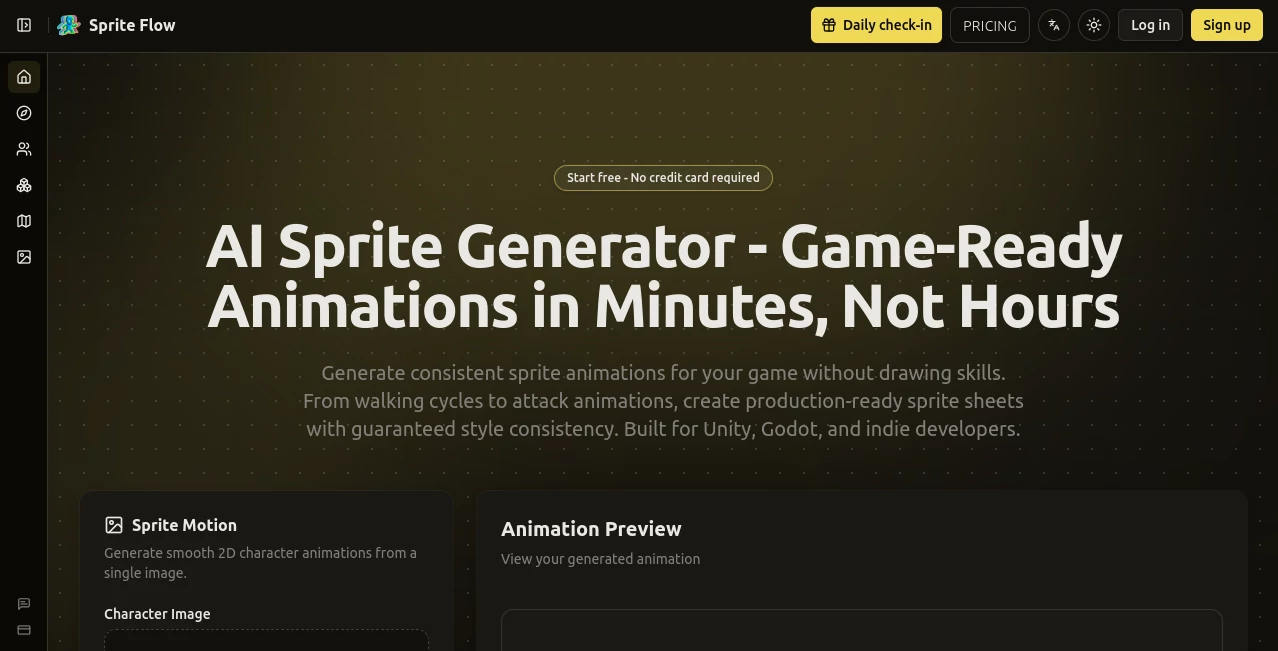
The workspace is clean and focused — exactly what a game developer wants. Upload a reference image or type a description, choose animation types (idle, walk, attack, etc.), pick resolution and style, and generate. Everything happens in one tab. You can tweak prompts, adjust exaggeration, or regenerate specific animations without starting over. The preview player lets you see loops instantly. It feels like a smart extension of your creative process rather than a complicated AI dashboard.
Accuracy & Performance
The real magic is style consistency — the character looks like the same person across every animation and direction. Proportions stay locked, color palettes match, and motion feels natural for pixel art. Generation is fast enough that you can iterate quickly, and the output works straight out of the box in game engines. Developers report far fewer fixes needed compared to other AI sprite tools, which often produce inconsistent or jittery results.
Capabilities
It handles full character sheets: 4-direction or 8-direction turnarounds, multiple animations per character, custom color palettes, and different art styles (classic pixel, modern, retro, etc.). You can generate from text prompts, single reference images, or combine both for better control. Background removal, frame slicing, and export formats optimized for Unity, Godot, and other engines make integration seamless. It’s powerful enough for serious projects but simple enough for rapid prototyping.
Security & Privacy
Your images and prompts stay private during generation. The tool is designed for developers who may be working on unreleased projects, so it doesn’t store or train on your assets without clear permission. That peace of mind matters when you’re uploading early character concepts or confidential art.
Use Cases
A solo developer building a Metroidvania generates a full player sprite set (idle, run, jump, attack) in one afternoon instead of two weeks. A small team prototyping a roguelike quickly creates enemy variants to test combat feel. An artist experiments with multiple character styles for a pitch deck without burning time on manual animation. Game jams become much more feasible when you can get polished sprites in minutes rather than days. It’s especially loved by people who can code but struggle with traditional art pipelines.
Pros and Cons
Pros:
- Outstanding consistency across animations and directions — the holy grail for sprite sheets.
- Greatly accelerates the biggest time sink in 2D game development.
- Exports are clean and engine-ready with minimal cleanup needed.
- Flexible input (text, image, or both) gives real creative control.
Cons:
- Very specific or extremely complex character designs may need prompt refinement.
- Best results come from decent reference images or clear descriptions.
- Free tier has usage limits; heavy projects benefit from paid plans.
Pricing Plans
It starts with a generous free tier so you can test quality on real characters before committing. Paid plans unlock higher resolutions, more generations per month, priority processing, and commercial usage rights. Pricing is reasonable for indie developers — many say it pays for itself after saving just one week of art time on a project.
How to Use SpriteFlow
Go to the generator, upload a character concept image or write a detailed prompt (e.g., “pixel art knight with blue armor, sword, medieval style”). Select the animations you need (idle, walk cycle, attack, etc.) and desired directions. Generate and review the sprite sheet. Tweak the prompt or reference if needed, then export as PNG sprite sheet or individual frames. Import directly into your engine and start animating. The whole process from idea to in-game character can take under an hour.
Comparison with Similar Tools
Many AI art tools can make static sprites, but few maintain animation consistency across full sheets like this one. Traditional tools like Aseprite require massive manual effort. Other AI sprite generators often produce jittery motion or broken style between frames. SpriteFlow stands out by delivering coherent, production-ready animation sets that actually feel like they belong in a real game.
Conclusion
For indie developers and small teams, character art and animation are often the biggest roadblocks. This tool removes that barrier without sacrificing quality or soul. It lets you spend more time on what matters — gameplay, story, and fun — while still shipping polished 2D assets that look and feel professional. If you’ve ever been held back by art pipelines, this is the kind of help that genuinely moves projects forward.
Frequently Asked Questions (FAQ)
How consistent are the animations across frames?
Extremely consistent — the tool is specifically trained to maintain character identity, proportions, and style throughout all animations.
Can I use the sprites commercially?
Yes, paid plans include full commercial rights for your games.
Do I need drawing skills?
Not at all. You can start with text prompts or simple reference images.
What game engines does it work with?
Any engine that supports sprite sheets — Unity, Godot, Unreal, Phaser, and more.
How many animations can I generate?
Free tier has daily limits; paid plans offer generous or unlimited generations depending on the tier.
AI Animated Video , AI Design Generator , AI Image to Image , AI Game .
These classifications represent its core capabilities and areas of application. For related tools, explore the linked categories above.

SpriteFlow Alternatives Product
seedream 6

chibi genera…

Banana AI

Brat Generat…

MuseArt AI

AI Family Ph…

AI Image Edi…
Seedance 2.0
AI Consisten…