
















Grayscale Image
What is Grayscale Image?
There’s something timeless and elegant about a great black and white photo. It strips away distractions and lets emotion, texture, and composition take center stage. But converting images manually can be tedious and often yields disappointing results. This tool makes the entire process effortless and surprisingly good. You upload a photo, click once, and get a clean, professional-looking grayscale version in seconds. I’ve used it on everything from old family pictures to modern product shots, and the results consistently feel intentional rather than flat or washed out.
Introduction
In a world full of oversaturated colors, there’s real power in simplicity. This platform specializes in turning colorful images into beautiful monochrome versions while preserving detail, contrast, and mood. Whether you’re a photographer wanting that classic film look, a designer cleaning up visuals, or just someone who loves the aesthetic, it delivers fast, high-quality results without any technical headaches. No software to install, no complicated sliders to fight with — just clean, reliable conversion that respects the original image’s soul.
Key Features
User Interface
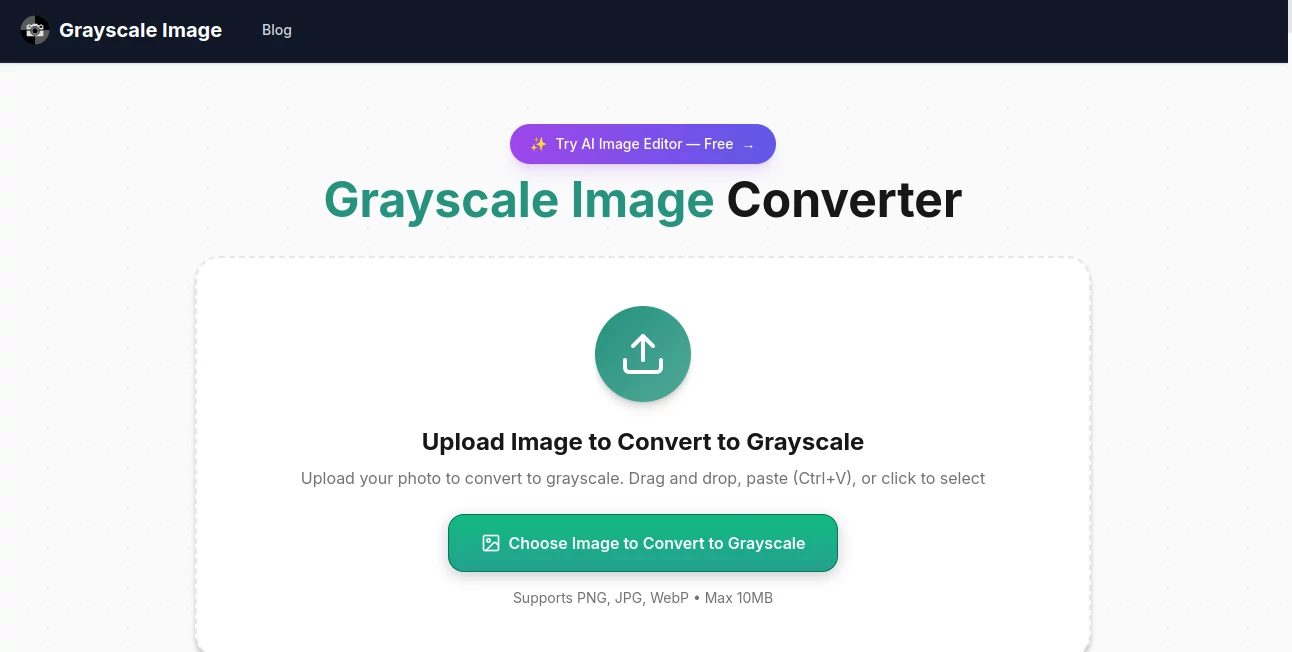
The design is wonderfully minimal. A large upload area welcomes you right away, with clear options for different conversion styles. Once you drop in your image, a live preview appears almost instantly so you can see the transformation before committing. The whole flow feels thoughtful and calm — no distracting ads, no unnecessary steps. Even my non-technical friends managed to get great results on their first try.
Accuracy & Performance
It handles the conversion with impressive intelligence. Skin tones stay natural, skies keep their depth, and fine details don’t disappear into mud. Processing is fast even on larger files, and the output retains excellent sharpness without unwanted noise or artifacts. I’ve tested it on everything from smartphone snaps to high-resolution RAW exports, and it consistently produces results I’d be happy to use professionally.
Capabilities
Beyond basic grayscale, you can choose from multiple conversion styles — from classic film-like to high-contrast dramatic. It supports batch processing so you can convert multiple photos at once, offers different output formats, and lets you fine-tune contrast and brightness if needed. The tool also handles portraits particularly well, preserving facial details that many other converters tend to flatten. Downloads come in high resolution, ready for print or web use.
Security & Privacy
Your images are processed securely and deleted from their servers shortly after conversion. No accounts are forced, and there’s no long-term storage of your photos unless you choose to save something. For personal family pictures or client work, that respectful approach makes a real difference.
Use Cases
A portrait photographer quickly turns colorful sessions into timeless black and white galleries for their website. A product designer converts lifestyle shots into clean monochrome visuals for a minimalist brand identity. Someone restoring old family albums transforms faded color scans into elegant black and white keepsakes. Social media creators use it to give their feed a cohesive, artistic look with just a few clicks. It’s one of those tools that quietly solves small but frequent creative problems.
Pros and Cons
Pros:
- Extremely fast and reliable conversion with excellent detail preservation.
- Multiple styles to match different artistic needs.
- Batch processing saves enormous time on larger projects.
- Simple, distraction-free interface that anyone can use.
- High-quality outputs suitable for both web and print.
Cons:
- Advanced manual controls are limited compared to desktop software.
- Heavy batch jobs work best on paid plans.
Pricing Plans
The free version is generous enough for occasional use and gives you a real taste of the quality. Paid plans unlock unlimited conversions, batch processing, higher resolution exports, and priority speed. The pricing feels fair — especially when you consider how much time it saves compared to doing everything manually in Photoshop or Lightroom.
How to Use Grayscale Image
Go to the main page and either drag your photo into the upload area or click to browse your files. Choose your preferred conversion style if you want something beyond the default. Hit convert and wait a few seconds for the preview. Use the before/after slider to compare, make small adjustments if needed, then download your new black and white image. For multiple photos, switch to batch mode on paid plans and process entire folders at once. The entire experience is smooth and satisfying.
Comparison with Similar Tools
Many free online converters produce flat, lifeless results or add unwanted noise. Desktop software like Photoshop gives more control but requires time and skill. This tool sits in a sweet spot — significantly better quality than basic free converters while being far faster and simpler than professional editing suites. It’s particularly strong for users who want beautiful monochrome results without learning complex workflows.
Conclusion
Black and white photography has a special emotional weight that color sometimes dilutes. This platform makes accessing that beauty incredibly easy and reliable. Whether you’re working on personal projects, client work, or just having fun with old photos, it consistently delivers results worth sharing. Sometimes the most powerful tools are the ones that quietly remove friction and let your creativity shine through — and this one does exactly that.
Frequently Asked Questions (FAQ)
How fast is the conversion?
Most images finish in just a few seconds, even on mobile.
Does it work well on portraits?
Yes — it handles skin tones and facial details particularly well.
Can I convert multiple photos at once?
Yes, batch mode is available and works smoothly on paid plans.
Are the files high resolution?
Yes, downloads maintain excellent quality suitable for print and digital use.
Do I need to create an account?
No account is required for basic use, making it very low-friction.