


















StoryIntoVideo
What is StoryIntoVideo?
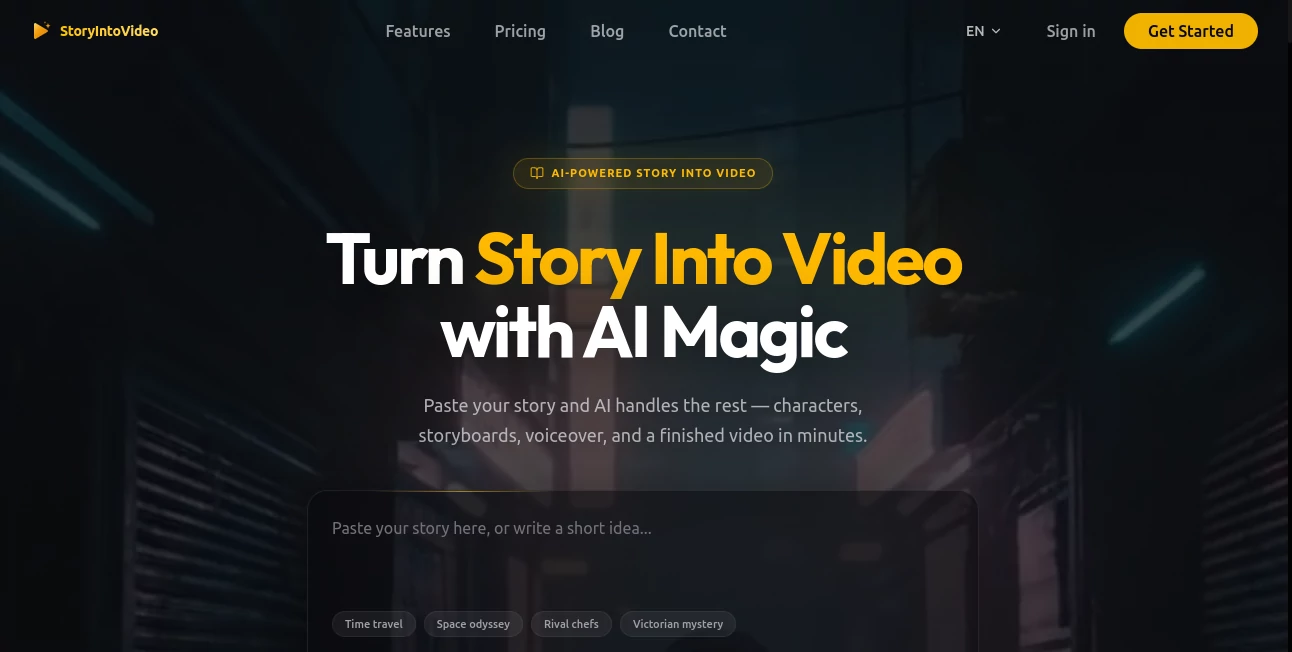
Creating compelling videos from written ideas has always required time, editing skills, and technical tools that many people simply do not have. Today, AI-driven video creation changes that experience completely. This platform is designed to transform simple stories, scripts, or ideas into visually engaging videos within minutes.
Instead of struggling with complex editing software, users can focus on creativity. The system interprets written content and converts it into dynamic scenes, visuals, and narration that feel natural and well-structured. It is especially useful for creators, marketers, educators, and businesses that need fast, high-quality video output without production costs.
Key Features
User Interface
The interface is clean and beginner-friendly, designed so that even users with no video editing experience can navigate easily. Uploading text or a script takes only a few clicks, and the system guides users through the rest of the process step by step.
Accuracy & Performance
The AI engine does a strong job of interpreting narrative flow and breaking it into visual scenes. It selects relevant imagery, transitions, and timing that match the tone of the input content. This makes the final output feel coherent and naturally structured rather than random or automated.
Capabilities
The platform supports multiple storytelling formats, from short marketing scripts to educational explanations and social media content. It can generate voiceovers, match visuals to context, and adjust pacing based on content type. Users can also refine outputs to better match their creative vision.
Security & Privacy
User-generated content is processed securely, ensuring that private scripts and ideas remain protected. The system focuses on maintaining data confidentiality while delivering fast rendering performance.
Use Cases
- Creating marketing videos for products and services without hiring a production team
- Turning blog posts or articles into engaging visual content for social media
- Producing educational videos for online courses or tutorials
- Generating storytelling content for YouTube, TikTok, and Instagram
- Helping businesses quickly prototype video ads and promotional materials
Pros and Cons
Pros
- Fast video generation from simple text input
- No technical editing skills required
- Suitable for multiple content formats
- Helps reduce production time and cost significantly
- Beginner-friendly workflow
Cons
- Limited deep customization compared to professional editing tools
- Output quality depends heavily on input clarity
- Advanced cinematic control options may be restricted
Pricing Plans
The platform typically follows a tier-based pricing model. A free or trial option is often available for basic usage, allowing users to test video generation capabilities. Paid plans usually unlock higher rendering quality, longer video lengths, and faster processing speeds. Premium tiers may include commercial usage rights and advanced customization features.
How to Use This Tool
Getting started is straightforward. First, the user inputs a written story, script, or concept into the editor. Next, the system analyzes the text and automatically generates a visual breakdown of scenes. Users can then review the storyboard, make adjustments if needed, and proceed to video generation.
Once processed, the final video can be previewed and exported in different formats suitable for social media, presentations, or marketing campaigns. The entire workflow is designed to minimize manual effort while maximizing creative output.
Comparison with Similar Tools
Compared to traditional video editing software, this platform removes the need for manual scene cutting, timeline editing, and asset sourcing. While conventional tools offer deep control, they require experience and time. In contrast, this AI-driven approach prioritizes speed and accessibility.
Against other AI video generators, it stands out for its storytelling accuracy and ease of use. Many tools focus only on templates, but this system emphasizes narrative understanding, making the final videos feel more meaningful and structured.
Conclusion
This AI video generation solution is a powerful option for anyone looking to turn ideas into visual stories quickly. It reduces technical barriers and opens the door for creators of all skill levels to produce high-quality video content. Whether for marketing, education, or social media, it offers a practical and efficient way to bring stories to life.
Frequently Asked Questions (FAQ)
Can I use it without video editing experience?
Yes, the platform is designed specifically for users with no prior editing background.
What type of content works best?
Scripts, blog posts, marketing messages, and educational content all perform well.
Can I use the generated videos commercially?
Commercial usage depends on the selected plan, with premium tiers typically allowing business use.
How long does video generation take?
Most videos are generated within a few minutes depending on length and complexity.
Is customization possible?
Yes, users can adjust scenes, pacing, and visual style before final export.
AI Animated Video , AI Video Generator , AI Short Clips Generator , AI Text to Video .
These classifications represent its core capabilities and areas of application. For related tools, explore the linked categories above.

StoryIntoVideo Alternatives Product

Seedream 6.0

Seedance 2

Spark Robin

Seedance 2.0…

Overchat AI

Happy Horse …

ReelsBuilder…

Framepack AI

AiSora
