Storyloft
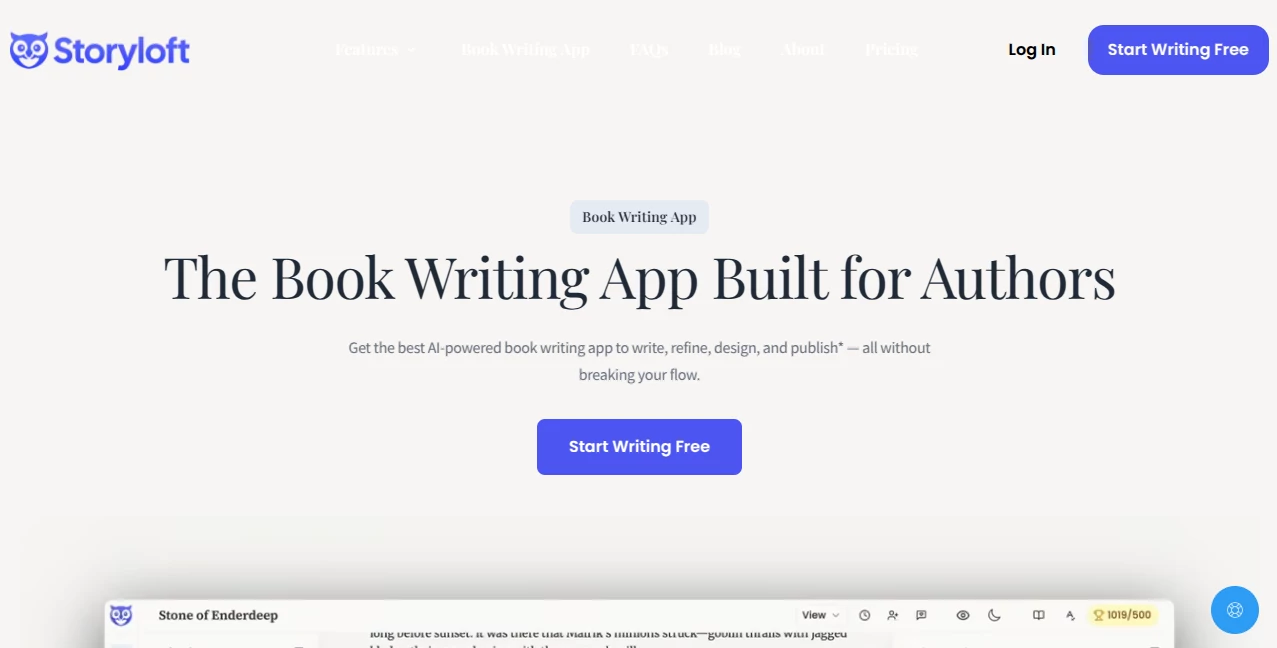
What is Storyloft?
Storyloft is an all-in-one AI-powered book writing platform created for authors who want to write, organize, edit, illustrate, and publish their books without constantly switching between different applications. Whether you're drafting your first novel, building an extensive nonfiction manuscript, or planning a complete fantasy universe, this platform brings every stage of the creative process into a single workspace.
Unlike traditional writing software that focuses only on text editing, this solution supports the entire publishing journey. Writers can manage research, organize notes, develop memorable characters, create custom illustrations, design professional book covers, and export publication-ready files for both ebooks and print editions. The workflow feels natural, allowing creativity to remain the focus instead of technical formatting.
One of the strongest aspects is its AI writing assistant, designed specifically for long-form writing rather than generic content generation. Instead of replacing an author's voice, it provides contextual suggestions, editing assistance, structural feedback, brainstorming support, and manuscript-aware recommendations that respect the writer's style. Combined with goal tracking, distraction-free writing, and integrated publishing tools, it becomes an impressive workspace for authors at every experience level.
Key Features
User Interface
The interface is thoughtfully organized for long writing sessions. Manuscripts, notes, characters, research materials, and illustrations remain easily accessible without overwhelming the screen. Focus Mode removes distractions, while customizable themes create a comfortable environment for extended writing. Navigation between chapters, binders, and research documents is smooth, making large projects easy to manage.
Accuracy & Performance
The integrated AI assistant works directly within manuscripts instead of relying on isolated prompts. It can review plot consistency, improve chapter flow, suggest revisions, rewrite passages while preserving tone, and provide contextual editing based on the entire manuscript rather than individual paragraphs. This approach produces recommendations that feel more relevant for book-length projects.
Capabilities
The platform combines professional writing tools with creative AI features. Authors can outline stories, organize research, build character profiles, generate illustrations from text, design complete book covers, create print-ready layouts, format ebooks, manage citations, track writing goals, monitor progress, and export finished manuscripts in multiple publishing formats. Collaboration features also allow editors and co-authors to participate throughout the writing process.
Security & Privacy
Privacy receives careful attention during the writing process. According to the platform, manuscript content is not used for AI model training, allowing authors to work on unpublished projects with greater confidence. This commitment is particularly valuable for writers handling original intellectual property or confidential manuscripts.
Use Cases
Independent authors can draft and self-publish novels from a single workspace. Nonfiction writers benefit from integrated research management and citation tools. Children's book creators can combine illustrations with manuscripts, while fantasy writers can organize complex world-building, locations, timelines, and character relationships. Editors and writing coaches can also collaborate with authors during revision stages, making the workflow suitable for both solo creators and professional publishing teams.
Pros and Cons
Pros
Complete writing and publishing workflow in one platform.
AI assistant built specifically for book writing.
Integrated illustration and cover generation.
Excellent manuscript organization tools.
Writing goals, streak tracking, and productivity features.
Export options for ebooks, DOCX, PDF, and print-ready books.
Free plan available for new users.
Cons
Primarily optimized for long-form authors rather than short marketing content.
Some advanced AI features require paid plans.
Desktop-focused workflow may not suit users looking for a lightweight mobile writing experience.
Pricing Plans
A free plan allows new users to begin writing without providing a credit card and includes up to 5,000 words. Premium subscription plans unlock additional AI capabilities, higher usage limits, expanded creative features, and more advanced publishing tools for serious authors.
How to Use Storyloft
Create a new writing project and choose the type of book you want to develop. Build an outline, organize research materials, and create character profiles before drafting chapters inside the manuscript editor. Use the AI assistant whenever you need editing suggestions, brainstorming, or structural improvements. Add illustrations, generate a professional cover, review formatting, then export the completed manuscript as an ebook or print-ready publication.
Comparison with Similar Tools
Many AI writing platforms concentrate on blog posts, marketing copy, or short-form content. Traditional book writing software often lacks intelligent editing or creative AI assistance. This platform stands out by combining manuscript editing, AI-powered developmental feedback, illustration generation, publishing tools, cover design, research management, and long-form organization into one integrated environment. Authors no longer need to combine multiple applications to complete a single publishing project.
Conclusion
For writers who want more than a simple document editor, this platform delivers a remarkably complete publishing ecosystem. Every stage—from the first outline to the final exported manuscript—has been designed with authors in mind. The combination of intelligent editing, creative assistance, organization tools, illustration support, and professional publishing features creates an experience that genuinely simplifies the writing journey. Whether you're beginning your first novel or preparing your next bestseller, it provides a polished environment where ideas can grow into finished books.
Frequently Asked Questions (FAQ)
Is there a free version available?
Yes. New users can start writing for free with limited AI usage and up to 5,000 words included.
Can the AI rewrite text while preserving my writing style?
Yes. The AI assistant is designed to provide contextual rewrites that maintain the author's individual voice whenever possible.
Can I publish both ebooks and printed books?
Yes. The platform supports exports for ebook formats, print-ready PDFs, and editable DOCX files.
Is it suitable for nonfiction writing?
Absolutely. Research management, citations, notes, and structured organization make it suitable for nonfiction projects as well as fiction.
Does it include illustration and cover creation?
Yes. Users can generate illustrations, manage visual assets, and design complete book covers directly inside the writing workflow.
AI Book Writing , AI Content Generator , AI Story Writing , AI Writing Assistants .
These classifications represent its core capabilities and areas of application. For related tools, explore the linked categories above.

Storyloft Alternatives Product

CharacterHub

Genstory

AISEOMate

Shufaf

labgen
promptcat

ISEKAI ZERO

AI page tran…

The StoryGra…