
StoryNotes
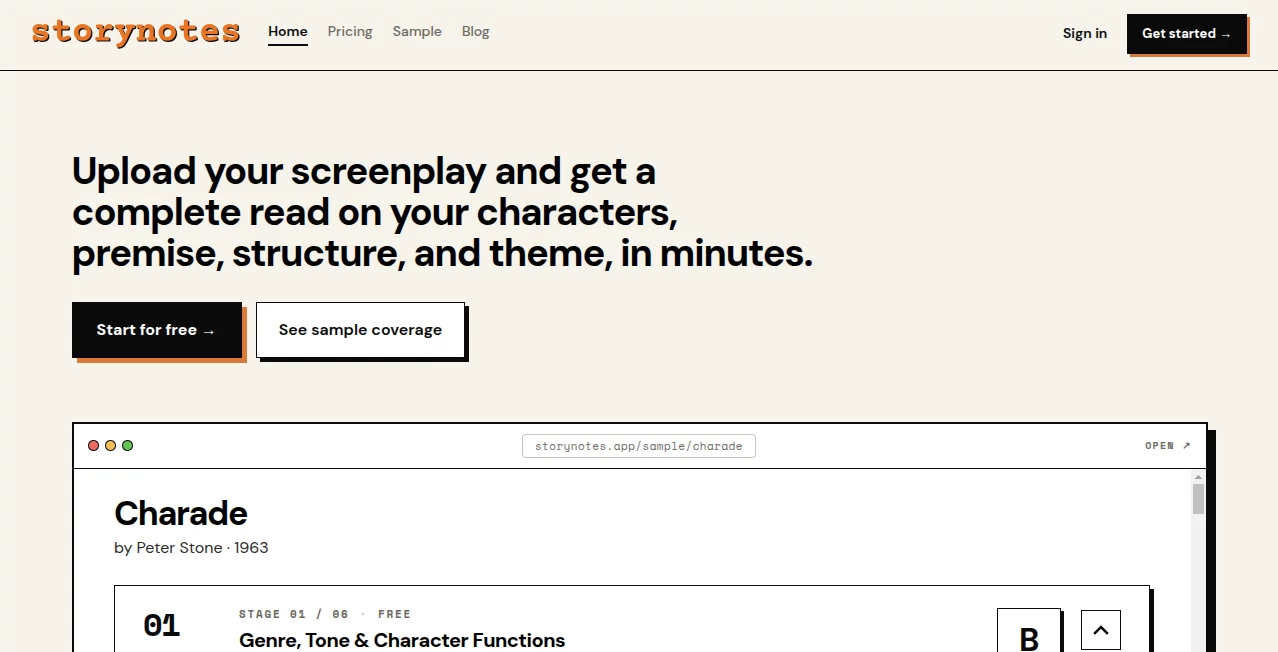
What is StoryNotes?
Creative projects rarely stay simple for long. A novel expands with new characters, a tabletop campaign grows into a complex world, or a research project collects hundreds of connected ideas. Managing everything across documents, spreadsheets, and note-taking apps quickly becomes overwhelming.
This platform brings every stage of the creative process into a single workspace. Instead of separating brainstorming, planning, writing, and publishing, it combines them through an interactive visual canvas, structured knowledge management, and a powerful writing editor. Whether someone is outlining a book, designing a fictional universe, planning educational content, or documenting a large project, everything remains connected and easy to explore.
One of its biggest strengths is how naturally ideas evolve. Writers can sketch relationships, build detailed entities, organize research, write complete manuscripts, and even publish their work without switching between multiple applications. The experience feels thoughtfully designed for creators who want their workflow to stay organized while leaving room for creativity.
Key Features
User Interface
The interface focuses on clarity rather than clutter. An infinite visual canvas allows users to arrange information freely while connecting related elements with visual links. Navigation remains smooth even when projects become large thanks to search, collections, filters, and network visualization.
The writing editor is equally polished, offering chapter organization, rich text formatting, word count goals, drag-and-drop chapter management, and direct references to project entities without interrupting the writing flow.
Accuracy & Performance
The platform is designed to manage large creative projects efficiently. Entity relationships update consistently, search tools help locate information instantly, and automatic version history reduces the risk of losing valuable work. Offline support combined with cloud synchronization allows creators to continue working from almost anywhere without sacrificing reliability.
Capabilities
- Infinite visual canvas for planning complex projects
- Rich manuscript editor with chapter hierarchy
- Custom entities for characters, locations, concepts, events, and more
- Relationship mapping between project elements
- Custom fields, templates, and reusable structures
- Network graph visualization
- Project publishing with built-in website creation
- Multiple export formats including Markdown, JSON, PDF, and PNG
- Cross-platform synchronization
- Collaboration and sharing features
- Project analytics for published sites
- Version history and recovery options
Security & Privacy
Privacy is treated as a core feature rather than an afterthought. User content remains under the creator's ownership, while row-level security helps ensure projects stay private. Additional protection includes secure authentication options, signed file access, and support for two-factor authentication. These measures make the platform suitable for storing valuable manuscripts, research, and intellectual property.
Use Cases
- Writing novels and book series
- Building fictional worlds and lore
- Planning tabletop RPG campaigns
- Managing game design documentation
- Organizing educational materials
- Creating knowledge bases
- Visual brainstorming sessions
- Research organization
- Publishing project documentation as websites
- Collaborative creative writing projects
Pros and Cons
Pros
- Combines planning, writing, and publishing in one workspace
- Beautiful infinite canvas for visual thinkers
- Excellent organization through entities and relationships
- Built-in manuscript editor
- Supports web and mobile devices
- Offline functionality with synchronization
- Flexible export options
- Strong privacy and security features
- Generous free plan for new users
Cons
- Advanced features may require some learning for beginners.
- Large creative workspaces can initially feel overwhelming without planning.
- Publishing customization is more focused on project documentation than full website building.
Pricing Plans
The platform offers a flexible pricing structure suitable for both individual creators and professional teams.
- Free: Unlimited projects with essential organization tools, one published site, limited storage, and monthly exports.
- Pro: More storage, additional published websites, custom domains, expanded export limits, analytics, and longer version history.
- Premium: High storage capacity, multiple custom domains, extensive publishing options, increased export limits, and unlimited version history.
How to Use StoryNotes
Begin by creating a new project and selecting either a blank workspace or a template. Use the visual canvas to capture ideas, create entities such as characters or locations, and connect everything through relationships. Once the project structure is ready, move into the manuscript editor to write chapters while referencing existing project information. As the project grows, organize it with collections, tags, and custom fields before exporting or publishing the finished work as a professional website.
Comparison with Similar Tools
Unlike traditional writing applications that focus mainly on text editing, this solution combines visual thinking, structured databases, manuscript writing, and website publishing within a single ecosystem. Compared to basic note-taking software, it offers much deeper relationship mapping and project organization. Writers who usually switch between multiple productivity apps may appreciate having brainstorming, documentation, writing, and publishing available in one connected environment.
Conclusion
For creators managing complex stories, research, educational content, or collaborative projects, this platform provides an impressive balance between flexibility and organization. Its visual workspace encourages creativity while powerful writing and publishing tools help transform ideas into finished work. Rather than acting as another note-taking application, it becomes a complete creative environment where every piece of information remains connected throughout the entire project lifecycle.
Frequently Asked Questions (FAQ)
Can beginners use this platform?
Yes. The interface is approachable for new users while offering advanced organization tools that become valuable as projects grow.
Does it support collaboration?
Yes. Users can share projects and collaborate with others depending on their subscription plan.
Can projects be exported?
Yes. Multiple export formats are available, including Markdown, JSON, PDF, and PNG.
Is there a free version?
Yes. A free plan includes unlimited projects with core creative features and allows users to explore the platform before upgrading.
Who benefits most from this platform?
Novelists, world builders, educators, researchers, game designers, and anyone managing interconnected creative information can gain significant value from its visual organization system.
AI Novel , AI Knowledge Base , AI Notes Assistant , AI Mind Mapping .
These classifications represent its core capabilities and areas of application. For related tools, explore the linked categories above.

StoryNotes Alternatives Product

Harvey

MyMap.AI

onuml

LocalRAG!

Sourcetable

Myjourney

Skywork Supe…

HelloDay.ai

Clay Read