Swayclip
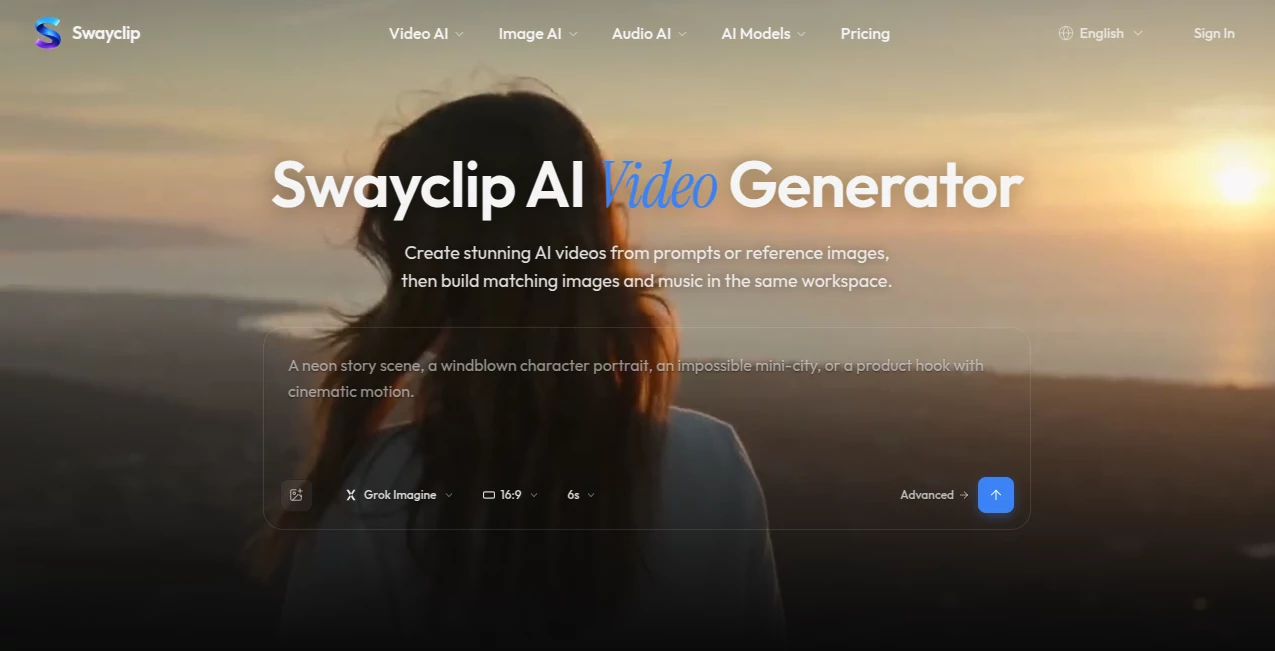
What is Swayclip?
I still remember the chaos of switching between five different tools just to create one short video — one for the script, another for visuals, one for music, and endless exporting headaches. Then I found this platform and everything simplified. You can start with a single prompt, a product photo, or even a piece of music, and generate cohesive video, images, and audio right in your browser. The first time I used it, I created a full 15-second branded clip with matching visuals and background music in under ten minutes. It felt like having a small creative team in my laptop, without the coordination drama.
Introduction
Creating content today often means juggling too many platforms and styles that don’t quite match. This workspace brings video, image, and music generation together in one clean, browser-based environment. Whether you’re a solo creator, marketer, or small team, you get access to leading AI models without the usual complexity. The real strength lies in how everything stays consistent — the same aesthetic flows from image to video to soundtrack. It removes the friction that usually kills momentum and lets you focus on the story instead of the tools.
Key Features
User Interface
The interface feels calm and purposeful. A central workspace where you drop prompts, reference images, or audio files, with clear sections for video, image, and music generation. Everything lives in one tab — no constant switching or exporting/importing between apps. Previews appear fast, and you can iterate quickly by tweaking prompts or reusing assets you’ve already generated. It’s the kind of clean design that disappears so you can stay in flow.
Accuracy & Performance
The outputs feel remarkably coherent. Video clips maintain style consistency with generated images, and the music actually matches the mood and pacing instead of feeling randomly slapped on. Generation times are practical — short clips and images come back quickly, letting you experiment without long coffee breaks. The models handle both text prompts and reference files intelligently, producing results that look intentional rather than generic.
Capabilities
You can generate full videos from text or reference images, create editorial-style images, compose or extend music tracks, and reuse assets across projects. It supports product shots turning into lifestyle videos, prompt-to-music synchronization, and multi-shot storytelling. The browser-based nature means you can work from anywhere without heavy software or complicated setups. It’s particularly strong when you want everything in a project to feel like it belongs together.
Security & Privacy
Your projects and uploaded references stay private by default. The platform focuses on delivering creative tools without unnecessary data collection or sharing. For freelancers and brands working with client material, that peace of mind matters.
Use Cases
A small brand turns a single product photo into a complete social media video with matching background music in one sitting. A content creator builds a short film-like promo using consistent visuals and a custom soundtrack. A marketer experiments with different ad concepts quickly, generating variations of video, image, and audio to test what resonates. Even hobbyists create fun personal videos with original music that actually fits the vibe. It shines whenever you need visuals and audio to feel like they came from the same creative mind.
Pros and Cons
Pros:
- All video, image, and music tools in one unified workspace.
- Strong consistency across generated assets in the same project.
- Browser-based — no downloads or heavy installations needed.
- Fast iteration that keeps creative momentum alive.
- Great for both quick social content and more polished pieces.
Cons:
- Still relatively new, so some advanced export options are expanding.
- Best results come from clear, well-crafted prompts (same as most AI tools).
- Higher usage volumes require paid plans.
Pricing Plans
It offers a free tier generous enough to create real projects and feel the quality. Paid plans unlock higher limits, faster generation, more advanced features, and priority access to new models. The pricing feels reasonable for the time it saves compared to using multiple separate tools and the creative consistency it delivers.
How to Use Swayclip
Open the workspace in your browser, start with a detailed prompt describing your vision, and optionally upload reference images or audio. Choose whether you want video, image, or music generation (or combine them). Generate, review the preview, then refine by adjusting the prompt or reusing assets. Once happy, export in your preferred format. The loop is fast enough that you can create multiple variations and pick the strongest one without losing steam.
Comparison with Similar Tools
Many AI tools excel at one thing — video or images or music — but force you to stitch everything together manually. This platform brings them into one cohesive workspace with better consistency across outputs. It feels less fragmented than using separate specialized tools and more focused on complete creative projects than pure experimental generators. For creators who need video with matching visuals and sound, it fills a real gap.
Conclusion
Creating content shouldn’t feel like herding cats across different apps. This workspace brings the main creative elements together in a way that respects your time and vision. It’s not about replacing human taste — it’s about removing the technical friction so your ideas can come to life faster and more coherently. For anyone making videos, social content, or marketing assets, it’s one of those tools that quickly becomes part of your regular workflow because it just makes the process more enjoyable and effective.
Frequently Asked Questions (FAQ)
Do I need to download any software?
No — everything runs directly in your browser.
Can I use my own reference images?
Yes, and they significantly improve consistency in video and image generation.
How good is the music generation?
Strong for background tracks and mood matching — especially when guided by video or image references.
Is it suitable for commercial use?
Yes, particularly on paid plans that include proper licensing for generated assets.
What kind of projects work best?
Short-form videos, social media content, product promos, and any project where visual and audio consistency matters.
AI Photo & Image Generator , AI Video Generator , AI Music Generator , AI Design Generator .
These classifications represent its core capabilities and areas of application. For related tools, explore the linked categories above.

Swayclip Alternatives Product

Invitation M…

AI Image Edi…

Happy Horse

KissGen AI

The CAD Hub

Seedance 2

Pic 2 Meme

Uni-1

AI Song Maker