
Talklet
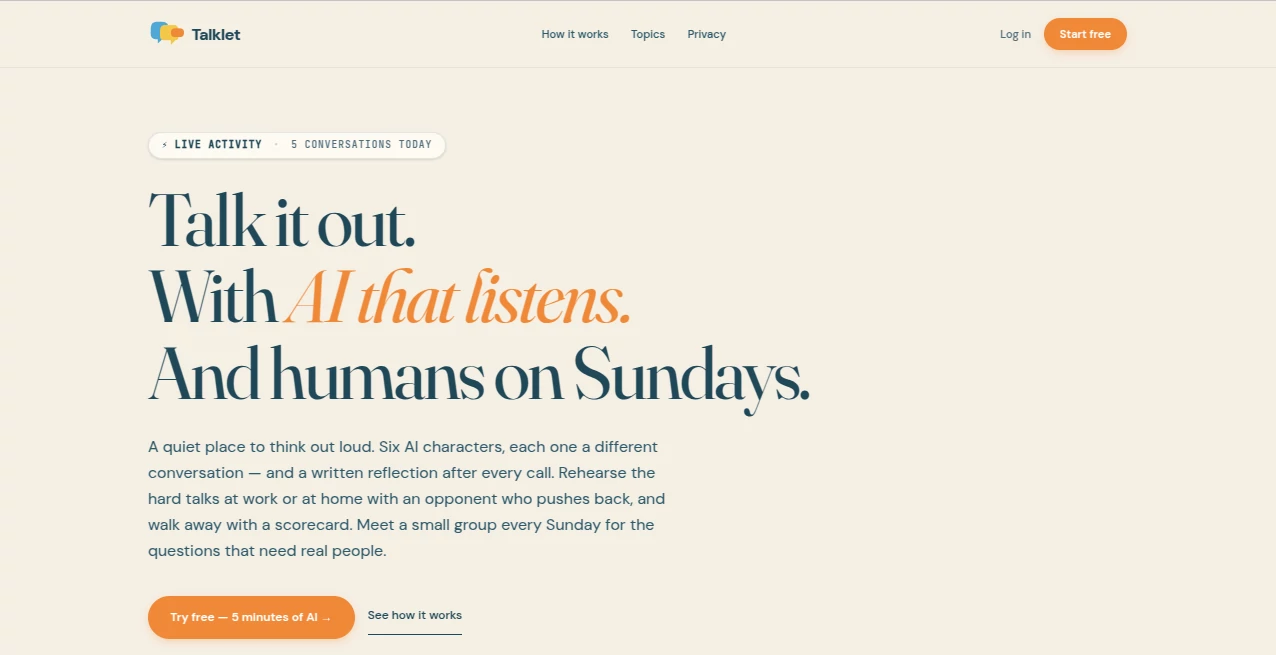
What is Talklet?
In today’s digital world, users expect instant answers, smooth interactions, and personalized experiences the moment they land on a website. This platform is designed exactly for that shift. It transforms static web pages into dynamic conversational spaces where visitors can ask questions, get guidance, and receive real-time support without waiting for human agents.
What makes it stand out is its ability to blend automation with a natural, human-like conversation style. Instead of forcing users to navigate complex menus or long FAQ pages, it creates a direct dialogue that feels intuitive and helpful. Businesses can use it to reduce support load, improve engagement, and guide visitors toward meaningful actions like sign-ups or purchases.
Key Features
User Interface
The interface is designed with simplicity in mind. Setup is straightforward, allowing website owners to integrate a conversational assistant without technical complexity. The customization options make it easy to match the widget with brand identity, ensuring a seamless user experience.
Accuracy & Performance
The system is built to respond quickly and maintain context during conversations. It handles common customer questions efficiently and reduces friction in communication. Over time, it adapts better to user intent, creating smoother interactions.
Capabilities
This platform can serve as a support assistant, lead generation tool, onboarding guide, and even a product explainer. It understands natural language queries and responds in a structured yet friendly tone. It can also be trained with business-specific information to improve relevance.
Security & Privacy
Data handling is treated with care, ensuring conversations remain secure and user interactions are processed responsibly. Businesses can confidently use it for customer-facing communication without exposing sensitive information.
Use Cases
- Customer support automation for websites and SaaS products
- Lead generation through interactive conversations
- Guided onboarding for new users
- E-commerce product assistance and recommendations
- FAQ replacement with conversational experience
Pros and Cons
Pros:
- Easy integration with websites
- Improves user engagement significantly
- Reduces customer support workload
- Customizable to match brand tone
- Works well for both small and large businesses
Cons:
- Requires proper training data for best results
- Advanced customization may require some learning
- Performance depends on quality of input content
Pricing Plans
The platform typically follows a flexible pricing structure depending on usage and feature requirements. Many businesses start with a basic plan to test functionality and later upgrade as their traffic and needs grow. Enterprise options are usually available for larger organizations requiring advanced customization and scaling.
How to Use this Tool
Getting started is simple. After signing up, users can embed a small script into their website. From there, the assistant can be configured with business information, FAQs, and preferred communication style. Once activated, it immediately begins interacting with visitors and collecting valuable insights.
Over time, users can refine responses, improve knowledge coverage, and adjust behavior based on real conversation data. This makes it not just a static tool, but a continuously improving assistant.
Comparison with Similar Tools
Compared to traditional chat widgets, this platform feels more conversational and less scripted. Many older tools rely heavily on predefined flows, while this solution focuses on dynamic interaction. In comparison to basic FAQ bots, it offers deeper contextual understanding and more natural responses.
While some competitors focus only on customer support, this system extends into marketing, engagement, and conversion optimization, making it more versatile for modern websites.
Conclusion
For businesses looking to modernize their website experience, this platform offers a practical and effective solution. It bridges the gap between static content and real-time human interaction, helping companies engage visitors in a more meaningful way.
Instead of losing users in navigation menus or long help pages, it creates a direct conversational path that feels natural and efficient. This makes it a valuable addition for any website aiming to improve user experience and conversion rates.
Frequently Asked Questions (FAQ)
What is this platform used for?
It is used to add a conversational assistant to websites, helping businesses interact with visitors in real time.
Do I need coding skills to use it?
No, basic setup is simple and usually only requires adding a small script to your website.
Can it improve customer support?
Yes, it can handle common questions and reduce the workload on human support teams.
Is it suitable for small businesses?
Absolutely. It scales well for both small websites and large enterprise platforms.
Can it be customized?
Yes, it can be trained and adjusted based on your business needs and tone of communication.
AI Voice Assistants , AI Customer Service Assistant , AI Chatbot , AI Life Assistant .
These classifications represent its core capabilities and areas of application. For related tools, explore the linked categories above.

Talklet Alternatives Product

FINIITE AI

Ai Angels

Emochi

Play Queens …

Gpt Realtime

MemoTune

MediTailor -…

Pinpoint Ans…

gemini omni …