
















Gpt Realtime
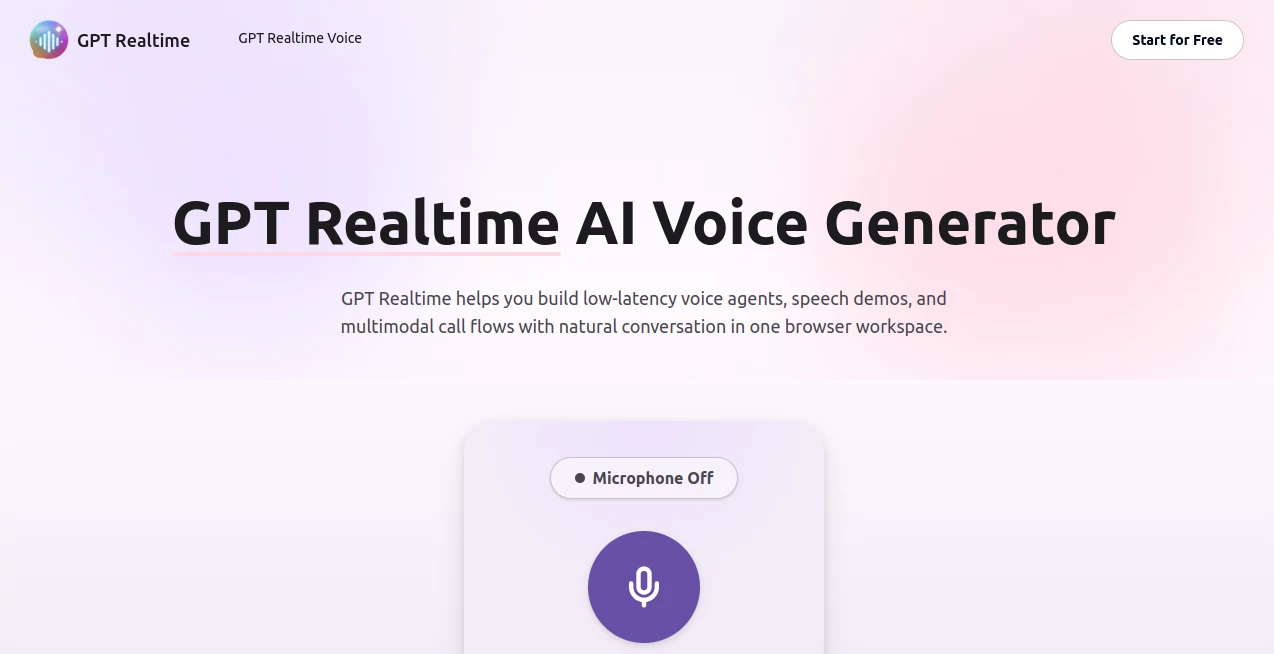
What is Gpt Realtime?
Let’s be honest for a second. Most voice assistants feel like talking to a wall that sometimes talks back. You say something, wait, rephrase it because the first try didn’t stick, and then wait some more. That delay kills the flow. It kills the natural back-and-forth that makes real conversation work. But there’s a new player in town, and it’s changing the game entirely. Imagine having a conversation with an AI that doesn’t just hear your words but catches your tone, your pauses, even your laugh. An AI that thinks while you speak, not three seconds after you stop. That’s exactly what this platform delivers. It takes the latest breakthroughs in speech-to-speech technology and wraps them into a tool that feels less like software and more like a teammate. Whether you run a business, build apps, or just want a smarter way to get things done, this is the voice AI you’ve been waiting for. No clunky commands. No awkward silences. Just real, fluid conversation.
Key Features
User Interface
You know how some tools look impressive but feel like a maze to navigate? This isn’t one of them. The interface is clean, straightforward, and built for humans who have better things to do than hunt for settings. Everything you need sits right where you’d expect it. The voice activation is snappy, the text output is easy to read, and switching between modes takes almost no effort. There’s no clutter, no jargon, and no learning curve that makes you want to close the tab. It just works. And that’s rare these days.
Accuracy & Performance
Here’s where things get serious. The model behind this tool doesn’t just guess what you said. It understands what you meant. In benchmark tests, it scored an impressive 82.8% on reasoning accuracy, which is a massive leap from older systems . Even trickier tasks like following multi-step instructions saw huge improvements, jumping from around 20% to over 30% in complex audio tests . And if you’ve ever tried using voice AI in a noisy room or with someone who has an accent, you’ll appreciate this: small tweaks in how the model processes sound can turn mumbling into crystal-clear commands. One developer noted that swapping a single word in a prompt changed everything from “barely usable” to “rock solid” . That level of fine-tuned performance makes a real difference when you’re relying on it every day.
Capabilities
This isn’t just a speech-to-text engine with a pretty face. It’s a full-on speech-to-speech model. That means it takes your voice, understands it, thinks through a response, and speaks back without converting everything to text in between . The result? Faster replies and more natural conversations. It can handle interruptions gracefully. If you cut it off mid-sentence to correct something, it adjusts on the fly. It can switch languages mid-conversation, change its tone to match what you need, and even pick up on non-verbal cues like laughter . Imagine asking a question, laughing at your own bad joke, and having the AI laugh along before answering. That’s the level of polish we’re talking about. Plus, it now supports image inputs, so you can show it something and talk about what it sees . That opens up a whole world of possibilities for customer support, education, or just getting help with visual tasks.
Security & Privacy
Nobody wants their conversations floating around where they shouldn’t be. The team behind this tool built it with real privacy in mind. The API includes real-time content monitoring to catch and stop any misuse before it becomes a problem . Developers can add their own safety filters too. And for users in Europe, there’s an option for local data storage to comply with strict privacy laws . You don’t have to trust that your data is safe. You can actually see the measures they’ve put in place. That peace of mind matters when you’re using voice AI for anything sensitive, whether it’s customer calls, internal meetings, or personal projects.
Use Cases
So who actually benefits from this? Pretty much anyone who talks for a living or wishes they could talk instead of type. Here are a few real-world examples:
- Customer Support Teams: Imagine an AI that listens to a frustrated customer, understands the problem, and offers helpful solutions without making the person repeat themselves five times. That’s what this enables.
- Developers Building Voice Apps: If you’re creating a voice assistant, a scheduling tool, or any app that needs natural conversation, this gives you a massive head start. The API connects easily to external tools and servers .
- Educators and Trainers: Run live Q&A sessions where students can ask questions naturally. The AI can repeat, rephrase, or dive deeper without breaking the flow of the class.
- Content Creators: Use it to brainstorm out loud, dictate scripts, or even generate voiceovers that sound human, not robotic.
- Healthcare and Finance Professionals: In fields where accuracy is everything, having a voice AI that actually follows complex instructions is a game-changer .
Pros and Cons
Let’s keep it real. No tool is perfect for everyone. Here’s what shines and what might give you pause.
What Works Well:
- Conversations feel natural thanks to low latency and smart handling of interruptions
- Reasoning and instruction-following are way ahead of older voice models
- Supports multiple languages and can switch between them mid-chat
- Image input adds a whole new layer of usefulness
- Security features and local storage options protect your data
What Could Be Better:
- Pricing is on the higher end, especially for audio processing
- The context window is smaller than some competing models
- It’s designed mainly for developers through the API, not as a consumer app
- Training data cuts off in late 2023, so very recent events might not be recognized
Pricing Plans
The platform operates on a pay-as-you-go model through the Realtime API. You only pay for what you actually use. Here’s how it breaks down:
- Audio Input: $32 per million tokens
- Audio Output: $64 per million tokens
- Cached Input: Just $0.40 per million tokens, which helps a lot for repeated queries
- Text Processing: $4.00 per million input tokens, $16.00 per million output tokens
- Image Input: $5.00 per million tokens
There’s also a newer, more advanced version called GPT-Realtime-2 that offers GPT-5-level reasoning. It came out in May 2026 with similar pricing tiers but even smarter responses . For developers building translation tools, separate models charge by the minute: transcription runs $0.017 per minute, and translation costs $0.034 per minute .
Is it cheap? No. But for what you get? The value is hard to beat if you need real, intelligent voice interaction.
How to Use This Tool
Getting started takes a few straightforward steps. First, you’ll need access to the Realtime API through the official developer platform. Sign up, grab your API key, and you’re halfway there. Next, integrate the model into your app or workflow. The documentation walks you through connecting to external servers, setting up custom instructions, and managing token usage to keep costs under control. If you just want to test it out, head to the developer playground. You can speak directly to the model there without building anything first. Play around with different voices, try switching languages mid-sentence, or see how it handles interruptions. Once you’re happy with the results, start building. A good tip from the experts: iterate relentlessly. Small changes in how you phrase prompts can completely change the quality of responses .
Comparison with Similar Tools
How does this stack up against the competition? Older voice models from major tech companies often rely on three-step pipelines: speech to text, text processing, then text to speech. That approach adds latency and loses emotional nuance. This tool uses an end-to-end speech-to-speech architecture, which keeps conversations fast and natural . Compared to the cheaper mini version from the same family, the full model offers better reasoning and richer voice quality but at a higher price and with a smaller context window . Other voice assistants on the market might be fine for simple dictation or setting timers, but they fall apart when you need complex reasoning, tool use, or multilingual support. That’s where this one pulls ahead. Early customers like Zillow and Priceline are already testing it for real-world applications, which says a lot about its reliability .
Conclusion
Voice AI has come a long way from the robotic phone trees and frustrating smart speakers of the past. This tool represents the next step. It listens, thinks, and responds in a way that actually feels human. The performance numbers are impressive, sure, but what really matters is how it feels to use. No delays. No misunderstanding every other sentence. Just smooth, natural conversation that helps you get things done faster. Whether you’re a developer building the next big voice app, a business owner trying to improve customer support, or just someone who’s tired of typing, this is worth your attention. The pricing might make you think twice if you’re on a tight budget, but for anyone who needs high-quality voice interaction, the value is undeniable. Give it a shot. You might be surprised how much you enjoy talking to an AI.
Frequently Asked Questions (FAQ)
Do I need to be a developer to use this?
Mostly yes. The tool is available through an API, so some technical know-how helps. But you can test it in the developer playground without writing any code.
Can it handle multiple languages at the same time?
Absolutely. It can switch between languages mid-conversation without missing a beat. Great for bilingual teams or international customers.
Is my data safe and private?
Yes. The platform includes real-time content monitoring, custom safety filters, and even local data storage options for European users.
How is this different from using ChatGPT with voice?
This is faster, more natural, and designed for real-time conversation. It doesn’t rely on converting speech to text first, which means lower latency and better emotional expression.
What’s the difference between the regular version and GPT-Realtime-2?
The newer version offers GPT-5-level reasoning, meaning it can handle more complex tasks, use tools, and maintain context over longer conversations .
Can I try it before paying?
You can test it through the developer playground, but full API access requires payment based on token usage.