


















Tekk.coach
What is Tekk.coach?
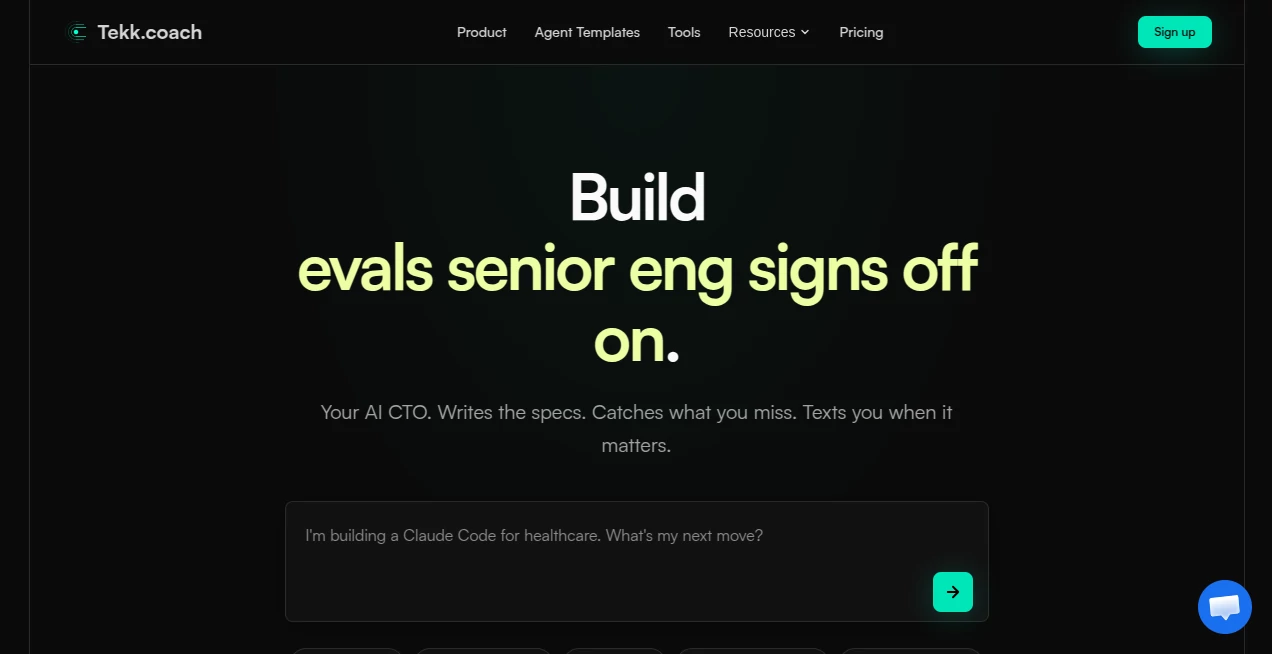
Building with AI coding agents is exciting until you realize they’re only as good as the instructions you give them. Vague prompts lead to messy code, wrong architecture choices, and hours of debugging. This platform changes the game by acting like a senior engineering lead who actually understands your entire codebase. It reads your repo, spots the gaps, writes detailed specs, and hands your agents clear marching orders. I’ve seen solo founders and small teams ship features that previously felt out of reach because the planning layer finally matched the execution power of modern AI models.
Introduction
Most developers can now build fast with tools like Cursor or Claude Code, but the hard part remains knowing *what* to build and *how* to build it properly in your specific project. Tekk Coach fills that gap. Connect your GitHub repo once, and it becomes your always-on AI CTO. It audits your code nightly, surfaces important improvements, and turns vague ideas into production-ready specifications that reference your actual files and patterns. No more generic boilerplate or agents guessing at your architecture. It’s built for vibe coders and small teams who want to out-engineer much larger companies without hiring a full senior staff.
Key Features
User Interface
The dashboard is clean and developer-focused. Connect your repo with one click, describe a feature or problem in plain language, and watch it generate a detailed spec with file references, acceptance criteria, and architecture decisions. You can review nightly audit reports in the morning, approve or tweak specs, and push them straight to your coding agents. Everything feels like a natural extension of your workflow rather than another tool you have to fight with.
Accuracy & Performance
Because it reads your actual codebase before planning, the specs stay grounded in your existing patterns, dependencies, and tech stack. It cross-checks current best practices from the web and avoids suggesting solutions that would require major rewrites. Audits run reliably every night, and spec generation is fast enough that you stay in flow. The difference is noticeable: agents execute the first time instead of flailing or building the wrong thing.
Capabilities
It handles everything from high-level feature planning to detailed code architecture, security reviews, performance optimizations, and data layer decisions. You can ask it to plan new AI agents, improve existing code, or catch hidden assumptions. Nightly audits surface issues like security holes, maintainability problems, or scaling risks before they become painful. The output is always a living spec that your coding agents (Claude, Cursor, etc.) can follow with precision.
Security & Privacy
Your codebase stays secure — it only accesses what you explicitly connect through GitHub, and all analysis happens with strong safeguards. No unnecessary data retention beyond what’s needed to help you build. For teams working on sensitive projects, that controlled access and focus on useful output without overstepping boundaries builds real trust.
Use Cases
A solo founder building an AI product connects their repo and wakes up to a spec for adding proper retrieval with the right vector store and reranking — exactly what they needed but didn’t know how to articulate. A small engineering team uses nightly audits to catch architecture issues early, saving weeks of refactoring later. An indie hacker plans a customer support bot and gets a complete spec with file structure and integration points, allowing their coding agent to ship it cleanly. It shines anywhere planning quality determines execution success.
Pros and Cons
Pros:
- Deeply understands your actual codebase instead of giving generic advice.
- Nightly audits catch problems before they become expensive.
- Specs are detailed enough for agents to execute accurately on the first try.
- Saves massive amounts of planning and debugging time.
- Feels like having a senior engineer available 24/7 without the salary.
Cons:
- Best results come after connecting your real repo (initial setup takes a few minutes).
- Very early-stage or empty repos have less context to work with.
- Advanced team features and higher usage are on paid plans.
Pricing Plans
It starts with a free tier generous enough to connect a repo, run audits, and generate several specs so you can feel the difference. Paid plans unlock unlimited usage, priority processing, team collaboration, and more frequent audits. The pricing is usage-based and scales with how much you build, making it accessible for solo developers while growing with small teams.
How to Use Tekk Coach
Sign up and connect your GitHub repository. Once connected, you can either describe a new feature in plain English or let it run its first nightly audit. Review the generated spec, make any adjustments, and hand it to your coding agent. Check the dashboard each morning for audit insights and suggested next steps. The loop is simple: describe or let it discover → review spec → build → repeat. Most users settle into a rhythm where the tool surfaces valuable work while they sleep.
Comparison with Similar Tools
Generic AI coding assistants are great at writing code but poor at high-level planning and codebase awareness. Project management tools like Notion don’t understand your actual code. This platform sits in the sweet spot: deep codebase understanding combined with structured spec generation that modern AI agents can actually execute well. It’s less about replacing your coding tools and more about making them dramatically more effective.
Conclusion
Building software with AI is incredibly powerful, but only when the planning matches the execution speed. This tool brings that missing senior engineering judgment to every developer and small team, turning vague ideas into clear, grounded plans that ship cleanly. If you’re tired of agents building the wrong thing or spending too much time figuring out architecture, it might be exactly the teammate you’ve been missing.
Frequently Asked Questions (FAQ)
How does it access my code?
You connect your GitHub repo securely — it reads but never writes unless you explicitly approve changes.
Do I need to write perfect prompts?
No — plain English works well because it deeply understands your actual codebase.
Can multiple people on my team use it?
Yes — paid plans support team workspaces and shared access.
What if my repo is private?
It works with private repositories — security is a core focus.
Is it only for AI agents?
No — the specs are useful for human developers too, but they shine especially bright when paired with tools like Cursor or Claude Code.
AI Project Management , AI Code Assistant , AI Code Generator , AI Developer Tools .
These classifications represent its core capabilities and areas of application. For related tools, explore the linked categories above.

Tekk.coach Alternatives Product

AgentOne

Blackbox AI

freellm

PromptCoder

CodeSpy AI

Duct Tape 3

Ito AI

Agent Grid

MyToolster W…
