
10x
What is 10x?
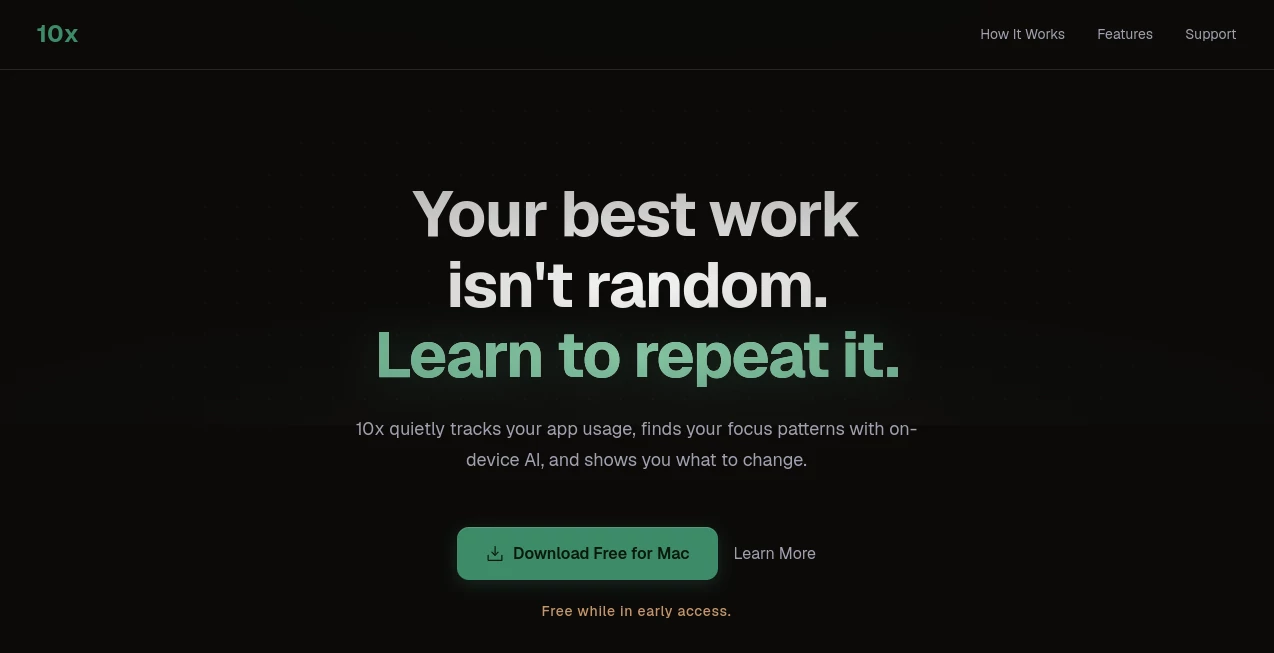
Staying focused has become one of the biggest challenges in modern work. This productivity solution helps Mac users understand where their attention goes, reduce distractions, and create more time for meaningful work. Instead of relying on complicated routines, it quietly supports better habits while keeping everything private and running directly on your device.
Key Features
User Interface
The interface is clean, lightweight, and designed for macOS. Navigation feels natural, making it easy to review focus sessions and daily activity without unnecessary complexity.
Accuracy & Performance
Activity tracking is responsive and provides useful insights into work patterns. The application runs smoothly in the background with minimal impact on system performance.
Capabilities
- Track focus time automatically.
- Identify distractions during work.
- Analyze productivity trends.
- Support deep work habits with simple insights.
- Keep all data processed locally on the device.
Security & Privacy
Privacy is one of its strongest points. Information is processed on-device, giving users greater control over personal activity without depending on cloud-based tracking.
Use Cases
- Developers who need uninterrupted coding sessions.
- Writers working on long-form content.
- Remote professionals managing daily tasks.
- Students preparing for exams with fewer distractions.
Pros and Cons
- Pros
- Simple and distraction-free design.
- Built specifically for Mac users.
- Strong privacy approach.
- Helpful productivity insights.
- Cons
- Currently limited to macOS.
- May not suit users looking for extensive project management features.
Pricing Plans
Multiple pricing options are available. Visit the official pricing page for the latest plans and feature availability.
How to Use 10x
Install the application, allow the required permissions, and continue your normal workflow. Over time, the dashboard highlights attention patterns, helping you schedule important work during your most productive hours.
Comparison with Similar Tools
Unlike traditional productivity trackers that mainly measure time, this solution focuses on attention quality and deep work. Its local-first privacy model also makes it appealing to users who prefer keeping personal productivity data on their own devices.
Conclusion
For anyone looking to spend less time switching between tasks and more time producing meaningful work, this Mac-focused productivity tool offers a thoughtful experience. Its combination of simple design, practical insights, and privacy-first architecture makes it an excellent choice for professionals who value focused work.
Frequently Asked Questions (FAQ)
Is it available for Windows?
No, the application is currently designed for macOS.
Does it require cloud storage?
No. The platform emphasizes on-device processing for better privacy.
Who is it best suited for?
It is ideal for professionals, students, developers, and anyone who wants to improve focus and build better work habits.
Can beginners use it?
Yes. The interface is straightforward, making it easy to start without a learning curve.
AI Team Collaboration , AI Productivity Tools , AI Business Ideas Generator , AI Workflow Management .
These classifications represent its core capabilities and areas of application. For related tools, explore the linked categories above.

10x Alternatives Product

Vibe Coding …

Sendmux
Online White…

ApplyBtn

Maestra
Hintder AI

Presenti AI

CtrlOps

LaunchBoard