
Bivy
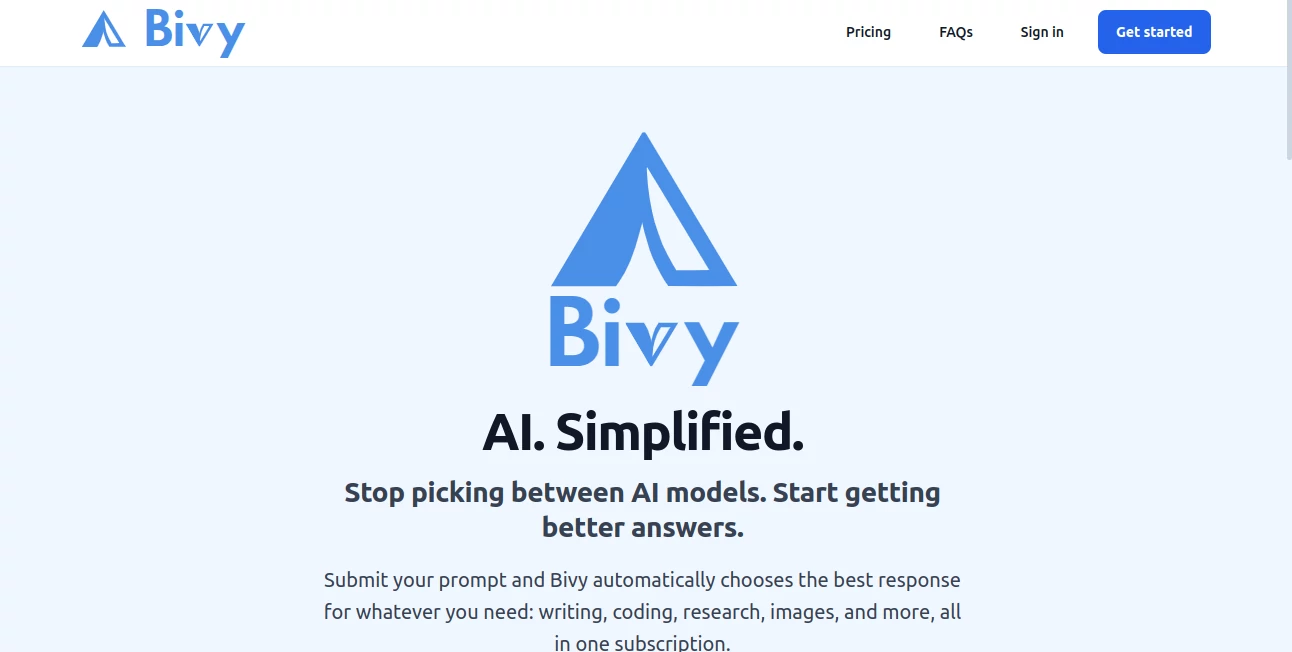
What is Bivy?
Most people who use AI regularly have developed a quiet habit they don't talk about: they open three or four different tabs, paste the same prompt into each one, and then compare results to figure out which answer is actually useful. It works, but it's exhausting. And the mental overhead of remembering which model handles coding better, which one is stronger for research, and which one produces cleaner prose — that's work on top of the work you were trying to do in the first place.
This is exactly the problem this platform was built to solve. The premise is simple and genuinely useful: stop picking between AI models and start getting better answers. You write a prompt. The platform decides which AI handles it best. You get a strong response without touching a single model selector.
It's a multi-model AI assistant that sits on top of the leading AI systems and routes your requests intelligently — covering writing, research, coding, image generation, and file analysis all from one interface. For anyone who uses AI seriously but doesn't want to manage it like a full-time job, this is a meaningful shift in how the whole thing feels.
Key Features
User Interface
The interface is deliberately minimal. There's a prompt box, a response area, and three refinement buttons. That's essentially it. No model dropdowns, no agent configuration menus, no settings panels you have to dig through before getting anything done.
What's smart about this simplicity is that it doesn't feel dumbed down — it feels considered. The three refinement options sit right below every response, so the path from "okay first draft" to "actually what I needed" is two clicks rather than a copy-paste loop across multiple browser tabs. New users can be productive immediately, and experienced AI users will appreciate that the friction they were tolerating daily has simply been removed.
Accuracy & Performance
The routing logic is the core technical bet here, and it holds up. By automatically selecting the most appropriate model for each type of task — rather than sending everything through a single generalist AI — responses tend to land closer to what you actually needed on the first attempt. Writing tasks get writing-optimized models. Technical questions go to models with stronger reasoning. Research queries get handled with citation support built in.
The built-in review system adds another layer. The "Review this answer" function sends the response to a separate AI for a genuine accuracy critique — not a summary, but actual scrutiny. If you've ever found yourself wondering whether an AI answer is actually correct or just confident-sounding, having a second model check the work is a practical solution to a real problem.
Capabilities
The platform covers six core capability areas, each handled by the best-suited underlying model:
- Writing and editing: Emails, documents, marketing copy, creative work — any text-based task routed to a model optimized for language quality.
- Research with citations: Queries that need factual accuracy get treated differently from creative requests. Sourced responses reduce the guesswork about whether something is true.
- Coding and technical help: From debugging to architecture questions to explaining unfamiliar code, technical prompts go where technical reasoning is strongest.
- Image generation: Visual requests — logos, concepts, illustrations — handled natively without switching to a separate image tool.
- File analysis: Upload PDFs, Word documents, spreadsheets, and presentations. Ask questions about the content. Get answers without manual extraction.
- File creation: Generate documents, spreadsheets, and presentations directly, not just text that you then have to format yourself elsewhere.
The three refinement actions — Ask a Different AI, Review This Answer, and Improve This Response — apply across all of these categories. Ask a Different AI gets you a fresh perspective from another leading model. Improve This Response escalates to a higher-tier AI for a more thorough result. If you've already run a review, the improvement uses those notes specifically, so the upgrade is targeted rather than just a louder version of the same answer.
Security & Privacy
The platform operates under a standard privacy policy and terms of service with cookie preference controls. For individual users and small teams, the data handling approach is consistent with what you'd expect from a professionally operated AI service. Conversation history is retained to support continuity within sessions.
For users handling sensitive materials, the file upload and analysis features are worth reviewing against your own data policies — as with any AI tool that processes document content. The platform is operated by Bivy AI LLC, and support is available directly via email for questions about specific use cases.
Use Cases
The broadest use case is simply replacing the multi-tab AI workflow that most regular users have settled into by necessity. If you currently have subscriptions to two or three AI tools and you're paying for all of them mostly out of habit or fear of gaps, this platform makes a credible case for consolidation.
Beyond that, a few specific scenarios where the automatic routing approach genuinely shines:
- Content creators and writers who need both drafting assistance and research in the same workflow — getting the right model for each without manually switching between them.
- Developers and technical professionals who mix coding questions with documentation writing and don't want to context-switch between tools mid-project.
- Small business owners handling a wide variety of tasks — writing client emails, analyzing contracts, generating social visuals — who benefit most from a single interface that doesn't require AI expertise to operate well.
- Students and researchers who need cited responses for factual accuracy and want to cross-check their answers without running the same query four times manually.
- Teams managing documents where uploading and querying PDFs, spreadsheets, and presentations cuts hours of manual review.
Imagine you're a freelance consultant writing a client proposal — you need research for the market context section, clean professional prose for the body, and a formatted output document at the end. That entire workflow happens in one place, handled by the best available AI at each stage, without you making a single model selection.
Pros and Cons
What works well:
- Automatic model routing eliminates the daily friction of figuring out which AI to use for what
- Three built-in refinement options cover the most common "good but not quite right" situations without extra steps
- Covers writing, research, coding, images, and files — genuinely replaces multiple separate subscriptions
- The review function provides real accuracy scrutiny rather than just rephrasing the original answer
- Free tier lets you test the full experience before committing to a paid plan
- Pricing starts at $9.99/month — less than most single-model subscriptions cost on their own
- Annual plans include two free months, which is a meaningful saving for regular users
Limitations worth knowing:
- Usage is capped per tier — heavy users will need to monitor consumption or step up to a higher plan
- You don't choose which model handles your prompt, which can feel like a loss of control for users who have strong model preferences
- Overage is opt-in and capped, so if you hit your monthly limit at a critical moment, you're working within those boundaries
- Relatively new platform — the model routing logic will continue to mature as the product evolves
Pricing Plans
Four tiers cover the range from casual to intensive use:
- Free — $0/month: Access to all AI categories, all three intelligence tiers, conversation history, and file uploads and downloads. Limited usage, but it's a real product — not a demo.
- Plus — $9.99/month: Significantly more usage than the free tier, opt-in overage, and priority email support. A sensible starting point for regular but light use.
- Pro — $24.99/month: 2x the usage of Plus, higher overage cap, and positioned as the best value for most daily users. The most popular tier for a reason.
- Max — $99/month: 5x the usage of Pro, maximum overage cap, designed for all-day heavy use. Power users or teams running high-volume AI workflows.
Annual billing takes two months off the total, which brings the Pro plan to the equivalent of roughly $20.83/month. For context, a single leading AI subscription from most major providers costs around $20/month on its own. Getting writing, research, coding, image generation, and file analysis in one subscription at that price point is a compelling value proposition for multi-use cases.
How to Use Bivy
Getting started is genuinely fast. The free tier requires no credit card — you sign up, land on the prompt interface, and you're ready to go in under two minutes.
- Step 1 — Write your prompt naturally: Don't overthink it. Type whatever you need — a question, a task, a request. The routing logic handles the model selection, so you don't need to frame your prompt differently depending on the task type.
- Step 2 — Review the response: The answer comes back from whichever AI was best suited for your request. Read it. Most of the time, it lands where you need it.
- Step 3 — Refine if needed: Use the three buttons below the response. Ask a Different AI for a fresh take. Review This Answer to have another AI check accuracy. Improve This Response to escalate to a higher-tier model for more depth or polish.
- Step 4 — Upload files when relevant: For document analysis or file-based tasks, use the file upload to bring in PDFs, spreadsheets, or presentations. Ask questions about the content, request summaries, or generate new documents based on what's there.
The learning curve is essentially nonexistent. If you've used any chat-based AI before, you already know how to use this. The difference is that you're no longer managing the infrastructure behind the answer.
Comparison with Similar Tools
The most direct comparison is the scenario the platform itself describes: running ChatGPT, Claude, Gemini, and Perplexity simultaneously for the same prompt. That approach works, but it costs $60–$80/month across separate subscriptions, requires four logins, and puts the routing decision entirely on you every single time.
Other multi-model platforms exist — some allow you to compare outputs side by side, others let you manually select from a model menu. The distinction here is that the routing is automatic. You're not choosing between models; you're getting the output of the best model for your specific prompt without the decision overhead.
For users who want maximum control over which model handles each query, a manual selection interface might suit them better. But for the majority of AI users who just want consistently strong answers without managing model logistics, the automatic approach is a genuine quality-of-life improvement over the current multi-tab reality.
On pricing, the value case is straightforward. Individual subscriptions to leading AI tools average around $20/month each. A user who currently pays for two such tools is spending $40/month for coverage across two capability sets. At $24.99/month for the Pro plan, this platform covers writing, research, coding, images, and files — with a built-in review layer on top — for less money than those two subscriptions combined.
Conclusion
The multi-model AI problem has been real for a while now. Every serious AI user has developed their own workaround — a personal routing system built from trial and error, muscle memory, and the vague sense that they're probably using the wrong tool for at least a few of their daily prompts. It works, but it's not elegant, and it scales poorly as the number of capable models keeps growing.
What this platform offers is a genuine solution rather than another tool to add to the stack. One interface, automatic routing, built-in refinement, and pricing that makes consolidation financially sensible. It won't appeal to developers who want explicit model control or power users who have highly specific model preferences — but for everyone else, which is most people who use AI, it removes a layer of work that was never supposed to be their problem in the first place.
If you're currently splitting your AI usage across multiple subscriptions and spending more mental energy on model management than on the actual tasks you're trying to accomplish, the free tier is worth an afternoon.
Frequently Asked Questions (FAQ)
How does the platform decide which AI to use for my prompt?
The routing logic automatically classifies your prompt by task type — writing, research, coding, image generation, or file work — and selects the best-suited underlying model for that category. You don't see the model name, and you don't need to. The selection happens before the response is generated.
Can I still choose a specific AI model if I want to?
The platform is designed around automatic routing. If you want a different perspective on your prompt, the "Ask a Different AI" button sends it to another leading model — but you're not selecting the model directly. For users who require explicit model selection, this is a meaningful trade-off to consider.
What's the difference between "Review this answer" and "Improve this response"?
Review sends your response to a separate AI for an accuracy and clarity critique — you see what was checked and what could be stronger. Improve escalates to a higher-tier model for a more thorough result. If you run a review first, the Improve function uses those notes specifically to address the identified gaps.
Does the free plan actually work, or is it just a teaser?
The free tier includes access to all AI categories, all three intelligence tiers, conversation history, and file uploads and downloads. Usage is limited, but you get the full feature set — it's a genuine trial of the complete product, not a restricted demo.
What file types can I upload?
The platform supports PDFs, Word documents, spreadsheets, and presentations for both analysis and creation. You can ask questions about uploaded content, request summaries, or generate new documents based on what's in the file.
Is there a discount for annual billing?
Yes. Annual plans include two months free across all paid tiers. If you're planning to use the platform regularly, the annual option brings the monthly equivalent cost down meaningfully — the Pro plan works out to approximately $20.83/month on an annual basis.
What happens when I hit my monthly usage limit?
Overage usage is available on all paid plans on an opt-in basis. Each tier has its own overage cap, so you always know the maximum you could spend. Higher tiers have higher caps. If you're regularly hitting your limit, it's typically a signal to move to the next tier up.
AI Productivity Tools , AI Research Tool , AI Chatbot , AI Writing Assistants .
These classifications represent its core capabilities and areas of application. For related tools, explore the linked categories above.

Bivy Alternatives Product

Debate Tello…

StyleBias

KoloQR

Vibe Coding …

WhatsMyName …

CloudByte PMS

UPDF AI

Website Traf…

Flyback.ai