Recal
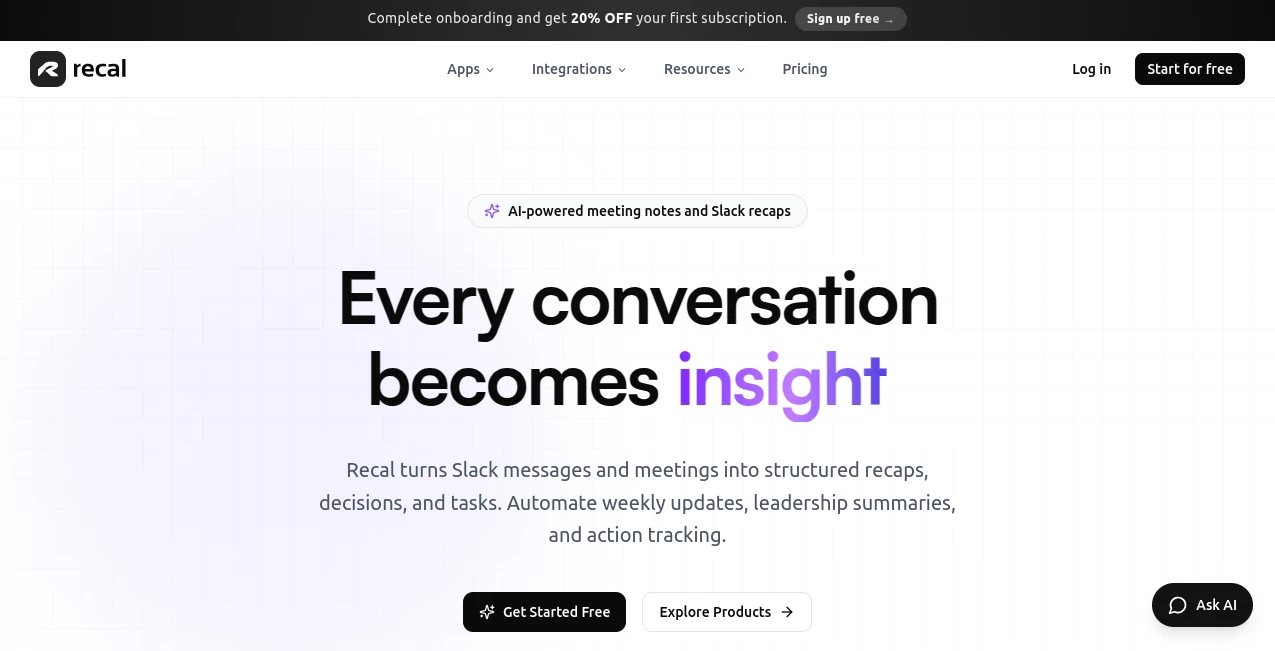
What is Recal?
Modern teams generate an endless stream of conversations every day. Meetings, Slack discussions, brainstorming sessions, voice notes, and project updates often contain valuable decisions that quickly disappear into scattered documents and forgotten messages. This platform was built to solve that problem in a surprisingly practical way.
Instead of acting as a simple transcription tool, it transforms conversations into organized summaries, action items, decisions, and searchable knowledge. Teams can focus on discussions without worrying about taking notes or manually documenting every detail. The result feels less like another productivity app and more like a reliable memory system that keeps projects moving forward.
What makes the experience particularly impressive is the ability to understand not only spoken words but also visual context from presentations, screen shares, and collaborative discussions. For remote teams, startups, agencies, and fast-moving organizations, that extra layer of understanding can save hours every week.
Key Features
User Interface
The interface is refreshingly clean and easy to navigate. Conversations, recordings, transcripts, and summaries are organized in a way that feels natural even for first-time users. Important decisions and tasks are surfaced automatically, making it easy to review key outcomes without digging through lengthy transcripts.
Whether users upload recordings, paste text, connect collaboration platforms, or record meetings directly, the workflow remains simple and consistent. The dashboard focuses on clarity rather than unnecessary complexity.
Accuracy & Performance
One of the strongest aspects of the platform is its ability to identify important information from lengthy conversations. Meeting summaries are structured, concise, and focused on outcomes rather than random excerpts. Action items are extracted with notable accuracy, helping teams avoid missed responsibilities and forgotten follow-ups.
Transcription quality performs well across different speaking styles and business discussions. The system is also capable of understanding context from visual presentations and screen-sharing sessions, which adds an extra layer of accuracy that many traditional meeting assistants lack.
Capabilities
- Automatic meeting transcription with speaker recognition.
- AI-generated summaries and conversation recaps.
- Task and action item extraction.
- Slack thread analysis and summarization.
- Processing of audio, video, links, and text content.
- Searchable knowledge base for previous conversations.
- Question-and-answer functionality across captured content.
- Integration with productivity and project management tools.
- Support for meeting recordings, voice memos, and asynchronous communication.
Security & Privacy
Privacy is a major concern when dealing with conversations and internal company discussions. The platform addresses this by encrypting data during storage and transmission. Meeting recordings, transcripts, and generated summaries remain protected, and user content is not used to train external AI models.
Organizations handling confidential discussions will appreciate the emphasis on data control and the ability to manage or remove stored information when necessary.
Use Cases
- Team Meetings: Capture decisions, project updates, and action items without requiring someone to manually write notes.
- Client Calls: Keep a detailed record of requirements, feedback, commitments, and follow-up tasks.
- Product Development: Track feature discussions, sprint planning sessions, and roadmap decisions.
- Remote Collaboration: Create shared context for distributed teams working across multiple time zones.
- Personal Knowledge Management: Store voice notes, brainstorming sessions, and ideas in a searchable format.
- Slack Communication: Convert busy discussion threads into structured summaries and actionable outcomes.
Pros and Cons
Pros
- Excellent meeting and conversation organization.
- Accurate task extraction and action tracking.
- Understands visual meeting content beyond audio.
- Supports multiple content formats including text, video, and audio.
- Useful integrations with popular workplace tools.
- Clean and beginner-friendly interface.
Cons
- Advanced collaboration features require paid plans.
- Free plan includes limited monthly usage.
- Internet connection is required for processing.
- Some integrations are still expanding.
Pricing Plans
The platform offers a freemium pricing structure suitable for individuals as well as growing teams.
- Starter: Free plan with limited recap hours, AI summaries, task extraction, integrations, and short-term retention.
- Pro: Designed for professionals who need meeting recaps, team collaboration, multiple workspaces, and extended retention.
- Premium: Includes higher recording limits, unlimited workspaces, advanced templates, branded sharing, and priority support.
The free tier provides enough functionality to evaluate the platform before committing to a paid subscription.
How to Use Recal
- Create an account and access the workspace dashboard.
- Record a meeting, upload media files, paste text, or connect collaboration tools.
- Allow the AI system to process the content automatically.
- Review generated summaries, decisions, and action items.
- Search conversations or ask questions about previous discussions.
- Share insights with teammates or export information to connected platforms.
Many users find the experience surprisingly seamless because most of the heavy lifting happens automatically in the background.
Comparison with Similar Tools
Compared with traditional transcription services, this platform goes beyond converting speech into text. It focuses on understanding conversations, identifying decisions, and turning discussions into actionable outcomes.
While many meeting assistants provide transcripts and summaries, few offer strong visual understanding capabilities. The ability to analyze screen shares, presentations, and visual meeting context creates a richer and more complete record of discussions.
Its combination of meeting intelligence, task extraction, searchable memory, and collaboration integrations makes it particularly appealing for modern teams that rely heavily on remote communication.
Conclusion
For teams that frequently lose track of decisions, action items, or important conversations, this solution delivers a practical and highly valuable improvement to daily workflows. It transforms meetings and discussions into organized knowledge that can be searched, shared, and acted upon.
The experience feels thoughtfully designed for modern work environments where information moves quickly and context often gets lost. By turning conversations into structured outcomes, it helps teams spend less time documenting and more time executing.
For professionals looking to build a reliable system around meetings, communication, and knowledge management, this platform stands out as one of the more complete options available today.
Frequently Asked Questions (FAQ)
Can it record and summarize online meetings?
Yes. It can capture meetings, generate transcripts, create summaries, and identify action items automatically.
Does it work with Slack conversations?
Yes. Slack threads and discussions can be analyzed to generate summaries, decisions, and tasks.
Can it process uploaded video and audio files?
Yes. Users can upload recordings and receive structured insights, summaries, and extracted action items.
Is meeting data secure?
The platform uses encryption for stored and transmitted data while maintaining strong privacy controls for user content.
Who is this tool best suited for?
It is ideal for startups, remote teams, agencies, project managers, consultants, and anyone who wants better organization of conversations and meetings.
AI Productivity Tools , AI Team Collaboration , AI Meeting Assistant , AI Notes Assistant .
These classifications represent its core capabilities and areas of application. For related tools, explore the linked categories above.

Recal Alternatives Product

GPT Image 2 …

Syncity AI

Omphalis

Nifty

Resyfy AI

Khuram Youraj

Calculadora …

FormRoyale

Project Mela