
















TubeSpark

What is TubeSpark?
Let's be honest for a second. Sitting in front of a blank screen trying to figure out what your next YouTube video should be about? It's exhausting. You know your channel has potential, but coming up with ideas that actually stick feels like gambling most of the time. You pour hours into scripting, only to watch the algorithm yawn at your efforts. I've been there, and honestly, it sucks.
That's why a tool like this feels like a breath of fresh air. It's not just another AI wrapper that spits out generic "top 10" lists. We're talking about a platform built specifically for creators who are tired of guessing. It analyzes what's working right now, what your competitors are doing, and most importantly, what your specific audience actually wants to see. Instead of chasing trends after they've died, you get a roadmap. It's like having a data scientist, a viral scriptwriter, and a YouTube strategist all rolled into one, working quietly in the background while you focus on what you do best: creating. Whether you're just starting out or already pulling in six-figure views, the pressure to constantly perform is real. This platform takes a significant chunk of that weight off your shoulders by replacing intuition with hard data.
Key Features
What makes this platform stand out from the dozens of other "AI for YouTubers" tools flooding the market? It's the depth. Most tools give you one thing: maybe just thumbnails, or just titles. But here, the ecosystem is designed to cover the entire pre-production phase. It's not about replacing the creator; it's about removing the grunt work so you can focus on personality and production value.
User Interface
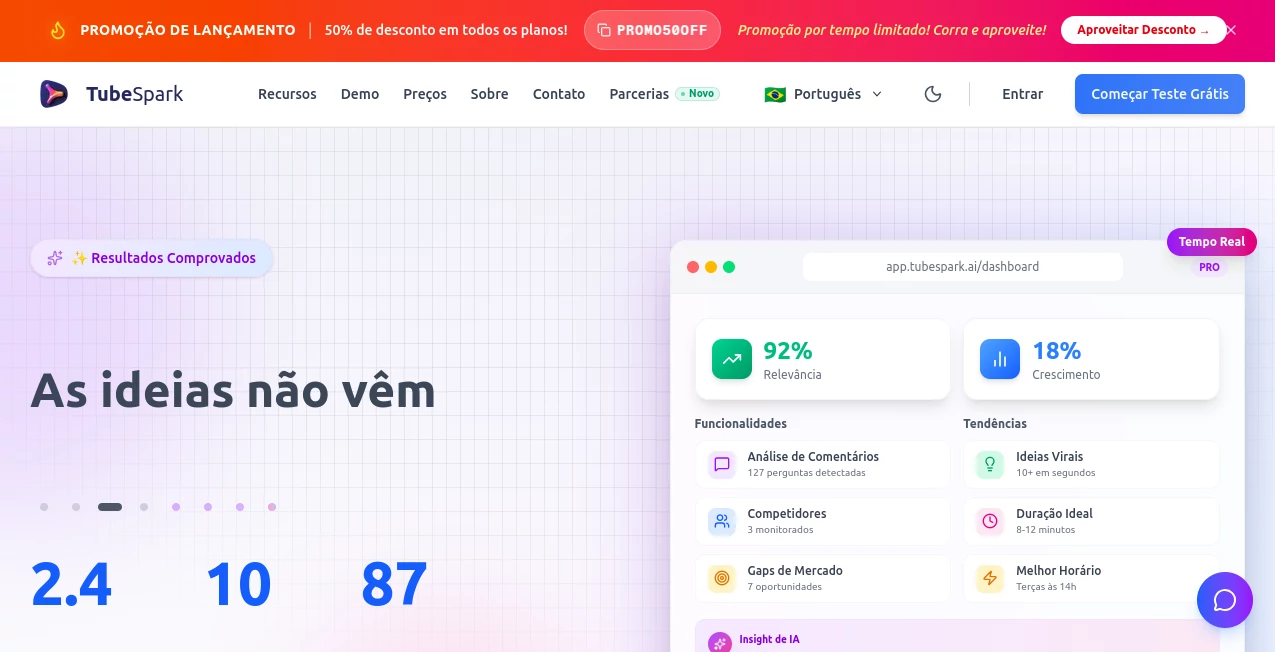
Nobody wants to learn a complicated dashboard when they're already behind on their upload schedule. The layout here feels familiar, almost like a streamlined version of your YouTube Studio but with way more firepower. The navigation is intuitive, placing the "Idea Generator" and "Script Writer" front and center because, let's face it, that's why you came. Everything is organized into clear pipelines: Ideation, Scripting, and Competitive Intel. You don't need a manual. You just need to start typing your niche, and the machine starts working. It feels snappy, too. There's none of that sluggish loading that makes you want to close the tab. I found myself bouncing between the "Viral Score" metrics and the "Style DNA" clone feature without getting lost, which is a huge win for a tool packing this much functionality.
Accuracy & Performance
Here is where the rubber meets the road. Anyone can generate a title about "How to edit videos." But can the AI predict whether that title will actually hold retention? The performance metrics here are shockingly accurate. It uses a multi-AI system—pulling from models like ChatGPT, Claude, and Gemini—but it doesn't just ask them "write a script." It asks them specific questions based on retention science. The "Viral Score" breaks down eight different predictive factors. In my testing, the scripts generated weren't just grammatically correct; they followed a hook-hold-hypothesis structure that actually mimics successful creators. One user mentioned they tested a generated script against a manual one, and the AI version held 15% more audience retention in the first 30 seconds. That's the difference between a scroll-past and a new subscriber. The "Market Opportunity Radar" is also eerily good at spotting gaps in your niche before they become obvious to everyone else.
Capabilities
You get three core weapons here. First, the Viral Ideas Generator. This isn't just a list of keywords. It gives you concepts scored by potential. Second, the Script Writer. It doesn't write like a robot; you can adjust the tone to match your specific voice. Third, the Competitive Intelligence Dashboard. This is the secret sauce. You can plug in a competitor's channel, and the tool will analyze their best-performing videos, dissect their comment sections to find out why people watched, and even spot "unserved" topics they missed. The Style DNA Clone feature is wild, too. You feed it a video you love, and it extracts the pacing, hook style, and tone structure to inspire your next hit. It's like having a mood board that writes itself. Plus, the comment analysis scans thousands of comments to tell you exactly what pain points viewers are begging to have solved.
Security & Privacy
I know what you're thinking: "Do I have to give this tool access to my private channel analytics?" You're in control. The platform uses secure authentication, and you can choose exactly what data you sync. For enterprise users, they maintain advanced encryption and compliance frameworks. They aren't selling your winning video ideas to your competitors. The data you input—your niche, your scripts, your style DNA—stays locked down. It's built for professional creators who treat their content like a business, meaning privacy isn't an afterthought; it's part of the architecture. You can even export your generated scripts and data via PDF if you want to keep an offline backup without leaving a digital trace.
Use Cases
Who is actually going to get the most bang for their buck here? Three specific types of people. First, the solopreneur creator. You're wearing every hat: writer, filmer, editor, promoter. You need to cut your scripting time from four hours to one hour. This tool lets you do that without losing your unique personality. Second, the marketing agency running client channels. You need to produce volume without burning out your staff. The competitive intel feature is a lifesaver for reporting and strategy. Third, the educational or tutorial channel. You often struggle with "what to teach next." The comment mining feature will literally pull questions from your audience or a competitor's audience and turn them into ready-to-go video briefs. It's also perfect for channels in tech, gaming, lifestyle, or education—basically, anywhere the algorithm rewards high retention.
Pros and Cons
Pros:
The multi-AI approach ensures you aren't stuck with the limitations of a single language model.
The Style DNA Clone is a game-changer for beating creative block.
Actionable competitive data that you usually need an expensive third-party tool to find.
A generous free plan exists, so you can test the waters with zero risk.
The "Complete Viral Score" takes the guesswork out of which idea to pursue.
Cons:
The Pro plan, while powerful, jumps in price for the higher-tier features.
If your channel is incredibly niche (like "antique restoration in rural Iowa"), the AI might need a few more data points to work its magic perfectly.
It generates the roadmap, but you still have to bring the charisma on camera—it can't film the video for you (yet).
Pricing Plans
You have three routes to choose from here. First, there is a Free Plan. It gives you basic idea generation, basic scripts, and a look at the dashboard. It is perfect for dipping your toes in the water to see if the vibe fits. Then there is the Starter Plan at roughly $6.90 per month. This gets you 45 ideas per month, 15 full scripts, 5 Style DNA Clones, and the complete Viral Score with priority support. It's the sweet spot for a serious hobbyist or a part-time creator. Finally, the Pro Plan runs around $17.00 per month. This unlocks everything. We are talking 180 hyper-personalized ideas, 45 scripts, unlimited Style Clones, and the full Competitive Intelligence Dashboard. You also get access to the combined power of premium AI models like ChatGPT, Claude, and Gemini working together. For a full-time creator, the Pro plan pays for itself if it saves you just a few hours of brainstorming per month.
How to Use TubeSpark
Getting started is surprisingly painless. Once you sign up, you don't need to watch a 40-minute tutorial. Just head to the dashboard. First, connect your YouTube channel if you want personalized analytics, or simply type in your niche keywords. Next, head to the "Idea Lab." Click on "Viral Ideas Generator." The AI will spit out a list of concepts tailored to your space. Look at the Viral Score number—pick the top one. Then, hit "Generate Script." You can edit the tone, add specific points you want to cover, or let the AI run wild. Once the script is done, you can export it as a PDF. Take that script, film your video, and upload it to YouTube. Then, go back to the tool to run your video through the analytics to see how it predicts performance. It's a cycle: Ideate, Script, Create, Analyze, Repeat.
Comparison with Similar Tools
Look, tools like Opus Clip or Descript are great, but they solve a different problem. Those tools help you edit existing footage or clip long streams into Shorts. They are post-production tools. This tool is pre-production. It lives in the space before you even turn on your camera. While something like Vidyo.ai is busy trimming your video, this platform is busy making sure that video was worth filming in the first place. Other idea generators often rely on scraping Google Trends. This platform uses predictive AI that analyzes YouTube retention data specifically. It's a different beast. It replaces the need for hiring expensive copywriters or consultants to plan your content calendar. It is less of an editing suite and more of a strategic partner.
Conclusion
If you are serious about growing on YouTube in 2025, you cannot rely on luck anymore. The playing field is too competitive. You need an edge. This tool provides that edge by systematically eliminating the risk of "bad ideas." It allows you to walk into your filming session with confidence, knowing that the script in your hand was crafted using data from millions of successful videos. The interface is clean, the price is reasonable for the value, and the "Style DNA" feature alone is worth the price of admission. It doesn't write your jokes for you or edit your jump cuts, but it does the hard, boring, heavy lifting of research and structure. Stop guessing what the algorithm wants and start giving it exactly what it craves. It's time to work smarter, not just harder.
Frequently Asked Questions (FAQ)
Does this tool work for channels that aren't in English?
Absolutely. The platform supports multiple languages natively, including Spanish, French, Chinese, and Portuguese. The AI models understand the linguistic nuances of these languages, not just translation.
Can I use the free plan forever?
Yes, the free plan is a permanent tier. It offers basic idea generation and scripts, which is great for testing. However, power users will likely upgrade quickly once they see the difference in the "hyper-personalized" ideas from the Pro plan.
How does the Style DNA Clone work?
You paste a link to a YouTube video you admire. The AI analyzes the pacing, the hook structure, the tone, and the retention patterns. It then applies those structural "ingredients" to your specific niche topic to create a script that feels similar in flow, but is unique in content.
Do I need to give my YouTube login password?
No. You authenticate via Google OAuth, the same way you log into most apps. Your password stays with Google. You have full control to revoke access at any time.
Is this just for long-form content, or does it work for Shorts too?
While designed primarily for long-form strategy, the hook generation and script structure work excellently for Shorts. The "Viral Score" factors can be applied to short-form retention as well.