


















Daymark
What is Daymark?
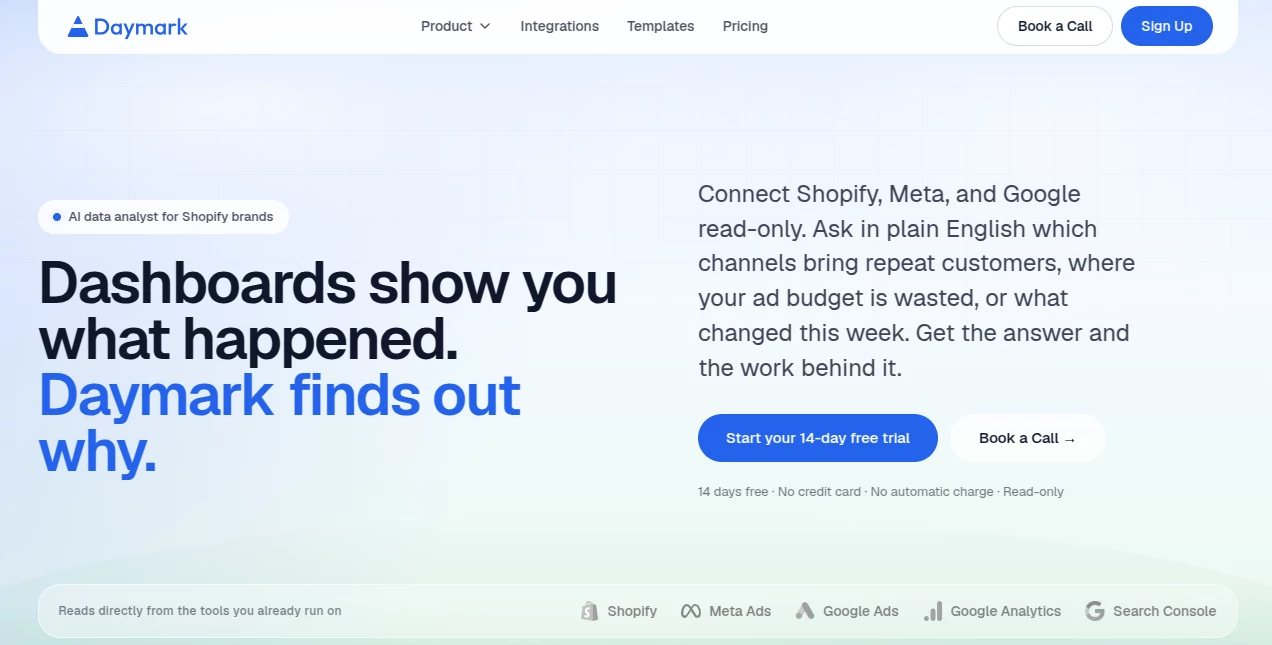
Daymark is an AI-powered data analyst designed to help Shopify brands and business teams understand what is really happening across their data. Instead of jumping between dashboards, exporting spreadsheets, or waiting for an analyst to write SQL queries, users can ask questions in plain English and receive charts, tables, summaries, and actionable explanations.
The platform connects directly with business tools such as Shopify, Google Analytics, Google Ads, Meta Ads, Google Search Console, HubSpot, PostgreSQL, Google Sheets, and CSV files. This makes it particularly useful when an important question requires information from more than one source.
What makes the experience interesting is its focus on the reasoning behind a result. Rather than simply showing that a metric changed, the platform can investigate which channel, product, page, audience, or customer segment contributed to that change.
Key Features
- Natural-language questions without requiring SQL
- Cross-source analysis across connected business data
- AI-generated charts, tables, summaries, and reports
- Shareable dashboards for teams
- Goal-based analysis with suggested experiments
- Read-only integrations with least-privilege access
- Traceable answers showing the queries used for analysis
- Support for ecommerce, marketing, sales, SEO, and revenue analysis
- CSV and spreadsheet-based reporting
- Unlimited AI questions on the paid plan
User Interface
The interface is built around a simple idea: ask a business question and let the platform handle the analytical work. Users do not need to understand database structures or spend time assembling complicated dashboards before they can investigate a problem.
A typical workflow starts with connecting a data source, followed by a plain-English question. The resulting answer can appear as a chart, table, or written summary. Useful answers can then be saved to a dashboard and shared with other members of the team.
This approach feels especially practical for founders and marketing teams who know what they want to understand but do not necessarily want to become SQL experts to get there.
Accuracy & Performance
The platform is designed around traceable analysis rather than unexplained AI-generated conclusions. Each answer can include the summary, visualization, and exact queries used to reach the result, giving users a way to inspect how the answer was produced.
Its cross-source workflow is another strong point. For example, a team could compare advertising spend with ecommerce revenue or investigate acquisition channels alongside repeat purchases. Instead of treating each dashboard as an isolated view, the analysis can connect information from multiple systems.
Setup is also designed to be quick. The company states that most brands can connect their first source within a few minutes, while the first answer can arrive in roughly five minutes.
Capabilities
The platform goes beyond basic questions such as checking last week's revenue. Users can investigate which acquisition channels produce repeat customers, which audiences generate strong ROAS with relatively little spending, which regions have the highest order value, or why traffic changed during a particular period.
Goal-based analysis adds another useful layer. Instead of starting with a specific question, a user can define an objective such as increasing the 60-day repeat-purchase rate. The system can then look through the connected data and suggest experiments, explain why they may matter, and identify how their impact could be measured.
Reporting is another major capability. Marketing, sales, SEO, ecommerce, and financial questions can be turned into reports using connected sources. CSV files and Google Sheets can also be used when the required information is not already available through a live integration.
Security & Privacy
Security is an important part of the platform's design. Integrations use read-only access and least-privilege permissions, meaning the system is designed to analyze information without making changes to production systems.
The company states that its AI agents work with schema metadata and limited query results rather than copying or migrating the underlying data. Customer data is not used to train AI models, and the AI cannot modify connected production systems.
For businesses working with ecommerce, advertising, CRM, or revenue information, this read-only architecture provides an additional layer of confidence when connecting operational data.
Use Cases
Ecommerce analytics: Shopify brands can investigate revenue, refunds, repeat purchases, customer value, product performance, and acquisition channels from a shared analytical environment.
Marketing performance: Marketing teams can compare advertising spend with actual business results, investigate ROAS, and identify audiences or campaigns where budget allocation could potentially be improved.
Customer analysis: Teams can examine repeat-purchase behavior, average order value, customer segments, and the channels associated with higher-value customers.
SEO reporting: Search Console and analytics data can be combined to identify search opportunities and understand which organic traffic contributes to meaningful business outcomes.
Sales and CRM: HubSpot data can be used to examine pipeline stages, deals, conversion patterns, and areas where opportunities may be slowing down.
Executive reporting: Founders and leadership teams can create shared dashboards instead of relying on manually assembled reports that quickly become outdated.
Pros and Cons
Pros:
- Natural-language analytics makes data exploration accessible to non-technical users.
- Can analyze information across multiple connected sources.
- Shows the queries behind results for greater transparency.
- Supports Shopify, advertising, analytics, CRM, database, spreadsheet, and CSV data.
- Read-only architecture reduces the risk of unwanted production changes.
- Goal-based analysis can turn business objectives into suggested experiments.
- Team dashboards and shareable views make collaboration easier.
- No SQL is required for the main workflow.
Cons:
- The platform is primarily aimed at businesses with connected data sources rather than casual users.
- Some niche data sources may not yet be available as native integrations.
- It is an analytics and decision-support platform rather than a traditional attribution or website behavior analytics solution.
- Businesses with very simple reporting requirements may not need its broader analytical workflow.
Pricing Plans
The platform offers a 14-day free trial with no credit card required and no automatic charge when the trial ends.
The paid plan is priced at $100 per month for the entire team. The plan includes all available integrations, unlimited AI questions, full team access, and the platform's read-only data architecture. There is no per-seat pricing or usage-based calculation, making the pricing structure relatively straightforward for teams that expect multiple people to use the workspace.
The company also offers the ability to book a call for businesses that want to discuss how the platform fits their existing data stack.
How to Use Daymark
- Connect a business data source such as Shopify, Google Analytics, Google Ads, Meta Ads, HubSpot, PostgreSQL, Google Sheets, or a CSV file.
- Use a plain-English question describing what you want to discover.
- Let the system interpret the question and generate the required query.
- Review the resulting chart, table, or summary.
- Inspect the underlying query when you want to understand how the result was calculated.
- Save useful answers to a dashboard and share them with your team.
- Alternatively, define a business goal and use the suggested experiments to identify potential actions.
Comparison with Similar Tools
Traditional business intelligence platforms are excellent when teams need carefully designed dashboards and established reporting workflows. However, they can require considerable preparation before a new question can be answered.
Daymark takes a more conversational approach. Instead of selecting from a fixed collection of dashboard views, users can ask open-ended questions and let the system work out the analytical path. This makes it useful for questions that do not fit neatly into an existing report.
It also differs from simply pasting data into a general-purpose chatbot. The platform connects directly to live business sources through read-only integrations, understands the structure of those sources, runs actual queries, and provides a traceable analytical result.
For a growing ecommerce or D2C team that regularly moves between Shopify, advertising platforms, analytics, CRM, and spreadsheets, having these sources available within one analytical workflow can be considerably more practical than manually combining exports every time a new question comes up.
Conclusion
Daymark offers a compelling approach to business analytics by putting questions, rather than dashboards, at the center of the experience. Its strongest advantage is the ability to explore connected business data using ordinary language while still providing a transparent view of the analytical work behind the answer.
For Shopify brands, marketing teams, founders, operators, and analysts, the combination of cross-source analysis, goal-based investigation, automated reporting, and shareable dashboards can reduce much of the repetitive work involved in understanding business performance.
The read-only architecture and clear pricing also make the platform approachable for teams that want to experiment with AI-assisted analytics without giving an AI system the ability to change their production data. For businesses asking increasingly complex questions of their data, this can be a useful step beyond static dashboards.
Frequently Asked Questions (FAQ)
What is Daymark used for?
It is used to analyze business data, answer questions in natural language, create reports and dashboards, investigate performance changes, and uncover opportunities across ecommerce, marketing, sales, SEO, and customer data.
Does it require SQL knowledge?
No. Users can ask questions in plain English. The platform generates and runs the required queries behind the scenes, while also allowing users to inspect those queries.
What data sources can be connected?
Supported sources include Shopify, Meta Ads, Google Ads, Google Analytics, Google Search Console, HubSpot, PostgreSQL, Google Sheets, and CSV files.
Is the platform suitable for Shopify stores?
Yes. Shopify is one of its primary integrations, and the platform is specifically positioned for Shopify and D2C brands that want to understand revenue, customer behavior, marketing performance, and repeat purchases.
Can multiple data sources be analyzed together?
Yes. Questions can span several connected sources, allowing businesses to combine information such as advertising spend, website activity, CRM data, ecommerce revenue, and customer behavior.
Does it modify connected business systems?
No. The integrations are read-only, and the company states that its AI cannot modify production systems.
Is there a free trial?
Yes. The platform provides a 14-day free trial without requiring a credit card, and the company states that users are not automatically charged when the trial ends.
How much does the paid plan cost?
The paid plan costs $100 per month for the whole team and includes all integrations, unlimited AI questions, and team access.
Can reports be shared with other team members?
Yes. Useful answers can be saved to dashboards, and the platform provides shareable views designed for team collaboration.
Is customer data used to train AI models?
The company states that customer data is not used to train AI models. Its AI agents work with schema metadata and limited query results, while connected production systems remain read-only.
AI Report Writing , AI Research Tool , AI Analytics Assistant , AI E-commerce Assistant .
These classifications represent its core capabilities and areas of application. For related tools, explore the linked categories above.

Daymark Alternatives Product

Ecom Mediate…

ModelsLab

KarmaGuy

AICosts.ai

Pips Hint

Quso AI

Beamtrace

Period Calcu…

Zorin
