


















User Experience Basics
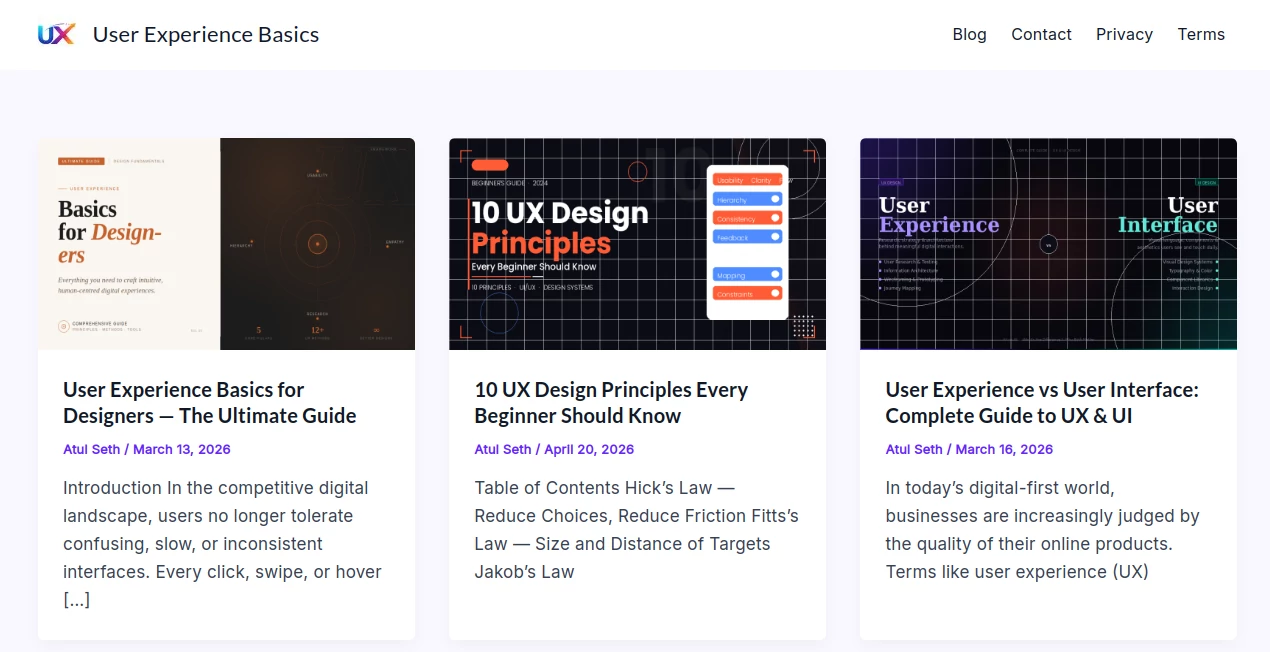
What is User Experience Basics?
Creating digital products that people genuinely enjoy using takes more than attractive visuals. A successful experience is built on clear navigation, logical structure, accessibility, and thoughtful interaction patterns. This educational platform brings these essential concepts together in one place, making it easier for designers, developers, product managers, and business owners to understand the foundations of exceptional user experience.
Instead of presenting scattered tips, the platform organizes UX knowledge into practical lessons, real-world examples, design principles, process guides, and usability recommendations. Whether someone is taking their first steps in UX or refining professional skills, the content provides a structured learning path that focuses on creating products users actually enjoy using.
The educational resources also explain why usability directly influences customer satisfaction, retention, accessibility, and business growth. Readers gain practical insights that can immediately improve websites, SaaS products, mobile applications, and digital services.
Key Features
- Comprehensive guides covering UX fundamentals.
- Clear explanations suitable for beginners and professionals.
- Real-world examples demonstrating effective design decisions.
- Usability checklists for evaluating digital products.
- Accessibility recommendations for inclusive experiences.
- Visual hierarchy and interaction best practices.
- Workflow guidance from research to testing.
- Performance and optimization recommendations.
- Educational articles covering modern UX methodologies.
- Actionable tips that can be applied to real projects immediately.
User Interface
The website offers a clean reading experience that keeps attention on educational content rather than unnecessary visual distractions. Articles are well organized with logical headings, lists, examples, and structured sections that make complex UX concepts much easier to understand. Navigation is straightforward, allowing readers to move naturally through learning materials without feeling overwhelmed.
Accuracy & Performance
The learning materials emphasize established user experience principles rather than temporary design trends. Practical examples, usability recommendations, accessibility considerations, and modern design workflows help readers apply proven techniques across websites, software products, and mobile applications. The educational approach balances theory with practical implementation, making the content valuable for everyday design work.
Capabilities
The platform covers a broad range of UX topics, including usability, accessibility, interface consistency, visual hierarchy, information architecture, user research, wireframing, testing, performance optimization, AI-assisted design workflows, and continuous product improvement. It serves as both a learning resource and a practical reference for ongoing projects.
Security & Privacy
As an educational resource, the platform primarily focuses on delivering learning materials instead of collecting extensive user information. Visitors can access articles and educational content without complicated onboarding, creating a simple browsing experience while minimizing unnecessary friction.
Use Cases
- Learning UX design fundamentals.
- Improving website usability.
- Designing better SaaS products.
- Planning mobile application interfaces.
- Creating user-centered digital experiences.
- Training junior UX and UI designers.
- Supporting product management decisions.
- Preparing educational material for design teams.
- Reviewing accessibility and usability standards.
- Optimizing customer journeys and conversion flows.
Pros and Cons
- Pros
- Easy-to-understand educational content.
- Well-structured learning resources.
- Practical examples instead of abstract theory.
- Suitable for beginners and experienced professionals.
- Covers modern UX principles and workflows.
- Helpful usability checklists for real projects.
- Cons
- Focused on education rather than interactive design software.
- Not intended for creating prototypes directly.
- Advanced professionals may occasionally seek deeper specialization in niche UX topics.
Pricing Plans
The educational content appears to be available for readers without requiring expensive software subscriptions, making it an accessible resource for individuals who want to strengthen their understanding of user experience design.
How to Use User Experience Basics
Start by exploring the introductory guides to understand the core principles of user experience. Continue through articles covering usability, accessibility, research, wireframing, testing, and visual hierarchy. Apply the provided checklists while reviewing your own website or application, compare existing interfaces against recommended practices, and continuously refine your product based on user-centered design principles.
Comparison with Similar Tools
Unlike many educational websites that focus only on theoretical definitions, this platform combines practical guidance, structured learning paths, real examples, and actionable recommendations. Its emphasis on usability, accessibility, measurable improvements, and real design workflows makes it especially useful for professionals who want practical knowledge they can immediately apply to ongoing projects.
Conclusion
Learning user experience should never feel complicated, and this educational resource succeeds by presenting essential concepts in a practical and approachable way. From usability fundamentals and accessibility to interface consistency and product optimization, the platform delivers valuable guidance that helps teams build products users genuinely appreciate. It is an excellent learning destination for anyone looking to strengthen UX knowledge and create more intuitive digital experiences.
Frequently Asked Questions (FAQ)
Who should use this platform?
It is suitable for UX designers, UI designers, developers, product managers, marketers, students, and anyone interested in improving digital experiences.
Does it teach beginner-level UX concepts?
Yes. The learning materials are organized in a way that makes foundational concepts easy to understand before progressing to more advanced topics.
Can experienced designers benefit from it?
Yes. Practical checklists, usability recommendations, and workflow guidance provide useful references even for experienced professionals.
Does it include accessibility guidance?
Yes. Accessibility is presented as one of the essential components of creating effective user experiences.
Can the lessons be applied to SaaS products and websites?
Absolutely. The principles are applicable to websites, mobile applications, SaaS platforms, and many other digital products.
AI Tutorial , AI Design Assistant , AI Education Assistant , AI Knowledge Base .
These classifications represent its core capabilities and areas of application. For related tools, explore the linked categories above.
User Experience Basics details
Website unavailable — View Alternatives
Pricing
- Free
Apps
- Web App
Categories

User Experience Basics Alternatives Product

obbylist

TriviaFlow

SlideStorm AI

Llamaroo

GameClick.io

Mexty AI

Traecta

HelloDay.ai

FigForm
