


















Vaiz
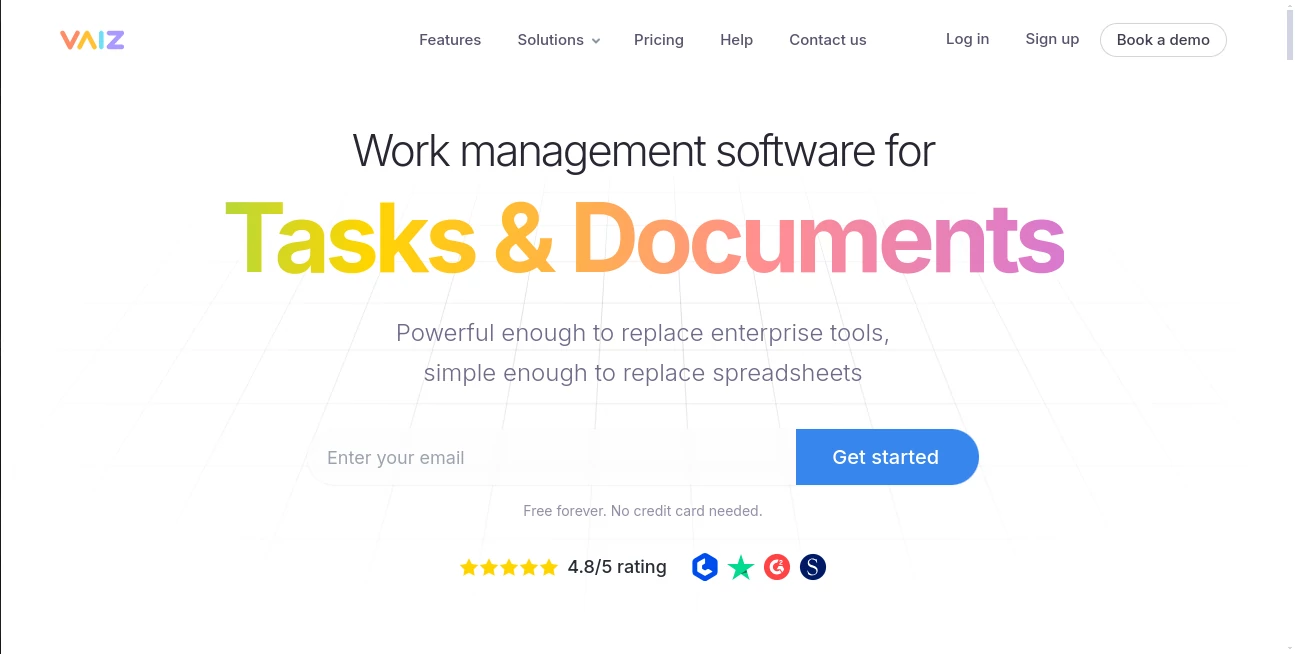
What is Vaiz?
I’ve tried my share of project tools over the years — some too simple, others so complex they created more work than they saved. Then I found this one. It feels like someone finally combined the best parts of everything I’ve used into a single, clean space. Tasks flow naturally into documents, everything stays in context, and the built-in AI actually helps instead of getting in the way. What used to take multiple apps and constant switching now happens in one place, and my team actually enjoys using it.
Introduction
Most teams waste too much time jumping between task boards, document editors, and chat apps. Vaiz brings it all together in one intuitive workspace that’s powerful enough for real work but simple enough that people actually adopt it. You get flexible Kanban boards, rich documents, Gantt charts, automation, and a helpful AI assistant — all without the usual bloat. Whether you’re running a small team or scaling a growing company, it replaces the chaos of spreadsheets and scattered tools with a single source of truth that keeps everyone aligned and moving forward.
Key Features
User Interface
The design is calm and focused — no overwhelming menus or hidden features. Boards feel familiar but more flexible, documents open right next to tasks, and everything stays connected. Switching between views is instant, and the interface stays out of your way so you can focus on the work itself. New team members pick it up quickly, which is rare for tools this capable.
Accuracy & Performance
Everything stays fast even as projects grow. Real-time collaboration works smoothly, changes appear instantly, and the AI assistant delivers practical help instead of generic suggestions. Task dependencies, timelines, and progress tracking feel reliable. Teams report fewer missed updates and less time spent hunting for information because everything lives in one connected space.
Capabilities
You get full Kanban boards with custom fields and WIP limits, rich collaborative documents, Gantt charts for timelines, automation for repetitive work, dashboards for visibility, milestones, and an AI assistant that can turn ideas into structured tasks, summarize discussions, or help draft content. Import from other tools is straightforward, and the platform scales from solo use to larger teams without forcing you into rigid processes.
Security & Privacy
Access controls are granular and easy to manage. Your data stays secure with strong encryption and clear permission settings. The platform is built with real business needs in mind — nothing feels experimental when it comes to protecting important work and client information.
Use Cases
A marketing team plans campaigns with tasks linked directly to creative briefs and approval documents. A development team tracks sprints with Gantt views and technical specs living right next to the code discussions. A small business owner manages everything from client projects to internal operations without switching between five different apps. Remote teams stay aligned because everyone sees the same up-to-date picture. It fits naturally whether you run structured agile processes or prefer more flexible workflows.
Pros and Cons
Pros:
- Tasks and documents live together naturally — no more context switching.
- AI assistant feels genuinely useful instead of gimmicky.
- Flexible enough for different team styles and project types.
- Fast, clean interface that people actually enjoy using.
- Strong free plan makes it easy to start without commitment.
Cons:
- Still growing its ecosystem of integrations compared to older enterprise tools.
- Some advanced reporting features are evolving.
Pricing Plans
It starts with a truly useful free plan — no credit card required and enough capability for small teams to get real work done. Paid plans add unlimited everything, advanced features, priority support, and higher storage. The pricing is transparent and competitive, especially when you consider how many separate tools it replaces.
How to Use Vaiz
Sign up in seconds and create your first project. Invite your team, then start adding tasks or documents. Link related items so everything stays connected. Use the AI assistant when you need help breaking down ideas or drafting content. Set up boards the way your team actually works — Kanban, list, timeline, whatever fits. Check dashboards for quick status overviews and let automation handle repetitive steps. The more you use it, the more natural the whole workspace feels.
Comparison with Similar Tools
Traditional tools often force you to choose between great task management or great documents. This one does both without compromise and adds a helpful AI layer that actually saves time. It’s simpler than enterprise giants but more capable than basic productivity apps. Teams moving away from multiple disconnected tools often find it feels like a breath of fresh air.
Conclusion
Good work happens when the right information is in the right place at the right time. This platform makes that possible without adding complexity. It brings tasks, documents, planning, and collaboration into one thoughtful space that teams actually want to use. If you’re tired of switching apps and losing context, it might be the simpler, more powerful solution you’ve been looking for.
Frequently Asked Questions (FAQ)
Is there a free plan?
Yes — a genuinely useful free tier with no credit card required.
Can I import from other tools?
Yes, imports from Asana, Jira, Trello, ClickUp and others are supported.
Does it work for small teams and larger organizations?
It scales smoothly from solo use to growing companies with advanced needs.
How good is the AI assistant?
It’s practical and focused on real work — turning ideas into tasks, summarizing updates, and helping with content.
Is my data secure?
Yes — strong encryption, granular permissions, and clear security practices.
AI Workflow Management , AI Productivity Tools , AI Team Collaboration , AI Notes Assistant .
These classifications represent its core capabilities and areas of application. For related tools, explore the linked categories above.

Vaiz Alternatives Product

Audio Convert

Nifty

Tate-A-Tate

MeetAssist

Online White…

4ga Boards

Beat API

Gemini Omni

Futurwise
