


















Veme AI
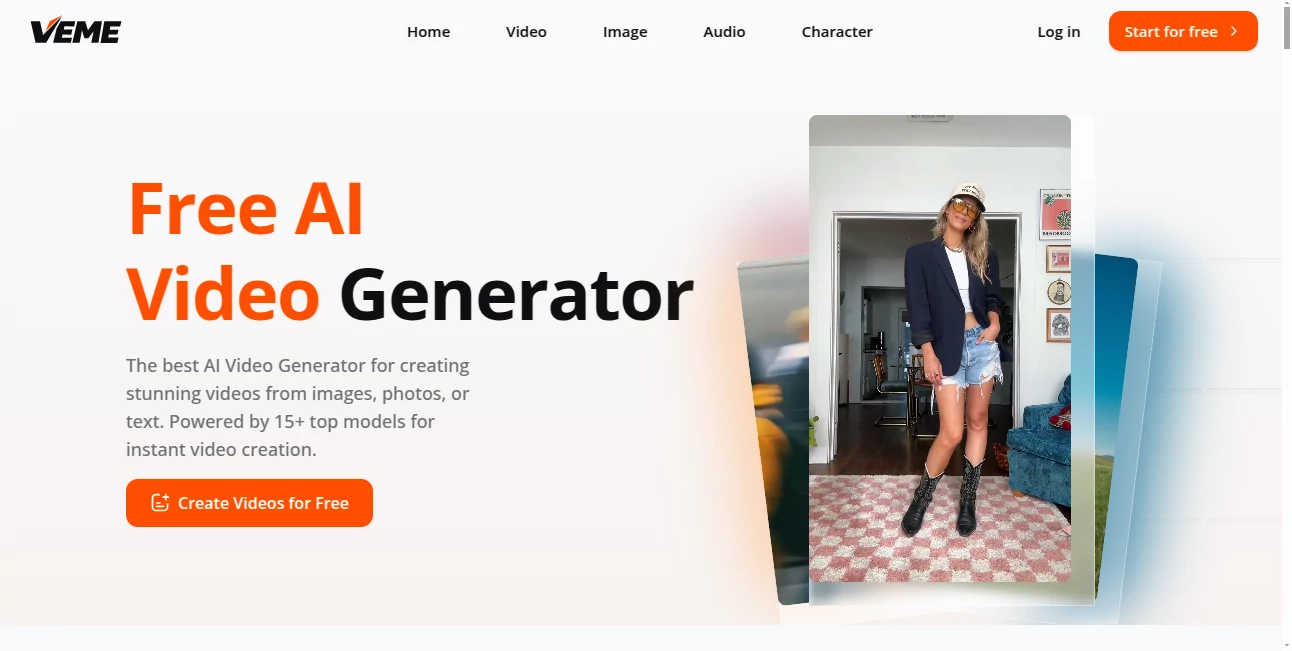
What is Veme AI?
Creating professional-looking videos no longer requires expensive software or advanced editing skills. This platform brings together powerful AI video and image generation technologies in a single workspace, making visual content creation fast, intuitive, and enjoyable. Whether you are building social media campaigns, marketing products, producing educational content, or exploring creative storytelling, the experience feels smooth from start to finish.
Instead of relying on complicated timelines or manual editing, users simply describe an idea, upload an image, or provide a photo to generate engaging videos within minutes. The platform also supports multiple leading AI generation models, giving creators flexibility to choose the style and quality that best matches their project. This combination of simplicity and advanced technology makes it an attractive choice for beginners, professionals, and creative teams alike.
Key Features
User Interface
The interface is designed with productivity in mind. Every major feature is clearly organized, allowing users to move from text prompts or uploaded images to finished videos without unnecessary complexity. Navigation is clean, rendering jobs are easy to monitor, and projects remain organized inside a single dashboard.
Accuracy & Performance
The platform delivers smooth motion generation while preserving image quality and visual consistency. Users can choose from several advanced AI models depending on their creative goals, making it suitable for everything from realistic promotional videos to artistic visual storytelling. Fast cloud processing significantly reduces production time compared to traditional editing workflows.
Capabilities
- Generate videos directly from text prompts.
- Transform static images into animated videos.
- Create cinematic scenes with AI-powered generation models.
- Extend existing video clips while maintaining visual continuity.
- Produce talking avatar videos for presentations and training.
- Generate AI images using multiple image models.
- Upscale low-resolution images with enhanced clarity.
- Apply creative image style transfers.
- Edit or replace image backgrounds quickly.
- Support commercial content creation with higher-tier plans.
Security & Privacy
User accounts are protected through secure authentication, while uploaded projects remain associated with individual workspaces. Subscription plans include private generation options, allowing creators and businesses to work on confidential projects with greater peace of mind. Payment information is processed through secure payment providers rather than being stored directly by the platform.
Use Cases
- Create engaging social media videos for TikTok, Instagram, and YouTube.
- Produce eye-catching product advertisements from existing photos.
- Generate marketing campaigns without expensive video production.
- Create educational lessons and training materials with AI avatars.
- Develop storyboards and concept videos for creative projects.
- Generate visual assets for presentations and business promotions.
- Enhance old or low-quality images before publishing.
- Create cinematic promotional videos for websites and online stores.
Pros and Cons
- Pros
- Supports both AI image and video generation in one platform.
- Multiple industry-leading AI models are available.
- Very easy for beginners to learn.
- Fast rendering for most projects.
- Includes image enhancement and editing features.
- Free plan available for testing the service.
- Suitable for both personal and commercial projects.
- Cons
- Free accounts receive limited monthly credits.
- Premium AI models require paid subscriptions.
- Large rendering jobs depend on available cloud resources.
Pricing Plans
A free plan is available with monthly credits for both image and video generation, making it easy to explore the platform before upgrading. Paid subscriptions unlock significantly more credits, watermark-free exports, premium AI models, faster rendering, private generation, unlimited storage, and commercial usage rights. Multiple pricing tiers are available to accommodate individual creators, professionals, and larger production teams.
How to Use VEME
- Create a free account.
- Select whether you want to generate content from text or from an uploaded image.
- Choose the preferred AI generation model.
- Enter your prompt or upload your visual asset.
- Adjust available generation settings if needed.
- Generate the project.
- Review the output and download the finished result.
Comparison with Similar Tools
Unlike many AI creative platforms that specialize in either image generation or video production, this solution combines both workflows into one ecosystem. Users can generate images, convert them into animated videos, extend clips, enhance visuals, and edit backgrounds without switching between multiple services. Support for numerous premium AI models also provides greater creative flexibility than many single-model competitors.
Conclusion
For creators looking to simplify video production while maintaining professional quality, this platform offers an impressive combination of accessibility and advanced AI technology. The ability to transform text, photos, and images into polished videos within minutes dramatically reduces production time without sacrificing creativity. Combined with image editing, enhancement, style transfer, and commercial-ready features, it serves as a versatile solution for marketers, designers, educators, content creators, and businesses seeking faster visual content creation.
Frequently Asked Questions (FAQ)
Is there a free version available?
Yes. New users can begin with a free plan that includes monthly credits for creating both images and videos.
Can generated content be used commercially?
Commercial usage is available through paid subscription plans.
Does it support image-to-video generation?
Yes. Users can upload static images and convert them into animated videos using AI.
Can videos be created from text prompts?
Yes. Simply enter a text description, select an AI model, and generate a video automatically.
Who is this platform best suited for?
It is ideal for marketers, designers, content creators, educators, agencies, e-commerce businesses, and anyone who wants to create high-quality visual content quickly.
AI Photo & Image Generator , AI Image to Video , AI Video Generator , AI Text to Video .
These classifications represent its core capabilities and areas of application. For related tools, explore the linked categories above.

Veme AI Alternatives Product

Sora by Open…

Wurt.app

VO4 AI
Kling 5.0

Voor AI

Gemini Omni …

Wan 2.7

Seedance Art

Seedance 2.0
