















Verla

What is Verla?
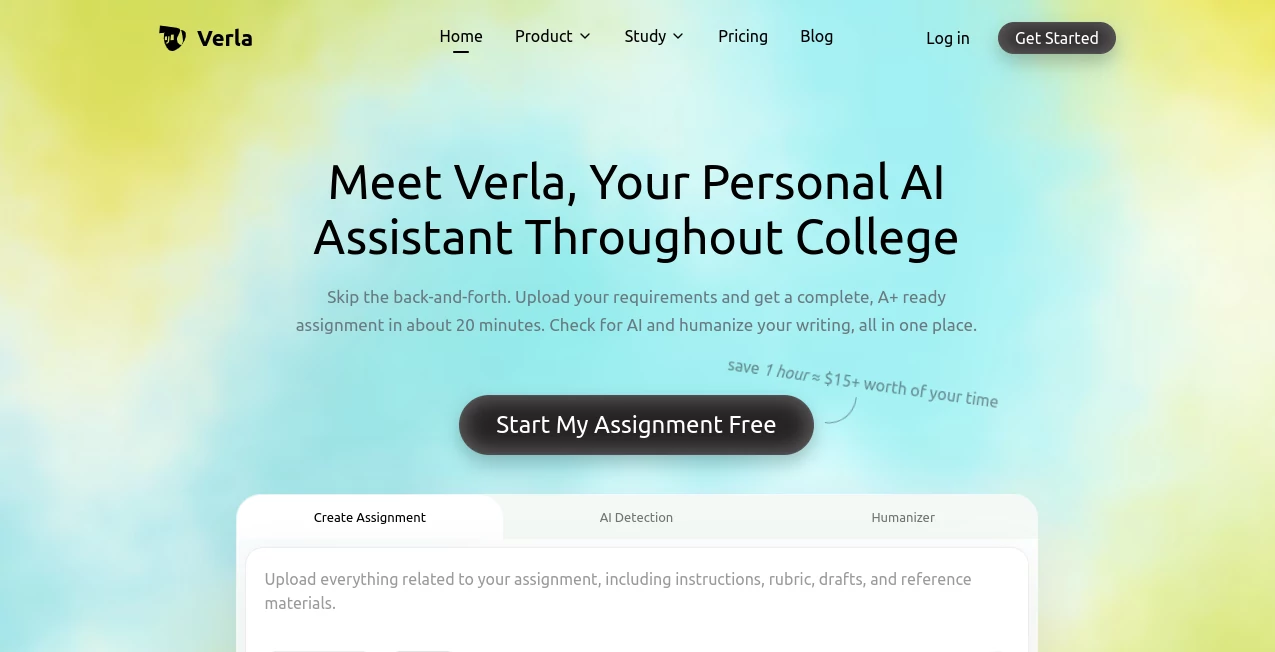
Verla is an academic AI assistant built to simplify the work that happens between receiving an assignment and turning in the final version. Instead of moving between separate writing, research, AI detection, and rewriting services, students can handle those stages in one place. The platform lets users upload assignment instructions, rubrics, lecture notes, PDFs, books, datasets, and examples before generating structured academic work.
The service is designed for a wide range of college work, including essays, research papers, reports, presentations, coding projects, and data assignments. It also includes AI detection and humanizing tools, making it possible to review and refine a draft without starting the process again in another application.
Key Features
User Interface
The workflow is centered around the assignment rather than an open-ended chat. Users can provide the requirements and supporting material first, then work through the generated result. This approach can be particularly useful when an assignment has several requirements that are easy to overlook.
Files can be uploaded as part of the assignment, including rubrics, reading materials, lecture slides, PDFs, books, datasets, and examples. The generated work can also be edited online, with supported exports for documents, PDFs, slides, and code depending on the selected plan.
Accuracy & Performance
One of the more useful aspects of the platform is its focus on assignment requirements. Its generation system is designed to consider the instructions, rubric, and reference materials supplied by the student rather than producing a generic answer with little connection to the actual coursework.
The platform states that assignments can be prepared in about 20 minutes, although actual completion time will naturally depend on the subject, assignment size, and amount of material provided. It supports more than 50 academic majors and over 30 assignment types, covering areas from business and humanities to computer science, engineering, medicine, and other disciplines.
Capabilities
The assignment generator supports essays, research papers, literature reviews, case studies, lab reports, research proposals, presentations, speaker notes, pitch decks, coding projects, Python and SQL assignments, data analysis, notebooks, algorithms, and visualization tasks.
Academic references are another important part of the workflow. The platform supports major citation styles including APA, MLA, Chicago, IEEE, Harvard, and Vancouver. Users can also run an AI detection scan that provides sentence- and paragraph-level analysis and highlights passages that may require attention.
The humanizer is intended for refining AI-assisted or rough writing. It focuses on sentence flow, tone, clarity, and readability while aiming to preserve the original meaning, evidence, citations, and argument.
Security & Privacy
Privacy is particularly relevant for students uploading coursework and personal academic material. The service states that uploaded materials, personal information, and activity records are protected and are not publicly shared. Even so, students should review the privacy policy and their institution's rules before uploading confidential or restricted material.
Use Cases
For a student facing a research paper with a detailed rubric, the workflow can start by uploading the assignment brief, grading criteria, reading list, and relevant notes. The system can then use those materials when preparing the draft, giving the student a more structured starting point.
It can also be useful for presentation-heavy courses. Instead of preparing the written research separately and building slides from scratch, users on eligible plans can generate presentation output as part of the same academic workflow.
Computer science students have a different use case. The platform supports coding and data-related assignments, including Python, SQL, algorithms, data analysis, Jupyter notebooks, and visualization tasks.
Another practical scenario is final editing. A student may have already written most of an assignment but feel that certain paragraphs sound stiff or repetitive. The humanizer can be used to refine those sections, while the AI detection feature can provide another review before submission.
Pros and Cons
Pros:
- Combines assignment generation, AI detection, and humanizing in one workflow.
- Supports rubrics, lecture materials, PDFs, books, datasets, and other reference files.
- Covers a broad selection of academic majors and assignment formats.
- Supports major academic citation styles.
- Offers writing, presentation, and coding output on eligible plans.
- Provides detailed AI detection rather than only a simple overall indication.
- Extra usage packs are available for paid subscribers who need additional capacity.
Cons:
- The number of assignment generations and words available for detection and humanizing depends on the subscription.
- The entry-level plan is limited to writing output.
- AI detection should be treated as a review signal rather than absolute proof of authorship.
- Students still need to check generated academic work, references, facts, and course-specific requirements themselves.
Pricing Plans
The service currently offers a short Pro trial followed by several paid subscription levels. The 7-day Pro trial costs $2.99 and includes one assignment generation, 3,000 AI detection words, and 1,000 humanizer words.
The Basic plan costs $7.99 per month when billed yearly and includes three assignment uses, 10,000 AI detection words, 5,000 humanizer words, and uploads of up to five files per assignment.
The Plus plan costs $15.99 per month when billed yearly. It provides eight assignment uses, 40,000 AI detection words, 20,000 humanizer words, and up to ten files per assignment. Writing, presentation, and coding outputs are included.
The Pro plan costs $31.99 per month when billed yearly and includes 16 assignment uses, 100,000 AI detection words, 60,000 humanizer words, and unlimited files per assignment. Paid members can also purchase additional assignment, detection, and humanizer packs when their regular quota is exhausted.
How to Use It
Start by creating an assignment and entering the requirements provided by your instructor. Upload the rubric, lecture notes, readings, PDFs, datasets, examples, or other material that should influence the result.
Next, select the appropriate assignment type and allow the platform to prepare the work. Review the generated structure, arguments, references, and supporting information rather than treating the first result as a finished submission.
Once the draft is ready, use the editing tools to make any necessary changes. If parts of the writing feel unnatural or overly mechanical, the humanizer can help refine them. The AI detection feature can then be used as an additional review step before the final version is submitted.
Comparison with Similar Tools
Many academic AI services concentrate on one task, such as generating text, checking for AI-written content, or improving wording. This platform takes a broader approach by putting assignment creation, AI detection, and writing refinement into the same workflow.
Another distinction is its emphasis on source material and academic requirements. Instead of relying solely on a short prompt, students can provide rubrics, readings, lecture notes, and other files. This makes the workflow more suitable for assignments where the instructor has specific expectations that need to be reflected in the final structure.
It is not a replacement for independent review, course guidance, or an instructor's requirements. Its strongest role is as a productivity and drafting assistant that helps organize several stages of academic work.
Conclusion
For students who regularly deal with essays, research papers, presentations, coding projects, or demanding coursework, having assignment creation, AI checking, and writing refinement together can remove a fair amount of unnecessary switching between tools. The ability to work from rubrics and uploaded course material also gives the workflow a more academic focus than a general-purpose writing assistant.
The most sensible way to use it is as part of a student's own workflow: provide accurate source material, review the generated work carefully, verify references and claims, and make sure the final submission follows the instructor's rules. Used that way, it can be a practical companion for managing the less enjoyable parts of college assignments.
Frequently Asked Questions (FAQ)
What can the platform help students create?
It can help with essays, research papers, literature reviews, case studies, lab reports, research proposals, presentations, coding projects, data analysis, and several other academic formats.
Can students upload their own course materials?
Yes. Depending on the plan, students can upload materials such as rubrics, lecture notes, PDFs, books, datasets, examples, and other assignment resources.
Does it include an AI detector?
Yes. AI detection is included with the subscription plans and provides detailed passage-level analysis, including sentence and paragraph insights.
Does it have an AI humanizer?
Yes. The humanizer is designed to improve naturalness, clarity, tone, and readability while attempting to preserve the original meaning and supporting evidence.
What citation styles are supported?
The platform supports major academic styles including APA, MLA, Chicago, IEEE, Harvard, and Vancouver.
Can it create presentations and coding assignments?
Yes, presentation and coding output are available on the Plus and Pro plans. Supported work includes slides, speaker notes, coding projects, Python, SQL, data analysis, notebooks, algorithms, and visualization tasks.
Is AI detection a final decision about whether text was AI-generated?
No. AI detection results should be treated as signals for review rather than definitive proof. Context, the student's writing process, and other available evidence should also be considered.
How much does the service cost?
Paid options currently range from $7.99 per month for Basic to $31.99 per month for Pro when billed yearly, with a $2.99 seven-day Pro trial also available.