
Verva
What is Verva?
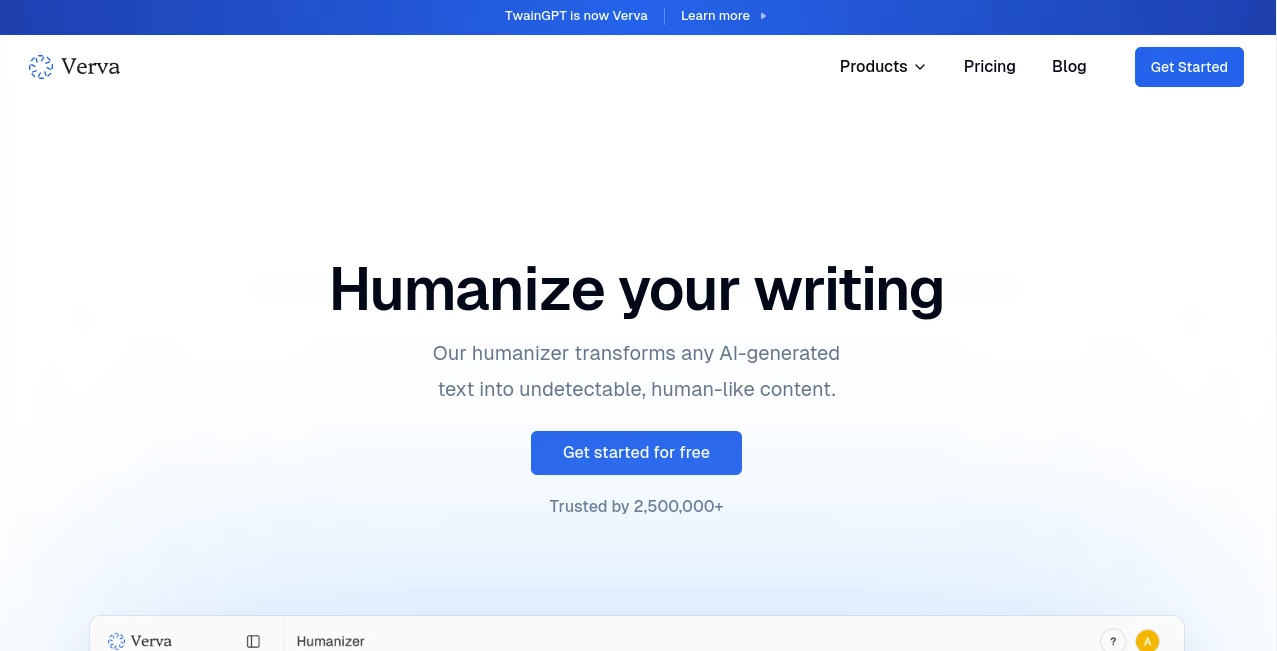
Verva is an AI-powered writing platform designed to make AI-generated text sound more natural, readable, and human-like. It combines an AI humanizer with an AI detector and text generation capabilities, giving writers a practical workspace for refining content before publishing or sharing it.
The platform is aimed at people who regularly work with AI-assisted writing, including bloggers, marketers, students, and professional writers. Instead of simply replacing words, its main purpose is to reshape AI-generated drafts into writing that feels more natural and less mechanical.
One of its notable advantages is language coverage. The platform supports humanizing content in more than 100 languages, making it useful for multilingual creators and teams working across different markets.
Key Features
The platform brings several writing-focused tools together rather than concentrating on a single text transformation feature.
- AI humanization for transforming AI-generated writing into more natural text.
- AI detection for checking whether content may be identified as AI-generated.
- Text generation capabilities for creating and refining written material.
- Support for more than 100 languages.
- Compatibility-focused humanization designed to work with popular AI detection systems.
- A mobile-optimized experience for users who need to work away from a desktop.
- Different usage limits across plans for casual writers and high-volume users.
User Interface
The interface is built around a straightforward writing workflow. Users can bring their text into the platform, process it, and review the resulting version without needing to work through a complicated collection of settings.
The mobile optimization is particularly useful for people who edit articles, social posts, emails, or other short-form content from a phone or tablet. The overall experience is better suited to quick writing tasks than a heavily technical editing environment.
Accuracy & Performance
Performance is centered on preserving the meaning of the original text while changing its presentation and phrasing. This matters because an effective humanization tool should not turn a well-written paragraph into something that feels unnatural simply to make it different.
The service states that its humanizer is designed for major AI detection platforms, including GPTZero, Copyleaks, QuillBot, Turnitin, Writer, and Grammarly. Results can naturally vary between detection systems and individual pieces of content, so users should treat detector scores as indicators rather than absolute proof of authorship.
For everyday editing, the ability to process text quickly and refine an existing AI draft can save considerable time compared with rewriting every paragraph manually.
Capabilities
The strongest use case is taking an AI-assisted draft and giving it a more natural writing style. This can be especially helpful when the original draft is grammatically correct but feels repetitive, overly formal, predictable, or lacking in personality.
Marketers can use the workflow when preparing promotional copy, email campaigns, and social media material. Bloggers can refine rough AI drafts before publication, while writers can use the service as another editing step in their content workflow.
Its multilingual support also opens the door to international content production. A creator working in several languages can use the same platform rather than maintaining separate tools for every language.
Security & Privacy
When working with an online writing platform, privacy is an important consideration, particularly for unpublished articles, business documents, and other original material. Users should review the provider's current privacy policy and terms before submitting confidential or sensitive content.
For routine blog posts, marketing drafts, and general writing projects, the service can fit naturally into an existing editing workflow. For confidential business or personal documents, users should always confirm that the platform's current data-handling practices meet their requirements.
Use Cases
- Blog writing: Improve AI-assisted drafts before publishing them as articles or website content.
- Marketing: Refine promotional messages, social media posts, and email copy so they feel less robotic.
- Content agencies: Give writers another editing stage when producing large volumes of AI-assisted content.
- Multilingual writing: Humanize text across more than 100 supported languages.
- Students and researchers: Review AI-assisted drafts and improve readability while maintaining the original ideas.
- Professional writers: Turn rough AI-generated material into a more polished starting point for manual editing.
Pros and Cons
Pros
- Combines humanization and AI detection in one platform.
- Supports more than 100 languages.
- Designed for several popular AI detection systems.
- Mobile-friendly experience.
- Offers plans for both light and heavy usage.
- Useful for writers, marketers, bloggers, and content teams.
Cons
- AI detection results can vary depending on the detector and the content being tested.
- Heavy users may need one of the paid plans because free usage is limited.
- Humanization should still be followed by human proofreading when accuracy, tone, or factual precision is important.
Pricing Plans
The platform currently offers three main paid plans with different usage limits. The Basic plan costs $8 per month when billed annually and includes 8,000 humanizer words, 100 AI detector uses, and 50 generator uses.
The Premium plan costs $20 per month when billed annually and raises the allowance to 30,000 humanizer words, 500 AI detector uses, and 200 generator uses. It also includes priority support.
The Ultimate plan costs $40 per month when billed annually and provides unlimited humanizer words, unlimited AI detector uses, and unlimited generator uses, along with priority support.
The availability and exact terms of plans can change, so users should check the current pricing information before subscribing.
How to Use It
- Open the writing platform and start with an AI-generated draft or existing piece of text.
- Place the content into the humanizer workspace.
- Run the humanization process to create a more natural version.
- Review the rewritten content carefully and make any personal edits needed for tone, facts, and context.
- Use the AI detector when you want to evaluate how the resulting text may be classified.
- Copy the final version into your blog, email, document, social post, or other publishing workflow.
Comparison with Similar Tools
Many writing platforms focus on either generating text or detecting AI-generated content. This platform takes a slightly different approach by putting humanization at the center while also providing detection and generation features.
Compared with a traditional grammar checker, it is more focused on rewriting and naturalness than simply correcting spelling or punctuation. Compared with a standard AI writer, its main value comes after the initial draft has already been created. This makes it a useful companion for people who already use ChatGPT or other generative AI systems but want another stage of refinement.
The multilingual support is another meaningful distinction for international creators. Instead of limiting the workflow to English, users can work across a much wider range of languages.
Conclusion
For anyone who regularly works with AI-generated writing, Verva offers a focused way to make drafts feel more natural before they reach the reader. Its combination of humanization, AI detection, generation features, multilingual support, and mobile accessibility makes it suitable for a broad range of writing workflows.
It is particularly appealing to bloggers, marketers, content creators, and professional writers who want to spend less time manually restructuring AI drafts. The best results will still come from combining automated rewriting with human judgment, especially when the content needs a specific voice or contains important factual information.
With multiple pricing levels and an option aimed at high-volume users, the platform can accommodate both occasional writers and people who process substantial amounts of content every month.
Frequently Asked Questions (FAQ)
Can I use it for free?
The platform provides a way to get started for free, while paid plans offer substantially higher usage limits and additional benefits.
How many languages does it support?
The humanizer supports more than 100 languages, making it suitable for multilingual content workflows.
Can it detect AI-generated content?
Yes. An AI detector is available alongside the humanization and generation features.
Which AI detectors does it support?
The service states that its humanizer is built for a range of detection systems, including GPTZero, Copyleaks, QuillBot, Turnitin, Writer, and Grammarly.
Is it suitable for bloggers?
Yes. Bloggers can use it to refine AI-assisted drafts, improve readability, and create a more natural starting point for final human editing.
Is it useful for marketers?
Yes. Marketing teams can use it when refining social media content, promotional copy, and email marketing material created with AI assistance.
Does it work on mobile devices?
Yes. The platform states that its experience is optimized for mobile devices, allowing users to work with content while away from a desktop computer.
Which pricing plan is best for heavy users?
The Ultimate plan is designed for power users because it provides unlimited humanizer words, AI detector uses, and generator uses.
AI Detector , AI Rewriter , AI Content Detector , AI General Writing .
These classifications represent its core capabilities and areas of application. For related tools, explore the linked categories above.

Verva Alternatives Product

Copyleaks

Jasper

Rephrazy

HealCycle

GPTZero

AI Bypass Hub
RewriteBar

EditForge

AI Scan24